Safety Information
Please read all safety instructions carefully before using the MINISO LED Makeup Mirror. Keep this manual for future reference.
- Always place the mirror on a stable, flat surface to prevent it from falling.
- Do not use the mirror if the frame or glass is damaged.
- Keep the mirror away from direct heat sources and extreme temperatures.
- To prevent electrical hazards, do not use the mirror while it is plugged in or in wet environments such as bath or shower areas.
- Ensure the power adapter is correctly connected to a suitable power outlet.
Product Overview & Package Contents
The MINISO LED Makeup Mirror combines a lighted vanity mirror with a Bluetooth speaker, offering enhanced functionality for your grooming and entertainment needs.
Package Contents:
- MINISO LED Makeup Mirror (Model DP381)
- Detachable 5X Magnifying Glass
- 12V 1A Power Adapter
- User Manual

This image shows the MINISO LED Makeup Mirror from the front, highlighting its HD glass surface, the sturdy base for tabletop placement, and the included 12V 1A power adapter.
Setup
- Unpack: Carefully remove all components from the packaging.
- Position: Place the mirror on a clean, stable, and flat surface.
- Connect Power: Insert the power adapter cable into the DC input port on the back of the mirror, then plug the adapter into a standard electrical outlet.
- Attach Magnifying Mirror: If desired, attach the 5X magnifying mirror to the main mirror surface using its suction cups. Ensure it is securely fastened.
Operating Instructions
Power and Lighting Control
The mirror features an intuitive touch-sensitive control on the mirror surface.
- Power On/Off: Tap the touch sensor once to turn the mirror lights on or off.
- Change Color Temperature: With the lights on, short press the touch sensor to cycle through three color temperatures: Warm Light, Natural Light, and Cool Light.
- Adjust Brightness: With the lights on, long press the touch sensor to steplessly adjust the brightness from 10% to 100%. Release when the desired brightness is reached.
- Memory Function: The mirror will recall your last brightness setting for immediate use upon powering on.
This video demonstrates the key functions of the MINISO LED Makeup Mirror, including how to power it on and off, cycle through the three light color temperatures (natural, warm, cool), adjust brightness levels, and rotate the mirror for different angles.

This image displays the mirror's three adjustable light color modes: Cool Light, Warm Light, and Natural Light, demonstrating how the lighting can be customized for various makeup and grooming needs.
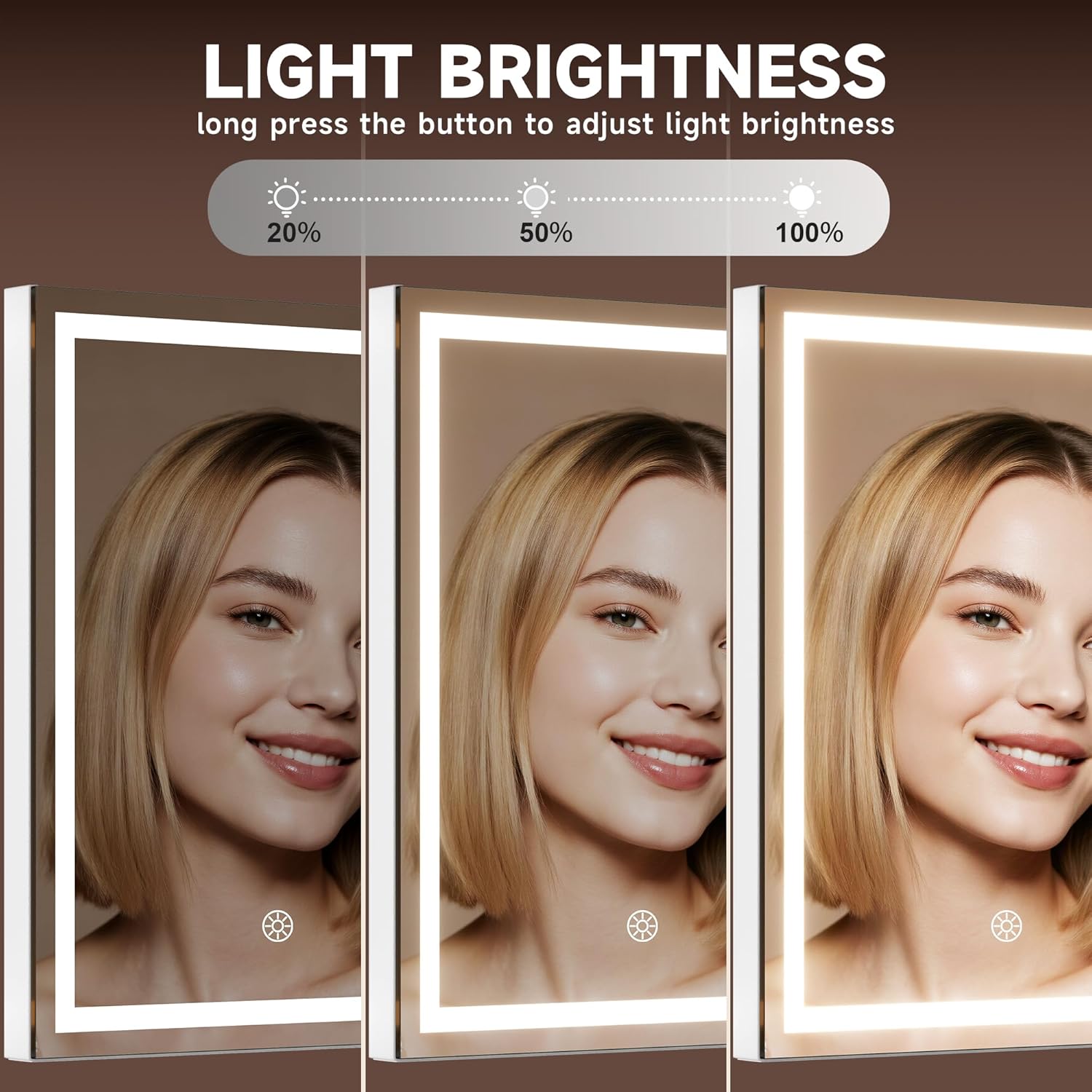
This image illustrates the stepless brightness adjustment feature of the mirror, showing the visual difference between 20%, 50%, and 100% light intensity.
Bluetooth Speaker Operation
The integrated Bluetooth speaker allows you to play audio wirelessly from your mobile device.
- Activate Bluetooth: Ensure the mirror is powered on. The Bluetooth speaker will automatically enter pairing mode.
- Pair Device: On your mobile phone or other Bluetooth-enabled device, go to Bluetooth settings and search for available devices. Select the device named "MINISO Mirror Speaker" (or similar) to pair.
- Play Audio: Once paired, you can play music or other audio through the mirror's speaker.
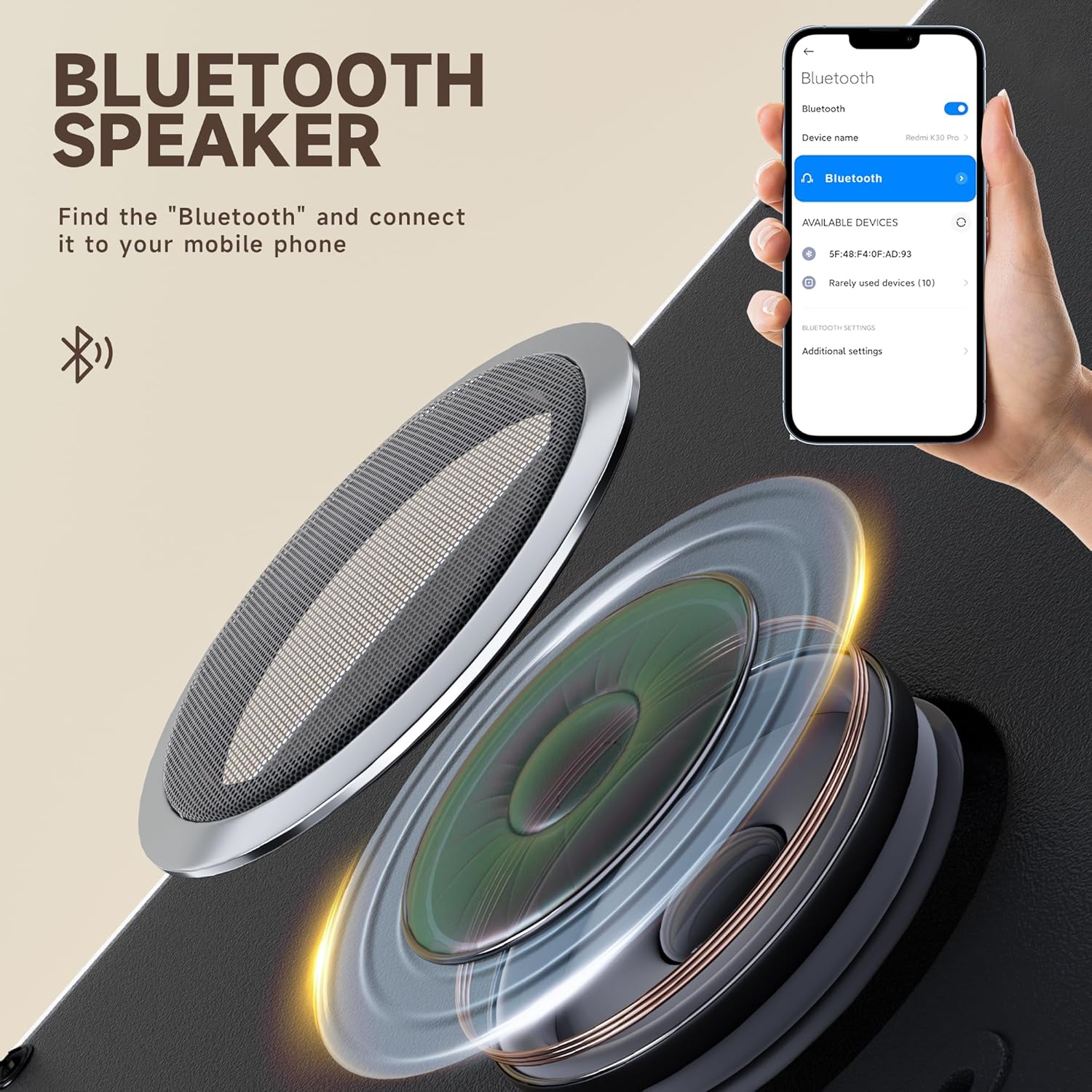
This image illustrates the internal components of the Bluetooth speaker and a mobile phone screen showing how to find and connect to the mirror's Bluetooth speaker in the device settings.
Magnifying Mirror Use
The detachable 5X magnifying mirror is ideal for detailed tasks.
- Attachment: Securely attach the magnifying mirror to the main mirror surface using its suction cups.
- Optimal Viewing: For best results and to avoid distortion, view details from a distance of 6-8 inches (15-20 cm) from the magnifying mirror.

This image compares the MINISO detachable 5X magnifying mirror, which uses suction cups for secure attachment and portability, with a magnetic alternative, highlighting the ease of use and reliability of the suction cup design.
Mirror Adjustment
The mirror is designed for 360-degree rotation, allowing you to adjust the angle for optimal viewing.
- Gently rotate the mirror frame to achieve your desired angle. The robust mechanism will hold it securely in place.

This diagram shows the mirror's ability to rotate 360 degrees, allowing users to find the perfect angle for makeup application or grooming.
Maintenance
Proper care will ensure the longevity and performance of your mirror.
- Cleaning the Mirror Surface: Use a soft, lint-free cloth and a non-abrasive glass cleaner. Spray the cleaner onto the cloth, not directly onto the mirror, to avoid liquid seeping into the frame or electrical components.
- Cleaning the Frame: Wipe the aluminum alloy frame with a soft, dry cloth. Do not use harsh chemicals or abrasive materials.
- Storage: When not in use for extended periods, store the mirror in a dry, cool place, away from direct sunlight and moisture.
- Safety Glass: The mirror is equipped with explosion-proof glass. While designed to minimize shattering, avoid intentional impacts.

This image demonstrates the safety explosion-proof feature of the MINISO mirror, showing how its blast film technology prevents glass fragments from scattering upon impact, compared to an ordinary mirror that shatters into sharp pieces.
Troubleshooting
| Problem | Possible Cause | Solution |
|---|---|---|
| Mirror lights do not turn on. | No power connection or faulty adapter. | Ensure the power adapter is securely plugged into both the mirror and a working electrical outlet. Check if the outlet is functional. |
| Bluetooth speaker not pairing. | Mirror not in pairing mode or device too far. | Ensure the mirror is powered on. Place your mobile device within 1 meter of the mirror. Turn off and on your device's Bluetooth, then try searching again. |
| Lights flicker or dim unexpectedly. | Unstable power supply or internal issue. | Try plugging the mirror into a different power outlet. If the problem persists, contact customer support. |
| Magnifying mirror does not stick. | Suction cups are dirty or dry. | Clean the suction cups and the mirror surface with a damp cloth, then dry thoroughly. Press firmly to attach. |
Specifications
- Model: DP381
- Brand: MINISO
- Product Dimensions: 10.6"L x 13.8"W
- Frame Material: Aluminum Alloy
- Frame Color: White
- Light Source: High-lumen LED bar
- Light Lifespan: 50,000 hours
- Color Temperatures: Warm, Natural, Cool White
- Brightness Adjustment: Stepless (10% to 100%)
- Special Features: Lighted, Magnifying (5X detachable), Bluetooth Speaker, Touch Control, Memory Function, 360-degree Rotation, Explosion-Proof Glass
- Power Input: 12V 1A (via included adapter)
- Item Weight: 4.16 pounds
Warranty and Support
For warranty information, please refer to the documentation included with your product packaging or visit the official MINISO website. If you encounter any issues or require technical assistance, please contact MINISO customer support through their official channels.
Keep your purchase receipt as proof of purchase for any warranty claims.


