
Lockin LKMSD411A
Lockin Veno Smart Lock User Manual
Model: LKMSD411A
Brand: Lockin
Introduction
Welcome to the Lockin Veno Smart Lock user manual. This guide provides comprehensive instructions for the installation, operation, and maintenance of your new smart lock. Please read this manual thoroughly before using the product to ensure proper function and safety. The Lockin Veno Smart Lock offers advanced security and convenience with multiple unlocking methods, designed to integrate seamlessly into your smart home.
Product Overview
The Lockin Veno Smart Lock is a state-of-the-art keyless entry system for front doors, featuring cutting-edge palm vein recognition, fingerprint scanning, and a built-in doorbell. It offers robust security with IP65 weather protection and a long-lasting battery. This smart lock is designed for easy DIY installation and provides flexible access options for various users.

Image: The Lockin Veno Smart Lock, showing its sleek black design, the exterior unit with keypad and palm vein scanner, the interior unit, and a mobile app interface for control.
Key Features
- Next-Gen Palm Vein Recognition: Unlock your door in just 0.17 seconds with 99.9% accuracy. This touchless biometric technology offers military-grade security that cannot be duplicated.
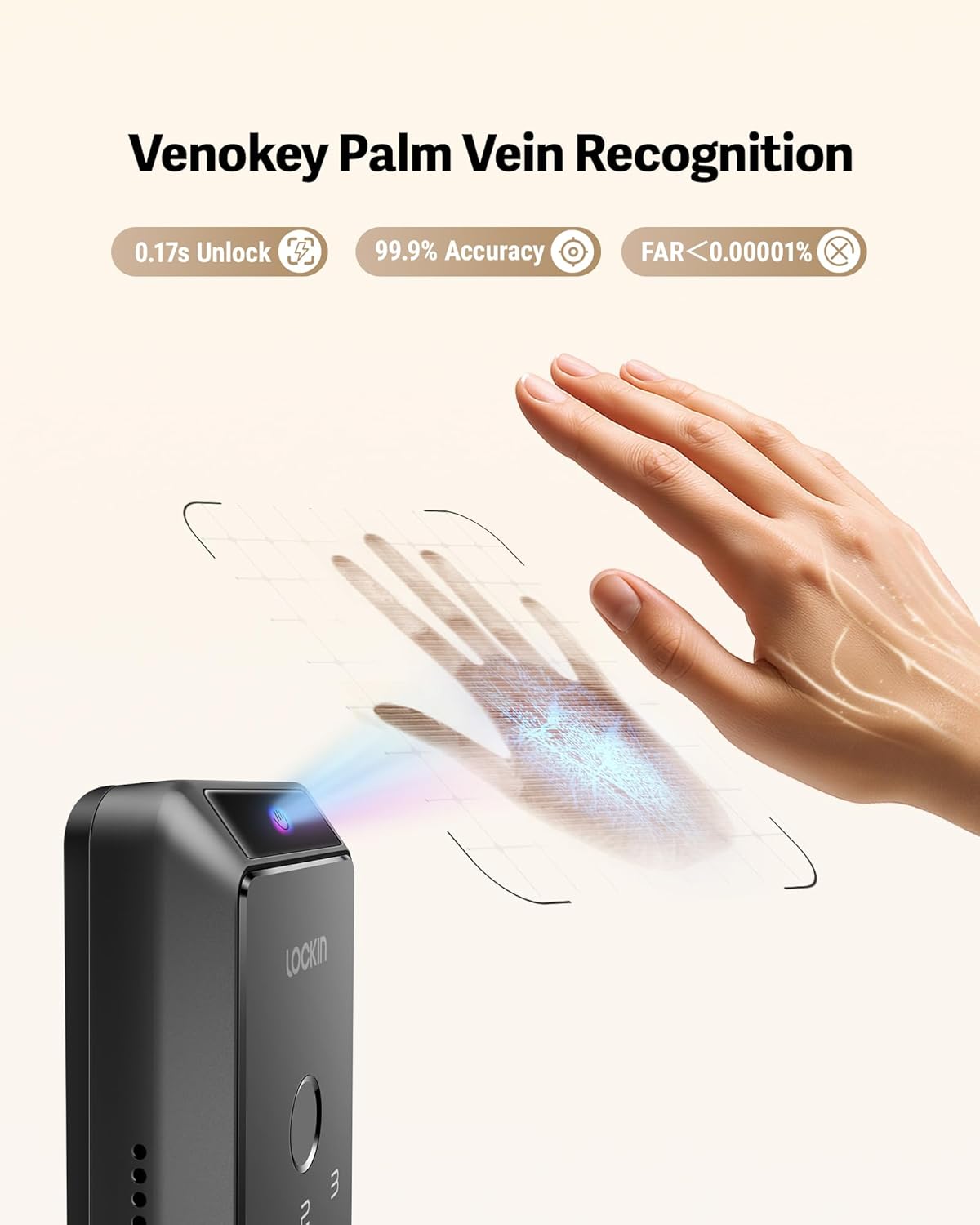
Image: Detailed view of the palm vein recognition feature in action, highlighting its speed and accuracy.

Image: Demonstrates the versatility of palm vein recognition, functioning reliably even with sweaty, dirty, injured, or peeling hands.
- Six Flexible Unlocking Methods: Choose from palm vein recognition, fingerprint scan, passcode, smartphone app, Bluetooth, or emergency mechanical key for convenient access.

Image: Visual representation of the six distinct ways to unlock the Lockin Veno Smart Lock, including biometric and traditional methods.
- 7-Month Battery Life & Low Power Alerts: Enjoy extended usage with intelligent power management, providing up to 7 months of battery life on a single charge. Receive app notifications when the battery level drops below 20%.
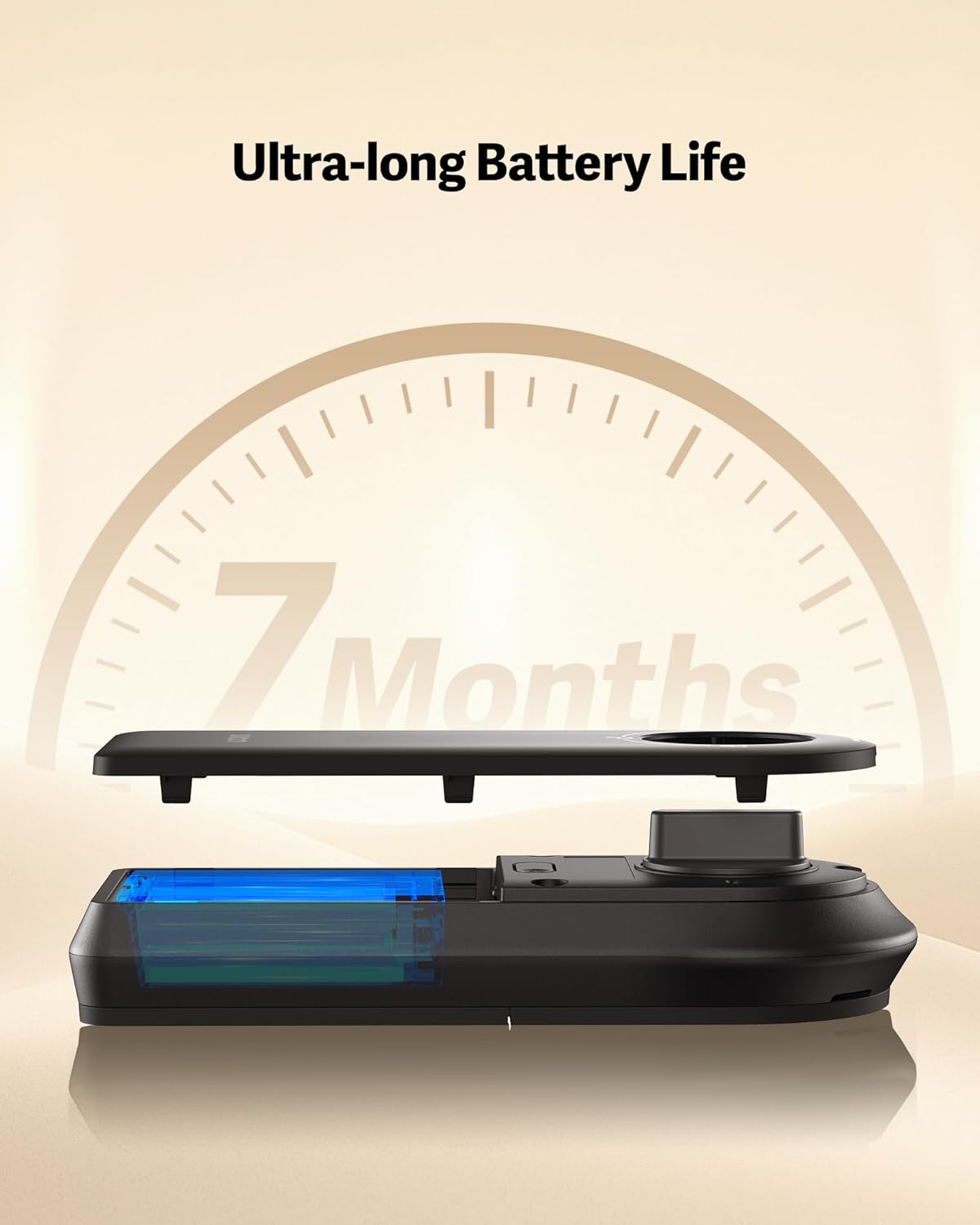
Image: Illustrates the internal battery component and emphasizes the impressive 7-month battery life of the smart lock.
- All-Weather IP65 Protection: Built to withstand various environmental conditions, the lock features IP65 certification for protection against rain, dust, and extreme temperatures (-22°F to 158°F). The reinforced zinc alloy housing ensures durability.

Image: Showcases the lock's resilience against water and its robust construction, confirming its IP65 weather resistance and BHMA Grade 2 certification.
- 15-Minute DIY Installation: Designed for easy, no-drill installation, fitting most standard doors. A screwdriver is the only tool required.
- Voice Control Integration: Compatible with major smart home ecosystems including Amazon Alexa, Google Home, Apple Home, and Samsung SmartThings.

Image: Depicts the smart lock's seamless integration with popular voice assistants for convenient hands-free operation.
Setup
1. Compatibility Check
Before installation, ensure your door meets the following specifications:
- Door Hole Diameter: 1 inch (25.4 mm)
- Door Thickness: 1⅜ inches - 2⅛ inches (35 mm - 55 mm)
- Backset: 2⅜ inches / 60 mm or 2¾ inches / 70 mm
- Crossbore Diameter: 2⅛ inches / 54 mm
- Minimum Distance Between Handle and Crossbore Center: 3 inches / 75 mm
The lock is compatible with single cylinder deadbolts and rectangular latch plate cutouts. It is NOT compatible with mortise locks or rounded latch holes.

Image: A detailed guide for checking door compatibility, illustrating required measurements and compatible lock types.
2. Installation Process
The Lockin Veno Smart Lock is designed for a straightforward DIY installation, typically taking around 15 minutes with just a screwdriver. Follow the detailed instructions provided in the included user manual for step-by-step guidance on replacing your existing deadbolt.
3. Initial Setup and App Pairing
After physical installation, download the Lockin app from your smartphone's app store. Follow the in-app instructions to pair your smart lock, register users, and set up your preferred unlocking methods (palm vein, fingerprint, passcodes).
Operating the Lock
Unlocking Methods:
- Palm Vein Recognition: Approach the lock and wave your hand over the sensor. The lock will scan your palm veins and unlock if a registered pattern is detected.
- Fingerprint Scan: Place your registered finger on the fingerprint sensor. The lock will unlock upon successful recognition.
- Passcode: Enter your programmed numerical passcode on the keypad, then press the unlock button.
- Smartphone App: Use the Lockin app on your smartphone to remotely unlock the door via Bluetooth or Wi-Fi.
- Emergency Mechanical Key: In case of power failure or other issues, use the provided mechanical key to manually unlock the deadbolt. The key slot is discreetly located.
Auto-Lock Function:
The smart lock features an auto-lock function that automatically secures the door after a set period once it closes. This provides added peace of mind, ensuring your door is always locked when you leave.
Maintenance
Battery Management:
The Lockin Veno Smart Lock is powered by a rechargeable Lithium Polymer battery, offering up to 7 months of life. When the battery level drops below 20%, you will receive automatic notifications via the app. To recharge, remove the battery pack and connect it to a USB-C charger. In an emergency, the exterior unit has a USB-C port for temporary power from a power bank.
An optional solar charging panel (sold separately) can be used for continuous charging without removing the battery.
Cleaning and Care:
To maintain the appearance and functionality of your smart lock, wipe the exterior surfaces with a soft, damp cloth. Avoid using abrasive cleaners or solvents, as these can damage the finish and electronic components. Ensure the palm vein and fingerprint sensors are kept clean for optimal performance.
Troubleshooting
If you encounter any issues with your Lockin Veno Smart Lock, please refer to the following common troubleshooting steps:
- Lock Not Responding: Check the battery level. If low, recharge the battery. If the battery is completely drained, use a power bank via the external USB-C port or the mechanical key.
- Palm Vein/Fingerprint Recognition Failure: Ensure your hand/finger is clean and dry. Try re-registering your biometric data in the app. Ensure proper placement over the sensor.
- App Connectivity Issues: Verify your Wi-Fi connection. Ensure the lock is within range of your Wi-Fi router. Restart the app and, if necessary, the lock.
- Passcode Not Working: Double-check the entered passcode. Ensure the lock is not in a temporary lockout mode due to multiple incorrect attempts.
- Door Not Locking/Unlocking Properly: Check for any obstructions in the door frame or deadbolt path. Ensure the lock is correctly aligned and installed according to the manual.
For more detailed troubleshooting or persistent issues, please contact Lockin customer support.
Specifications
| Feature | Specification |
|---|---|
| Brand | Lockin |
| Model Name | Veno (LKMSD411A) |
| Lock Type | Biometric, Deadbolt |
| Special Features | Pincode Unlock, Weather Resistant, Anti-Bump, Auto-Lock, Palm Vein & Fingerprint Recognition |
| Material | Zinc |
| Dimensions (L x W x H) | 10.7 x 4.7 x 3.61 inches |
| Item Weight | 3.66 Pounds |
| Color | Black |
| Power Source | 1 Lithium Polymer battery (included) |
| Connectivity | Bluetooth, Matter, Wi-Fi, Thread |
| Controller Type | Google Assistant, Amazon Alexa, Samsung SmartThings, Apple Home |
| Weather Protection | IP65 Certified |
Warranty and Support
Your Lockin Veno Smart Lock comes with a 12-month warranty from the date of purchase. Lockin is committed to providing excellent customer service and offers 24/7 customer support and lifetime technical support for your product.
For any inquiries, technical assistance, or warranty claims, please contact us:
- Email: support@lockin.com
- Online Support: Visit the official Lockin website for FAQs and additional resources.
Related documentsLKMSD411A


Ask a question about this manual
Ask about setup, troubleshooting, compatibility, parts, safety, or missing instructions. Manuals+ will review the question and use this page’s manual context to help answer it.