
Hisense 65U6Q Pro
Hisense 65 Inch Mini LED QLED 4K Smart TV 65U6Q Pro User Manual
Model: 65U6Q Pro
1. Introduction
Thank you for purchasing the Hisense 65 Inch Mini LED QLED 4K Smart TV 65U6Q Pro. This manual provides essential information for the safe and efficient use of your television. Please read it thoroughly before operating the device and retain it for future reference.
The Hisense U6Q Pro series offers a well-rounded television experience. Equipped with Mini LED technology, it delivers a more realistic picture than conventional LED TVs, ensuring excellent visuals in any lighting condition. QLED Color and the Hi-View AI Engine work together to enhance your viewing experience in real-time, providing consistently vibrant colors and superior clarity across all content.

Image: The Hisense 65U6Q Pro TV seamlessly integrated into a modern living room environment, showcasing its sleek design and display quality.
2. Safety Information
Always follow basic safety precautions when using this product to reduce the risk of fire, electric shock, and injury.
- Do not expose the TV to rain or moisture.
- Do not open the TV casing; refer all servicing to qualified personnel.
- Ensure proper ventilation around the TV.
- Keep the TV away from heat sources and direct sunlight.
- Use only the power cord supplied with the TV.
- Clean the TV with a soft, dry cloth.
3. Package Contents
Verify that all items are present in the package:
- Hisense 65 Inch Mini LED QLED 4K Smart TV 65U6Q Pro
- Remote Control
- Warranty Card
- User Manual (this document)
- Power Cable
- TV Stand Components (if applicable)
4. Setup
4.1 Physical Setup (Stand or Wall Mount)
Before proceeding, ensure the TV is placed on a stable surface or securely mounted to a wall. Refer to the separate wall mount instructions if using a wall mount (VESA Wall Mount Size: 400x400 mm).

Image: This diagram illustrates the physical dimensions of the 65-inch Hisense TV, including its length (1446mm), height with stand (897mm), height without stand (839mm), and depth (68mm at top, 313mm at bottom with stand). It also specifies the VESA wall mount size as 400x400 mm and product weights (with stand: 20.6 kg, without stand: 20 kg).
4.2 Connections
Connect your external devices to the TV using the appropriate ports:
- HDMI: For high-definition audio and video devices (e.g., Blu-ray players, gaming consoles). The TV has 3 HDMI ports.
- USB: For connecting USB storage devices to play media files.
- Ethernet: For a wired internet connection.
- Wi-Fi: For wireless internet connection.
- Bluetooth: For connecting wireless accessories.
4.3 Initial Power On
- Connect the power cable to the TV and a power outlet.
- Press the power button on the remote control or the TV.
- Follow the on-screen instructions to complete the initial setup, including language selection, network connection, and channel scanning.
5. Operating the TV
5.1 Remote Control
Use the provided remote control to navigate the TV's features. Familiarize yourself with the buttons for power, volume, channel, input selection, smart TV access, and navigation.
5.2 Smart TV Features (VIDAA U OS)
Your Hisense TV runs on the VIDAA U operating system, offering a user-friendly interface for accessing apps, streaming services, and smart features.
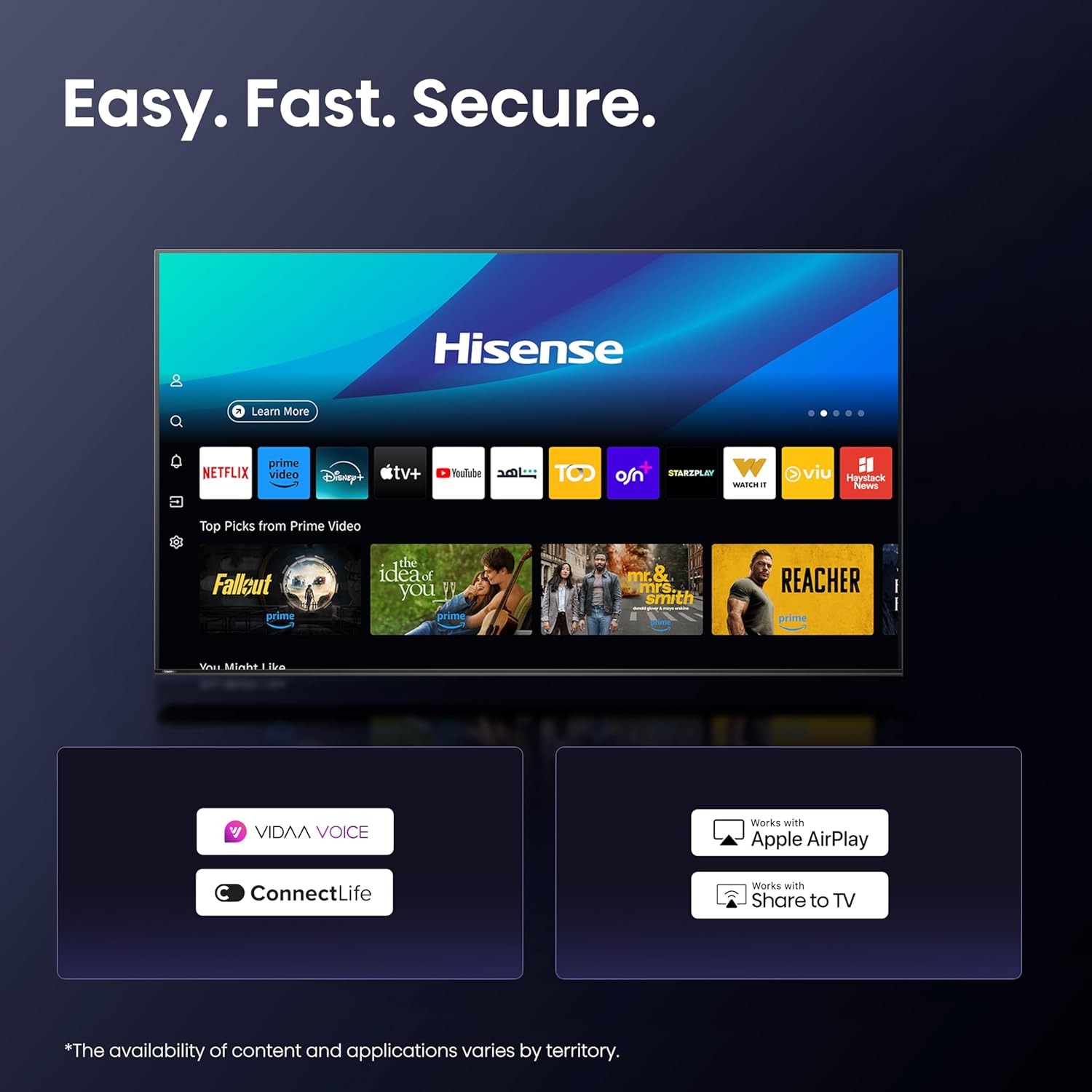
Image: The VIDAA Smart TV interface displays a selection of popular streaming applications and content recommendations, highlighting its ease of use and quick access to entertainment.
- VIDAA Voice: Use voice commands for easier navigation and control.
- ConnectLife: Integrate with smart home devices.
- Apple AirPlay & Share to TV: Stream content from your Apple devices or other compatible devices.
5.3 Display Technologies

Image: This graphic provides a comprehensive overview of the Hisense 65U6Q Pro TV's key features, including advanced display technologies like QLED Colour and Mini-LED, smart functionalities such as VIDAA Smart TV and Hi-View AI Engine, and enhanced audio-visual experiences with Dolby Vision-Atmos and Filmmaker Mode.
- Mini LED: Provides superb contrast and striking clarity by utilizing smaller, more numerous LEDs for precise backlight control.
- QLED Colour: Delivers over a billion shades of vivid color, covering a wider color gamut for accurate, pure, and lifelike color performance.
- Hi-View AI Engine: An AI expert that constantly upgrades content to a better level, offering powerful functions like 4K Upscaler to reshape your favorite content into near-4K quality.
- Dolby Vision.Atmos & HDR10+: Supports advanced HDR formats for incredible brightness, contrast, and color, combined with immersive audio.
- Built-in Subwoofer: Delivers immersive deep bass for a richer audio experience.
- Filmmaker Mode: Preserves the director's original vision by disabling post-processing effects.
- Game Mode Plus: Optimizes settings for gaming, reducing input lag and improving responsiveness.

Image: A visual comparison demonstrating the superior contrast and local dimming capabilities of Mini-LED technology compared to conventional LED TVs, resulting in deeper blacks and brighter highlights.

Image: This image highlights the vibrant and extensive color reproduction capabilities of QLED Colour technology, illustrated by the rich hues of a chameleon.

Image: The Hi-View AI Engine is depicted as the 'AI expert behind every picture,' illustrating its capabilities in optimizing picture, sound, scenario, and energy settings for an enhanced viewing experience.

Image: This visual represents the immersive audio-visual experience provided by Dolby Vision.Atmos, with sound waves emanating from a waterfall scene on the TV, emphasizing the 'See. Hear. Spectacular.' tagline.

Image: The image illustrates the effect of the built-in subwoofer, showing sound waves expanding from the TV during a drum performance, highlighting the immersive deep bass feature.
6. Maintenance
6.1 Cleaning
- Always unplug the TV before cleaning.
- Use a soft, dry, lint-free cloth to wipe the screen and cabinet.
- For stubborn marks, lightly dampen the cloth with water or a specialized screen cleaner (do not spray directly onto the screen).
- Avoid using abrasive cleaners, waxes, or solvents.
6.2 Software Updates
Your TV may receive software updates periodically to improve performance and add new features. Ensure your TV is connected to the internet to receive these updates. You can usually check for updates in the TV's settings menu.
7. Troubleshooting
If you encounter issues with your TV, refer to the following common solutions:
| Problem | Possible Solution |
|---|---|
| No power | Check if the power cord is securely connected and the power outlet is working. |
| No picture, but sound is present | Ensure the correct input source is selected. Check external device connections. |
| No sound, but picture is present | Check volume levels and mute settings. Verify audio cable connections. |
| Remote control not working | Replace batteries. Ensure no obstructions between remote and TV. |
| Smart features not working | Check internet connection (Wi-Fi or Ethernet). Restart the TV. |
If the problem persists, please contact Hisense customer support.
8. Specifications
| Feature | Detail |
|---|---|
| Screen Size | 65 Inch |
| Brand | Hisense |
| Display Technology | LED, QLED, Mini LED |
| Resolution | 4K |
| Refresh Rate | 60 Hz (HSR120Hz) |
| Special Features | Mini LED, QLED Color, Hi-View AI Engine, Game Mode Plus, Built-in Subwoofer |
| Included Components | Warranty Card, Remote Control, User Manual |
| Connectivity Technology | HDMI, USB, Ethernet, Bluetooth, Wi-Fi |
| Aspect Ratio | 16:9 |
| Product Dimensions (DxWxH) | 6.8 x 144.6 x 83.9 cm |
| Max Screen Brightness | 400 nits |
| HDR Format Support | Dolby Vision, HDR10+ |
| Motion Enhancement Technology | AI 4K Upscaler |
| Image Enhancement Technology | AI 4K Upscaler, QLED Color |
| Backlight Technology | Mini LED |
| Total HDMI Ports | 3 |
| Color | Black |
| Model Name | 65U6Q Pro |
| Model Year | 2025 |
| Model Number | 65U6Q Pro |
| Speaker Description | Dolby Atmos |
| Speaker Output Power | 10 Watts |
| Built-in Surround Sound Format | Dolby Atmos |
| Operating System | VIDAA U |
| Control Method | Voice, App |
| Manufacturer | Hisense |
| Country of Origin | China |
9. Warranty and Support
9.1 Warranty Information
This product comes with a manufacturer's warranty of two years. Please refer to the included warranty card for detailed terms and conditions.
9.2 Customer Support
For technical assistance, troubleshooting beyond this manual, or warranty claims, please contact Hisense customer support. Contact details can typically be found on the Hisense official website or on your warranty card.
You can also visit the Hisense Store on Amazon for more product information.
Related documents65U6Q Pro


Ask a question about this manual
Ask about setup, troubleshooting, compatibility, parts, safety, or missing instructions. Manuals+ will review the question and use this page’s manual context to help answer it.