1. Introduction
Thank you for choosing the Frienhund Automatic Pet Feeder. This device is designed to simplify your pet's feeding routine, ensuring timely and portion-controlled meals. Featuring dual-band WiFi (2.4GHz & 5GHz) connectivity, remote app control, slow feeding mode, and Alexa compatibility, it offers convenience and peace of mind for pet owners. This manual provides detailed instructions for setup, operation, and maintenance to help you get the most out of your new feeder.
2. Safety Information
Please read all instructions carefully before using the feeder. Keep the feeder on a stable, level surface. Do not immerse the main unit in water. Use only the provided power adapter. Keep out of reach of children and pets when not in use. Ensure the power cord is not chewed by pets; the feeder features a nylon braided cord for enhanced durability.
3. Package Contents
Verify that all items listed below are included in your package:
- 1x Feeder Base
- 1x Food Tank (7L capacity)
- 1x Lid
- 1x Meal Splitter
- 1x Stainless Steel Feeding Bowl
- 1x Bowl Tray
- 1x Power Adapter
- 1x USB Cable
- 1x Desiccant
- 1x Desiccant Compartment
- 1x ABS Wall Hook
- 4x Screws
- 4x Anchors
- 1x User Manual

Image: Detailed view of all components included in the Frienhund Automatic Pet Feeder package.
4. Product Overview
The Frienhund Automatic Pet Feeder is designed for convenience and reliability. It features a large 7L transparent food tank, a removable stainless steel bowl for hygiene, and a control panel with indicator lights. The feeder supports both 2.4GHz and 5GHz WiFi for stable connectivity and offers dual power supply options to ensure continuous operation.

Image: Front view of the Frienhund Automatic Pet Feeder, highlighting its 7L capacity and slow feeding mode tag.

Image: Overview of the feeder's key features, including remote feeding, 7L food storage, feeding history, dual-band WiFi, and dual power supply.
5. Setup
5.1. Assembly
Follow these steps to assemble your Frienhund Automatic Pet Feeder:
- Unpack all components from the box.
- Insert the meal splitter into the feeder base.
- Open the battery compartment at the bottom and insert three D-cell batteries (not included) for backup power.
- Connect the power adapter to the feeder and a wall outlet.
- Place the food tank onto the feeder base, ensuring it clicks securely into place.
- Insert the desiccant into its compartment in the lid to keep food fresh.
- Attach the stainless steel bowl to the bowl tray and slide it into position at the front of the feeder.
Video: A comprehensive guide to assembling the Frienhund Automatic Pet Feeder, including unboxing, component installation, and initial setup steps.
5.2. Power Supply
The feeder operates on a DC 5V power adapter for daily use. For uninterrupted feeding during power outages, it is recommended to install 3 D-cell batteries (not included) as a backup power source. The feeder has chip memory to execute the set feeding schedule even when disconnected from the internet.
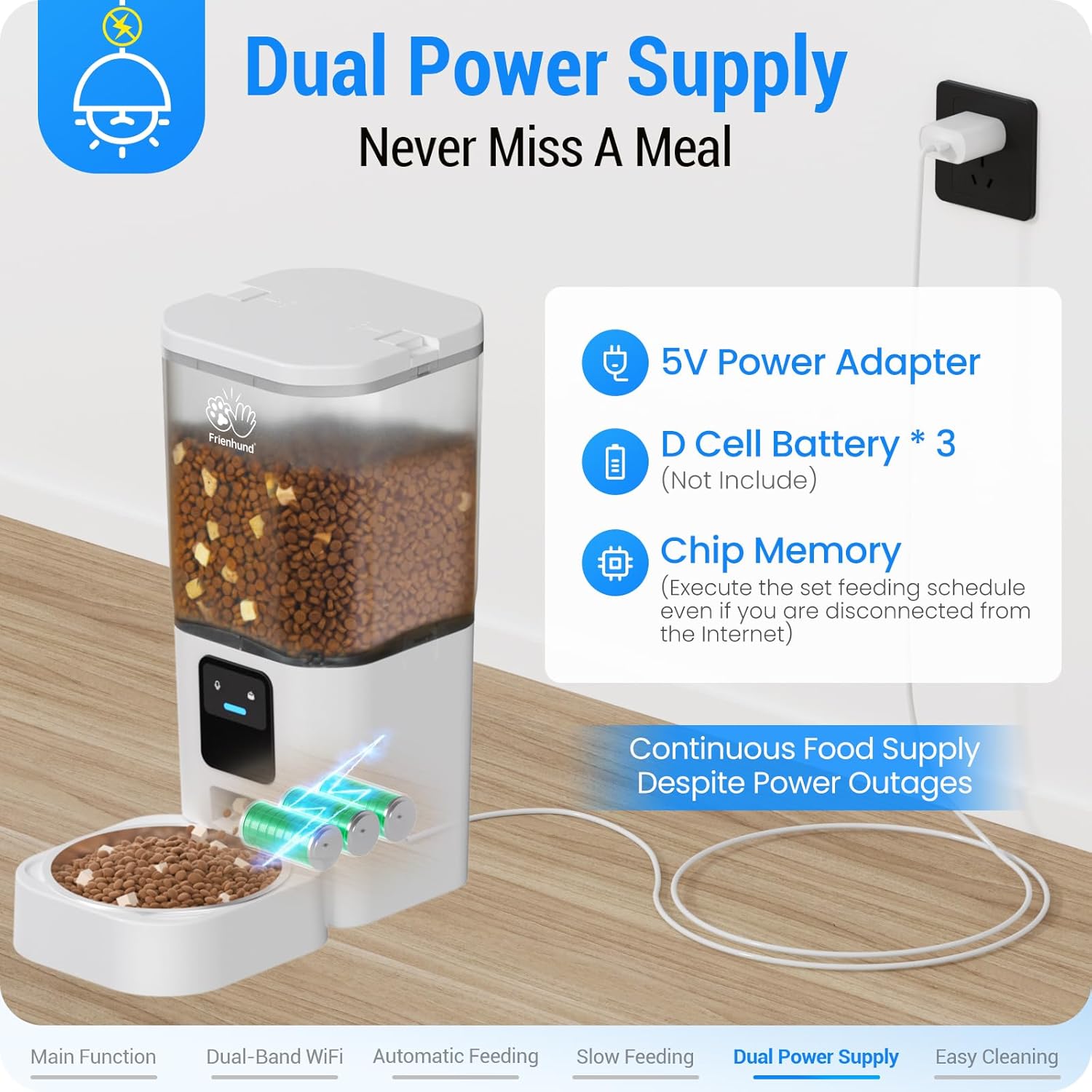
Image: Illustration of the dual power supply system, showing the 5V power adapter and D-cell battery slots for continuous operation.
5.3. App Installation and Connection
To control your feeder remotely, download the "Smart Life" app from your device's app store (iOS/Android). Ensure your phone's Bluetooth, WLAN, and GPS are turned on. The indicator light on the feeder should be blinking blue. Open the app, select "Add Device," and follow the on-screen prompts to connect the feeder to your home WiFi network (supports 2.4GHz & 5GHz).
6. Operating Instructions
6.1. Manual Feeding
You can manually dispense food directly from the Smart Life app. On the feeder's main screen in the app, select the desired number of portions and tap the "Feed" button. This is useful for rewarding your pet or providing an extra snack.
6.2. Setting Feeding Schedule
The Smart Life app allows you to set up a detailed feeding schedule. You can program up to 30 meals per day, with 1-12 portions per meal. Navigate to the "Feeding Schedule" section in the app to add or modify meal times and portion sizes for each day of the week.

Image: Screenshot of the Smart Life app interface showing options for setting feeding times and portion sizes.
6.3. Slow Feeding Mode
Activate the Slow Feeding Mode in the app to dispense food gradually, one portion per minute. This feature helps prevent choking, bloating, and obesity in pets that tend to eat too quickly, promoting healthier digestion.

Image: Visual explanation of the slow feeding mode, illustrating how it prevents common pet eating issues like bloating and regurgitation.
6.4. Dual-Band WiFi Support
The Frienhund Automatic Pet Feeder supports both 2.4GHz and 5GHz WiFi networks, ensuring a stable and reliable connection without the need to modify your router settings. The 5GHz band provides superior stability for seamless app control.
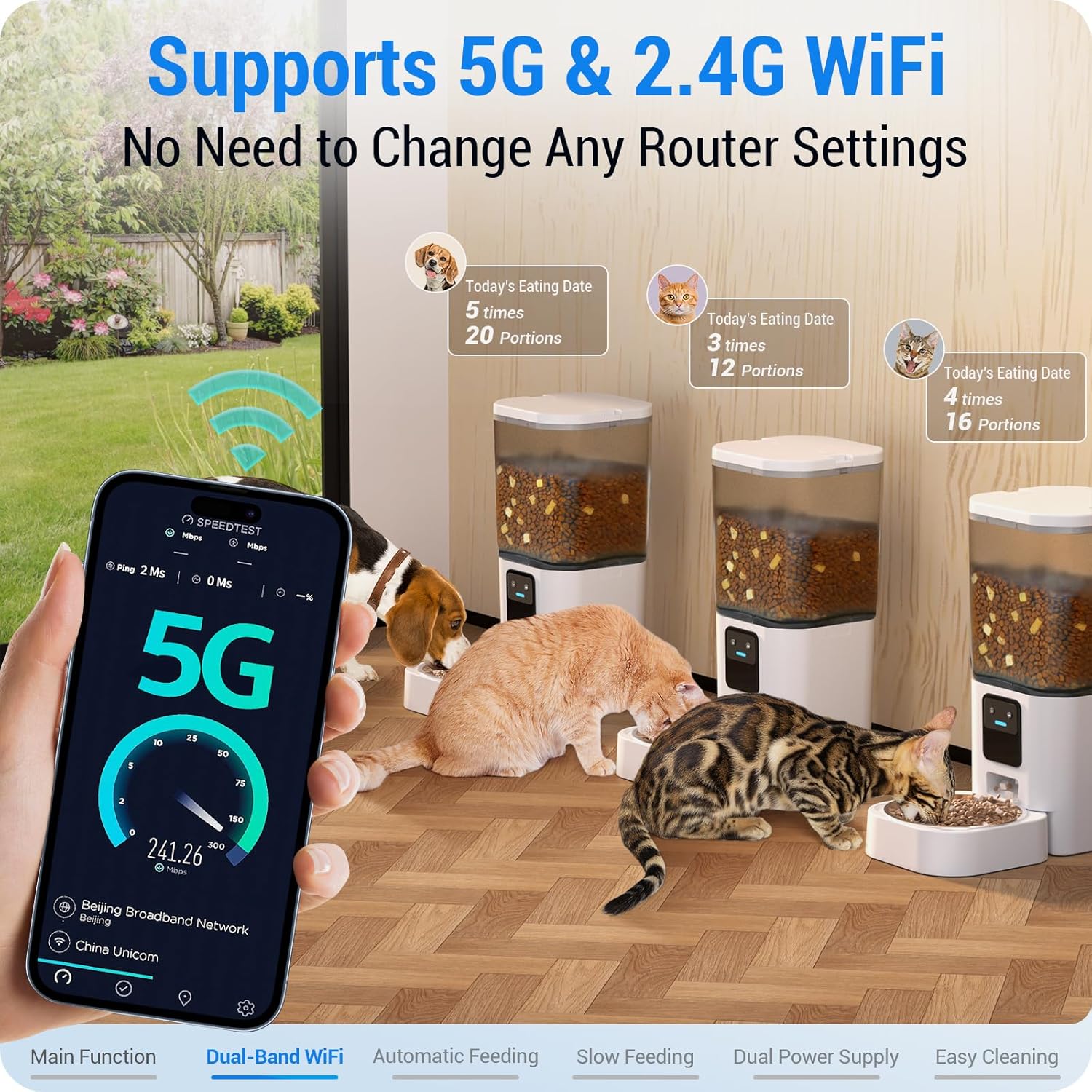
Image: Depiction of the feeder's dual-band WiFi capability, showing compatibility with both 5G and 2.4G networks for enhanced connectivity.
6.5. Alexa Integration
The feeder supports Amazon Alexa, allowing for hands-free voice control. You can ask your Amazon Echo device to dispense food for your pet, making feeding even more convenient.

Image: A user interacting with an Amazon Echo device to command the Frienhund feeder, demonstrating Alexa integration.
6.6. Sharing Device Access
You can share control of the feeder with family members through the Smart Life app. This allows multiple users to manage the feeding schedule and monitor feeding history, ideal for multi-person households.

Image: Screenshot of the app's device sharing feature, enabling multiple family members to control the feeder.
6.7. Scenario Mission
The Smart Life app allows you to set up "Scenario Missions" to automate feeding based on environmental conditions or your location. For example, you can configure the feeder to dispense more food when the weather is cold (climate-based) or when you leave a set geographical range (location-based), ensuring your pet's needs are met dynamically.

Image: Example of a climate-based scenario mission in the app, where feeding adjusts based on temperature.

Image: Example of a location-based scenario mission in the app, where feeding adjusts when the user leaves a defined area.
7. Maintenance & Cleaning
Regular cleaning ensures hygiene and extends the life of your feeder. The Frienhund Automatic Pet Feeder features a detachable design for easy cleaning.
- The food tank and stainless steel bowl are removable and can be cleaned thoroughly.
- The stainless steel bowl is dishwasher safe.
- The main feeder unit (non-washable part) should be wiped clean with a damp cloth.
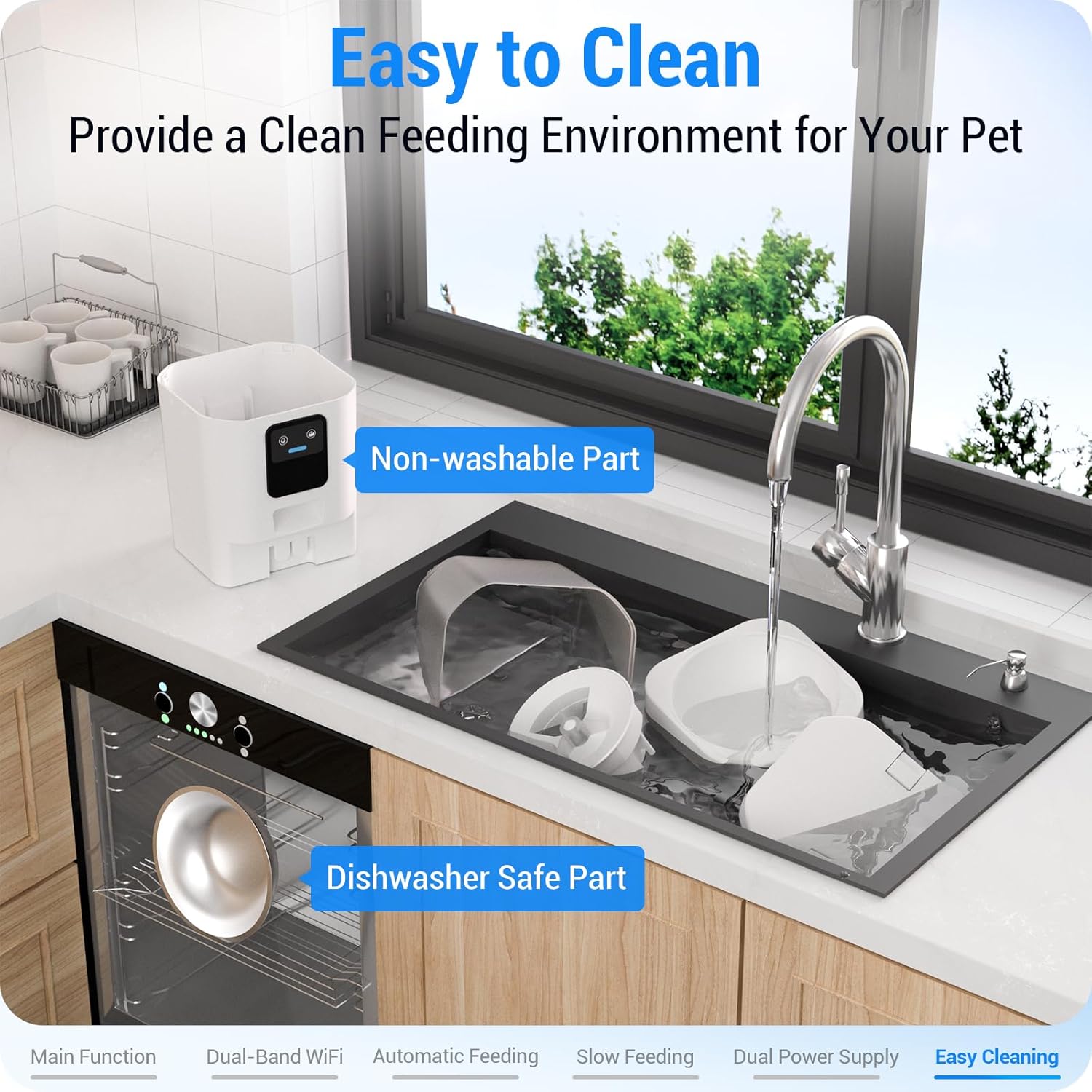
Image: Visual guide to cleaning the feeder, showing detachable parts and dishwasher-safe components.
8. Troubleshooting
If you encounter issues with your Frienhund Automatic Pet Feeder, please refer to the following common solutions:
- Feeder not connecting to WiFi: Ensure your phone's Bluetooth, WLAN, and GPS are enabled. Verify that the feeder's indicator light is blinking blue. Check your WiFi password and ensure you are connecting to a compatible network (2.4GHz or 5GHz).
- Food not dispensing: Check if the food tank is properly seated and the meal splitter is correctly installed. Ensure there is enough food in the tank and that the kibble size is within the recommended range (5-15mm). Clear any obstructions in the dispensing mechanism.
- App issues: Ensure the Smart Life app is updated to the latest version. Restart the app or your phone. If problems persist, try reinstalling the app.
- Power interruption: If the feeder loses main power, the D-cell batteries should provide backup. Ensure batteries are installed and have sufficient charge.
For further assistance, please contact customer support.
9. Specifications
| Feature | Detail |
|---|---|
| Model Name | ACF-90W |
| Capacity | 7L (29 Cups) |
| Dimensions (LxWxH) | 12.4 x 7 x 15.3 inches |
| Weight | 3.61 pounds (1.64 Kilograms) |
| Network Connection | 2.4G / 5G WiFi |
| Power Supply | DC 5V Power Adapter, 3x D Cell Batteries (not included) |
| Material | Acrylonitrile Butadiene Styrene (BPA-Free), Stainless Steel |
| Recommended Food Size | 5-15mm (0.19-0.59in) |
| Care Instructions | Dishwasher Safe (Stainless Steel Bowl), Hand Wash Only (Food Tank, Feeder Base) |
| Special Features | Alexa Compatible, Automatic, Feeding Schedule, Slow Feeding, Smart App |

Image: Detailed specifications of the Frienhund Automatic Pet Feeder, including dimensions, weight, and material.
10. Warranty & Support
Frienhund offers a one-year warranty for this automatic pet feeder. For any product-related issues, questions, or support needs, please contact the seller (SAMHUG) directly through your Amazon order details. They provide 24/7 online service to assist you.

Image: Illustration of customer support availability, emphasizing 24/7 online service.


