1. Introduction
Thank you for choosing the boAt Aavante 2.2 1400 Soundbar. This manual provides essential information for setting up, operating, and maintaining your new soundbar. Please read it thoroughly before use to ensure optimal performance and safety.
1.1 Product Overview
The boAt Aavante 2.2 1400 is a 140W 2.2 channel soundbar designed to enhance your home audio experience. It features built-in subwoofers, multiple connectivity options including Bluetooth V5.3, AUX, USB, Coaxial, and HDMI(ARC), and various EQ modes for customized sound.
1.2 What's in the Box
- boAt Aavante 2.2 1400 Soundbar
- Remote Control (2 AA batteries included)
- Power Cable
- User Manual
2. Safety Information
Please observe the following safety guidelines to prevent damage to the device or personal injury:
- Do not expose the soundbar to rain, moisture, or extreme temperatures.
- Do not open the casing; refer all servicing to qualified personnel.
- Ensure proper ventilation around the unit.
- Use only the provided power cable.
- Keep out of reach of children.
3. Product Components and Controls
3.1 Soundbar Overview
The soundbar features a sleek design with integrated controls and various input ports on the rear panel.

Image: Front view of the boAt Aavante 2.2 1400 Soundbar, showcasing its compact and elegant design.
3.2 Connectivity Ports
The soundbar offers multiple options for connecting to your audio sources:
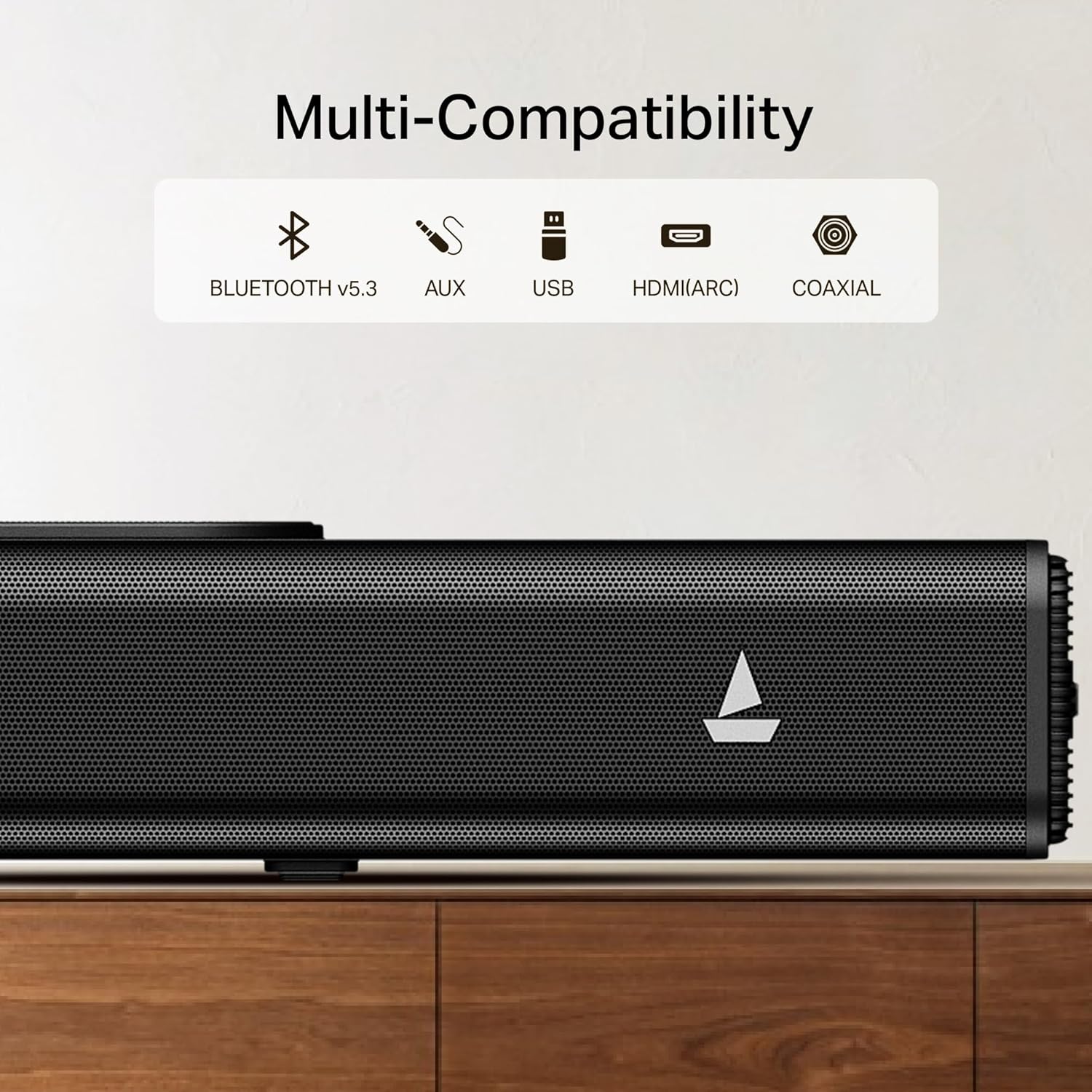
Image: Close-up of the soundbar's rear panel, highlighting the Bluetooth V5.3, AUX, USB, HDMI(ARC), and Coaxial input ports.
- Bluetooth V5.3: For wireless connection to compatible devices.
- AUX: For analog audio input from devices with a 3.5mm jack.
- USB: For playing audio files directly from a USB drive.
- HDMI(ARC): For high-quality digital audio connection to ARC-enabled TVs.
- Coaxial: For digital audio input from compatible devices.
3.3 Remote Control
The included remote control provides full functionality for managing your soundbar.

Image: Illustration showing the soundbar's easy access controls and the master remote control, along with icons for Music, Movies, and News EQ modes.
- Power On/Off
- Volume Up/Down
- Input Source Selection
- EQ Mode Selection (Music, Movies, News)
- Playback Controls (Play/Pause, Skip)
4. Setup
4.1 Unpacking
Carefully remove all components from the packaging. Retain the packaging for future transport or storage.
4.2 Placement
Place the soundbar on a stable, flat surface directly in front of your television for the best audio experience. Ensure there is adequate space for air circulation.

Image: The boAt Aavante 2.2 1400 Soundbar positioned below a television, illustrating its 2.2-channel audio with built-in subwoofer for an immersive experience.
4.3 Connecting to Power
- Connect the power cable to the AC IN port on the soundbar.
- Plug the other end of the power cable into a wall outlet.
4.4 Audio Connections
Choose one of the following methods to connect your audio source:
4.4.1 HDMI (ARC) Connection
For optimal digital audio quality and control, connect your TV's HDMI ARC port to the soundbar's HDMI(ARC) port using an HDMI cable (not included).
4.4.2 Bluetooth Connection
- Press the 'Input' button on the remote or soundbar until 'BT' appears on the display.
- Enable Bluetooth on your device (smartphone, tablet, etc.).
- Select 'boAt Aavante 1400' from the list of available devices.
- A confirmation tone will sound upon successful pairing.
4.4.3 AUX Connection
Connect an AUX cable (not included) from your audio device's 3.5mm output to the soundbar's AUX IN port.
4.4.4 USB Connection
Insert a USB drive containing audio files into the USB port on the soundbar. The soundbar will automatically switch to USB mode and begin playback.
4.4.5 Coaxial Connection
Connect a Coaxial cable (not included) from your audio device's Coaxial output to the soundbar's Coaxial IN port.
5. Operating Instructions
5.1 Power On/Off
Press the power button on the soundbar or remote control to turn the unit on or off.
5.2 Volume Control
Use the 'Volume +' or 'Volume -' buttons on the remote or soundbar to adjust the volume level.
5.3 Input Source Selection
Press the 'Input' button on the remote or soundbar repeatedly to cycle through available input sources: Bluetooth, AUX, USB, Coaxial, HDMI(ARC).
5.4 EQ Modes
The soundbar features multiple equalizer modes to optimize audio for different content types:
- Music Mode: Enhanced for musical playback.
- Movies Mode: Optimized for cinematic sound.
- News Mode: Clearer vocal reproduction for news and dialogue.
Press the corresponding EQ mode button on the remote control to select your desired mode.
6. Maintenance
6.1 Cleaning
Wipe the soundbar with a soft, dry cloth. Do not use liquid cleaners or abrasive materials.
6.2 Storage
If storing the soundbar for an extended period, disconnect it from power and store it in a cool, dry place, preferably in its original packaging.
7. Troubleshooting
| Problem | Possible Cause | Solution |
|---|---|---|
| No power | Power cable not connected; Wall outlet not active | Ensure power cable is securely connected; Test wall outlet with another device. |
| No sound | Incorrect input source; Volume too low; Mute activated; Cable connection issue | Select correct input source; Increase volume; Deactivate mute; Check audio cable connections. |
| Bluetooth not connecting | Soundbar not in pairing mode; Device not discoverable; Interference | Ensure soundbar is in BT mode; Make sure device Bluetooth is on; Move devices closer; Restart both devices. |
| Remote control not working | Batteries depleted; Obstruction; Remote out of range | Replace batteries (2 AA); Remove obstructions; Point remote directly at soundbar; Ensure within range. |
8. Specifications
- Model Name: Aavante 2.2 1400
- Brand: boAt
- Speaker Type: Soundbar
- Connectivity Technology: Bluetooth V5.3, AUX, USB, Coaxial, HDMI(ARC)
- Power Output: 140W
- Channels: 2.2 Channel with Built-in Subwoofer
- Product Dimensions: 97D x 14W x 9H Centimeters
- Item Weight: 4 kg
- Control Method: Remote
- Power Source: Wired Electric
- Batteries for Remote: 2 AA batteries (included)
- Recommended Uses: Home Theatre
- Country of Origin: India
9. Warranty and Support
For warranty information and customer support, please refer to the warranty card included with your product or contact boAt customer service.
Manufacturer: Imagine Marketing Ltd


