
Baseus b1d074dd-fafc-4008-ab49-6954204ba56b
Baseus Dual Arm Adjustable Magnetic Car Phone Mount
Model: b1d074dd-fafc-4008-ab49-6954204ba56b | Brand: Baseus
Introduction
This manual provides detailed instructions for the installation, operation, and maintenance of your Baseus Dual Arm Adjustable Magnetic Car Phone Mount. Designed for secure and flexible phone placement in your vehicle, this mount features a dual-arm structure, powerful magnets, and durable 3M adhesive for reliable performance.
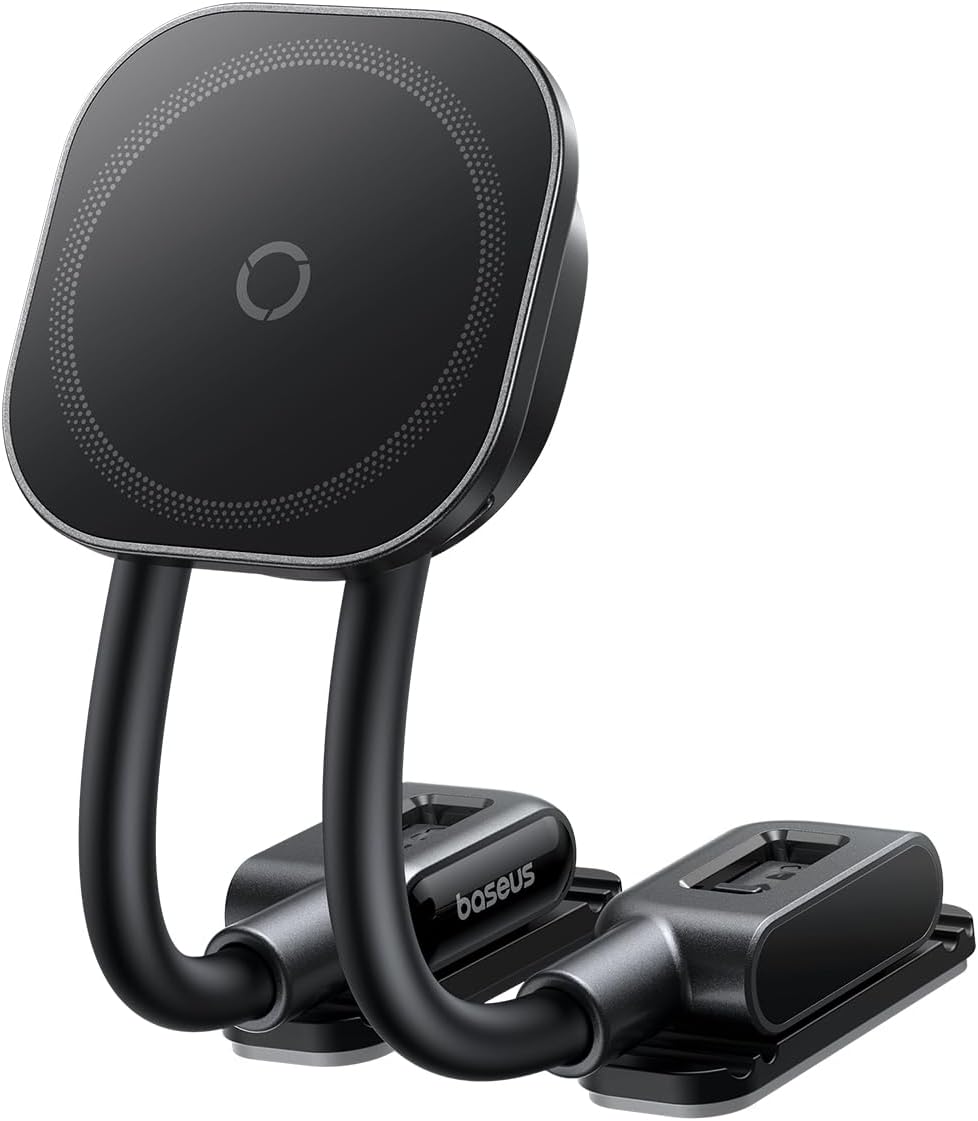
Image: The Baseus Dual Arm Adjustable Magnetic Car Phone Mount, showcasing its two flexible arms and magnetic phone attachment pad.
Key Features
- Dual-Arm Design: Offers extensive flexibility for adjusting viewing angles, allowing for optimal positioning for navigation, video calls, or streaming.
- Versatile Mounting: Slim arms and compact bases enable installation on various surfaces including dashboards, windshields, glove boxes, and vents.
- Powerful Magnetic Hold: Features a 20N magnetic force for secure phone attachment, easily released with one hand. An included magnetic ring can increase force up to 25N.
- Upgraded 3M Adhesive: Utilizes automotive-grade 3M adhesive for strong, heat-resistant, cold-proof, and vibration-tested adhesion, ensuring long-term stability.
- Wide Compatibility: Compatible with all phone sizes, including MagSafe-compatible iPhones (iPhone 12 and newer for direct use) and other phones/cases with the included magnetic ring.
Package Contents
Please ensure all items are present before proceeding with installation:
- Baseus Dual Arm Adjustable Magnetic Car Phone Mount
- Magnetic Ring (for non-MagSafe compatible phones/cases)
- Spare 3M Adhesive Pads
- Cleaning Wipe
Setup and Installation
Follow these steps for proper installation to ensure maximum adhesion and stability:
- Prepare the Mounting Area: Clean the desired mounting surface thoroughly with the provided cleaning wipe and ensure it is completely dry. Choose a smooth, hard surface for optimal adhesion. Avoid fabric, soft leather, nubuck, or suede surfaces.
- Apply the Mount: Peel off the release film from the 3M adhesive pads on the base of the mount. Align the base and press it firmly onto the cleaned surface for at least 30 seconds to ensure full contact.
- Allow Adhesion Time: For best results, let the mount sit for 24 hours before attaching your phone or adjusting its position. This allows the adhesive to fully cure and bond.
- Optional: Detachable Base Orientation: The bases are detachable for flexible orientation. To detach, pull the adhesive pad downward to release the slider. Flip the adhesive pad and push it back in the opposite direction. Repeat for the other base.
- Optional: Magnetic Ring Installation: If your phone or case is not MagSafe compatible (e.g., iPhone 11 and earlier, Android phones), use the included magnetic ring. Follow the instructions provided with the ring for proper placement on your phone or case to ensure a secure magnetic connection.

Image: Visual guide for the easy installation process, showing cleaning the surface, peeling the adhesive, pressing the mount, and waiting 24 hours.

Image: Instructions for adjusting the detachable bases for flexible orientation before mounting.

Image: Instructions for adjusting the detachable bases for flexible orientation after mounting.
Video: Demonstrates the unboxing, installation, and usage of the Baseus Dual Arm Adjustable Magnetic Car Phone Mount, including how to adjust the arms and attach a phone.
Operating Instructions
- Attaching Your Phone: Simply bring your MagSafe-compatible iPhone (or phone with the magnetic ring) close to the magnetic pad. The strong magnets will automatically align and secure your device.
- Detaching Your Phone: To remove your phone, gently pull it away from the magnetic pad. The design allows for easy one-handed detachment.
- Adjusting Viewing Angle: The dual flexible arms allow for precise adjustment of your phone's position. Bend, twist, or straighten the arms to achieve your desired viewing angle. The arms are designed to hold their shape firmly once adjusted.
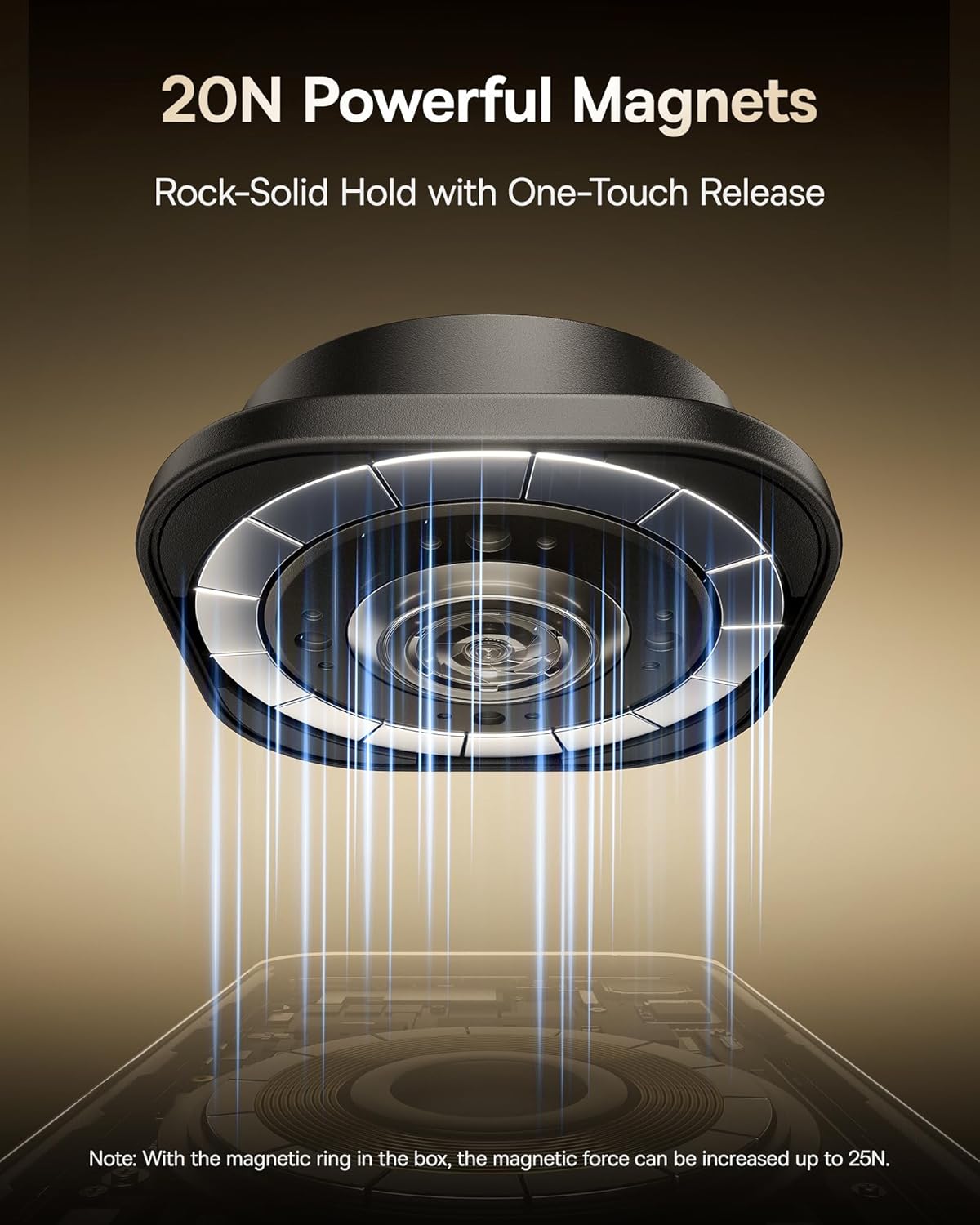
Image: Illustration of the powerful 20N magnets providing a secure hold for the phone on the mount.

Image: Demonstrates compatibility with iPhone 12 and newer for direct use, and iPhone 11/earlier and Android phones using the included magnetic ring.
Maintenance
To ensure the longevity and optimal performance of your car mount:
- Cleaning: Wipe the magnetic pad and arms with a soft, damp cloth. Avoid harsh chemicals or abrasive cleaners.
- Adhesive Care: Once installed, avoid frequently repositioning the mount as this can weaken the adhesive bond. If you need to re-install, use a new 3M adhesive pad (spare pads are included).
- Temperature: While the adhesive is designed to be heat-resistant, extreme and prolonged exposure to direct sunlight in very hot climates may affect its long-term performance. Parking in shaded areas when possible can help preserve the adhesive.
Troubleshooting
| Problem | Possible Cause | Solution |
|---|---|---|
| Mount is not sticking to the dashboard. | Surface was not clean or dry; surface is incompatible (e.g., fabric, soft leather); insufficient pressure applied during installation; adhesive not fully cured. | Ensure the surface is clean, dry, and hard. Apply firm pressure for at least 30 seconds. Wait 24 hours before use. If necessary, use a new 3M adhesive pad. |
| Phone is not securely attaching to the magnetic pad. | Phone case is too thick or not MagSafe compatible; magnetic ring not installed or improperly placed. | Ensure your phone case is thin enough or MagSafe compatible. If not, install the included magnetic ring correctly on your phone or case. Avoid cases with liquid silicone, leather-textured, corrugated, or TPU soft finishes as they may reduce magnetic adhesion. |
| Arms do not hold position. | Excessive force applied repeatedly; internal mechanism wear. | Ensure adjustments are made smoothly. If the issue persists after normal use, contact customer support. |
Specifications
- Brand: Baseus
- Model Number: b1d074dd-fafc-4008-ab49-6954204ba56b
- Color: Black
- Item Weight: 6.4 ounces
- Package Dimensions: 9.25 x 3.15 x 1.1 inches
- Special Features: Adjustable
- Connectivity: Wireless (referring to phone connection to mount, not power)
- First Available Date: May 8, 2025
Ask a question about this manual
Ask about setup, troubleshooting, compatibility, parts, safety, or missing instructions. Manuals+ will review the question and use this page’s manual context to help answer it.