
1. Introduction
This manual provides detailed instructions for the LIGE GPS Military Smart Watch, model DM1-E1-US. This device is designed for durability and functionality, featuring GPS, a compass, LED flashlight, and comprehensive health and fitness tracking. Please read this manual thoroughly to ensure proper use and maintenance of your smartwatch.

Image 1.1: LIGE GPS Military Smart Watch overview, highlighting its rugged design, flashlight, and GPS tracking capabilities.
2. What's in the Box
Verify that all items are present in the package:
- Smartwatch
- 2 Straps
- Charger
- Strap Installation and Removal Tools
- Instructions Manual (this document)
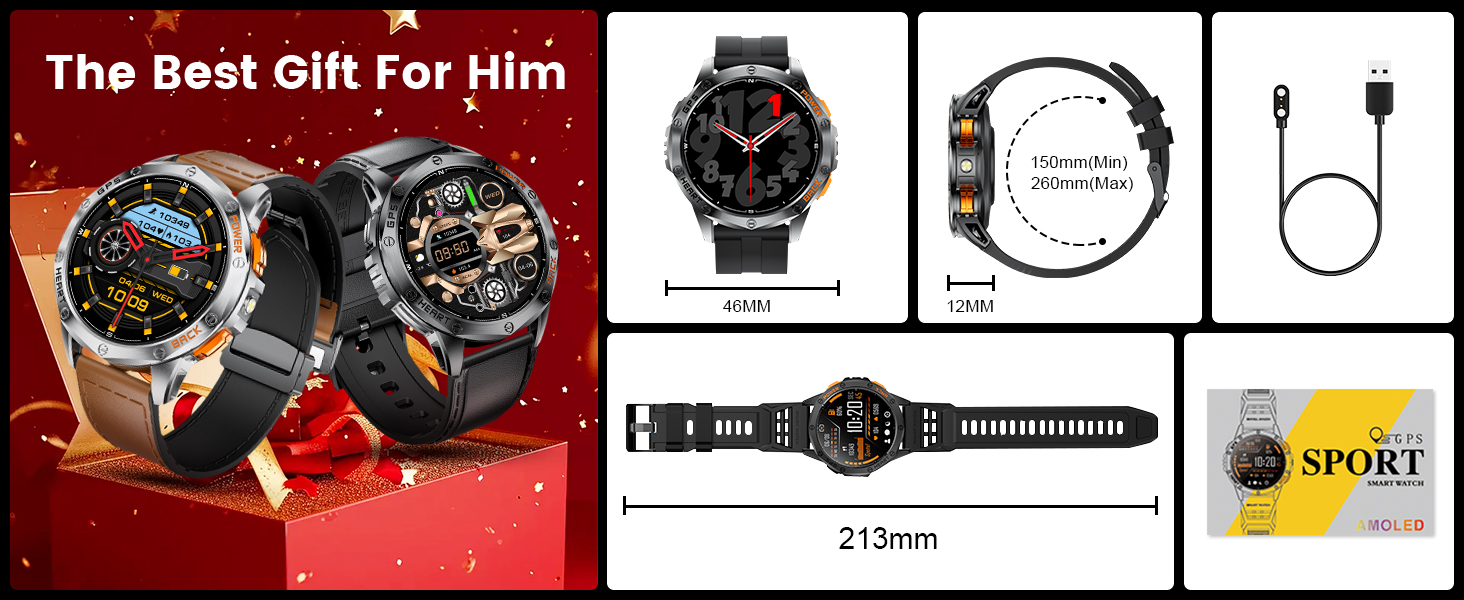
Image 2.1: Illustration of the smartwatch and its included accessories, such as the charger, extra strap, and tools.
3. Setup
3.1 Initial Charging
Before first use, fully charge your smartwatch. Connect the magnetic charging cable to the charging contacts on the back of the watch and plug the USB end into a power adapter (not included). A full charge takes approximately 2.5 hours. The watch has a 600mAh battery, providing 5-7 days of regular use or up to 45 days standby time.

Image 3.1: The smartwatch connected to its magnetic charger, showing the charging interface and battery level.
3.2 App Installation and Pairing
- Download the companion app: Search for the official LIGE smartwatch app on the App Store (for iOS 11.0 and above) or Google Play Store (for Android 5.0 and above).
- Install the app and create an account.
- Enable Bluetooth on your smartphone.
- Open the app and follow the on-screen instructions to search for and pair with your LIGE DM1-E1-US smartwatch. Ensure the watch is powered on and near your phone.
- Confirm the pairing request on both your phone and the watch.
4. Operating Instructions
4.1 Basic Navigation
The smartwatch features a 1.43-inch AMOLED touchscreen with 466*466 pixel resolution. Navigate by swiping across the screen and pressing the physical buttons. Specific button functions may vary by watch face or active application.

Image 4.1: The smartwatch's vivid 1.43-inch AMOLED display, showcasing its clear resolution.
4.2 GPS and Compass
The watch supports a compass and GPS, including satellite systems like GLONASS, Beidou, Galileo, NAVIC, and QZSS. This allows for accurate route tracking during outdoor activities. For GPS route tracking, activate the function in open areas.

Image 4.2: The smartwatch showing a GPS-tracked route on its display, alongside a smartphone app interface with map data.
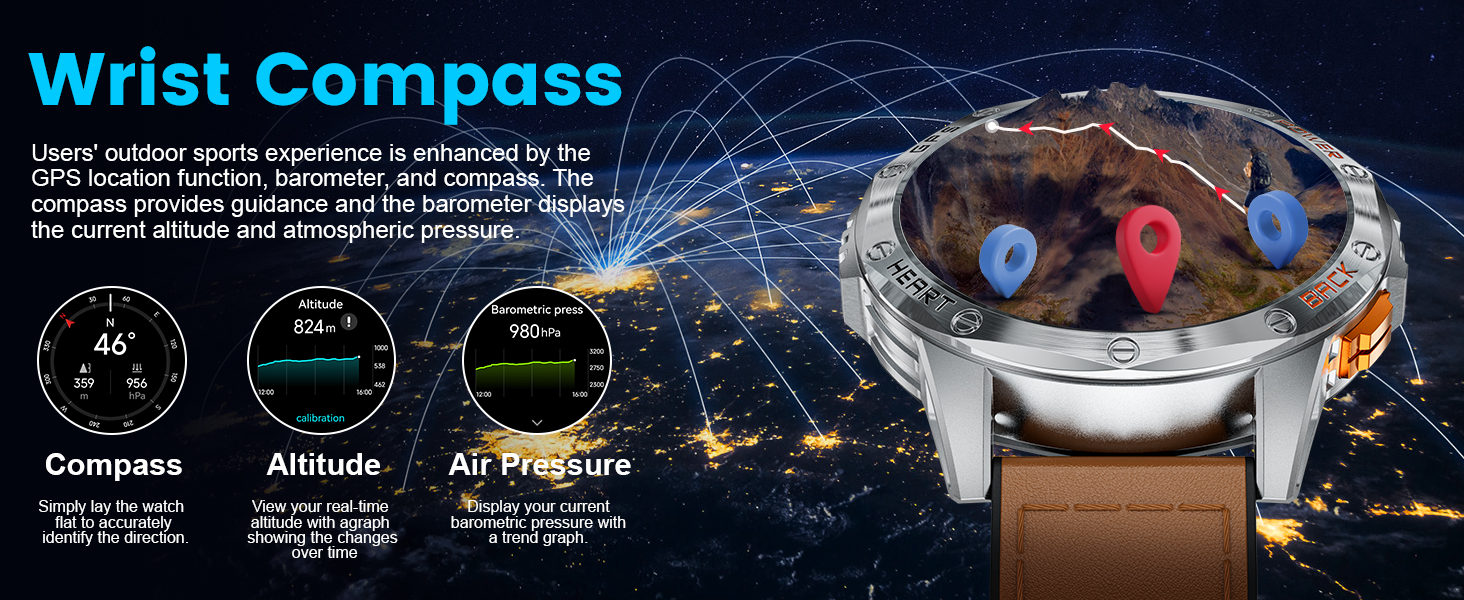
Image 4.3: The smartwatch displaying its wrist compass function, along with altitude and air pressure data, useful for outdoor navigation.
4.3 LED Flashlight
The smartwatch is equipped with a powerful LED flashlight. Activate it with a single click for illumination in various situations, such as camping or emergencies.
4.4 Bluetooth Calling & Notifications
Utilizing advanced Bluetooth 5.3 technology, the watch allows you to answer and reject calls directly from your wrist. It features a high-quality speaker and microphone for clear conversations. Receive real-time notifications from social media apps (e.g., Facebook, WhatsApp, Gmail) with vibration alerts.
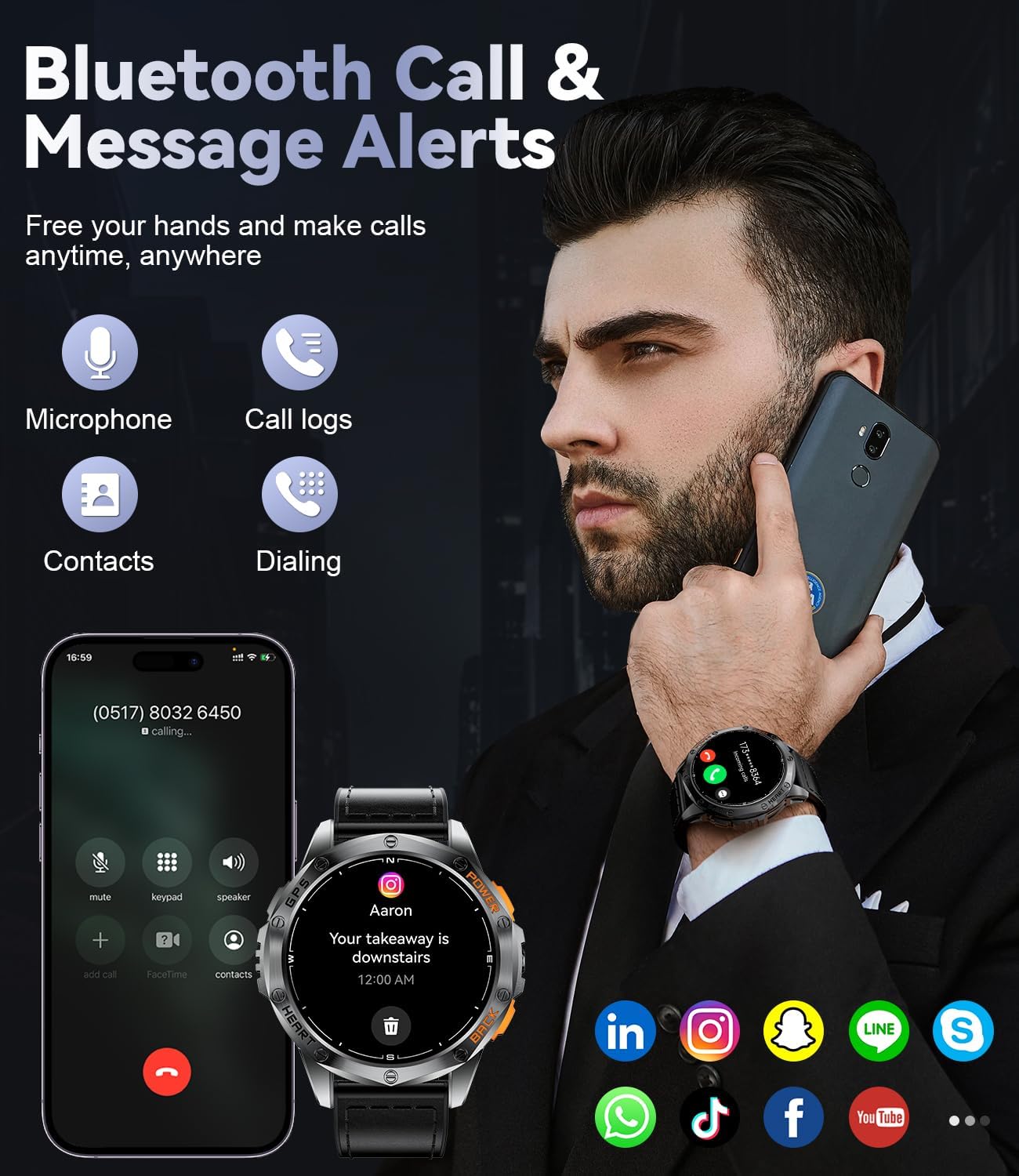
Image 4.4: A user interacting with the smartwatch to manage a Bluetooth call, demonstrating the call interface on the watch and a connected smartphone.
4.5 Sports Modes
The fitness tracker supports over 100 sports modes, including running, swimming, cycling, and more. It monitors steps, distance, calorie consumption, and heart rate in real-time during activities.

Image 4.5: The smartwatch interface showing activity metrics such as distance, calories burned, and steps, along with icons representing over 100 supported sports modes.
4.6 Health Monitoring
The smartwatch offers all-day health monitoring, tracking heart rate, blood pressure, and sleep quality in real-time. It intelligently recognizes different sleep stages (light, deep, REM, awake) to help establish effective sleep routines. Note: Data is for reference only and cannot be used for professional medical diagnosis.

Image 4.6: The smartwatch displaying various health metrics, including sleep stages, heart rate, blood oxygen saturation, and stress levels.
4.7 Other Functions
The smartwatch integrates various additional functions:
- Music Control: Control music playback on your connected smartphone.
- Camera Control: Remotely trigger your smartphone's camera shutter.
- Calculator: Basic arithmetic functions.
- Pedometer: Tracks daily steps.
- Weather Forecast: Provides current weather and forecast information.
- Alarm Clock, Timer, Stopwatch: Time management tools.
- Water Reminder, Sedentary Reminder: Prompts for hydration and movement.
- Find Phone/Watch: Helps locate your paired device.

Image 4.7: A collage of smartwatch features, including the compass, camera remote control, music playback interface, and weather display.
5. Maintenance
5.1 Waterproofing
The LIGE DM1-E1-US smartwatch has an IP68 waterproof rating, making it suitable for daily handwashing, swimming, and use in rainy conditions. It supports swimming modes for freestyle, breaststroke, backstroke, and butterfly. Note: Not suitable for sea diving or hot water activities.
Image 5.1: The smartwatch being used in water, demonstrating its IP68 waterproof capability during a swimming activity.
5.2 Cleaning and Care
Regularly clean the watch and strap with a soft, dry cloth. Avoid using harsh chemicals or abrasive materials. Ensure the charging contacts are clean and dry before charging.
5.3 Battery Care
To prolong battery life, avoid extreme temperatures and do not allow the battery to fully discharge frequently. Charge the watch using the provided charger.
6. Troubleshooting
6.1 Watch Not Turning On
- Ensure the watch is fully charged. Connect it to the charger for at least 30 minutes.
- Press and hold the power button for several seconds.
6.2 Cannot Pair with Phone
- Ensure Bluetooth is enabled on your phone and the watch.
- Make sure the watch is within range of your phone.
- Restart both your phone and the watch.
- Clear previous Bluetooth connections on your phone if necessary.
- Update the companion app to the latest version.
6.3 Inaccurate Health Data
- Ensure the watch is worn snugly on your wrist, but not too tight.
- Clean the sensor on the back of the watch.
- Remember that health data is for reference and not for medical diagnosis.
7. Specifications
| Feature | Specification |
|---|---|
| Model Number | DM1-E1-US |
| Product Dimensions | 8.11 x 3.78 x 0.87 inches |
| Item Weight | 2.12 ounces (60 Grams) |
| Display Size | 1.43 Inches AMOLED |
| Display Resolution | 466*466 pixels |
| Battery Capacity | 600 Milliamp Hours (Lithium Polymer) |
| Charging Time | Approx. 2.5 hours |
| Battery Life (Typical Use) | 5-7 days |
| Standby Time | Up to 45 days |
| Waterproof Rating | IP68 |
| Connectivity | Bluetooth 5.3 |
| Operating System | AsteroidOS |
| Compatibility | iOS 11.0+ (calls require iOS 13+), Android 5.0+ |
| Special Features | GPS, Compass, LED Flashlight, 100+ Sports Modes, Bluetooth Calling, Health Monitoring (HR, BP, Sleep), Music/Camera Control, Weather, Alarms, Timers, Reminders |
8. Warranty and Support
The LIGE GPS Military Smart Watch comes with a 24-month warranty. For any issues regarding accessories, quality, operation, or charging, please contact our customer service team. We aim to provide a solution within 24 hours.

Image 8.1: LIGE customer service contact information for support and inquiries.
For further assistance, please visit the official LIGE website or refer to the contact information provided in your product packaging.


