Introduction
Thank you for choosing the LIGE EF12-H Smartwatch. This device is designed to enhance your daily life with its advanced features, including a powerful LED flashlight, Bluetooth calling, comprehensive health monitoring, and a wide array of sports modes. Built to military standards, it offers exceptional durability and water resistance. Please read this manual carefully to ensure proper use and maintenance of your smartwatch.
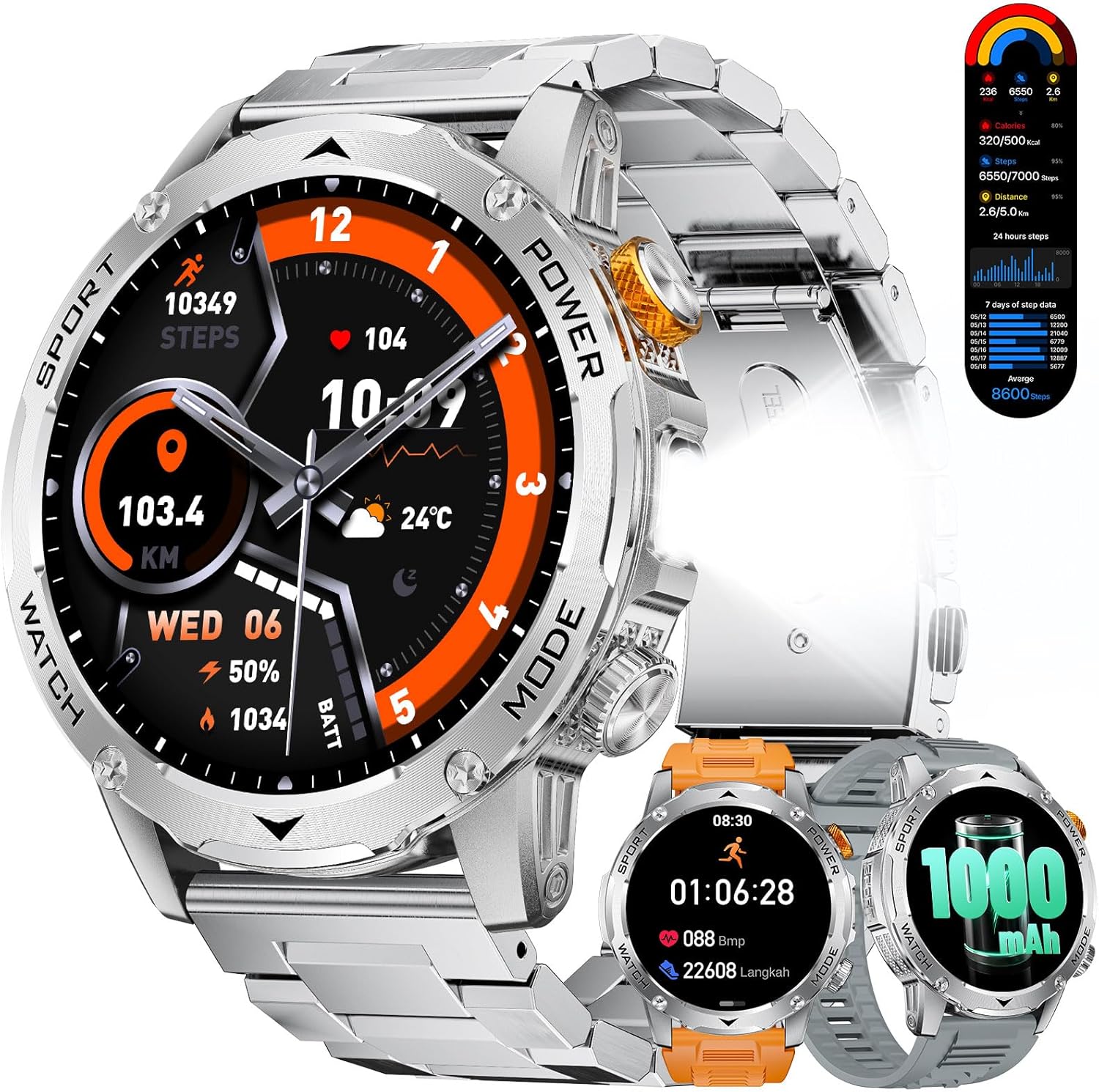
Figure 1: LIGE EF12-H Smartwatch Overview
What's in the Box
Your LIGE EF12-H Smartwatch package includes the following items:
- 1 x LIGE Smartwatch
- 1 x Metal Strap
- 2 x Silicone Straps
- 1 x User Manual
- 1 x Charging Cable

Figure 2: Package Contents and Dimensions
Setup
1. Charging the Smartwatch
Before first use, fully charge your smartwatch. Connect the magnetic charging cable to the charging points on the back of the watch and plug the USB end into a power adapter (not included) or a computer's USB port. A full charge takes approximately 3 hours.

Figure 3: Charging the Smartwatch
2. App Installation and Pairing
To unlock the full potential of your LIGE Smartwatch, you need to download and install the companion app on your smartphone. The smartwatch is compatible with Android 5.1 and above, and iOS 9.0 and above, supporting Bluetooth 5.2.
- Download the App: Scan the QR code in the manual or on the watch screen (if available) or search for the official LIGE Smartwatch app in your phone's app store (Google Play Store for Android, Apple App Store for iOS).
- Enable Bluetooth: Ensure Bluetooth is enabled on your smartphone.
- Open the App: Launch the LIGE Smartwatch app and follow the on-screen instructions to create an account or log in.
- Pair the Device: Within the app, navigate to the device pairing section. The app will search for available devices. Select "EF12-H" from the list to connect.
- Confirm Pairing: A pairing request will appear on your smartwatch. Confirm the pairing on both your phone and the watch.
Once successfully paired, the watch will synchronize data with your phone, and you will receive notifications.
3. Changing Straps
Your smartwatch comes with multiple strap options. To change a strap:
- Locate the quick-release pins on the underside of the strap where it connects to the watch body.
- Pull the pin inwards to detach the strap from the watch.
- Align the new strap with the watch body, insert one end of the pin into the lug hole, then pull the pin inwards to align the other end with the opposite lug hole.
- Release the pin to secure the strap. Gently tug on the strap to ensure it is firmly attached.
Operating Instructions
Basic Navigation
- Touchscreen: Swipe left/right to navigate between main functions, swipe up/down to access quick settings or notifications. Tap to select.
- Side Buttons: The smartwatch features multiple side buttons. Refer to the on-screen prompts or app for specific button functionalities (e.g., power on/off, back, shortcut to sports modes, flashlight activation).
Key Features
LED Flashlight
The smartwatch is equipped with a powerful LED flashlight. A simple press of the dedicated button on the right side of the smartwatch instantly illuminates, providing an intense light source. This feature is ideal for power outages, night-time car breakdowns, camping, hiking, or any emergency requiring instant illumination.

Figure 4: LED Flashlight Functionality
Bluetooth Calling & Message Notifications
With a built-in speaker and microphone, the smartwatch allows for clear, high-quality calls directly from your wrist. After connecting to your phone, you can make and receive calls, and get notifications from various apps (WhatsApp, TikTok, Twitter, Facebook, Instagram, etc.), ensuring you never miss important communications.

Figure 5: Bluetooth Call and Message Features
HD Display & Custom Watch Faces
The 1.75-inch round HD display offers vibrant colors and smooth touch operation. Personalize your smartwatch with over 200 preset watch faces or upload your own photos to create unique styles.

Figure 6: Customizable Watch Faces
100+ Sports Modes & Health Monitoring
Equipped with the STK8321 chip, the smartwatch offers over 110 sports modes and real-time monitoring of sports data, steps, distance, and calories. This allows you to understand your training status and share your fitness achievements. It also includes features for respiration monitoring, sleep monitoring, and personalized activity tracking.

Figure 7: Sports Modes and Activity Tracking
Smart Assistant Features
The LIGE Smartwatch integrates several smart assistant functions:
- Voice Control AI: Activate your phone's voice assistant to make calls, play music, check weather, and more.
- Music Control: Control music playback on your smartphone directly from your watch.
- Camera Control: Use your watch as a remote shutter for your phone's camera.
- Weather Forecast: Get real-time weather updates on your wrist.
- Alarm Clock: Set alarms for reminders.
- Reminders: Includes reminders to drink water and sedentary reminders to encourage activity.
- Brightness Adjustment: Adjust screen brightness for optimal viewing.

Figure 8: Smart Assistant Functions
Maintenance
Cleaning Your Smartwatch
To keep your smartwatch in optimal condition:
- Wipe the screen and body with a soft, lint-free cloth.
- For stubborn smudges, dampen the cloth slightly with water. Avoid using harsh chemicals or abrasive materials.
- Clean the charging contacts regularly to ensure good connection.
Water Resistance (IP68 & 5 ATM)
The LIGE EF12-H Smartwatch is IP68 waterproof and features 5 ATM water resistance, meaning it can withstand immersion up to 50 meters. It is suitable for swimming and showering. However, it is not recommended for diving, high-pressure water activities, or hot water environments (e.g., hot tubs, saunas) as steam can penetrate the seals.

Figure 9: Military Standard Durability
Troubleshooting
| Problem | Possible Cause | Solution |
|---|---|---|
| Smartwatch won't turn on. | Low battery. | Charge the smartwatch for at least 30 minutes. |
| Cannot pair with phone. | Bluetooth off, app not running, watch not discoverable. | Ensure Bluetooth is on, restart the app and watch, try pairing again. Check phone's OS compatibility. |
| Notifications not received. | App permissions, notification settings. | Check app notification permissions on your phone. Ensure notifications are enabled in the smartwatch app. |
| Inaccurate heart rate/sport data. | Improper fit, sensor obstruction. | Ensure the watch is snug on your wrist (not too tight or loose). Clean the sensor on the back of the watch. |
| Short battery life. | Frequent use of power-intensive features (calls, flashlight), high brightness. | Reduce screen brightness, limit continuous use of flashlight/calls, disable unnecessary features. |
Specifications
| Feature | Detail |
|---|---|
| Model | EF12-H |
| Display Size | 1.75 inches |
| Display Type | Round HD Display |
| Battery Capacity | 1000 mAh (Lithium Polymer) |
| Charging Time | Approx. 3 hours |
| Battery Life (Normal Use) | 7-15 days |
| Standby Time | Over 65 days |
| Memory Capacity | 128 MB |
| Connectivity | Bluetooth 5.2 |
| Compatibility | Android 5.1+ / iOS 9.0+ |
| Water Resistance | IP68, 5 ATM |
| Durability Standard | MIL-STD-810H certified |
| Weight | 250 g |
| Included Components | Smartwatch, Metal Strap, 2 Silicone Straps, Manual, Charging Cable |
Warranty and Support
LIGE offers a 6-month return and exchange service and a 24-month warranty for your smartwatch. If you have any questions or encounter issues with your LIGE smartwatch, please send us a message. Our professional customer service team is ready to assist you.
For support, please refer to the contact information provided in your purchase documentation or through the official LIGE Smartwatch app.


