
LIGE EF12-G
LIGE Smartwatch User Manual
Model: EF12-G
Introduction
This manual provides comprehensive instructions for the LIGE EF12-G Smartwatch. Designed for outdoor enthusiasts and daily use, this smartwatch features a large 1.75-inch HD display, a powerful 1000 mAh battery, LED flashlight functionality, and supports over 100 sports modes. It is built to military standards for durability and offers seamless connectivity with Android and iOS devices.

Figure 1: LIGE EF12-G Smartwatch showcasing its main display and features.
Setup
1. Charging the Smartwatch
Before first use, fully charge your LIGE EF12-G Smartwatch. The 1000 mAh battery provides 7 to 15 days of normal use and over 65 days of standby time. A full charge typically takes about 2 hours.
- Connect the magnetic charging cable to the charging points on the back of the watch.
- Plug the USB end of the cable into a standard USB power adapter (5V/1A recommended) or a computer's USB port.
- The watch display will indicate charging status.
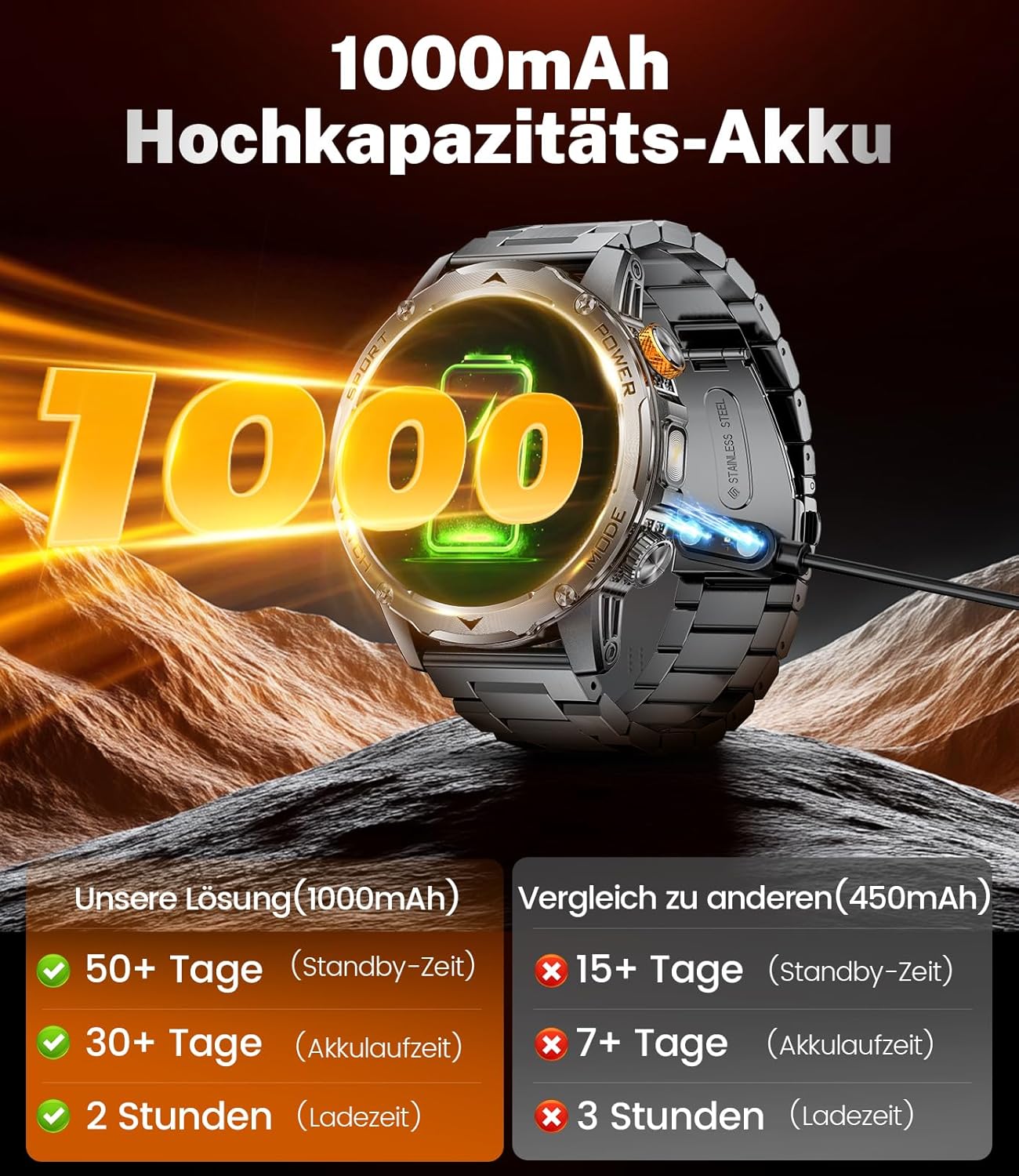
Figure 2: Charging the LIGE EF12-G Smartwatch with its high-capacity battery.
2. Pairing with Your Smartphone
The LIGE EF12-G Smartwatch is compatible with Android 5.1 and above, and iOS 9.0 and above, supporting Bluetooth 5.2.
- Download the companion application from your smartphone's app store (search for "LIGE Smartwatch App" or refer to the QR code in the watch's packaging).
- Ensure Bluetooth is enabled on your smartphone.
- Open the application and follow the on-screen instructions to add your device.
- Select "EF12-G" from the list of available Bluetooth devices to pair.
- Confirm the pairing request on both your watch and smartphone.
Operating Instructions
1. Basic Navigation
- Touch Screen: Swipe left/right, up/down to navigate through menus and features.
- Side Buttons: Use the physical buttons on the side for power on/off, returning to the home screen, or quick access to specific functions (e.g., flashlight).
2. Call Function and Notifications
With its built-in speaker and high-quality microphone, you can make and receive calls directly from your watch once paired with your phone. The watch also displays notifications from various apps.
- Making Calls: Access the dial pad or contacts list on the watch to initiate calls.
- Receiving Calls: Answer or reject incoming calls directly from the watch screen.
- Notifications: Receive alerts for messages (SMS, WhatsApp, TikTok, Twitter, Facebook, Instagram, etc.). Note that message content may be truncated.

Figure 3: Smartwatch features for Bluetooth calls, message notifications, and voice assistant.
3. Sports Modes and Activity Tracking
The smartwatch offers over 100 sports modes and real-time tracking of sports data, including steps, distance, and calories burned.
- Selecting a Sport: Navigate to the "Workout" or "Sports" menu and choose your desired activity.
- Data Tracking: The watch will automatically track relevant metrics during your workout.
- Reviewing Data: Sync with the app to view detailed historical data and progress.

Figure 4: Overview of 100+ sports modes and activity tracking.
4. LED Flashlight
The smartwatch is equipped with a powerful LED flashlight. A simple press of the side button activates it, providing instant illumination for various situations.
- Activation: Locate the dedicated flashlight button or access it via the quick settings menu.
- Usage: Ideal for power outages, car breakdowns at night, camping, hiking, or any emergency requiring immediate light.

Figure 5: Smartwatch LED flashlight in action, demonstrating its utility.
5. Custom Watch Faces and Other Functions
Personalize your smartwatch with over 200 pre-defined watch faces or upload your own photos. The watch also includes various smart features:
- DIY Watch Faces: Use the companion app to customize your watch face with personal images.
- Voice Assistant: Utilize AI voice control for queries and commands.
- Alarm Clock: Set multiple alarms.
- Weather Forecast: Get real-time weather updates.
- Music Control: Control music playback on your smartphone.
- Brightness Adjustment: Adjust screen brightness for optimal viewing.
- Camera Control: Remotely trigger your smartphone's camera.
- Hydration Reminder: Receive alerts to drink water.
- Movement Reminder: Get reminders to move after periods of inactivity.
- Sleep Monitor: Track your sleep patterns.
- Breathing Monitor: Guide you through breathing exercises.

Figure 6: Customization options for watch faces.

Figure 7: Multifunctional features of the smartwatch.
Maintenance
1. Water Resistance (5 ATM)
The LIGE EF12-G Smartwatch features a 5 ATM water-resistant design, making it suitable for splashes, rain, and shallow-water activities like swimming. It is not recommended for diving, high-pressure water activities, or hot water environments (e.g., hot showers, saunas).
- Avoid exposing the watch to hot water or steam.
- Do not press buttons underwater.
- Dry the watch thoroughly after exposure to water.

Figure 8: Smartwatch durability and water resistance.
2. General Care
- Clean the watch regularly with a soft, dry cloth.
- Avoid using harsh chemicals or abrasive materials.
- Store the watch in a cool, dry place when not in use.
- Protect the screen from scratches by using a screen protector if desired.
Troubleshooting
| Problem | Possible Cause | Solution |
|---|---|---|
| Watch not turning on | Low battery | Charge the watch for at least 30 minutes. |
| Cannot pair with phone | Bluetooth off, app issue, or watch not discoverable | Ensure Bluetooth is on. Restart watch and phone. Reinstall app. Check watch's Bluetooth settings. |
| Notifications not received | App permissions, notification settings | Check app notification permissions on your phone. Ensure notifications are enabled in the smartwatch app. |
| Inaccurate step count | Arm movements not related to walking (e.g., folding laundry) | This is a common characteristic of wrist-worn pedometers. For more accurate step counts, ensure arm swing mimics natural walking. |
| Short battery life | Frequent use of power-intensive features (calls, bright screen) | Reduce screen brightness, limit continuous call usage, disable unnecessary notifications. |
Specifications
| Feature | Detail |
|---|---|
| Brand | LIGE |
| Model Number | EF12-G |
| Screen Size | 1.75 inches |
| Display Resolution | HD (360*360 resolution mentioned in image) |
| Battery Capacity | 1000 mAh (Lithium-polymer) |
| Battery Life (Normal Use) | 7-15 days |
| Standby Time | Over 65 days |
| Charging Time | Approx. 2 hours |
| Connectivity | Bluetooth 5.2 |
| Compatibility | Android 5.1+ / iOS 9.0+ |
| Water Resistance | 5 ATM |
| Durability Standard | MIL-STD-810H certified |
| Internal Storage | 128 MB |
| Special Features | LED Flashlight, Bluetooth Calling, 100+ Sports Modes, Voice Assistant, Custom Dials, Music Control, Camera Control, Sleep/Breathing Monitor, Hydration/Movement Reminders. |
Warranty and Support
LIGE offers a 24-month warranty for the EF12-G Smartwatch, along with a 6-month return and exchange service.
For any questions or assistance regarding your smartwatch, please contact our professional customer service team. Refer to your purchase documentation for specific contact details or visit the official LIGE support website.
Related documentsEF12-G


Ask a question about this manual
Ask about setup, troubleshooting, compatibility, parts, safety, or missing instructions. Manuals+ will review the question and use this page’s manual context to help answer it.