
1. Introduction
Thank you for choosing the AIRPLUS Dehumidifier. This appliance is designed to efficiently remove excess moisture from your indoor environment, creating a more comfortable and healthier living space. With a dehumidification capacity of up to 135 pints per day, it is suitable for large areas up to 6000 sq. ft., including basements, bedrooms, bathrooms, and living rooms. This manual provides essential information for the safe operation, installation, maintenance, and troubleshooting of your dehumidifier. Please read it thoroughly before use and retain it for future reference.
2. Safety Instructions
To prevent injury to the user or others and property damage, the following instructions must be followed. Incorrect operation due to ignoring instructions may cause harm or damage.
- Always ensure the unit is placed on a stable, level surface.
- Do not operate the unit if the power cord is damaged or frayed.
- Do not insert fingers or foreign objects into the air inlet or outlet.
- Keep the unit at least 20 cm (8 inches) away from walls or other objects to ensure proper airflow.
- Unplug the unit before cleaning or performing any maintenance.
- Do not use the unit in areas where flammable gases or liquids are present.
- Allow the unit to stand upright for at least 6 hours before first use if it has been tilted during transport.
3. Product Overview

Figure 3.1: Front view of the AIRPLUS Dehumidifier, showcasing its compact design and integrated casters for easy mobility.
Key Features:
- Efficient Dehumidification: Removes up to 135 pints of moisture per day (under 95°F, 90%RH conditions) for areas up to 6,000 sq. ft.
- Intelligent Humidistat: Allows adjustment of humidity levels from 30% to 80%.
- Continuous Drainage: Option to connect a drain hose for continuous water removal, eliminating the need for manual tank emptying.
- Auto Shutoff: Automatically stops operation when the water tank is full to prevent overflow.
- Adjustable Airflow & Modes: Features Sleep Mode, Continuously Drying Mode, and Air Supply Mode, along with adjustable fan speeds.
- Intelligent RH Display: 3-color indicator (Green, Yellow, Red) to display real-time ambient humidity.
- UV Lamp: Integrated UV lamp for enhanced air purification and sterilization.
- Visible Water Level & Washable Tank: Easy monitoring of water level and simple maintenance.
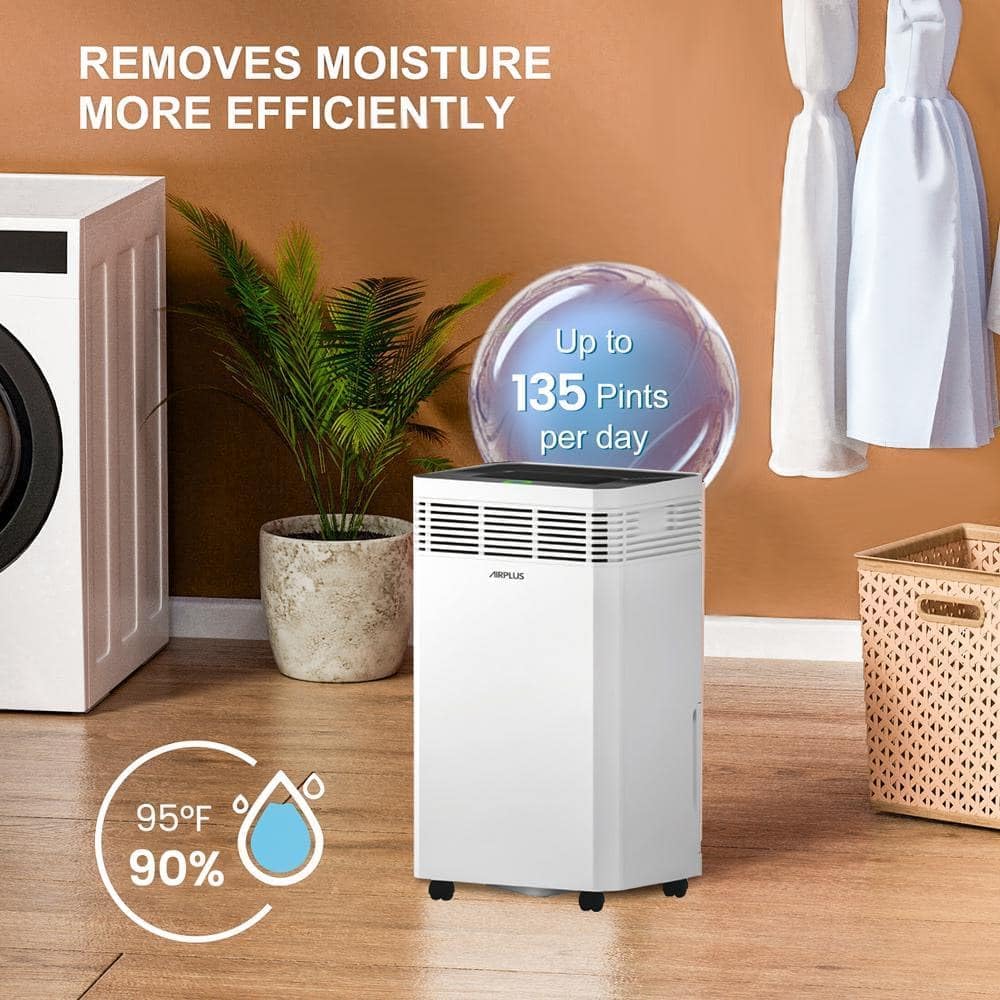
Figure 3.2: Illustration of the dehumidifier's high efficiency, capable of removing up to 135 pints of moisture per day under specified conditions.

Figure 3.3: Visual representation of the dehumidifier's suitability for large spaces up to 6000 sq. ft., demonstrating its versatility across different room types.
4. Setup
4.1 Unpacking and Placement:
- Carefully remove the dehumidifier from its packaging, keeping it in an upright position.
- Remove any shipping tape or protective materials.
- If the unit was tilted during transport, allow it to stand upright for at least 6 hours before plugging it in. This allows the refrigerant to settle.
- Place the dehumidifier on a firm, level surface in the desired location. Ensure there is at least 8 inches (20 cm) of space around all sides for proper air circulation.
4.2 Installing Casters:
The unit comes with casters for easy mobility. Locate the casters in the packaging or water tank compartment. Firmly push each caster into the designated holes at the bottom of the unit until they click into place. Some force may be required to ensure a secure fit.
4.3 Drain Hose Connection (Optional Continuous Drainage):
For continuous drainage, locate the drain hose included with your unit (often found inside the water tank).
- Remove the water tank from the unit.
- Locate the drain outlet on the back or side of the unit.
- Connect one end of the drain hose to the drain outlet. Ensure a tight connection to prevent leaks.
- Route the other end of the hose to a suitable drain, such as a floor drain or a large bucket. Ensure the hose is sloped downwards to allow gravity drainage.
- If using continuous drainage, the internal water tank will not fill, and the unit will not auto-shutoff due to a full tank.
5. Operating Instructions
5.1 Control Panel Overview:
The control panel is located on the top of the unit and features intuitive buttons for easy operation.

Figure 5.1: The intelligent RH display changes color to indicate current humidity levels: Green (≤60%), Yellow (45%-65%), Red (≥80%).
5.2 Basic Operation:
- Power On/Off: Press the Power button to turn the unit on or off.
- Setting Desired Humidity (Hum Set Mode):
- Press the "Humidity" button to cycle through desired humidity levels (e.g., 30%, 35%, ..., 80%).
- The unit will operate until the ambient humidity reaches the set level, then cycle on/off to maintain it.
- Adjusting Fan Speed: Press the "Fan Speed" button to select between different fan speeds (e.g., Low, Medium, High). Higher fan speed results in faster dehumidification.
- Mode Selection: Press the "Mode" button to cycle through the available operating modes:
- Dehumidification Mode: Standard operation to remove moisture, adjustable by target humidity.
- Continuously Drying Mode: Designed for faster drying, such as clothes. The unit will run continuously regardless of humidity.
- Air Supply Mode: Only the fan operates, circulating air without dehumidification.
- Sleep Mode: Reduces fan speed and dims display lights for quiet operation during sleep.
- Timer Function: Use the "Timer" button to set a delayed start or stop time (e.g., 2-hour auto-off).
- UV Lamp: Activate the UV lamp feature for air purification.

Figure 5.2: Overview of the three main dehumidification modes: Sleep Mode, Continuously Drying Mode, and Hum Set Mode, allowing selection based on specific needs.

Figure 5.3: Detail of the integrated UV lamp, highlighting its function for thorough sterilization and air purification.
6. Maintenance
6.1 Emptying the Water Tank:
When the water tank is full, the unit will automatically shut off, and an indicator light may illuminate.
- Gently pull out the water tank from the front of the unit.
- Carefully carry the tank to a sink or drain and empty the collected water.
- Rinse the tank with clean water periodically to prevent mold or mildew growth.
- Slide the empty tank back into the unit until it clicks into place. The unit will resume operation.

Figure 6.1: The water tank features a visible water level indicator and is easily detachable for emptying and cleaning.
6.2 Cleaning the Air Filter:
A dirty filter can reduce airflow and efficiency. Clean the filter every two weeks or more often if used in dusty environments.
- Unplug the dehumidifier from the power outlet.
- Locate the air filter (usually at the back or side of the unit).
- Remove the filter.
- Wash the filter with warm, soapy water. Rinse thoroughly and allow it to air dry completely before reinstalling. Do not use a dishwasher.
- Reinstall the dry filter into the unit.
6.3 Cleaning the Exterior:
Wipe the exterior of the unit with a soft, damp cloth. Do not use harsh chemicals, abrasives, or solvents.
7. Troubleshooting
| Problem | Possible Cause | Solution |
|---|---|---|
| Unit does not turn on. | No power supply; Power cord not plugged in; Circuit breaker tripped. | Ensure unit is plugged into a working outlet; Check circuit breaker; Try a different outlet. |
| Unit runs but does not dehumidify. | Air filter is dirty; Room temperature is too low; Humidity setting is too high. | Clean the air filter; Ensure room temperature is above 41°F (5°C); Lower the desired humidity setting. |
| Water tank is full indicator is on, but tank is not full. | Water tank is not properly seated. | Remove and reinsert the water tank, ensuring it is fully pushed in. |
| Unit is noisy. | Unit is not on a level surface; Air filter is dirty. | Place the unit on a flat, stable surface; Clean the air filter. |
| Casters are difficult to install. | Tight fit for secure attachment. | Apply firm, steady pressure to push casters into place. Ensure they are fully inserted. |
8. Specifications
- Brand: AIRPLUS
- Model Name: AP60-2001EE
- Dehumidification Capacity: 135 Pints/Day (under 95°F, 90%RH)
- Coverage Area: Up to 6000 Sq. Ft.
- Product Dimensions: 14.76"D x 11.49"W x 25.59"H
- Item Weight: 44.1 Pounds
- Wattage: 660 watts
- Color: Natural White
- Number of Speeds: 3
- Included Components: Drain Hose
9. Warranty and Support
The AIRPLUS Dehumidifier comes with a 2-year premium service warranty. If you have any questions regarding your dehumidifier, its operation, or require technical assistance, please contact AIRPLUS customer support.
For support, please refer to the contact information provided on the product packaging or the official AIRPLUS website.


