
1. Introduction
This manual provides detailed instructions for the safe and effective operation of your Flashback Events 6-Arm 150W RGBW Bee-Eye Spider DJ Moving Head Light. Please read this manual thoroughly before use and retain it for future reference.
Safety Information
- Always connect the unit to a grounded power outlet.
- Ensure proper ventilation to prevent overheating.
- Do not expose the unit to rain or moisture.
- Avoid direct eye exposure to the light source.
- Disconnect power before cleaning or servicing.
- Only qualified personnel should perform repairs.
2. What's in the Box
Verify that all components are present upon unpacking:
- 1x Bee Eye Six Arms DJ Light
- 1x Power Cable
- 1x IR Remote Control
- 1x User Manual
- 1x Mount Bracket & Screws

Image: Contents of the product packaging, showing the main light unit, power cable, remote, manual, and mounting hardware.
3. Product Features and Overview
The Flashback Events 6-Arm 150W RGBW Bee-Eye Spider DJ Moving Head Light offers a range of dynamic lighting effects for various events. Key features include:
- Versatile Multi-Effect Lighting: 6 x 10W CREE RGBW moving-beam arms and 4 x 10W Bee-Eye LEDs for vibrant colors, starry-sky patterns, and white + amber strobe effects.
- DMX512 Professional Control: 24-channel DMX512 interface for precise command over pan, tilt, color, dimming, and speed.
- Bright 150W RGBW Output: High-intensity LEDs with precision optical lenses for crisp, vivid beams.
- Multiple Control Modes: Auto-Run, Sound-Activated, DMX, or Master-Slave operation.
- Durable Build Quality: Constructed from rugged aluminum and ABS materials with a quiet cooling fan.
- Movement: 540° pan and 180° tilt rotation.

Image: Overview of the light's features, including DMX control, various effects, and movement capabilities.
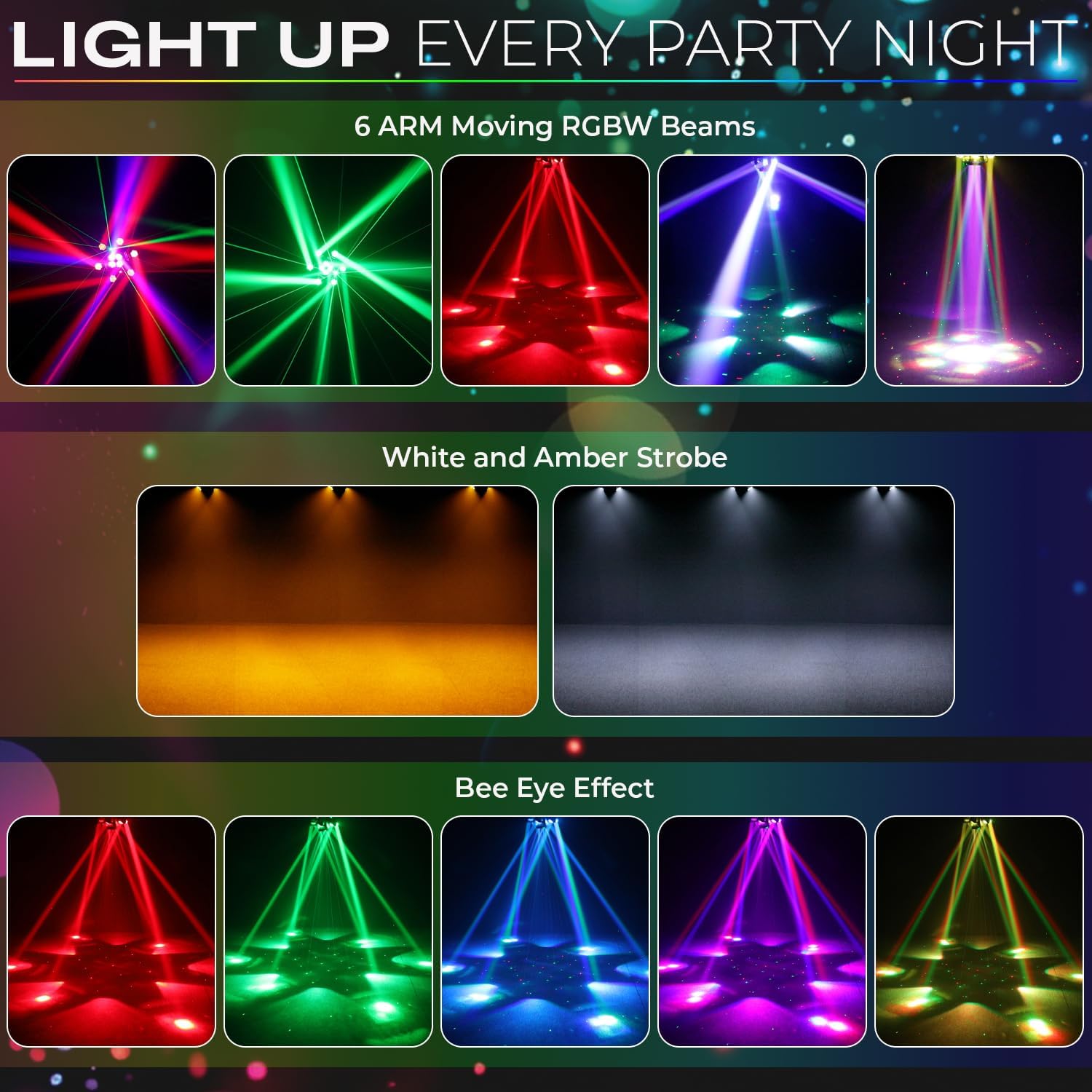
Image: Examples of the diverse lighting effects, such as 6-arm moving RGBW beams, white and amber strobes, and bee-eye effects.
4. Setup and Installation
Mounting
The unit can be mounted using the included bracket for truss or wall installations. Ensure the mounting surface or truss system can safely support the weight of the fixture (approximately 7.54 lbs / 3.42 kg).
- Attach the mounting bracket securely to the desired surface using appropriate screws and hardware (not all hardware may be included, use suitable fasteners for your installation).
- Ensure the fixture is firmly attached to the bracket and that all connections are tight.
- Allow sufficient space around the fixture for ventilation and movement.
Power Connection
Connect the provided power cable to the unit's power input and then to a standard 120V AC, 50/60Hz grounded power outlet.

Image: Rear panel of the light, highlighting power and DMX connections.
5. Operating Modes
The light offers several operating modes, selectable via the onboard control panel or DMX controller.
Control Panel Navigation
Use the MENU, UP, DOWN, and ENTER buttons on the rear display to navigate settings and select modes.
Mode Descriptions
- Auto-Run Mode: The fixture cycles through pre-programmed light shows automatically.
- Sound-Activated Mode: The light reacts to ambient sound or music, changing patterns and colors in sync with the beat.
- DMX512 Mode: For professional control, connect a DMX controller to the unit. The light uses 24 DMX channels, allowing precise manipulation of pan, tilt, color, dimming, strobe, and effect parameters. Refer to the DMX chart in the full manual for channel assignments.
- Master-Slave Mode: Link multiple units together. Set one unit as the "Master" and others as "Slave" units. The Slave units will mirror the Master's actions, synchronizing effects across your setup.
- Remote Control: Use the included IR remote control for convenient access to basic functions and mode selection.
Video: Demonstration of various Bee-Eye and beam effects from the 6-Arm DJ Light.
Video: Showcase of the 6-Arm DJ Light's dynamic lighting patterns and color changes in a stage setting.
6. Maintenance
Regular maintenance ensures optimal performance and longevity of your lighting fixture.
Cleaning
- Periodically clean the exterior casing with a soft, dry cloth.
- Ensure the lenses are free from dust and debris to maintain beam clarity. Use a soft, lint-free cloth and a mild lens cleaning solution if necessary.
- Keep ventilation openings clear to prevent dust buildup and ensure efficient cooling.
Cooling System
The unit features a quiet cooling fan. Ensure the fan is not obstructed and operates freely. Overheating can reduce the lifespan of the LEDs and internal components.
7. Troubleshooting
If you encounter issues, refer to the following common troubleshooting steps:
- No Power: Check the power cable connection, the power outlet, and any circuit breakers.
- No Light Output: Ensure the unit is powered on and not in a blackout mode. Check DMX connections if in DMX mode.
- Incorrect Behavior: Reset the unit by powering it off and on. Verify DMX settings (address, mode) if using a DMX controller.
- Overheating: Ensure adequate ventilation around the unit. Clean any dust from the cooling fan and vents.
For persistent issues, contact Flashback Events customer support.
8. Specifications
| Feature | Specification |
|---|---|
| Brand | Flashback Events |
| Model Number | FBE-BE6KK |
| Light Source Type | LED |
| Light Source Wattage | 150 Watts |
| Voltage | 120 Volts (AC) |
| Material | Acrylonitrile Butadiene Styrene (ABS), Aluminum |
| Product Dimensions | 12.2"L x 8.26"W x 12.2"H (31cm x 21cm x 31cm) |
| Item Weight | 7.54 pounds (3.42 kg) |
| Mounting Type | Truss Mount and Wall Mount |
| DMX Channels | 24CH |
| Dimming | 0~100% Super Smooth Dimming |
| Strobe Rate | 20Hz |
| Average Life | 50000 Hours |
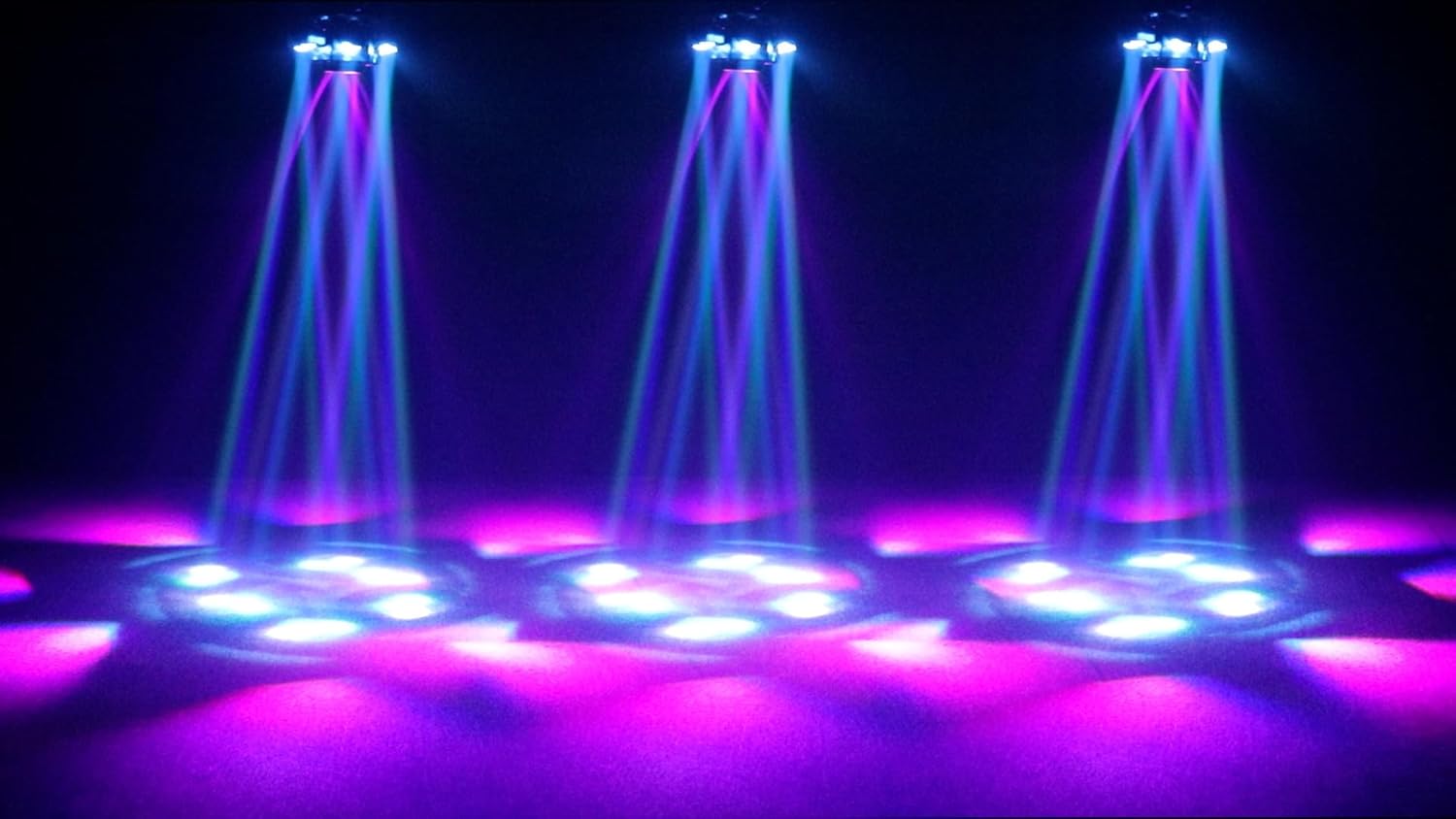
Image: Product dimensions and technical specifications.
9. Warranty and Customer Support
Flashback Events stands behind its products. For any product assistance or technical guidance, please contact our dedicated customer support team.
For more information and to explore other products, visit the Flashback Events Store.