
Makeid LC-16F1-CRUS-1
MakeID L1-C Label Maker Tape Refills
Model: LC-16F1-CRUS-1
Brand: MakeID
Introduction
This manual provides essential information for the proper use and maintenance of your MakeID L1-C Label Maker Tape Refills. These 16mm x 4m continuous thermal laminated label tapes are designed for compatibility with MakeID L1-C and L1-C-HD label makers, offering waterproof, self-adhesive, and durable labeling solutions.
Setup
Loading the Label Tape
To load the label tape into your MakeID L1-C or L1-C-HD label maker, gently pull out approximately 15 cm (6 inches) of the transparent tape from the roll. The tape features a convenient back slit for easy peeling and application. Ensure the tape is inserted correctly into the label maker's designated slot.
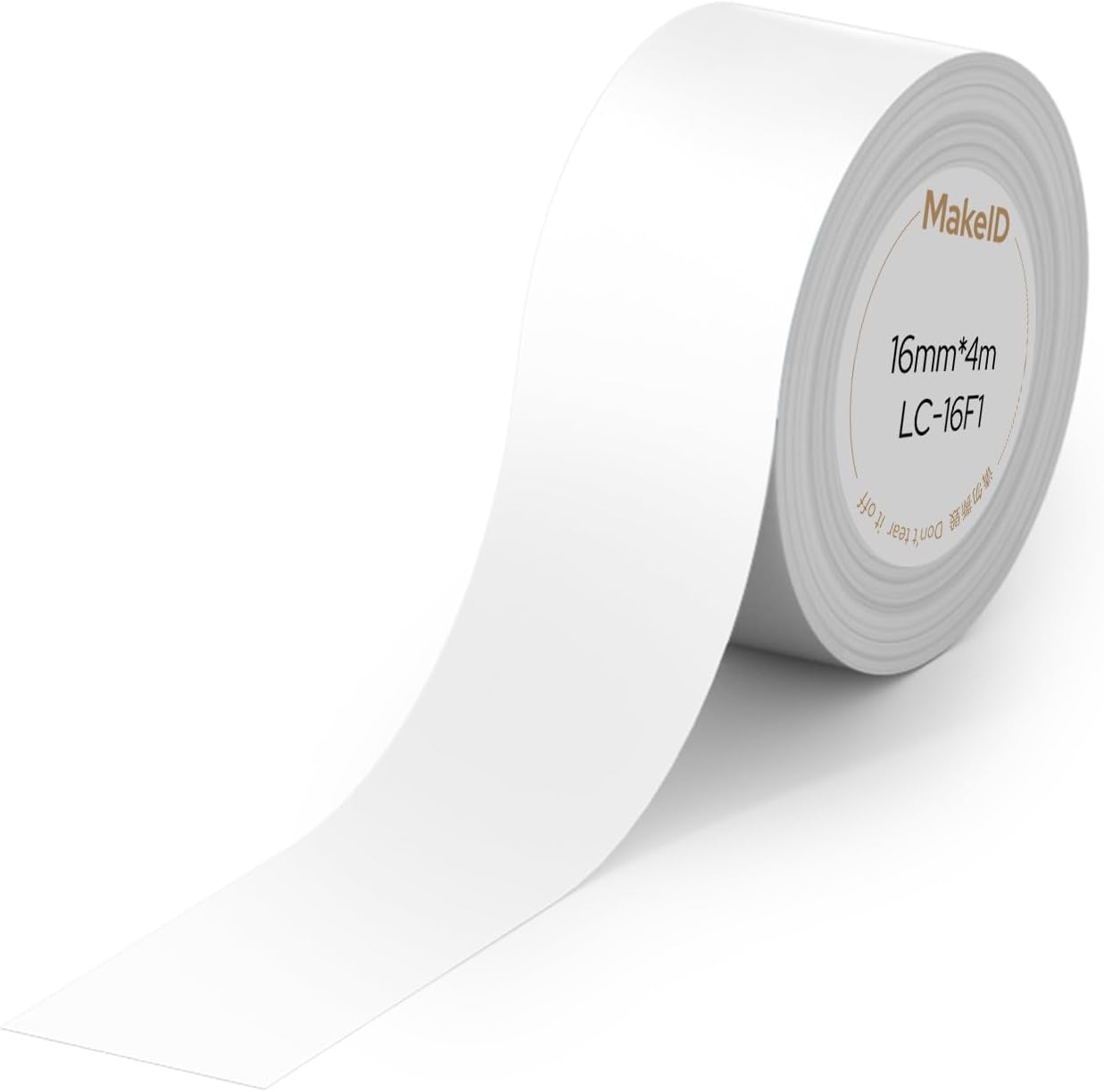
Image: A single roll of MakeID L1-C label tape, white, 16mm x 4m, ready for insertion into a label maker.
Smart Chip Compatibility
The label tape is equipped with a smart chip that allows your MakeID L1-C series printer to automatically detect the label size and ensure accurate printing. It is crucial not to damage this chip sticker to maintain proper functionality and alignment.

Image: A smartphone screen displaying the MakeID app interface, with a label maker next to it, illustrating the RFID recognition feature for automatic label size detection.
Operating Instructions
Printing Labels
These label tapes utilize thermal printing technology, eliminating the need for ink or toner. For optimal performance, always use recommended MakeID refills to ensure smooth printing and accurate label alignment. The roll design helps minimize label waste.

Image: Two MakeID label makers (white and blue) shown alongside various printed labels, demonstrating compatibility and diverse labeling options.
Efficient Label Usage
MakeID label makers are designed to save labels by minimizing margins, compared to other label makers. This ensures more efficient use of the tape and less waste.

Image: A visual comparison showing the reduced margin of labels printed with a MakeID label maker versus another brand, highlighting tape efficiency.
Official Product Video: Overview of MakeID L1-C Label Maker
Video: This video provides a comprehensive overview of the MakeID L1-C Label Maker, demonstrating its lightweight and portable design, ease of use, instant Bluetooth pairing, and one-touch cutting feature. It showcases various applications for home organization, kitchen, and personal item identification.
Applications and Multi-Purpose Use
MakeID label tapes are versatile and suitable for a wide range of applications, adhering effectively to various surfaces including paper, plastic, glass, metal, and packaging. They are ideal for:
- Home Organization: Labeling storage bins, drawers, and shelves for efficient household management.
- Food Storage: Marking jars and containers with contents and expiration dates.
- File Management: Creating clear labels for documents, folders, and filing cabinets.
- Personal Identification: Labeling cables, cosmetics, price tags, and personal items.
- Plant Care: Creating durable tags for plants and garden items.
- Medicine Organization: Clearly labeling medicine containers with names and expiration dates.

Image: A collage showcasing various applications of MakeID labels, including home organization baskets, food storage jars, file labels, and name tags.

Image: A visual demonstration of how MakeID labels can transform cluttered spaces into organized ones, showing 'Before' and 'After' scenarios for toys and pantry items.
Maintenance
Label Durability and Care
The MakeID label tapes are made from BPA-free, thermal laminated material, providing excellent durability. They are designed to be:
- Waterproof: Resistant to water exposure.
- Oil-Resistant: Withstands contact with oils.
- Tear-Resistant: Durable against tearing.
- Scratch-Resistant: Maintains legibility even with minor abrasions.
- Anti-Fading: Designed to resist fading over time.

Image: An illustration detailing the 9-layer laminated structure of the label tape, highlighting its waterproof, oilproof, scratch-resistant, and anti-fading properties with visual examples.
Storage Guidelines
To preserve the quality and adhesive properties of the label tape, store it in a cool, dry place, away from direct sunlight. Avoid extreme temperatures and humidity.

Image: The side of the MakeID label tape box showing a warning to keep the product out of direct sunlight.
Troubleshooting
- Printing Inaccuracies or Alignment Issues: Ensure the smart chip on the label tape is not damaged. The chip is essential for the printer to auto-detect label size and ensure accurate printing.
- Poor Print Quality or Jams: Always use genuine MakeID recommended refills. Using non-recommended refills may lead to suboptimal printing results, jams, or misprints.
Specifications
| Feature | Detail |
|---|---|
| Brand | MakeID |
| Model Number | LC-16F1-CRUS-1 |
| Tape Dimensions | 16mm x 4m (0.63" x 13') |
| Color | White Pro |
| Material | BPA-free, Thermal Laminated |
| Features | Waterproof, Oil-Resistant, Tear-Resistant, Scratch-Resistant, Anti-Fading, Self-Adhesive, Back Slit for Easy Peeling |
| Compatibility | MakeID L1-C and L1-C-HD Label Makers |
| Unit Count | 1.0 Count |
| Item Weight | 0.317 ounces |
| Package Dimensions | 1.65 x 1.54 x 0.75 inches |
| UPC | 717817629446 |
Warranty and Support
Warranty Information
The MakeID L1-C Label Maker Tape Refills come with a 1-year warranty, ensuring product quality and performance.
Customer Support
For any inquiries or assistance, please contact MakeID customer service:
- Email: makeidpm_service@makeid.com
- Website: www.makeid.com
Compliance
Our products meet the following standard compliance certifications: CE, RoHS, and PASS.

Image: The side of the MakeID label tape box displaying customer service contact information and compliance details.
Related documentsLC-16F1-CRUS-1


Ask a question about this manual
Ask about setup, troubleshooting, compatibility, parts, safety, or missing instructions. Manuals+ will review the question and use this page’s manual context to help answer it.