
1. Product Overview
The VILTROX NP-FZ100 camera battery is a high-capacity, rechargeable lithium-ion battery designed as a replacement for Sony NP-FZ100 batteries. It offers reliable power for compatible Sony camera models and features multiple charging options for convenience.
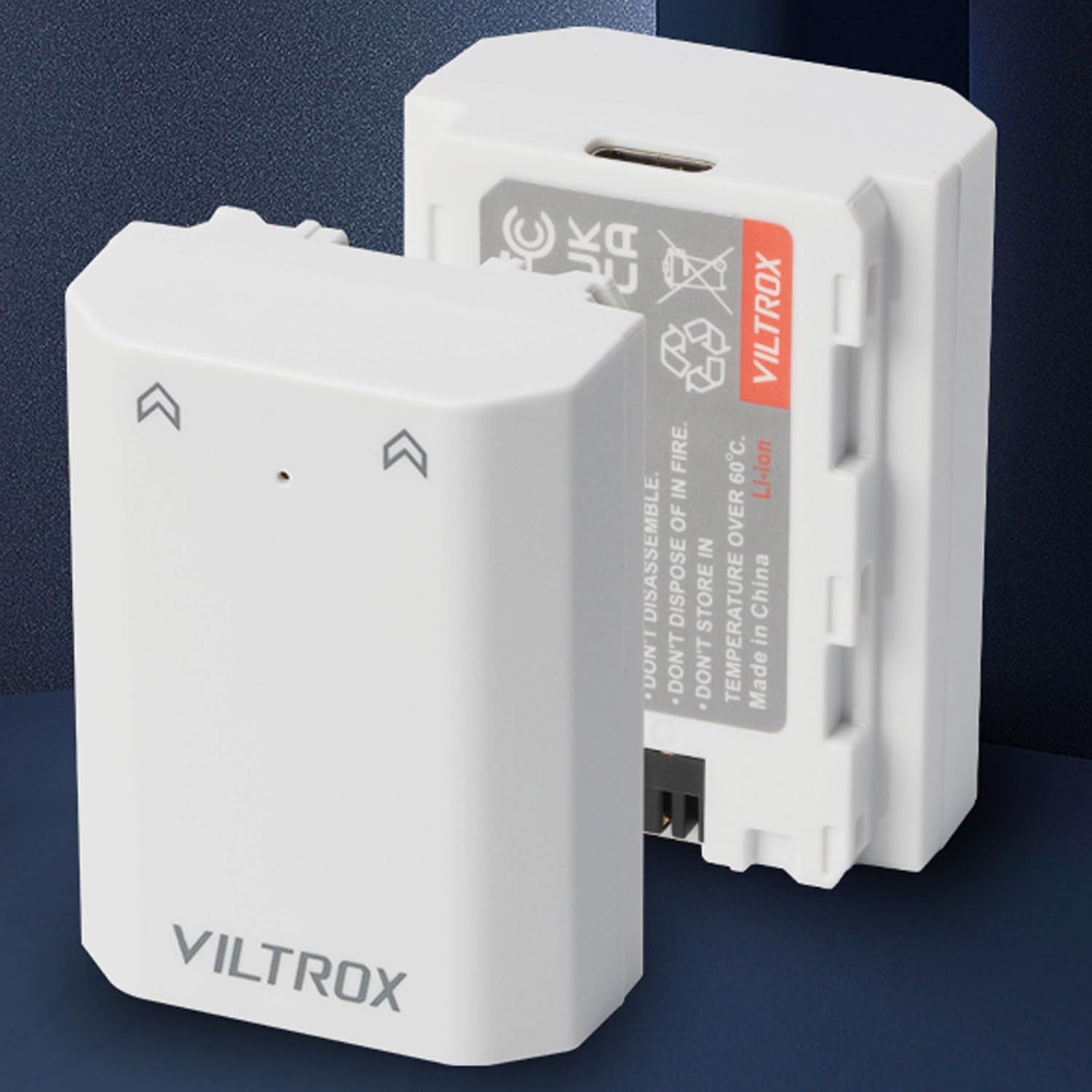
Image: Two VILTROX NP-FZ100 camera batteries, white, shown with packaging.
2. Compatibility
This battery is compatible with various Sony camera models and grips that use the NP-FZ100 battery type. Compatible models include:
- Sony A1, A9, A9 II
- Sony A7R III, A7R IV, A7R V
- Sony A7S III, A7 III, A7 IV
- Sony A6600, A7C
- VG-C3EM, VG-C4EM Grips
Note:
- When used with Sony FX3, FX30, A7C II, A7CR, and ZV-E1 cameras updated to the latest firmware, the battery will power the camera, but the battery level may not be displayed on the screen.
3. Setup and Installation
3.1 Initial Charging
Before first use, fully charge the battery. Refer to the 'Charging the Battery' section for detailed instructions.
3.2 Inserting the Battery
- Ensure your camera is powered off.
- Locate the battery compartment on your camera or grip.
- Open the battery compartment cover.
- Align the battery with the compartment, ensuring the contacts match.
- Gently slide the battery into the compartment until it clicks into place.
- Close the battery compartment cover securely.
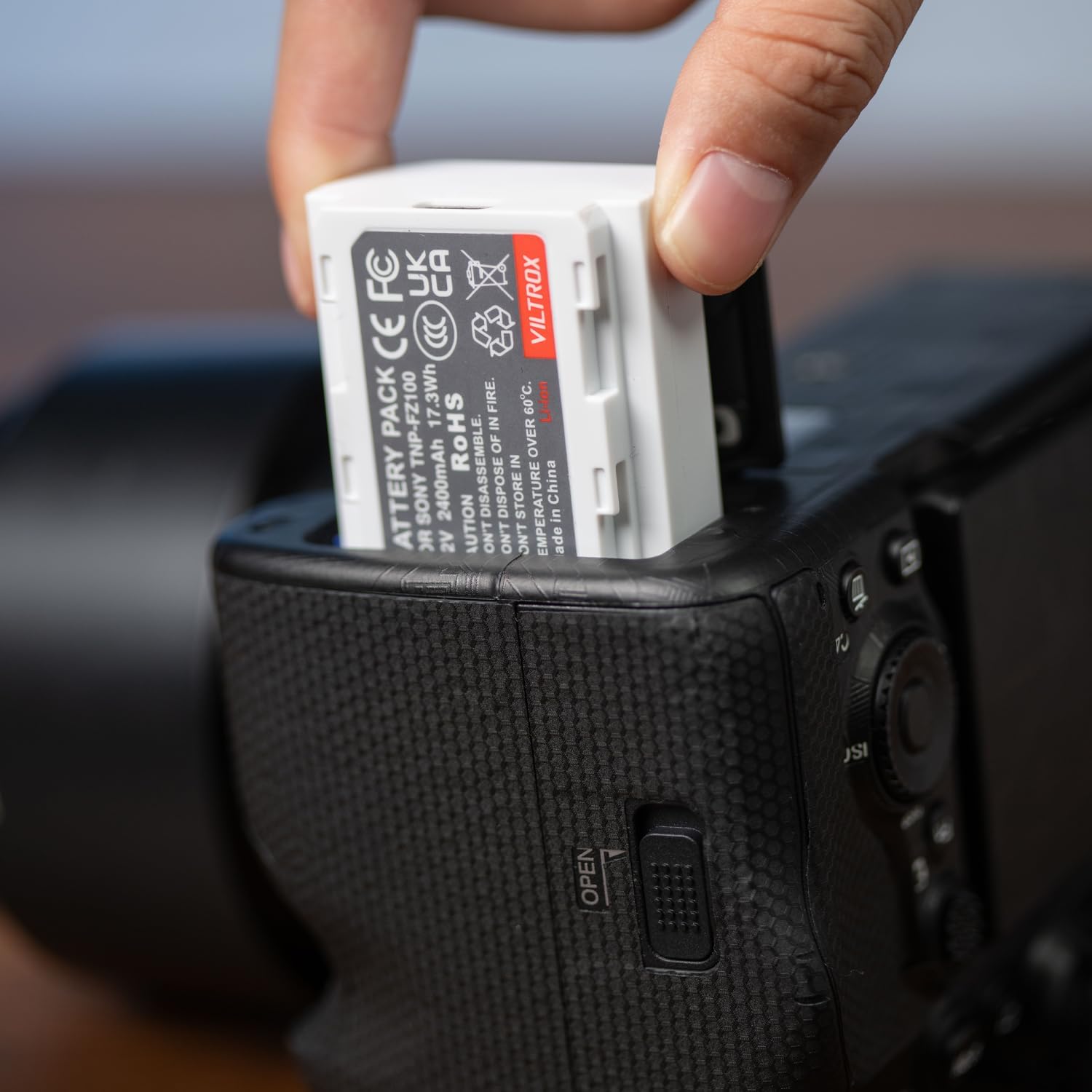
Image: A hand inserting a VILTROX NP-FZ100 battery into a camera battery compartment.
4. Operating the Battery
4.1 Powering Your Camera
Once the battery is correctly installed, power on your camera as usual. The battery provides 7.2V output with a 2400mAh capacity, ensuring extended shooting times.
4.2 Removing the Battery
- Ensure your camera is powered off.
- Open the battery compartment cover.
- Press the battery release lever (if present) and gently slide the battery out.
- Close the battery compartment cover.
5. Maintenance and Safety
5.1 Charging the Battery
The VILTROX NP-FZ100 battery offers versatile charging options:
- USB-C Charging: Connect a USB-C cable directly to the battery and then to a USB wall charger, car charger, or external battery pack. The Type-C input supports 5V/2.2A (MAX).
- Standard Charger: The battery is also compatible with standard NP-FZ100 battery chargers.
Charging time is approximately 2 to 2.5 hours when using the USB-C input. Charging efficiency may vary based on the input current and voltage of your power source.

Image: A VILTROX NP-FZ100 battery being charged via a USB-C cable connected to a power adapter.
5.2 Safety Features
The battery is designed with multiple built-in circuit protections to ensure safe operation and longevity:
- Over-charging protection
- Short-circuit protection
- High-temperature protection
- Surge protection
- Overcurrent protection
- Over-discharge protection
- Overvoltage protection
- Overpower protection
- Resume protection
- Electromagnetic field protection

Image: Icons illustrating the battery's comprehensive safety protections.
5.3 Storage Recommendations
For optimal battery life and safety:
- Store batteries in a cool, dry place away from direct sunlight and extreme temperatures.
- Avoid fully discharging batteries before storage for extended periods. A charge level of around 50% is ideal.
- Do not store batteries near metal objects that could short-circuit the terminals.
6. Troubleshooting
6.1 Battery Level Not Displayed
If using with Sony FX3, FX30, A7C II, A7CR, or ZV-E1 cameras that have been updated to the latest firmware, the camera may not display the battery level. This is a known compatibility characteristic with these specific camera models and firmware versions. The battery will still power the camera normally.
6.2 Battery Not Charging
- Ensure the USB-C cable is securely connected to both the battery and the power source.
- Verify that the power source (wall charger, power bank) is functioning correctly and providing sufficient power (5V/2.2A MAX).
- Try a different USB-C cable or power adapter.
- If using a standard charger, ensure it is compatible with NP-FZ100 batteries and is properly connected to a power outlet.
6.3 Excessive Heat During Use or Charging
While some warmth is normal during charging and heavy use, excessive heat can indicate an issue. If the battery becomes unusually hot:
- Immediately disconnect the battery from the charger or camera.
- Allow the battery to cool down in a well-ventilated area.
- Ensure you are using a non-fast-charging power block when charging via USB-C, as fast chargers can sometimes cause increased heat.
- If the issue persists, discontinue use and contact customer support.
7. Specifications
| Feature | Specification |
|---|---|
| Brand | VILTROX |
| Model Name | TNP-FZ100 |
| Battery Capacity | 7.2V / 2400mAh / 17.3Wh |
| Type-C Input | 5V / 2.2A (MAX) |
| Charging Time | 2 ~ 2.5 Hours (via Type-C) |
| Housing Material | PC + ABS |
| Dimensions | 51 x 38 x 22 mm |
| Weight | 81g |
| Average Battery Life | 24 Hours (Note: This is an average and can vary significantly based on camera usage and settings.) |

Image: Detailed specifications for the VILTROX TNP-FZ100 battery.
8. Warranty and Support
8.1 Warranty Information
This product typically comes with a 1-year limited warranty from the date of purchase, covering manufacturing defects. Please retain your proof of purchase for warranty claims. For specific warranty terms and conditions, refer to the documentation included with your product or contact VILTROX customer support.
8.2 Customer Support
For technical assistance, troubleshooting, or warranty inquiries, please contact VILTROX customer support. You can usually find contact information on the VILTROX official website or through your retailer.


