
1. Introduction
This manual provides essential information for the proper use and maintenance of your XIAOMI Poco M7 Pro 5G smartphone. Please read this guide thoroughly before operating your device to ensure optimal performance and longevity.
2. What's in the Box
Upon unboxing your Poco M7 Pro 5G, verify that all the following items are included:
- Poco M7 Pro 5G Smartphone
- Manual
- Phone Case
- SIM Tray Ejector
- USB Cable
- 45W In-box charger

Image: The retail box contents for the Poco M7 Pro 5G, showing the smartphone, a protective case, a USB cable, a 45W charging adapter, a SIM tray ejector tool, and the user manual.
3. Device Overview
The Poco M7 Pro 5G features a sleek design with a 6.67-inch AMOLED display and a dual camera system on the rear. Familiarize yourself with the physical components of your device.
Front and Rear Views

Image: A detailed view of the Poco M7 Pro 5G, showcasing its front display and the rear panel with the dual camera module and 'POCO 50MP OIS CAM' branding. The device is green.
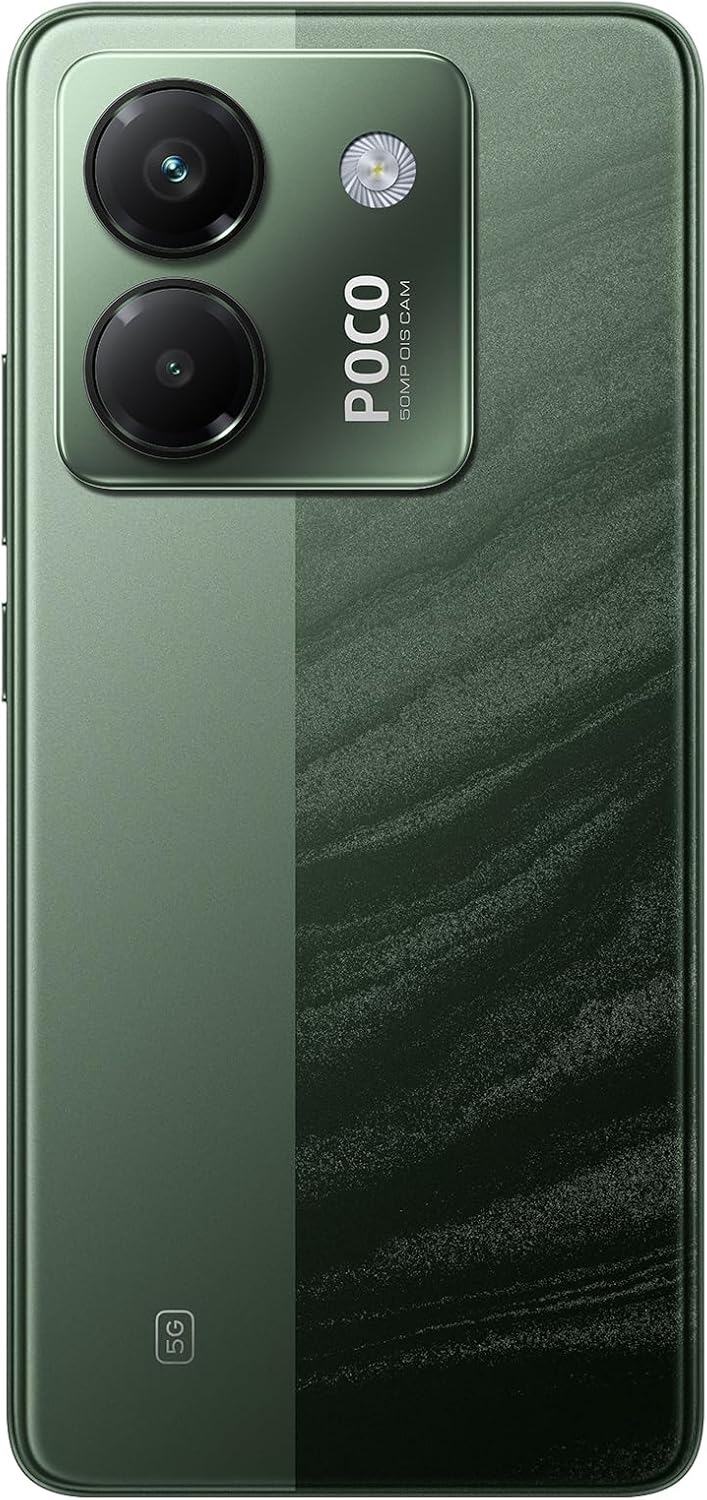
Image: A close-up of the rear of the Poco M7 Pro 5G, emphasizing the dual camera setup and the textured green finish of the phone's back.
Key Features Highlighted

Image: An infographic illustrating the core features of the Poco M7 Pro 5G, including its powerful Dimensity 7025-Ultra processor, 120Hz FHD+ eye-care AMOLED display, 50MP Sony camera with Optical Image Stabilization (OIS), 5110mAh battery with 45W turbo charging, and IP64 dust and water resistance.

Image: An infographic detailing additional features such as IP64 dust and water resistance, dual Dolby Atmos speakers for enhanced audio, an IR blaster, NFC for contactless payments, an in-screen fingerprint reader, the Gemini app, Xiaomi HyperOS 1.0, and a 3.5mm headphone jack.
4. Setup
4.1 Inserting the SIM Card
- Locate the SIM tray on the side of your device.
- Insert the SIM tray ejector tool into the small hole next to the tray and press firmly until the tray pops out.
- Place your Nano-SIM card(s) into the tray with the gold contacts facing down. The Poco M7 Pro 5G supports a hybrid SIM slot (SIM1 + Hybrid (SIM or MicroSD)).
- Carefully reinsert the tray into the phone.
Note: For USA market, this device is designed to work with T-Mobile, Mint, Tello, or any carrier under the T-Mobile network. Outside the USA, it works with any GSM carrier SIM. Ensure your SIM card is already activated.
4.2 Powering On/Off
- To Power On: Press and hold the Power button (located on the side) until the XIAOMI logo appears.
- To Power Off: Press and hold the Power button, then select 'Power off' from the options on the screen.
4.3 Initial Configuration
Upon first power-on, follow the on-screen prompts to set up your device. This includes selecting your language, connecting to Wi-Fi, setting up your Google account, and configuring security features like the in-screen fingerprint sensor or AI Face Unlock. The device runs on Xiaomi HyperOS.
5. Operating Your Device
5.1 Display Features
- Screen: 6.67" AMOLED display with 2400 x 1080 resolution.
- Refresh Rate: Up to 120Hz for smooth visuals.
- Brightness: Peak brightness of 2100 nits, HBM brightness 1200 nits.
- Eye Care: Features like 960Hz PWM dimming, TÜV Rheinland Low Blue Light Certified, Circadian Friendly Certified, and Flicker Free Certified for reduced eye strain.
5.2 Camera Usage
The Poco M7 Pro 5G is equipped with a versatile camera system.
- Main Camera: 50MP with Optical Image Stabilization (OIS), f/1.5 aperture, 1/1.95" sensor size. Supports RAW Domain Ultra-Sense Night Mode.
- Depth Camera: 2MP, f/2.4.
- Front Camera: 20MP, f/2.2, 1/4.0" sensor size.
- Video Recording: Both front and rear cameras support 1080p at 30fps and 720p at 30fps.

Image: An infographic detailing the specifications of the Sony IMX882 camera sensor, including its 50MP resolution, 1/1.95-inch sensor size, f/1.5 ultra-large aperture, and a claim of 29.8% more light input compared to the previous generation.
5.3 Performance and Connectivity
- Processor: Powerful Dimensity 7025-Ultra 6nm 5G processor with Octa-core CPU up to 2.5GHz.
- Memory: 8GB RAM, expandable up to 24GB with Memory Extension 3.0.
- Storage: 256GB internal storage.
- 5G Connectivity: Supports various 5G SA and NSA bands.
- Wi-Fi: 802.11a/b/g/n/ac, supports 2.4GHz and 5GHz Wi-Fi, Wi-Fi Direct.
- Bluetooth: Bluetooth 5.3.
- NFC: For contactless payments and quick pairing.
- GPS: L1 | GLONASS: G1 | BDS: B1I | Galileo E1.

Image: An infographic highlighting the enhanced 5G experience, noting that the high-speed 5G network offers improved entertainment with instant video and music streaming. It also states that 5G connectivity may vary based on regional availability and local carrier compatibility.
5.4 Battery and Charging
- Battery Capacity: 5110mAh (typical).
- Charging: 45W turbo charging. A 45W in-box charger is included.
6. Maintenance
6.1 Dust and Water Resistance
The Poco M7 Pro 5G features an IP64 rating, providing protection against dust ingress and splashes of water from any direction. This rating indicates resistance, not waterproofing. Avoid submerging the device in water or exposing it to high-pressure water jets.
6.2 Cleaning Your Device
To clean your phone, use a soft, lint-free cloth. Avoid abrasive materials, solvents, or aerosol sprays. Disconnect all cables before cleaning.
6.3 Battery Care
To prolong battery life, avoid exposing the device to extreme temperatures. Charge the battery regularly and avoid letting it fully discharge frequently.
7. Troubleshooting
If you encounter issues with your Poco M7 Pro 5G, try the following steps:
- Device Unresponsive: Press and hold the Power button for about 10 seconds to force a restart.
- Network Issues: Check if your SIM card is properly inserted. Toggle Airplane Mode on and off. Restart your device. Verify your carrier's network coverage in your area.
- App Malfunction: Close and reopen the app. If the issue persists, clear the app's cache and data in Settings, or uninstall and reinstall the app.
- Charging Problems: Ensure the charging cable and adapter are securely connected and undamaged. Try a different charger or cable.
- Software Updates: Ensure your device's operating system (Xiaomi HyperOS) is up to date. Go to Settings > About phone > System update.
For persistent issues, contact XIAOMI customer support or visit an authorized service center.
8. Specifications
| Feature | Specification |
|---|---|
| Model Name | M7 PRO 5G (2409FPCC4G) |
| Brand | XIAOMI |
| Operating System | Xiaomi HyperOS |
| CPU Model | Dimensity 7025-Ultra Octa-core |
| CPU Speed | Up to 2.5GHz |
| Screen Size | 6.67 Inches AMOLED |
| Resolution | 2400 x 1080 |
| Refresh Rate | 120Hz |
| RAM Memory | 8 GB (Up to 24GB with Memory Extension 3.0) |
| Storage Capacity | 256 GB |
| Main Camera | 50MP OIS |
| Front Camera | 20MP |
| Battery Capacity | 5110 mAh (typical) |
| Charging | 45W Turbo Charging |
| Connectivity | 5G, Wi-Fi (2.4/5GHz), Bluetooth 5.3, NFC, GPS |
| Special Features | IP64 Dust and Water Resistance, In-screen Fingerprint Sensor, AI Face Unlock, IR Blaster |
| Item Weight | 14 ounces |
| Dimensions | 7 x 4 x 2 inches (Package) |
9. Warranty and Support
For warranty information and customer support, please refer to the warranty card included in your product packaging or visit the official XIAOMI website. Keep your proof of purchase for warranty claims.
Manufacturer: Xiaomi
Date First Available: September 14, 2022


