Introduction
The Shark Navigator Robot Vacuum RV2110 is designed to provide powerful cleaning performance on both carpets and hard floors. Utilizing SmartPath Navigation, it maps your home for systematic, row-by-row cleaning. This robot vacuum features a self-cleaning brushroll for effective pet hair pickup and anti-hair wrap technology. It detects and avoids objects, adapting to your home's layout. Control is convenient via the SharkClean app or voice commands, with a recharge and resume function ensuring complete cleaning coverage.
Setup
Unboxing & Components
Before first use, ensure all components are present and properly installed.
- Shark Navigator Robot Vacuum
- Standard Charging Base
- Robot Side Brushes (2x)

Image: The Shark Navigator Robot Vacuum and its standard charging base, ready for setup.
Charging Base Placement
Place the charging base on a bare floor, at least 2 feet (61 cm) away from any carpet. Ensure there is 1 foot (0.3 m) clear space on either side of the base and 2 feet (0.6 m) in front for optimal docking.

Image: A diagram illustrating the recommended clear space around the charging base for proper robot navigation and docking.
App Connection
Download the SharkClean app to unlock full functionality, including home mapping, room selection, scheduling, and voice control integration with Alexa or Google Assistant.

Image: A smartphone showing the SharkClean app, highlighting its user-friendly interface for scheduling and controlling the robot vacuum.
Video: An overview of the Shark Navigator Robot Vacuum, demonstrating its SmartPath Navigation and key features. This video also shows the initial setup and interaction with the charging base.
Operating
SmartPath Navigation
The robot uses SmartPath Navigation with spot LiDAR technology to precisely map your home and clean in a row-by-row pattern, ensuring maximum coverage on both carpets and hard floors.

Image: A robot vacuum cleaning a rug in a systematic, row-by-row pattern, illustrating its SmartPath Navigation capabilities.
Cleaning Modes
Experience powerful Shark performance with up to 50% more suction compared to competitor robot vacuums. The robot is designed for effective cleaning on both carpets and hard floors.

Image: The robot vacuum actively cleaning a carpet, demonstrating its powerful suction by picking up a trail of debris.
Object Detection & Avoidance
The robot detects and avoids objects in its path, adapting to everyday changes in your home. This feature minimizes the need to tidy up before cleaning sessions.

Image: The robot vacuum intelligently maneuvering around shoes and toys on a rug, showcasing its object detection and avoidance capabilities.
Recharge & Resume
When the battery is low, the robot automatically returns to its charging base, recharges, and then resumes cleaning exactly where it left off, ensuring complete coverage of your home.

Image: The robot vacuum approaching its charging base, with arrows indicating the path for recharging and resuming cleaning.
Maintenance
Self-Cleaning Brushroll
The self-cleaning brushroll is engineered to dig deep into carpets and directly engage hard floors, effectively picking up debris, hair, and dirt. Its anti-hair wrap design minimizes tangles, making it ideal for homes with pets.
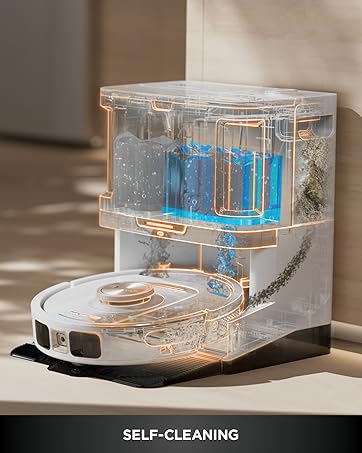
Image: A detailed view of the robot vacuum's self-cleaning brushroll, designed to prevent hair wrap and maintain optimal performance.
Emptying Dust Bin
The robot's dust bin can be easily removed and emptied. For optimal performance, empty the dust bin after each cleaning cycle.
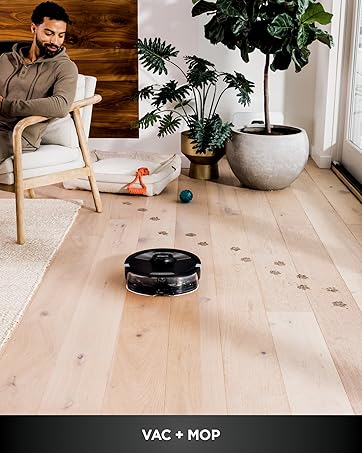
Image: The robot vacuum's dust bin, detached from the unit, showing the collected debris and the filter compartment.
Cleaning Filters
The robot is equipped with a pre-motor filter. Regularly clean or replace the filter as recommended in the full user manual to maintain suction power and air quality.
Troubleshooting
If your Shark Navigator Robot Vacuum encounters issues, consider the following common solutions:
- Robot not charging: Ensure the charging base is plugged in and the robot is properly docked with charging contacts aligned.
- Robot getting stuck: Clear obstacles like loose cables, small rugs, or furniture that might impede movement. Utilize the app's 'No-Go Zones' feature if available.
- Poor suction: Check and empty the dust bin. Clean or replace the filters and clear any blockages in the brushroll or suction path.
- App connectivity issues: Ensure your robot and smartphone are connected to the same 2.4 GHz Wi-Fi network. Restart the app and the robot if necessary.
- Excessive noise: Inspect the brushroll and side brushes for tangled hair or debris that might be causing unusual sounds.
For more detailed troubleshooting, refer to the full user manual or contact Shark customer support.
Specifications
| Feature | Detail |
|---|---|
| Brand | Shark |
| Model Name | Navigator Robot Vacuum |
| Special Feature | Bagless, Self-Cleaning Brushroll, SmartPath Navigation |
| Color | Steel Grey |
| Product Dimensions | 15.1"L x 12.3"W x 4.6"H |
| Included Components | Robot Side Brushes (2x), Shark Robot Vacuum, Standard Charging Base |
| Filter Type | Pre-Motor Filter |
| Battery Life | 120 minutes |
| Voltage | 19 Volts |
| Capacity | 0.52 Quarts |
| Power Source | Battery Powered |
| Are Batteries Included | Yes |
| Control Method | App, Voice |
| Form Factor | Robotic |
| UPC | 622356667746 |
| Manufacture Year | 2025 |
| Item Weight | 6.53 pounds |
| Surface Recommendation | Carpet & Hardfloors |
Warranty and Support
For warranty information, product registration, or technical support, please refer to the official Shark website or contact Shark customer service directly. Keep your purchase receipt for warranty claims.


