
Introduction
Thank you for purchasing the KOSUMOSU ACD-430 Digital Alarm Clock. This manual provides detailed instructions for setting up and operating your new alarm clock. Please read this manual thoroughly before use and retain it for future reference.
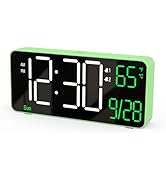
The KOSUMOSU ACD-430 features a 6.7-inch multi-functional LED display, showing time, date, day of the week, seconds, and room temperature. It includes dual alarms with snooze function, 12/24-hour format, and both auto and manual dimming capabilities.
What's Included in the Package
- 1 x KOSUMOSU ACD-430 Digital Alarm Clock
- 1 x 1.5-meter USB-A Power Cable (permanently non-detachable)
- 1 x CR2025 Button Cell (for time backup during power outages)
- 1 x User Manual
Note: A 5V/1A AC adapter is NOT included and is required for operation.

Setup
Power Supply
The KOSUMOSU ACD-430 Digital Alarm Clock requires a 5V/1A AC adapter (not included) to function. Connect the attached 1.5-meter USB-A power cable to a compatible USB power source. The included CR2025 button cell serves as a backup battery to maintain time settings during power outages, but it does not power the display.
Initial Setup
Upon first power-up or after a prolonged power outage without the backup battery, you may need to set the time and date.
Operating Instructions
Button Functions Overview

- Dimming (+/-): Short press to manually adjust brightness (High-Medium-Low-Off). Long press for auto dimming.
- °F/°C/Sec. (-): Short press to switch between Fahrenheit, Celsius, or display seconds. Long press to fix time separator.
- 12h/24h (SET): Short press to set 12h/24h format. Long press to set date/time.
- Alarm 1 Set: Short press to toggle Alarm 1 on/off. Long press to set Alarm 1 time.
- Alarm 2 Set: Short press to toggle Alarm 2 on/off. Long press to set Alarm 2 time.
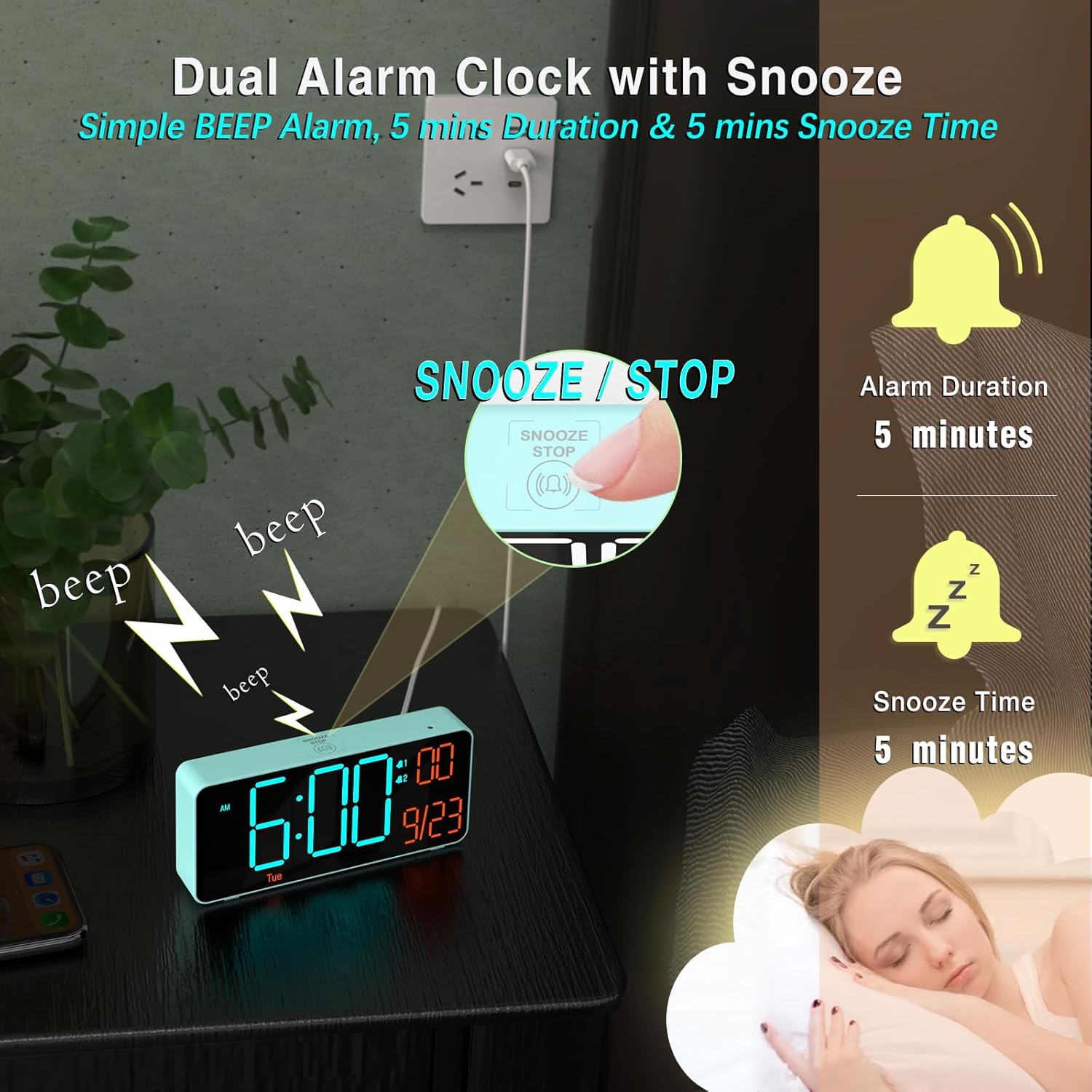
- Snooze/Stop (Top Button): Press to snooze an active alarm or stop it.
Setting Time and Date
- Long press the SET button for 2 seconds to enter time setting mode. The hour digits will blink.
- Use the + or - buttons to adjust the hour.
- Press SET again to move to minute setting. Use + or - to adjust minutes.
- Continue pressing SET to cycle through Year, Month, and Date settings. Use + or - to adjust each value. The day of the week will update automatically based on the year and date.
- After setting the date, press SET one last time to confirm and exit setting mode.
Setting Alarms
- Long press either the Alarm 1 Set or Alarm 2 Set button for 2 seconds to enter alarm time setting mode. The hour digits will blink.
- Use the + or - buttons to adjust the alarm hour.
- Press the respective Alarm Set button again to move to minute setting. Use + or - to adjust minutes.
- Press the Alarm Set button again to select the alarm cycle (Workdays, Weekends, or Every Day). Use + or - to choose.
- Press the Alarm Set button one last time to confirm and exit alarm setting mode.
- To toggle an alarm on or off, short press its corresponding Alarm Set button. An alarm icon will appear/disappear on the display.
Snooze Function
When an alarm sounds, press the large SNOOZE/STOP button on the top of the clock to activate the snooze function. The alarm will pause for 5 minutes and then sound again. To stop the alarm completely, press any other button on the back panel.
Dimming Settings
The clock offers both manual and automatic dimming. Short press the Dimming + or - buttons to cycle through High, Medium, Low, or Off brightness levels. Long press either dimming button to activate or deactivate the auto-dimming feature, which adjusts brightness based on ambient light.

Temperature and Time Format
Short press the °F/°C/Sec. (-) button to switch between displaying the room temperature in Fahrenheit (°F), Celsius (°C), or showing the seconds. Long press the 12h/24h (SET) button to toggle between 12-hour and 24-hour time formats.
Specifications
| Feature | Detail |
|---|---|
| Brand | KOSUMOSU |
| Model Number | ACD-430 |
| Color | Blue (Blue + Orange Digits) |
| Display Type | LED |
| Screen Size | 6.7 Inches (actual product dimensions 6.4"W x 3.3"H) |
| Power Source | Corded Electric (5V/1A AC adapter required, not included) |
| Backup Battery | 1 x CR2025 Nonstandard Battery (included, for time backup only) |
| Special Features | Adjustable Brightness (Auto/Manual Dimming), Calendar Display, Dual Alarms, Snooze, Temperature Display (°F/°C), 12/24-hour format |
| Material Type | Plastic |
| Item Weight | 5.92 ounces |
Troubleshooting
Display is blank or not turning on:
- Ensure the USB power cable is securely connected to both the clock and a functional 5V/1A AC adapter.
- Verify the power outlet is active.
- Check if the display brightness is set to 'Off' (manual dimming). Press the '+' dimming button to increase brightness.
Alarm is not sounding:
- Confirm that the alarm is enabled (short press the respective Alarm Set button; an alarm icon should be visible on the display).
- Check the alarm time and ensure it is set correctly for your desired wake-up time and day cycle (Workdays, Weekends, Every Day).
Time or Date is incorrect:
- Follow the 'Setting Time and Date' instructions to manually adjust the current time and date.
- Ensure the correct year is set, as this affects the automatic day of the week calculation.
Warranty and Support
KOSUMOSU offers a 2-year warranty on this product. If you encounter any quality or usage-related problems, please do not hesitate to contact us via email at support@kos-kos.com.


