Introduction
This user manual provides comprehensive instructions for the Tayogo Swimming Headphones (W25) and Transmitter (T6) combo. It covers setup, operation, maintenance, and troubleshooting to ensure optimal performance and longevity of your device. Please read this manual thoroughly before using the product.

Image: The Tayogo W25 Swimming Headphones and T6 Transmitter, showcasing the complete product set.
What's in the Box
Upon unboxing, please verify that all the following components are included:
- 1 x Tayogo T6 Transmitter
- 1 x Tayogo W25 Bone Conduction Headphones
- 1 x Antenna for T6 Transmitter
- 1 x USB Type-C Charging Cable for T6
- 1 x Magnetic Charging Cable for W25
- 1 x Set of Ear Buds (for optional use)
- 1 x Carrying Case
- 1 x Instruction Manual (this document)

Image: All components included in the Tayogo Swimming Headphones and Transmitter package.
Setup Guide
Follow these steps to set up your Tayogo Swimming Headphones and Transmitter for the first time:
1. Install the Antenna
Carefully screw the provided antenna into the designated port on the top of the T6 Transmitter. Ensure it is securely fastened for optimal signal transmission.

Image: Illustration showing the antenna being screwed into the top of the T6 Transmitter.
2. Power On the Transmitter (T6)
Press and hold the power button on the T6 Transmitter for 3 seconds to turn it on. The screen will display the current channel (e.g., "CH01"). After turning on, the screen will lock automatically. To enable the screen for adjustments, press and hold the power button for 2 seconds.
3. Connect T6 to Your Phone via Bluetooth
On your smartphone, navigate to the Bluetooth settings. Search for available devices and select "T6" to pair. Click "PAIR" to establish the connection. Important Notice: Ensure your phone is not connected to the W25 receiver directly via Bluetooth when using the T6 transmitter.

Image: Visual guide for connecting the T6 Transmitter to a smartphone via Bluetooth.
4. Adjust T6 Channel (Optional)
The T6 Transmitter offers 16 channels (CH:01 - CH:16). To adjust the channel, press and hold the power button for 2 seconds to unlock the screen, then use the navigation buttons to select your desired channel. The default channel is 01.

Image: Instructions for adjusting the channel on the T6 Transmitter's digital display.
5. Connect Transmitter and Receiver
Press and hold the "MFB" (Multi-Function Button) on the W25 headphones to turn them on. Both the T6 Transmitter and W25 Receiver have a default channel of 01, making connection easy. Ensure both devices are on the same channel for proper communication.
6. Switch Bluetooth & Receiving Mode (W25 Headphones)
The W25 headphones support both Bluetooth mode (for normal use) and Receiving mode (to receive signal from the T6 Transmitter). To switch between modes, double-click the "MFB" button on the W25 headphones. For swimming with the T6 Transmitter, ensure the headphones are in Receiving Mode.

Image: Instructions for adjusting the channel on the W25 Headphones. Note: Always pull out the antenna on the T6 for better signal.
Setup and Operation Video Guide
Video: A detailed operation guide for the Tayogo T6 Transmitter and W25 Headphones, demonstrating power on, channel adjustment, and connection procedures.
Operating Instructions
Music Streaming for Swimming
The Tayogo T6 and W25 Combo allows you to stream music directly from your smartphone to your waterproof headphones while swimming. This eliminates the need for MP3 downloads or conversions, supporting seamless playback from popular services like Spotify, Audible, and YouTube.

Image: A swimmer enjoying music through Tayogo headphones, with the T6 transmitter and various music app logos indicating streaming capabilities.
Extended Working Range
The Tayogo T6 Transmitter provides an impressive working range of up to 150 meters (approximately 492 feet) and can transmit signals up to 2 meters (approximately 6.5 feet) underwater. This ensures clear signal reception in almost any part of the pool. With 16 available channels, you can select a private signal to avoid interruptions.

Image: The T6 Transmitter highlighting its key features: 16 channels, up to 7 hours playing time, up to 150 meters transmit distance, and PTT function for coaches.
Waterproof Design and Dual Mode
The Tayogo W25 Bone Conduction Headphones are fully waterproof with an IP68 rating, making them suitable for swimming. They feature a DUAL Mode: Bluetooth for normal use and Receiving Mode to get the signal transmitted from your mobile phone via the T6 Transmitter while swimming.
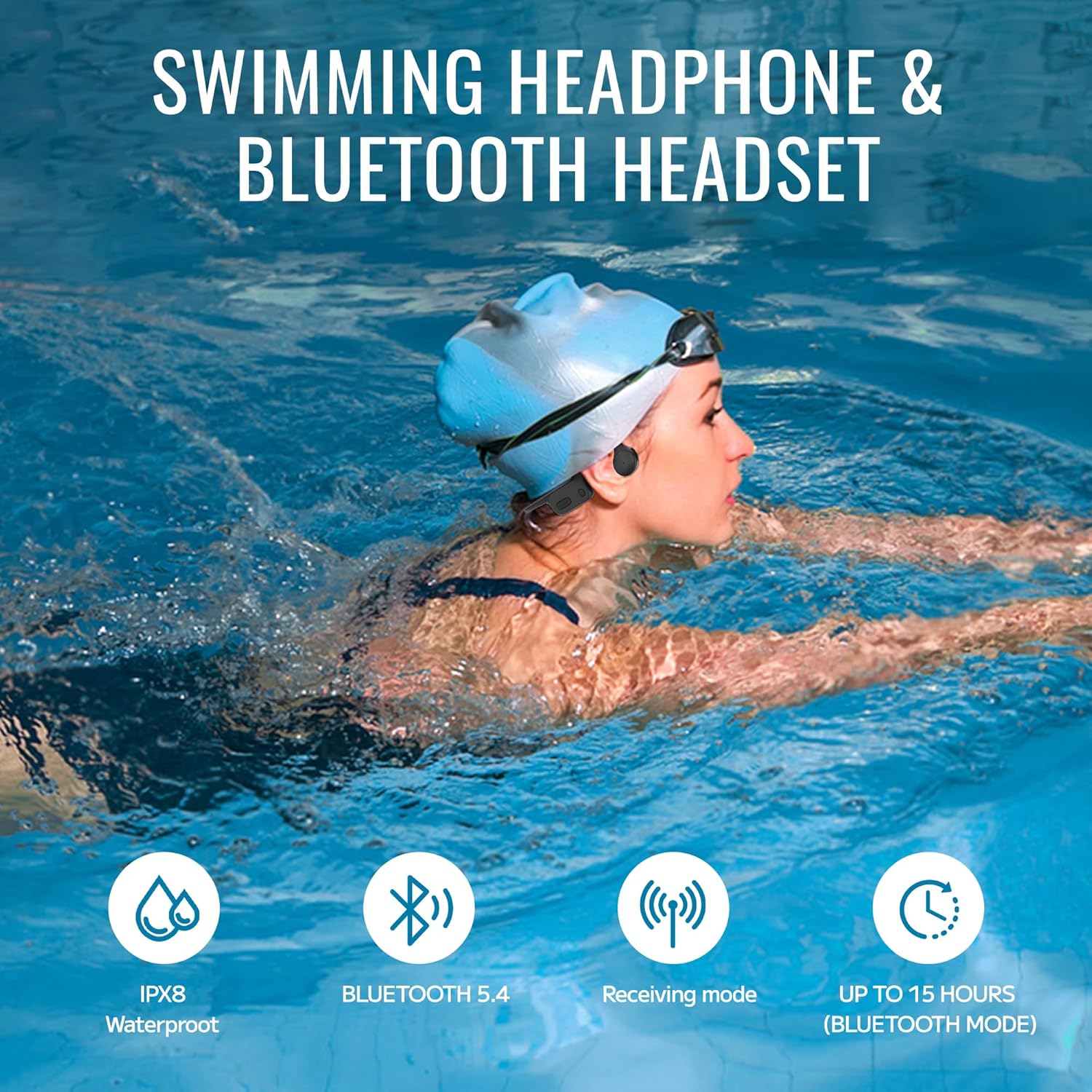
Image: The W25 Headphones emphasizing their features: IPX8 waterproof rating, Bluetooth 5.4 connectivity, Receiving mode, and up to 15 hours of battery life in Bluetooth mode.
Long Battery Life
The T6 Transmitter provides up to 8 hours of playback time. The W25 Headphones offer up to 15 hours of battery life in Bluetooth mode and 8 hours in Receiving Mode, ensuring long sessions without interruption.
Easy Operation and Coach Communication (PTT)
Both devices feature a digital display screen with touch-sensitive buttons for easy channel adjustment. The T6 Transmitter includes a PTT (Push-To-Talk) button, allowing swim coaches to send real-time instructions and communicate easily with students wearing the W25 headphones.

Image: A coach utilizing the T6 Transmitter's PTT function to provide real-time instructions to swimmers in the pool, eliminating the need for shouting.
Maintenance
- Cleaning: After each use, especially in chlorinated or saltwater, rinse the headphones and transmitter with fresh water. Wipe them dry with a soft cloth. Do not use abrasive cleaners or solvents.
- Charging: Use only the provided charging cables. Ensure the charging ports are dry before connecting. Charge the devices fully before long periods of storage.
- Storage: Store the headphones and transmitter in the provided carrying case in a cool, dry place away from direct sunlight and extreme temperatures.
- Antenna Care: When not in use, retract the T6 Transmitter's antenna to prevent damage.
Troubleshooting
If you encounter issues with your Tayogo Swimming Headphones and Transmitter, please refer to the following common solutions:
Tips to Reduce Static Noise
- Extend the Transmitter's Antenna: Always pull the antenna fully up to ensure stronger and more stable signal transmission.
- Increase Your Phone's Volume: Set your phone's playback volume to the maximum for a cleaner signal output to the transmitter.
- Lower the Headphones' Volume: After maximizing your phone's volume, reduce the headphones' volume to a comfortable level. This helps minimize amplified static or background noise.

Image: Visual guide illustrating three key tips to reduce static noise for improved audio quality.
Common Issues & Solutions
- No Sound/Intermittent Sound:
- Ensure both T6 Transmitter and W25 Headphones are powered on and fully charged.
- Verify that the T6 Transmitter is paired with your phone and the W25 Headphones are in Receiving Mode.
- Check that both the transmitter and headphones are set to the same channel.
- Ensure the T6 antenna is fully extended.
- Reduce the distance between the transmitter and headphones.
- Try changing to a different channel on both devices to avoid interference.
- Poor Sound Quality Underwater:
- While the device is waterproof, signal strength can be affected by depth. Remain closer to the surface for optimal performance.
- Consider using swim earplugs to enhance sound clarity by blocking water noise.
- Headphones Not Pairing with Phone (Bluetooth Mode):
- Ensure the W25 headphones are in Bluetooth mode (double-click MFB).
- Turn off and on the Bluetooth on your phone.
- Forget the device in your phone's Bluetooth settings and try pairing again.
Specifications
| Feature | Specification |
|---|---|
| Model Name | StreamMusicCombo-w25 |
| Headphone Model | W25 |
| Transmitter Model | T6 |
| Connectivity Technology | Bluetooth 5.4 (W25), Wireless (T6) |
| Water Resistance Level | IP68 Waterproof (W25) |
| Transmitter Range | Up to 150 meters (492 feet) |
| Underwater Transmission Depth | Up to 2 meters (6.5 feet) |
| Available Channels | 16 Channels |
| W25 Battery Life (Bluetooth) | Up to 15 Hours |
| W25 Battery Life (Receiving Mode) | Up to 8 Hours |
| T6 Battery Life | Up to 8 Hours |
| Charging Time | Approximately 2 Hours |
| Audio Driver Type | Bone Conduction Driver |
| Ear Placement | Open Ear |
| Control Type | Button Control, Touch Control |
| Item Weight | 1.6 ounces (combined) |
| Product Dimensions | 7.3 x 5.9 x 2.7 inches |
| Manufacturer | Tayogo |
Warranty and Support
Tayogo products are designed for durability and performance. For warranty information, please refer to the documentation included with your purchase or visit the official Tayogo website. If you require technical assistance or have questions not covered in this manual, please contact Tayogo customer support through their official channels.
You can also find additional support and resources on the Tayogo Store on Amazon.


