
Introduction
This manual provides detailed instructions for the safe and efficient use of your boAt Airdopes Plus 311 True Wireless Stereo (TWS) Earbuds. Please read this guide thoroughly before using the product to ensure optimal performance and longevity. Keep this manual for future reference.

Image: boAt Airdopes Plus 311 TWS Earbuds in Midnight Blue, showcasing the earbuds and charging case.
What's in the Box
Upon unboxing your boAt Airdopes Plus 311, you should find the following items:
- boAt Airdopes Plus 311 Earbuds
- Wireless Charging Case
- USB Type-C Charging Cable
- Additional Ear Cushions (S, M, L sizes)
- User Manual

Image: The boAt Airdopes Plus 311 earbuds nestled within their charging case.
Product Overview
The boAt Airdopes Plus 311 features a minimalistic glass design and is equipped with 10mm dynamic drivers for boAt Signature Sound. Each earbud includes dual microphones with ENx Technology for clear voice calls.
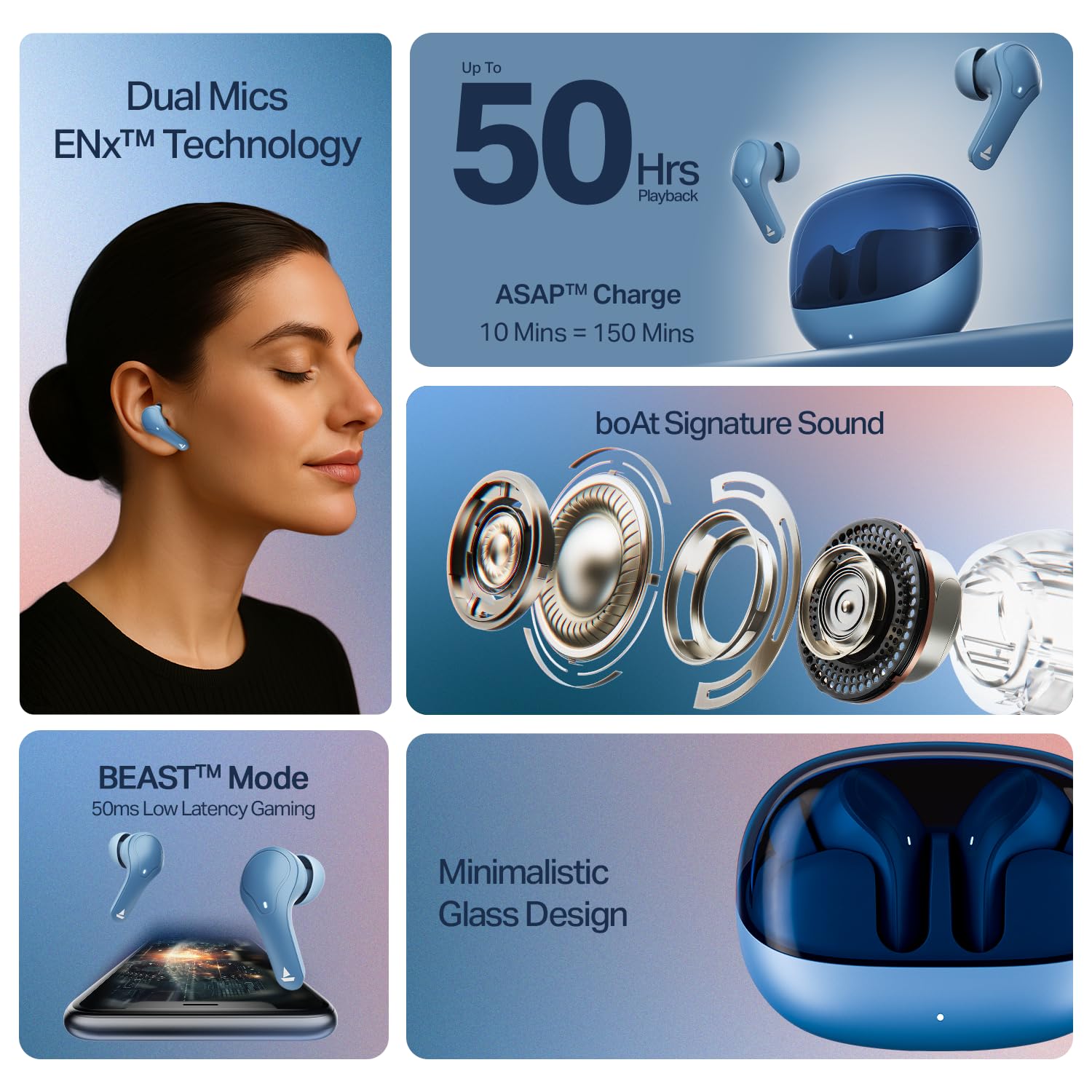
Image: A close-up view of the boAt Airdopes Plus 311 earbuds, highlighting their design and in-ear form factor.
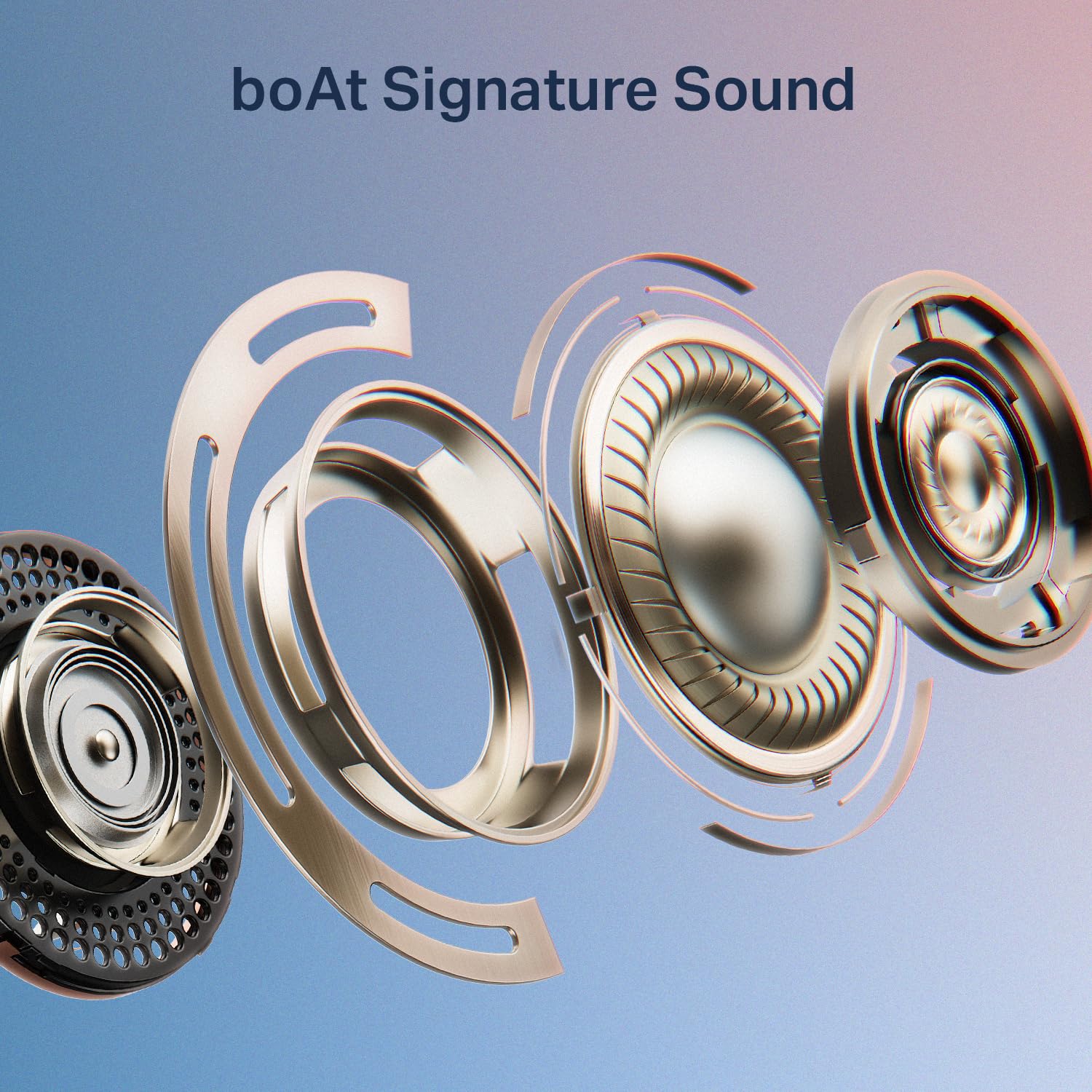
Image: An exploded diagram illustrating the internal components of a boAt Airdopes Plus 311 earbud, emphasizing the boAt Signature Sound driver.
Setup
1. Charging the Earbuds and Case
Before first use, fully charge the Airdopes Plus 311 earbuds and their charging case. The case provides additional charges for extended playtime.
- Connect the provided USB Type-C cable to the charging port on the case and a compatible USB power source.
- The LED indicator on the case will show charging status.
- A full charge takes approximately 1.5 hours.
- The ASAP Charge feature allows for 150 minutes of playback with just 10 minutes of charging.
- The earbuds offer up to 50 hours of total playback time with the charging case.
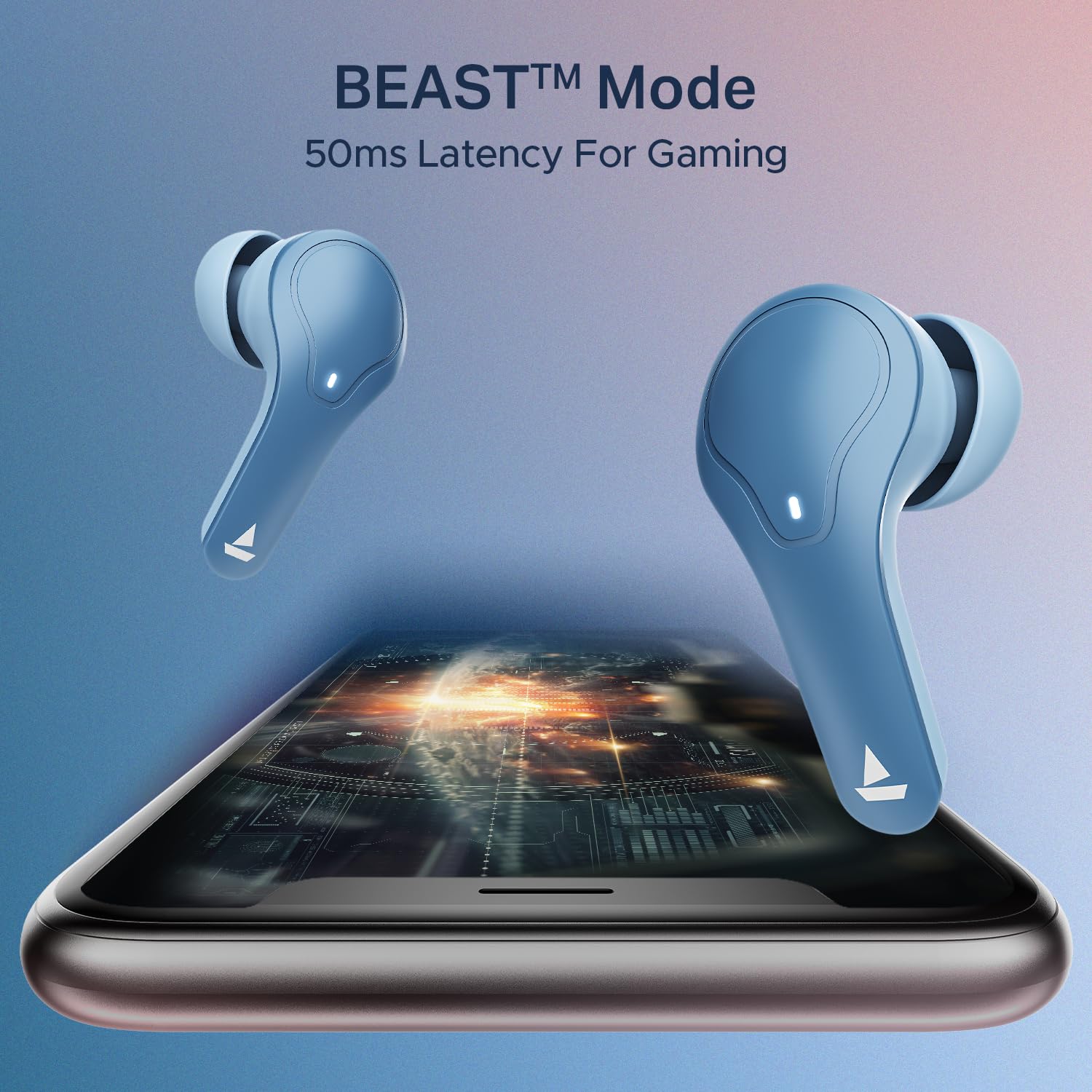
Image: The boAt Airdopes Plus 311 charging case, highlighting the Type-C charging port.

Image: Visual representation of the boAt Airdopes Plus 311's 50 hours of total playback and ASAP Charge capability (10 minutes charge for 150 minutes playback).
2. Pairing with Your Device
The Airdopes Plus 311 features Insta Wake N’ Pair (IWP) technology for seamless connectivity.
- Initial Pairing:
- Open the lid of the charging case. The earbuds will automatically power on and enter pairing mode.
- On your device (smartphone, tablet, laptop), enable Bluetooth.
- Search for "Airdopes Plus 311" in the list of available Bluetooth devices and select it to connect.
- Once connected, you will hear an audio prompt, and the LED indicator on the earbuds will change.
- Re-pairing:
- Once paired, the earbuds will automatically connect to the last paired device when you open the case lid (if Bluetooth is enabled on the device).
The earbuds utilize Bluetooth v5.3 for stable connectivity up to a range of 10 meters.

Image: A smartphone screen displaying the Bluetooth connection interface with the boAt Airdopes Plus 311 earbuds.
Operating Instructions
The Airdopes Plus 311 earbuds feature intuitive touch controls for managing your audio and calls.
| Action | Function |
|---|---|
| Single Tap (Left/Right Earbud) | Play/Pause Music, Answer/End Call |
| Double Tap (Right Earbud) | Next Track |
| Double Tap (Left Earbud) | Previous Track |
| Long Press (Left/Right Earbud, 2 seconds) | Activate Voice Assistant |
| Long Press (Left/Right Earbud, 3 seconds during call) | Reject Call |
| Triple Tap (Left/Right Earbud) | Toggle BEAST™ Mode (Low Latency Gaming) |
Voice Assistant: Activate your device's voice assistant (Google Assistant, Siri) with a long press on either earbud. This allows for hands-free control and information retrieval.
BEAST™ Mode: For an enhanced gaming experience, triple tap either earbud to activate BEAST™ Mode, which provides 50ms low latency audio.

Image: A collage showcasing key features of the boAt Airdopes Plus 311, including Dual Mics with ENx Technology, 50 hours playback, boAt Signature Sound, BEAST™ Mode for gaming, and Minimalistic Glass Design.
boAt Hearables App
Enhance your experience by downloading the boAt Hearables App. The app provides additional features and controls for your Airdopes Plus 311.

Image: A smartphone displaying the boAt Hearables App with a QR code for easy download. Scan the QR code to access the app.
Download the app here: boAt Hearables App
Maintenance
Proper care ensures the longevity and optimal performance of your Airdopes Plus 311.
- Cleaning: Regularly clean the earbuds and charging case with a soft, dry, lint-free cloth. Avoid using harsh chemicals or abrasive materials.
- Water Resistance: The earbuds are IPX4 rated, meaning they are resistant to dust, sweat, and splashes. Do not submerge them in water or expose them to heavy rain. Ensure they are dry before placing them back in the charging case.
- Storage: When not in use, store the earbuds in their charging case to protect them and keep them charged. Store in a cool, dry place away from direct sunlight and extreme temperatures.
- Battery Care: To preserve battery life, avoid fully discharging the earbuds and case frequently. Charge them regularly, even if not in constant use.

Image: A collage highlighting features including IPX4 Dust, Sweat & Splash Resistant rating for the boAt Airdopes Plus 311.
Troubleshooting
If you encounter any issues with your Airdopes Plus 311, refer to the following common solutions:
- Earbuds not turning on:
- Ensure the charging case and earbuds are fully charged.
- Place the earbuds back in the case, close the lid, and then open it again.
- Earbuds not pairing:
- Make sure Bluetooth is enabled on your device.
- Ensure the earbuds are in pairing mode (LED indicator flashing).
- Forget "Airdopes Plus 311" from your device's Bluetooth list and try pairing again.
- Ensure the earbuds are within the 10-meter Bluetooth range.
- Only one earbud working:
- Place both earbuds back into the charging case, close the lid, wait a few seconds, and then open it again.
- Check if both earbuds are charged.
- Try resetting the earbuds (refer to the full product manual for specific reset instructions if needed).
- Low volume or poor sound quality:
- Adjust the volume on both your device and the earbuds.
- Ensure the ear tips are properly sealed in your ear canal. Try different sized ear cushions.
- Clean any debris from the earbud speakers.
- Charging issues:
- Check the charging cable and adapter for damage.
- Ensure the charging port on the case is clean and free of debris.
- Try a different charging cable or power source.
For further assistance, please contact boAt customer support.
Specifications
| Feature | Detail |
|---|---|
| Model Name | Airdopes Plus 311 |
| Model Number | 1000003677 |
| Brand | boAt |
| Ear Placement | In Ear |
| Form Factor | In Ear |
| Noise Control | Active Noise Cancellation (Note: This specification refers to the general capability. The product features ENx Technology for clear call microphones, not active noise cancellation for listening.) |
| Control Method | Touch |
| Battery Average Life | 50 Hours (with charging case) |
| Battery Charge Time | 1.5 Hours |
| Audio Driver Type | Dynamic Driver (10mm) |
| Frequency Range | 20 Hz - 20 KHz |
| Enclosure Material | Glass |
| Compatible Devices | Cellphones, Laptops, Tablets |
| Water Resistance Level | IPX4 (Water Resistant) |
| Network Connectivity | Bluetooth |
| Bluetooth Version | 5.3 |
| Bluetooth Range | 10 Metres |
| Item Weight | 45 Grams |
Warranty and Support
Your boAt Airdopes Plus 311 comes with a 1-year warranty from the date of purchase.
For product-related queries, technical support, or warranty claims, please contact boAt customer service:
- Contact Support: +91 (022) 69181920
- Email: info@imaginemarketingindia.com
- Manufacturer: Imagine Marketing Ltd.
- Address: Unit no. 204 & 205, 2nd floor, D-wing & E-wing, Corporate Avenue, Andheri Ghatkopar Link Road, Mumbai, Maharashtra-400093, India.
Please retain your purchase receipt as proof of purchase for warranty services.


