
1. Introduction
This manual provides essential information for the safe and efficient operation of your EF ECOFLOW DELTA 2 Portable Power Station and the included 2PCS 100W Solar Panels. The DELTA 2 is a robust power solution featuring a 1024Wh LFP battery, 1800W (Surge 2700W) output, and fast charging capabilities, designed for home backup, camping, and RV use.
The system is designed for durability and long-term performance, offering a 3000+ cycle life thanks to its LFP battery chemistry. It can power up to 15 devices simultaneously, providing a clean and quiet alternative to traditional gas generators.

Image 1.1: The DELTA 2 Portable Power Station shown with two 100W Solar Panels.
2. What's in the Box
Upon unpacking, please verify that all components listed below are present and in good condition. Note that the DELTA 2 unit and the 100W Solar Panels may arrive in separate packages.

Image 2.1: Visual representation of the package contents.
- DELTA 2 Portable Power Station
- AC Charging Cable
- Car Charging Cable
- DC5521 to DC5525 Cable
- User Manual and Warranty Card
- 100W Rigid Solar Panel (x2)
- Solar to XT60 Charging Cable
3. Setup
Setting up your DELTA 2 and solar panels is designed to be straightforward. Follow these steps for initial deployment:
3.1 Unpacking and Placement
- Remove all components from their packaging.
- Place the DELTA 2 Power Station on a stable, flat surface in a well-ventilated area.
- Position the 100W Solar Panels in direct sunlight, ensuring no obstructions block the light.

Image 3.1: The DELTA 2 and solar panels set up for use in an outdoor environment.
3.2 Connecting Solar Panels
The solar panels utilize MC4 connectors for easy plug-and-play setup.
- Connect the MC4 connectors from the solar panels to the Solar to XT60 Charging Cable.
- Plug the XT60 end of the charging cable into the solar charging port on the DELTA 2 unit.
- Ensure all connections are secure.
Image 3.2: Illustration of MC4 connector and the solar charging port on the DELTA 2.
4. Operating Instructions
The DELTA 2 offers versatile power output and charging options.
4.1 Powering On/Off
- To power on the DELTA 2, press and hold the main power button until the display illuminates.
- To power off, press and hold the main power button until the display turns off.
- Individual AC and DC outlets can be toggled on/off using their respective buttons.
4.2 Charging the DELTA 2
The DELTA 2 supports multiple charging methods:
- Solar Charging: Connect the solar panels as described in Section 3.2. Charging times vary based on the number of panels and sunlight intensity. With two 100W solar panels, a full charge can be achieved in approximately 5.1 hours under optimal conditions.
- AC Wall Outlet Charging: Use the included AC Charging Cable to connect the DELTA 2 to a standard wall outlet. The X-Stream technology allows for rapid charging, reaching 0-80% in approximately 50 minutes.
- Car Charging: Use the included Car Charging Cable to charge the DELTA 2 from your vehicle's 12V cigarette lighter port.
- Smart Extra Battery: Connect an optional DELTA 2 Extra Battery for extended capacity and charging.

Image 4.1: Approximate solar charging times based on the number of 100W solar panels.

Image 4.2: Overview of versatile recharge options for the DELTA 2.
4.3 Power Output
The DELTA 2 provides 1800W of continuous AC output (2700W surge) and features 15 outlets, allowing it to power approximately 90% of common home appliances. It also includes USB-A, USB-C, and DC outputs.
4.4 Expandable Capacity
The base capacity of 1024Wh can be expanded up to 3kWh by connecting additional DELTA 2 Extra Batteries, DELTA 2 Max Extra Batteries, or DELTA Max Extra Batteries.

Image 4.3: DELTA 2 units demonstrating expandable energy storage.
5. Maintenance
Proper maintenance ensures the longevity and optimal performance of your DELTA 2 system.
5.1 Battery Care
The DELTA 2 utilizes LFP (Lithium Iron Phosphate) battery chemistry, offering a cycle life of 3000+ cycles to 80% capacity. This translates to approximately 10 years of regular use.
- Store the unit in a cool, dry place away from direct sunlight and extreme temperatures.
- For long-term storage, it is recommended to discharge the battery to 30% and then recharge to 60% every 3 months to prolong battery life.
- Avoid fully discharging the battery frequently.
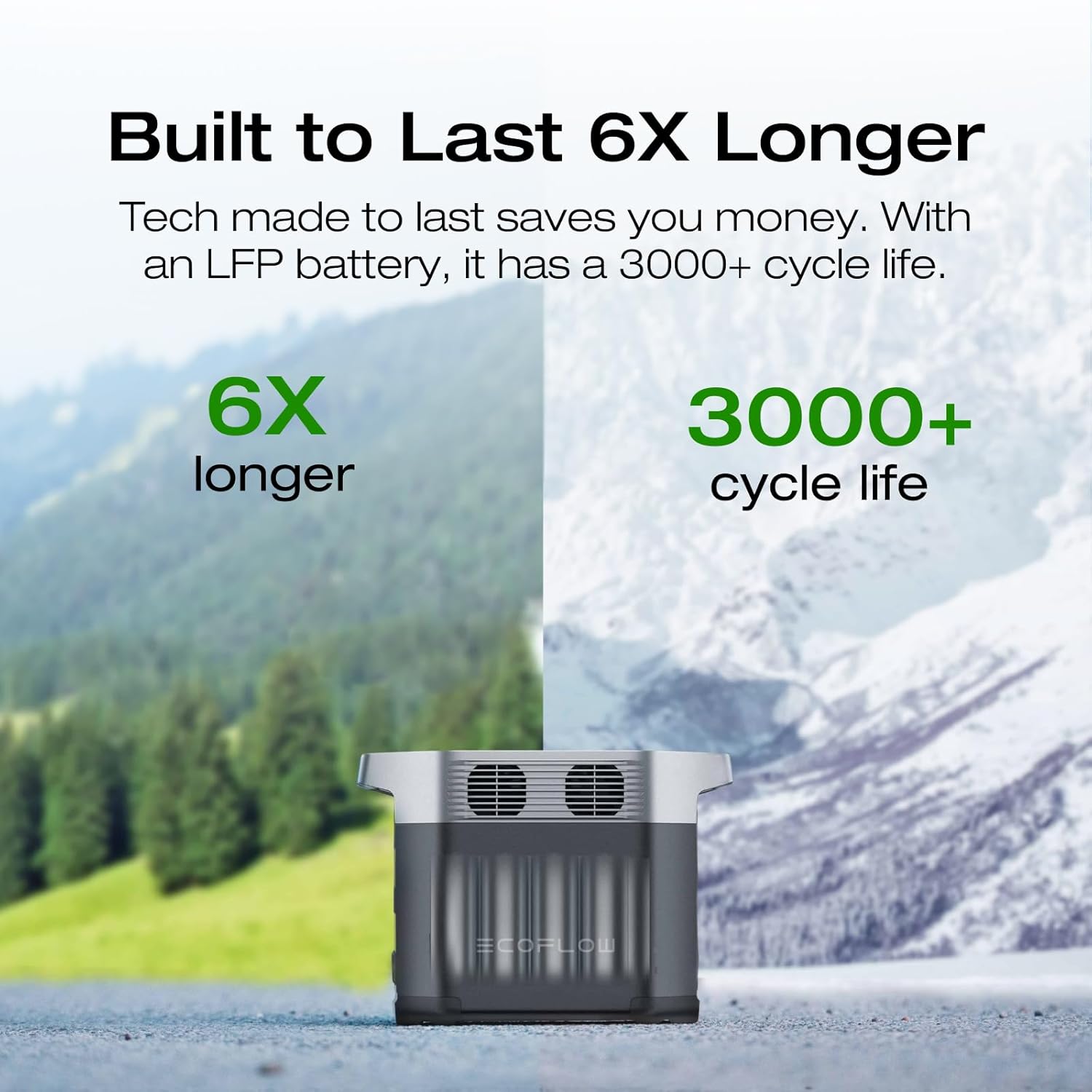
Image 5.1: The DELTA 2's LFP battery offers a significantly longer lifespan.
5.2 Solar Panel Care
The 100W Solar Panels are designed to be durable and weatherproof with an IP68 rating, protecting against dust, debris, and rainfall.
- Regularly clean the surface of the solar panels with a soft, damp cloth to remove dust and dirt, which can affect efficiency.
- Inspect cables and connectors periodically for any signs of wear or damage.
- Avoid dropping or placing heavy objects on the panels.

Image 5.2: The solar panels are designed to be durable and weatherproof.
6. Troubleshooting
If you encounter issues with your DELTA 2 system, consider the following basic troubleshooting steps:
- No Power Output: Ensure the DELTA 2 is powered on and the specific AC/DC outlets are activated. Check if the battery level is sufficient.
- Slow Charging: For solar charging, ensure panels are in direct sunlight and free of obstructions. Verify all solar connections are secure. For AC charging, ensure the wall outlet is functioning correctly.
- Unit Not Turning On: Ensure the battery is not completely depleted. Try connecting to an AC power source for a few minutes.
- Overload Protection: If the unit shuts down unexpectedly, it may be due to an overload. Disconnect some devices and restart the unit.
For more detailed troubleshooting or persistent issues, please refer to the comprehensive user manual included in your package or contact EF ECOFLOW customer support.
7. Specifications
Detailed technical specifications for the EF ECOFLOW DELTA 2 Portable Power Station and 100W Solar Panels.
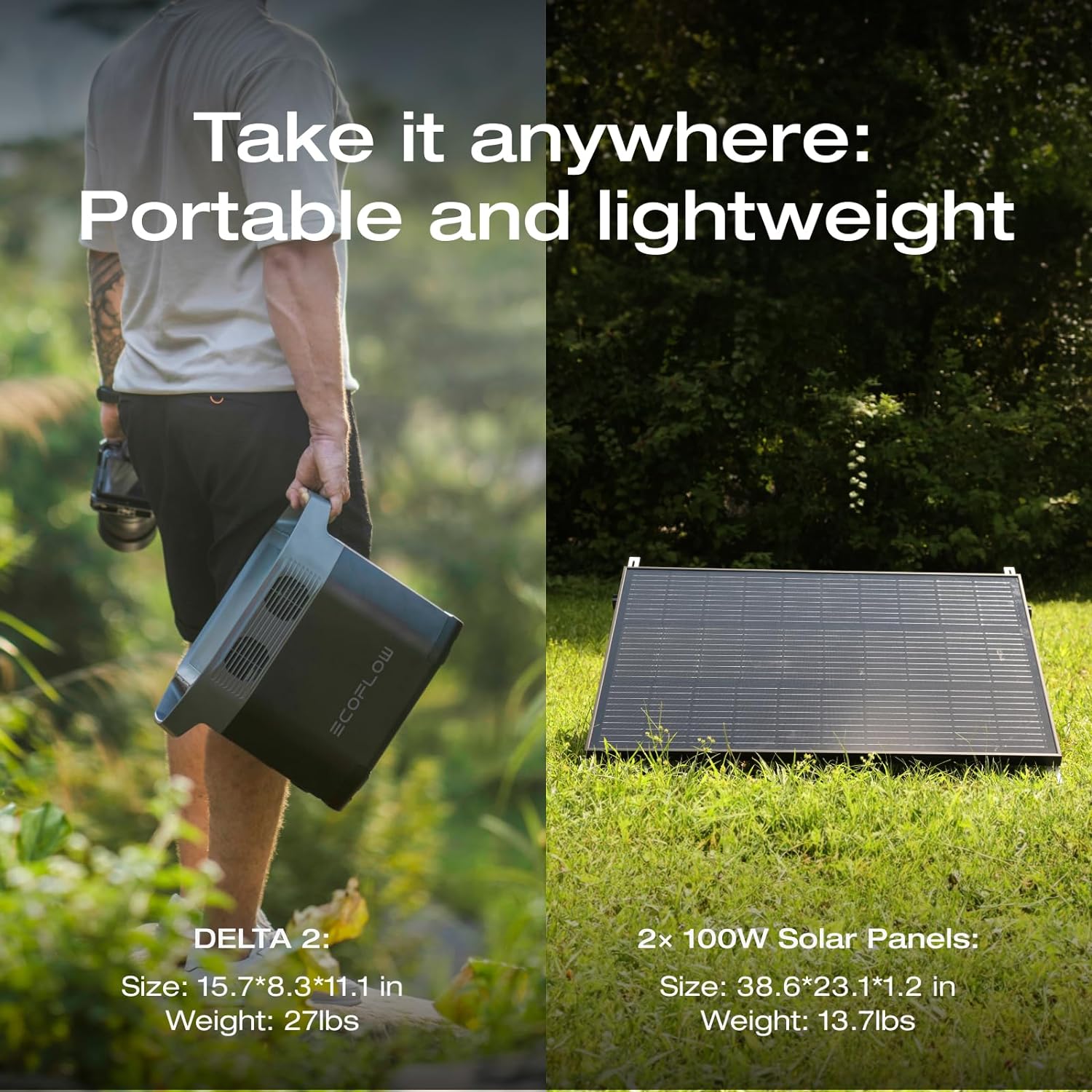
Image 7.1: Physical dimensions and weight of the DELTA 2 and 100W Solar Panels.
| Feature | Specification |
|---|---|
| Brand | EF ECOFLOW |
| Model Name | DELTA2+2X100WSP (EFD330) |
| Wattage | 1024 Watt-hours (Battery Capacity) |
| Fuel Type | Electric |
| Power Source | Solar Powered |
| Recommended Uses | Camping, Home Backup |
| Item Weight (DELTA 2) | 27 Pounds |
| Voltage | 110 Volts (AC Output) |
| Output Wattage (Solar Panel) | 100 Watts (each panel) |
| Special Feature | 7x Faster AC charging, Expandable capacity, Huge AC output, Plug and play home backup power |
| Included Components | 2PCS 100W 12V Solar Panels, DELTA 2 |
| Color | Black&Grey |
| Product Dimensions (DELTA 2) | 15.7"L x 8.3"W x 11.1"H |
| Engine Type | Solar |
| Total Power Outlets | 15 |
| Current Rating | 16.67 Amps |
| Engine Power Maximum | 200 Watts (Total Solar Input) |
| Starting Wattage | 2700 Watts (Surge) |
| Running Wattage | 1800 Watts |
| UPC | 842783131607 |
8. Warranty and Support
The EF ECOFLOW DELTA 2 Portable Power Station and 100W Solar Panels come with a manufacturer's warranty. A detailed warranty card is included in your package (refer to Section 2, Item 5).
Please retain your proof of purchase for warranty claims. For technical support, service, or warranty inquiries, please refer to the contact information provided in your warranty card or visit the official EF ECOFLOW website.
Image 8.1: EF ECOFLOW 5-year warranty indication.


