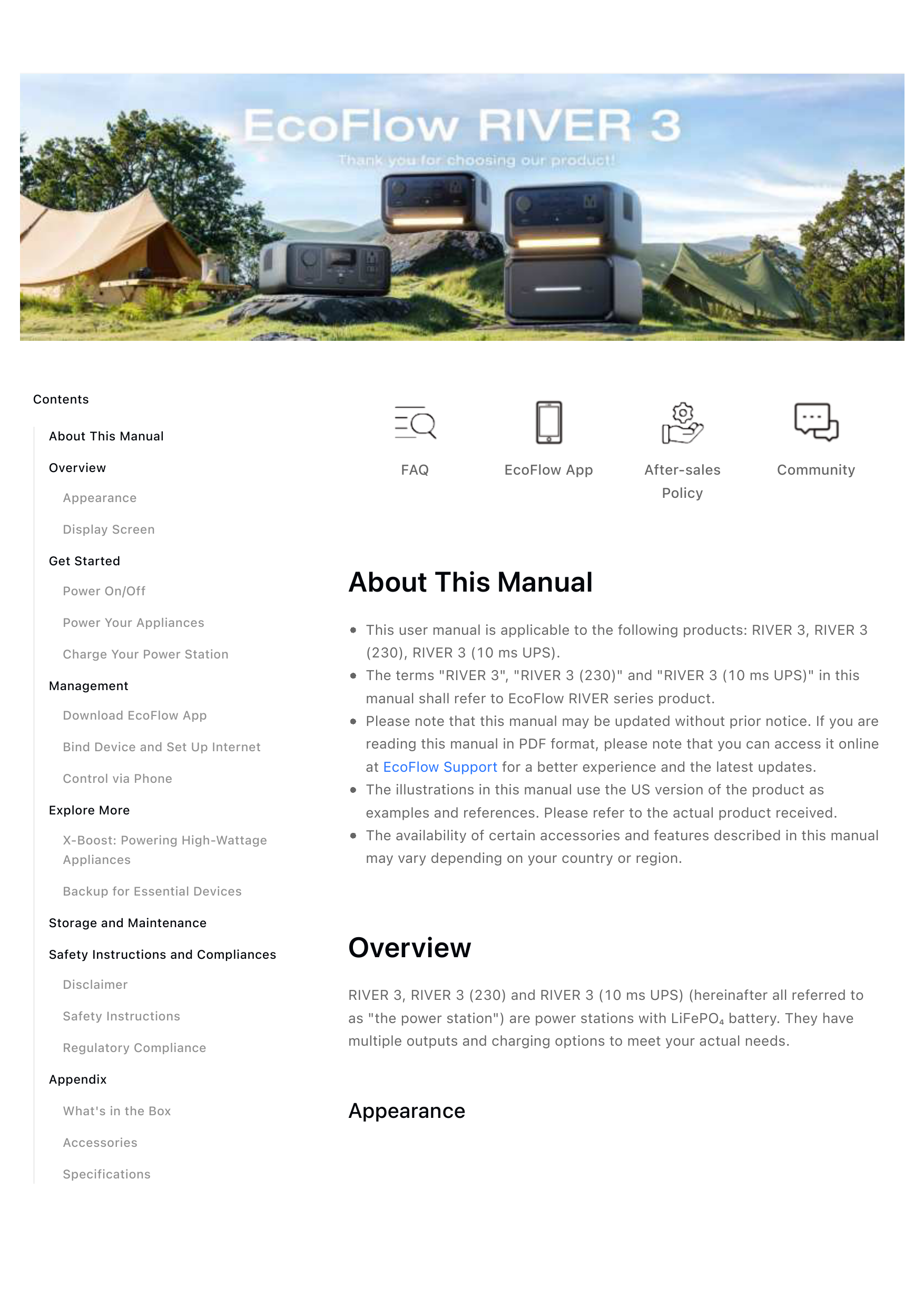
1. Introduction
The EF ECOFLOW River 3 with 60W Solar Panel is a compact and efficient portable power station designed to provide reliable power for various applications, from outdoor adventures to home backup. Featuring a durable LFP battery and advanced charging technologies, it offers a versatile energy solution.

Figure 1.1: The EF ECOFLOW River 3 Portable Power Station shown with its accompanying 60W Solar Panel.
2. Package Contents
Please ensure all items are present upon unboxing. Note that the power station and solar panel may ship separately.
- EF ECOFLOW River 3 Portable Power Station
- EF ECOFLOW 60W Solar Panel
- AC Charging Cable
- Car Charging Cable
- User Manual (this document)
3. Product Overview
3.1 River 3 Power Station
The River 3 unit features multiple output ports and a clear display for monitoring. It is designed for portability with an integrated handle.

Figure 3.1: Front panel of the River 3 Power Station with its various output ports.
- AC Outlets (x2): Standard household outlets for powering electronics and small appliances.
- USB-A Ports (x2): For charging smartphones, tablets, and other USB-powered devices.
- USB-C Port (x1): 100W output for fast charging laptops and other compatible devices.
- DC Output (Car Charging Outlet): For 12V car-powered devices.
- Display Screen: Shows battery level, input/output wattage, and remaining runtime.
3.2 60W Solar Panel
The 60W solar panel is foldable and designed for high efficiency, allowing for convenient solar charging.

Figure 3.2: The 60W Solar Panel, capable of up to 25% conversion efficiency.
- High Conversion Efficiency: Up to 25% conversion rate for effective solar charging.
- Durable Design: Features an IP68 waterproof rating for the solar panel itself, ensuring resilience in various weather conditions.
4. Setup
4.1 Charging the River 3
The River 3 offers multiple charging options:
- AC Wall Outlet (Fast Charging): Connect the included AC charging cable directly to a standard wall outlet. The X-Stream technology allows for 0-100% charge in approximately 1 hour. No external adapter is required.
- Solar Panel Charging: Connect the 60W solar panel to the solar input port on the River 3. Under optimal sunlight conditions, the 60W solar panel can charge the River 3 from 0-100% in approximately 4.7 hours.
- Car Charging: Use the included car charging cable to charge the River 3 from your vehicle's 12V car outlet.

Figure 4.1: The River 3 charging from an AC wall outlet, demonstrating its 1-hour fast charging capability.
5. Operating Instructions
5.1 Powering On/Off
Press and hold the main power button to turn the River 3 on or off. The display will illuminate when the unit is active.
5.2 Using Output Ports
Activate the desired output section (DC, USB, or AC) by pressing its respective ON/OFF button. The display will show the active outputs and power consumption.
- AC Output: Provides 300W continuous power, with X-Boost technology supporting devices up to 600W. Ideal for small appliances, lights, and electronics.
- USB Output: Use the USB-A ports for standard charging. The USB-C port delivers up to 100W, suitable for charging power-hungry devices like laptops.
- DC Output: Connect 12V devices to the car charging outlet.

Figure 5.1: The River 3 powering a TV and gaming console, demonstrating its 600W X-Boost capability.
5.3 Uninterrupted Power Supply (UPS) Function
The River 3 can act as an Uninterrupted Power Supply. When connected to an AC wall outlet and powering devices, it will automatically switch to battery power in less than 20 milliseconds during a power outage, ensuring continuous operation for connected devices.

Figure 5.2: The River 3 providing backup power to essential home appliances during an outage.
5.4 Smart App Control
Download the EF ECOFLOW app to monitor and control your River 3 remotely via Bluetooth or Wi-Fi. The app allows for detailed power management, charging settings, and firmware updates.
6. Maintenance
Proper maintenance ensures the longevity and optimal performance of your River 3.
- Cleaning: Use a dry, soft cloth to clean the exterior. Avoid harsh chemicals or abrasive materials.
- Temperature: Operate and store the unit within recommended temperature ranges (refer to specifications). Avoid extreme heat or cold.
- Battery Care: The LFP battery is designed for 3000+ charge cycles, offering a 10-year lifespan. For long-term storage, charge the unit to about 50-60% and recharge every 3-6 months.
- Storage: Store in a dry, well-ventilated area away from direct sunlight and moisture.
7. Troubleshooting
If you encounter issues with your River 3, try the following steps:
- Unit Not Turning On: Ensure the battery is charged. Connect to an AC outlet to confirm charging.
- No Output from Ports: Check if the respective output section (AC, DC, USB) is activated. Verify the device connected is within the power limits (300W / 600W X-Boost).
- Slow Charging: Ensure you are using the correct charging method. AC charging is the fastest. Solar charging speed depends on sunlight intensity.
- Unusual Noise: The River 3 operates at a low noise level (<30dB). If you hear excessive or unusual noise, contact customer support.
- App Connectivity Issues: Ensure Bluetooth is enabled on your phone and the River 3. For Wi-Fi, ensure the unit is within range of your network.

Figure 7.1: The River 3 is designed for quiet operation, making it suitable for indoor use.
8. Specifications
| Feature | Specification |
|---|---|
| Battery Capacity | 245 Wh |
| Battery Type | LFP (LiFePO4) |
| AC Output | 300W (Pure Sine Wave), 600W X-Boost |
| USB-A Output | 12W per port (x2) |
| USB-C Output | 100W (x1) |
| DC Output (Car) | 12.6V, 10A, 126W Max |
| AC Input (Charging) | 320W Max (1 hour to 100%) |
| Solar Input (Charging) | 60W Max (4.7 hours to 100% with 60W panel) |
| UPS Switch Time | <20 ms |
| Noise Level | <30 dB (at 1.5 ft) |
| Dimensions (L x W x H) | 8.3" x 4.4" x 10" |
| Weight | 12.4 lbs |
| Solar Panel IP Rating | IP68 |
| Battery Pack IP Rating | IP54 |
9. Warranty and Support
EF ECOFLOW products typically come with a manufacturer's warranty. For detailed warranty information, product registration, and technical support, please visit the official EF ECOFLOW website or contact their customer service directly.
Official Website: www.ecoflow.com