1. Introduction
This manual provides comprehensive instructions for the installation, operation, and maintenance of your Hiseeu 8MP Outdoor Wireless Security Camera System. This system is designed to provide reliable surveillance with its 8MP 4K cameras, 10-inch touchscreen NVR, and advanced features like full-color night vision and two-way audio.

Figure 1: Hiseeu 8MP Outdoor Wireless Security Camera System components.
2. Package Contents
Verify that all items listed below are included in your package:
- 8MP Camera x4
- 10-inch Touch Screen NVR x1
- 12V 1A Power Supply x4 (for cameras)
- 12V 2A Power Supply x1 (for NVR)
- Mouse x1
- Ethernet Cable x1
- HDMI Cable x1
- Waterproof Cap x4
- Screws Bags x4
- Warning Sticker x2
- User Manual x1
Video 1: Unboxing and package contents for the Hiseeu WK-10CA-4HBY08-AT system.
3. Setup Instructions
Follow these steps to set up your Hiseeu security camera system:
- Initial NVR Setup:
- Connect the 12V 2A power supply to the NVR and plug it into an outlet.
- Connect the included mouse to the NVR's USB port.
- If connecting to an external monitor, use the HDMI cable to connect the NVR to your monitor.
- Power on the NVR. Follow the on-screen prompts to select your language, set the date and time, and configure network settings (Wi-Fi or Ethernet).
- Set a strong password for the NVR for security.
- Camera Installation:
- Mount each 8MP camera in your desired outdoor locations using the provided screws and anchors. Ensure the cameras are within range of the NVR's Wi-Fi signal.
- Connect each camera to its dedicated 12V 1A power supply and plug it into an outdoor-rated power outlet.
- For network cable connections, use the waterproof caps to protect the Ethernet port.
- Automatic Pairing: The cameras are pre-paired with the NVR. Once both the NVR and cameras are powered on, the live video feeds should automatically appear on the NVR's screen.
- Mobile App Setup:
- Download the 'EseeCloud' app from your smartphone's app store (App Store or Google Play).
- Register an account and log in.
- Tap 'Add smart device' or the '+' icon, then select 'Scan' to add.
- Scan the QR code displayed on the NVR's screen (usually found under System Setup > Account/App > QR code).
- Follow the app's instructions to configure the device and name it. You can now view live video and manage settings from your smartphone.
Video 2: Step-by-step guide on how to set up the Hiseeu WK-10CA-4HBY08-AT system.

Figure 2: Power connection diagram for the NVR and cameras.

Figure 3: System connectivity for local and remote access.
4. Operating Instructions
Utilize the 10-inch touchscreen NVR or the EseeCloud mobile app for system operation.
- Live View: Tap on the NVR screen or select a camera in the app to view live footage. You can switch between single-camera view and multi-camera grid view.
- Playback: Access recorded footage by selecting the playback option on the NVR or in the app. The 1TB HDD stores recordings, eliminating monthly fees.
- Two-Way Audio: Use the built-in microphone and speaker on the cameras to communicate with visitors or deter intruders. This feature is accessible via the mobile app.
- Night Vision Settings: Configure night vision modes (Infrared, Full-Color, or Smart Night Vision) through the NVR settings or the app. Full-Color Night Vision provides clear, colorful images even in low-light conditions.
- Motion Detection & Alerts: The system features smart motion detection. When motion is detected, you will receive instant alerts on your mobile app. You can customize activity zones to reduce false alarms.
Video 3: Demonstrating touch screen functionality for live view and playback.
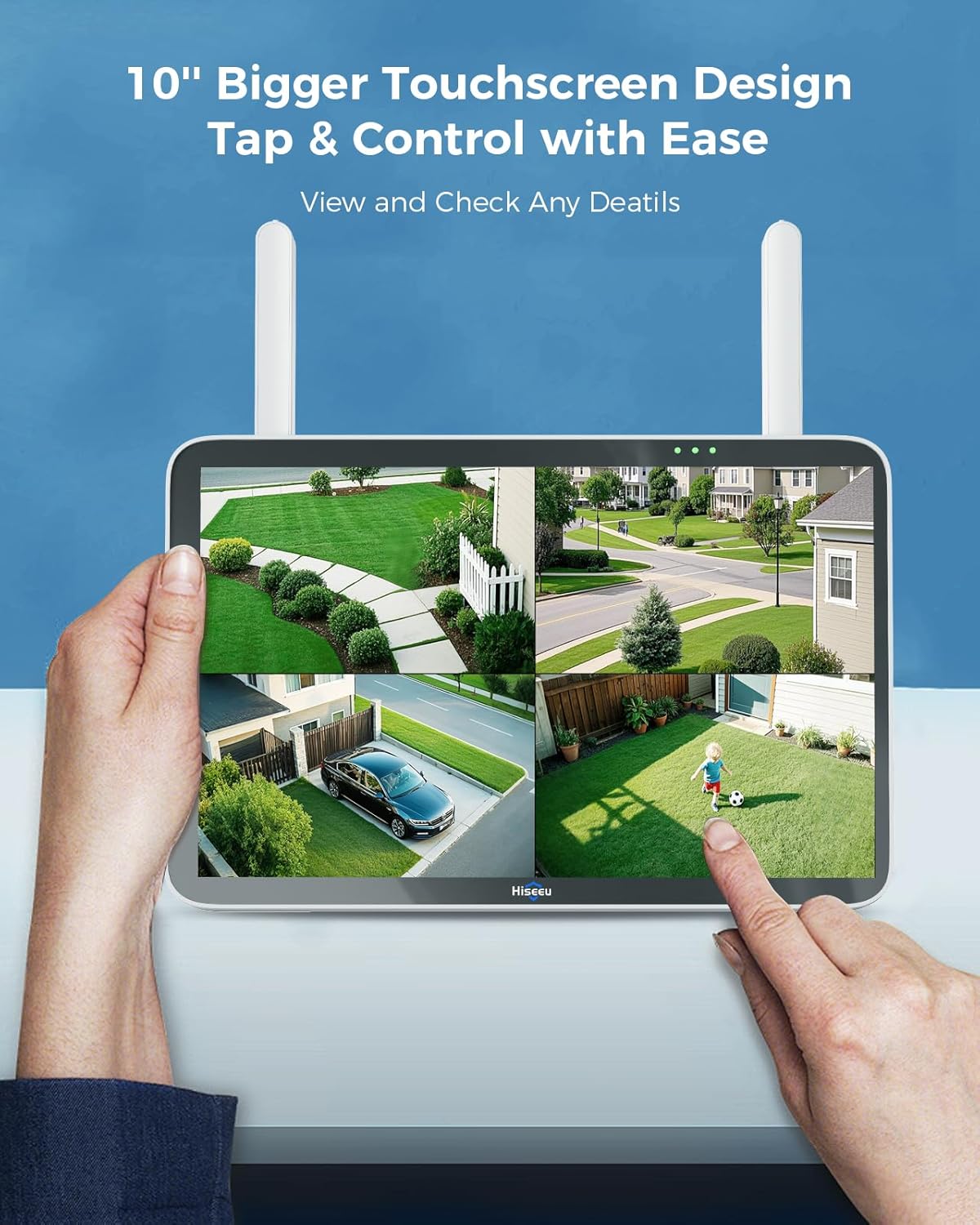
Figure 4: User-friendly 10-inch touchscreen NVR for easy control.
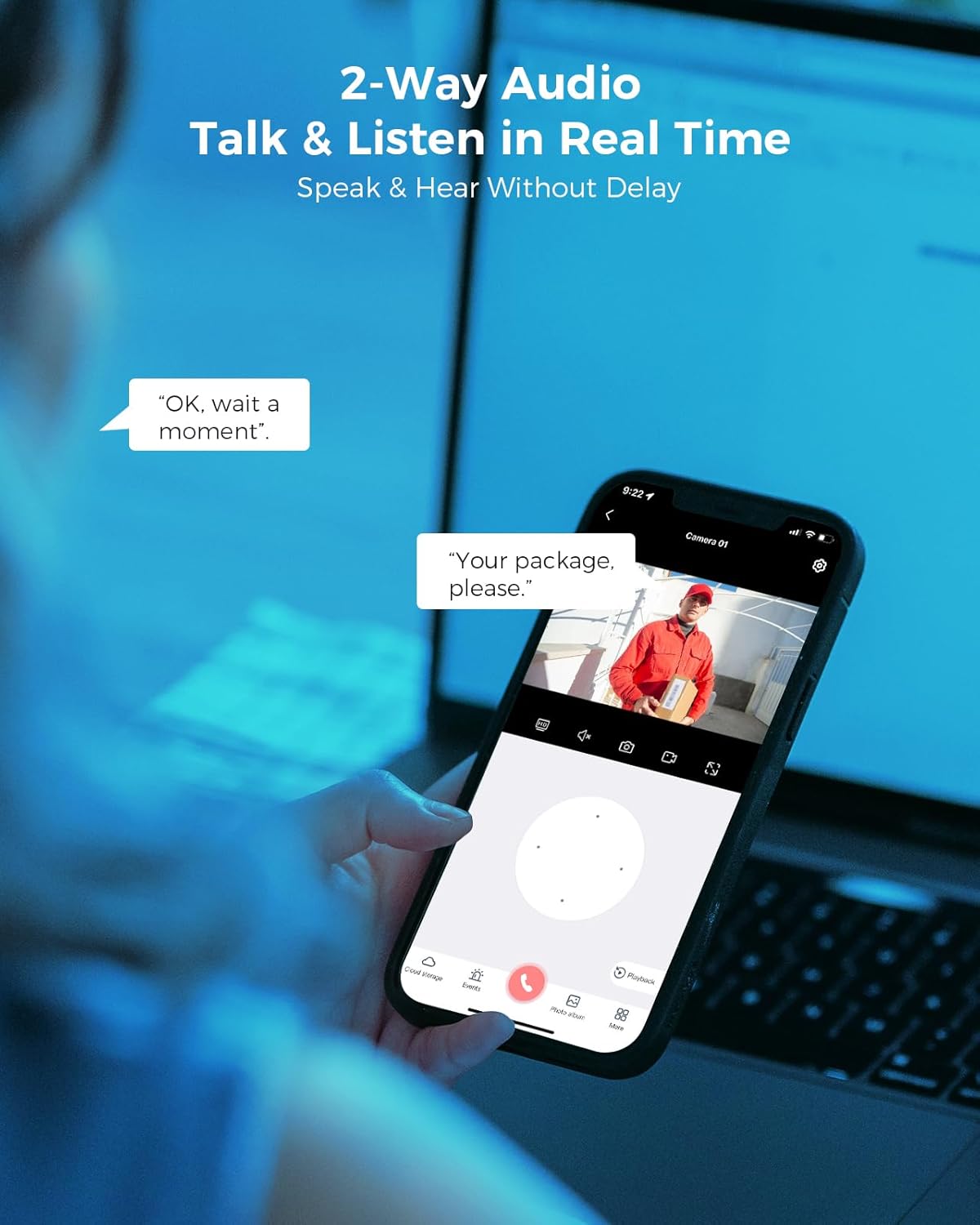
Figure 5: Two-way audio communication via the mobile app.

Figure 6: Full-Color Night Vision capability.
5. Key Features
- Ultra-Clear 8MP HD Video Quality: Capture every detail with 8MP high-definition resolution, delivering crystal-clear 4K images and videos day and night.
- 10-Inch Touchscreen Monitor: The built-in monitor provides a user-friendly interface for effortless control, live viewing, and playback without additional devices.
- Expandable 10-Channel Coverage with WiFi-Pro Technology: Supports up to 10 cameras for comprehensive monitoring. Advanced WiFi-Pro technology ensures a strong and stable wireless connection up to 100ft.
- Advanced Night Vision & Smart Motion Detection: Equipped with infrared LEDs for full HD night vision and smart motion detection for instant alerts on unusual activity.
- 1TB HDD Without Monthly Fees: The built-in 1TB hard drive eliminates the need for cloud subscriptions, providing ample storage for recordings.
- IP66 Waterproof: Cameras are designed to withstand outdoor weather conditions.
- Works with Alexa: Integrate the system with Alexa for convenient voice control and viewing.

Figure 7: Detail of 8MP 4K UHD video quality.

Figure 8: 1TB HDD for local storage without subscription fees.

Figure 9: System expandable up to 10 channels.
6. Maintenance
Regular maintenance ensures optimal performance and longevity of your security system:
- Clean Camera Lenses: Periodically wipe camera lenses with a soft, damp cloth to remove dust, dirt, or water spots that may affect image clarity.
- Check Connections: Ensure all power cables and network connections are secure and free from damage. For outdoor installations, verify waterproof caps are properly sealed.
- Firmware Updates: Check the Hiseeu website or EseeCloud app for available firmware updates to ensure your system has the latest features and security patches.
- Hard Drive Health: Monitor the health of the 1TB HDD through the NVR settings. Back up important footage regularly.
Video 4: Instructions on how to use a waterproof cap for camera connections.
7. Troubleshooting
If you encounter issues, refer to the following common solutions:
- No Video Feed:
- Check if the camera and NVR are powered on.
- Verify Wi-Fi signal strength for the camera. Relocate the camera or NVR if the signal is weak.
- Ensure cameras are properly paired with the NVR. If not, re-pair them according to the setup instructions.
- Poor Image Quality:
- Clean the camera lens.
- Check for obstructions in the camera's field of view.
- Ensure sufficient lighting for optimal night vision performance.
- No Mobile App Alerts:
- Verify motion detection is enabled in the app settings.
- Check your phone's notification settings for the EseeCloud app.
- Ensure your NVR has an active internet connection.
- NVR Not Connecting to Internet:
- If using Wi-Fi, ensure the NVR is within range of your router and the Wi-Fi password is correct.
- If using Ethernet, ensure the cable is securely connected to both the NVR and your router.
8. Specifications
| Feature | Detail |
|---|---|
| Indoor/Outdoor Usage | Outdoor |
| Video Capture Resolution | 2160p (4K) |
| Connectivity Technology | Wireless (Wi-Fi) |
| Connectivity Protocol | Wi-Fi |
| Number of Channels | 10 |
| Storage | 1TB HDD (built-in) |
| Special Features | 2-Way Audio, App Control, Human Detection, Motion Sensor, Night Vision |
| IP Rating | IP66 Waterproof |
| Frame Rate | 30 FPS |
| Item Dimensions (L x W x H) | 6 x 6 x 5 inches |
| Item Weight | 8.16 pounds |
9. Warranty and Support
Hiseeu is committed to providing high-quality products and customer satisfaction. This product comes with lifetime support. For technical assistance, troubleshooting, or warranty inquiries, please refer to the contact information provided in your Quick Guide or visit the official Hiseeu website.

Figure 10: Hiseeu offers lifetime support for its products.


