
Blackview Wireless Earbuds US-LYP-Airbuds 8
Blackview Airbuds 8 Wireless Earbuds User Manual
Model: Wireless Earbuds US-LYP-Airbuds 8
1. Introduction
Thank you for choosing Blackview Airbuds 8 Wireless Earbuds. These earbuds are designed to provide a superior audio experience with advanced features such as Bluetooth 5.3 connectivity, effective noise cancellation, IPX7 waterproofing, and intuitive touch controls. This manual will guide you through the setup, operation, and maintenance of your new earbuds to ensure optimal performance and longevity.
2. Safety Information
Please read all safety warnings and instructions carefully before using this product to prevent injury or damage. Keep this manual for future reference.
- Do not expose the earbuds or charging case to extreme temperatures, direct sunlight, or high humidity.
- Avoid dropping, hitting, or disassembling the device.
- Keep out of reach of children and pets. Small parts may pose a choking hazard.
- Do not use abrasive cleaners or harsh chemicals to clean the earbuds.
- Listening at high volumes for extended periods can cause hearing damage. Adjust volume to a safe level.
- While IPX7 waterproof, the earbuds are not designed for swimming or submersion. Avoid exposure to saltwater or other corrosive liquids.
3. Package Contents
Ensure all items are present in your package:
- Blackview Airbuds 8 Wireless Earbuds (L/R)
- Charging Case
- USB Charging Cable
- Ear Tips (S, M, L sizes)
- User Manual
4. Product Overview
The Blackview Airbuds 8 consist of two earbuds and a portable charging case. The charging case features a digital display indicating battery levels for both the case and the individual earbuds.

Image: Blackview Airbuds 8 earbuds inside their charging case, displaying battery percentage.
5. Setup
5.1 Charging the Earbuds and Case
Before first use, fully charge the earbuds and the charging case.
- Place the earbuds into the charging case. Ensure they are correctly seated.
- Connect the USB charging cable to the charging port on the case and to a power source (e.g., USB wall adapter, computer USB port).
- The digital display on the charging case will show the charging status. A full charge provides up to 56 hours of total playtime with the case.
- A 10-minute charge of the earbuds can provide approximately 55 minutes of listening time.

Image: The Blackview Airbuds 8 in their charging case, illustrating the 56-hour total battery life and quick charge capability.
5.2 Pairing with Your Device (One-Step Pairing)
The Airbuds 8 feature one-step pairing for quick and easy connection.
- Open the lid of the charging case. The earbuds will automatically enter pairing mode.
- On your device (smartphone, tablet, etc.), enable Bluetooth.
- Search for available Bluetooth devices and select "Airbuds 8" from the list.
- Once connected, the earbuds will automatically pair with your device in the future when the case is opened and Bluetooth is enabled on your device.

Image: Visual guide demonstrating the one-step pairing process: open case to connect, put back to charge.
6. Operating Instructions
6.1 Touch Controls
The Airbuds 8 feature intuitive touch controls on each earbud. The following actions can be performed:
| Action | Control |
|---|---|
| Play/Pause Music | Click once (L/R earbud) |
| Answer/Hang Up Call | Double click (R/L earbud) |
| Reject Call | Press and hold (R/L earbud) |
| Previous Song | Triple click (L earbud) |
| Next Song | Triple click (R earbud) |
| Decrease Volume | Single press and hold (L earbud) |
| Increase Volume | Single press and hold (R earbud) |
| Activate Voice Assistant | Click once (L/R earbud) |

Image: A visual representation of the touch control functions on the Blackview Airbuds 8, showing various tap and hold gestures.
6.2 Noise Cancellation Modes
The Airbuds 8 offer different listening modes to suit your environment:
- Transparent Mode: Allows you to hear your surroundings clearly without removing the earbuds, ideal for conversations or being aware of traffic.
- Auto Noise Cancelling: Provides immersive audio by actively reducing ambient noise, perfect for focused listening.
- Normal Mode: Standard audio playback without active noise cancellation, suitable for general use.
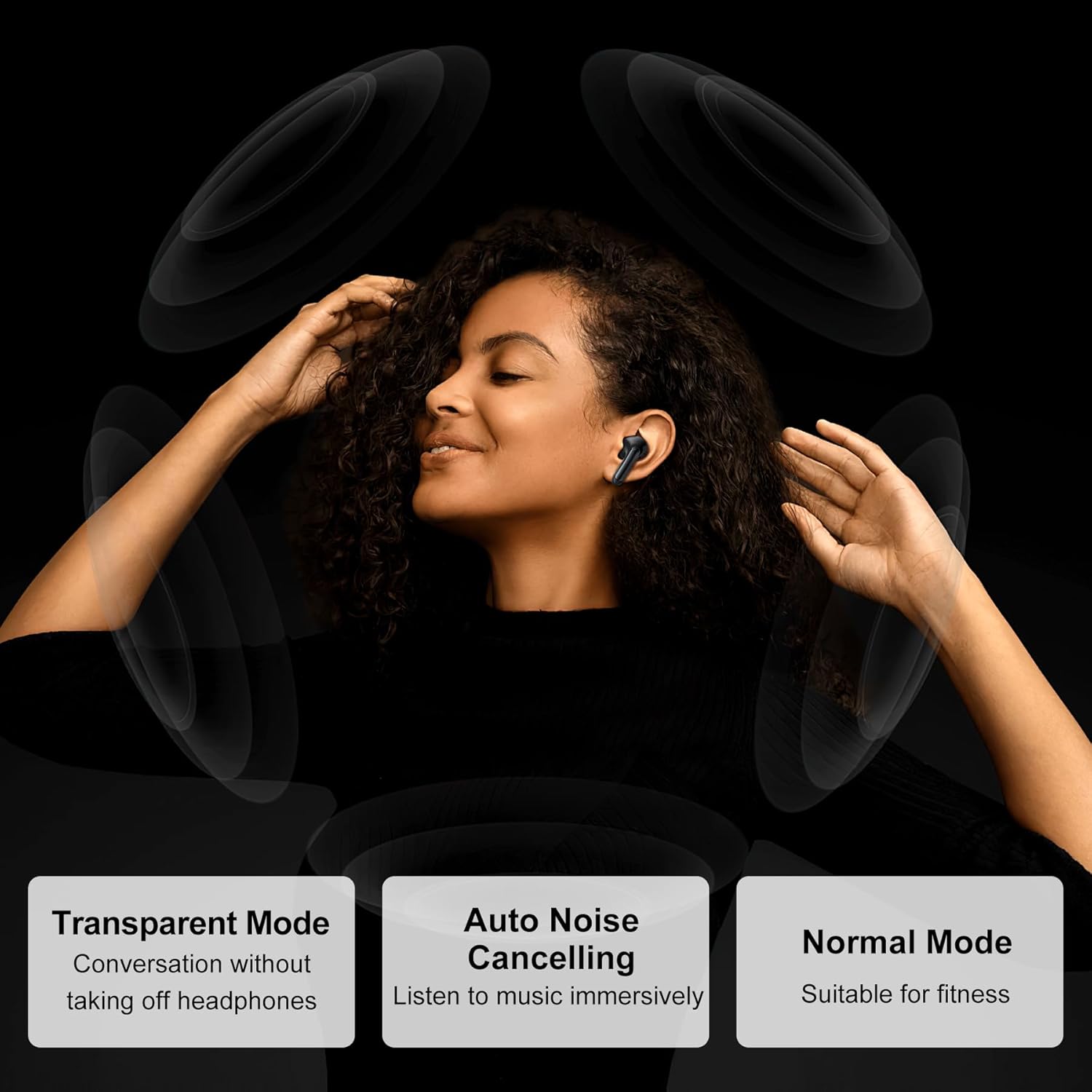
Image: A woman wearing the earbuds, depicting the three available sound modes: Transparent, Auto Noise Cancelling, and Normal.

Image: An internal diagram of an earbud highlighting the dual noise reduction function for clearer calls and music.
6.3 Sound Quality
Equipped with 13mm diaphragm speakers and HD rendering technology, the Airbuds 8 deliver crystal clear sound with strong bass and clear treble. Bluetooth 5.3 ensures a stable connection and low latency for an enhanced listening experience.
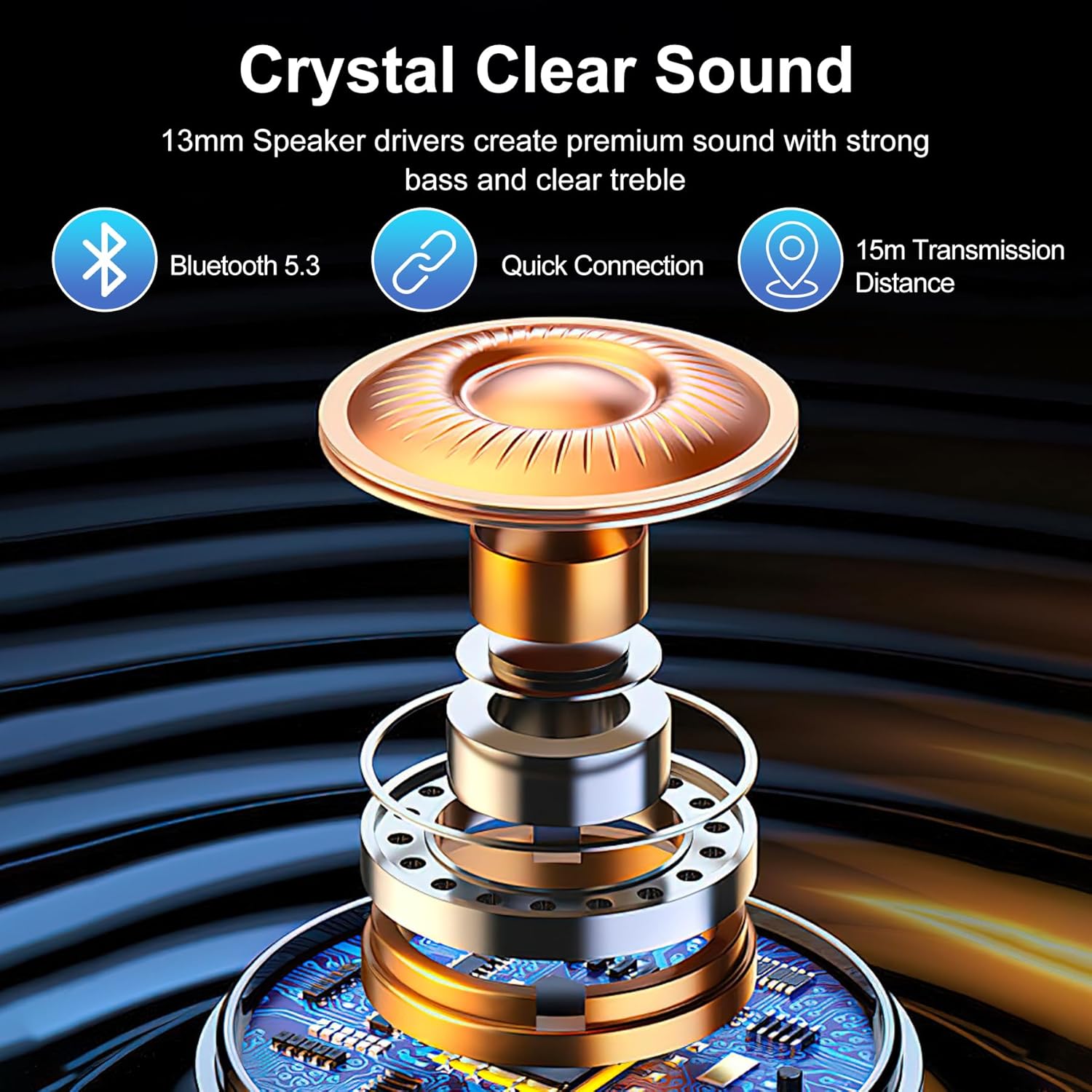
Image: An exploded view diagram of the 13mm speaker driver, emphasizing crystal clear sound, Bluetooth 5.3, quick connection, and 15m transmission distance.
7. Maintenance
7.1 Cleaning
- Regularly clean the earbuds and charging case with a soft, dry, lint-free cloth.
- Remove ear tips and clean them with mild soap and water, then dry thoroughly before reattaching.
- Do not use liquids or sprays directly on the earbuds or charging case.
7.2 Storage
When not in use, store the earbuds in their charging case to protect them and keep them charged. Store the case in a cool, dry place away from direct sunlight.
7.3 IPX7 Waterproofing
The Airbuds 8 are IPX7 waterproof, meaning they can withstand immersion in up to 1 meter of water for 30 minutes. This protects them from sweat and rain, making them suitable for workouts and outdoor activities. However, they are not designed for swimming or prolonged submersion. Ensure the earbuds are dry before placing them back in the charging case to prevent damage.

Image: Blackview Airbuds 8 being splashed with water, highlighting their IPX7 waterproof rating and suitability for active lifestyles.
8. Troubleshooting
If you encounter issues with your Blackview Airbuds 8, refer to the following common problems and solutions:
- Earbuds not pairing: Ensure Bluetooth is enabled on your device and the earbuds are in pairing mode (open the case). Try forgetting the device on your phone and re-pairing.
- Only one earbud working: Place both earbuds back into the charging case, close the lid, wait a few seconds, then open it again. This often re-syncs them.
- No sound: Check the volume level on both your device and the earbuds. Ensure the earbuds are properly connected to your device.
- Charging issues: Ensure the charging cable is securely connected and the power source is working. Clean the charging contacts on the earbuds and inside the case.
- Poor sound quality: Ensure the earbuds are clean and free of debris. Try different sized ear tips for a better seal. Move closer to your connected device to avoid interference.
If the issue persists, try resetting the earbuds (refer to manufacturer's website for specific reset instructions if not detailed here) or contact customer support.
9. Specifications
| Feature | Specification |
|---|---|
| Model Name | Wireless Earbuds US-LYP-Airbuds 8 |
| Connectivity Technology | Wireless (Bluetooth 5.3) |
| Included Components | Cable, Charging Case |
| Specific Uses For Product | Sport |
| Frequency Range | 20Hz - 20,000Hz |
| Control Method | Touch |
| Number of Items | 1 |
| Earpiece Shape | Bud |
| UPC | 810175527406 |
| Manufacturer | Blackview |
| Package Dimensions | 3.94 x 3.94 x 1.81 inches |
| Item Weight | 5.3 ounces |
| Batteries | 1 A batteries required (included) |
| Country of Origin | China |
| Color | White |
| Ear Placement | In Ear |
| Form Factor | In Ear |
| Noise Control | Active Noise Cancellation |
10. Warranty and Support
Blackview products come with a standard manufacturer's warranty. Please refer to the warranty card included in your package or visit the official Blackview website for detailed warranty terms and conditions.
For technical support, troubleshooting assistance, or warranty claims, please contact Blackview customer service through the contact information provided on their official website or your purchase platform.
Related documentsWireless Earbuds US-LYP-Airbuds 8

Ask a question about this manual
Ask about setup, troubleshooting, compatibility, parts, safety, or missing instructions. Manuals+ will review the question and use this page’s manual context to help answer it.