
BURCHDA AZ20
BURCHDA AZ20 Electric Mountain Bike User Manual
Model: AZ20
1. Introduction
Thank you for purchasing the BURCHDA AZ20 Electric Mountain Bike. This manual provides essential information for the safe operation, maintenance, and troubleshooting of your e-bike. Please read this manual thoroughly before your first ride to ensure proper assembly, safe usage, and optimal performance.
The BURCHDA AZ20 is designed for versatile use, featuring a robust aluminum alloy frame, 20" x 4.0 fat tires, and a powerful 48V 20Ah removable battery. It offers three riding modes (electric, assist, manual) and a 7-speed Shimano derailleur system, making it suitable for various terrains including off-road and snow.
2. Safety Instructions
Your safety is paramount. Always adhere to the following safety guidelines:
- Always wear a helmet and appropriate safety gear when riding.
- Familiarize yourself with local traffic laws and regulations regarding e-bikes.
- Perform a pre-ride inspection before each use, checking brakes, tire pressure, and battery level.
- Do not operate the e-bike under the influence of alcohol or drugs.
- Be aware of your surroundings and ride defensively.
- Ensure all components are securely fastened before riding.
- Avoid riding in extreme weather conditions.
- The maximum load capacity is 200 kg. Do not exceed this limit.
- The hydraulic disc brakes are effective up to a 30° incline.
3. Package Contents
Upon unpacking, please verify that all components are present and undamaged:
- BURCHDA AZ20 Electric Mountain Bike (main frame with integrated battery)
- 48V 20Ah Removable Li-ion Battery (may be pre-installed)
- Battery Charger
- Front Fender
- Rear Fender
- Reflectors (front, rear, wheel)
- Rear Rack
- Basket (if included in specific package)
- Horn
- User Manual (this document)
- Assembly Tools (basic wrench set, Allen keys)
If any items are missing or damaged, please contact customer support immediately.
4. Setup and Assembly
Your BURCHDA AZ20 e-bike comes partially assembled. Follow these steps for final assembly:
4.1 Unpacking
Carefully remove the e-bike and all components from the packaging. Retain the packaging for future transport or storage.
4.2 Handlebar Installation
Attach the handlebar to the stem. Ensure the handlebar is centered and the brake levers and shifters are in a comfortable position. Tighten the stem bolts securely.

Image: The BURCHDA AZ20 Electric Mountain Bike, showing the handlebar and overall structure. Note the included front basket.
4.3 Front Wheel Installation
Install the front wheel, ensuring the disc brake rotor is correctly aligned with the caliper. Secure the quick-release skewer or axle nuts firmly.

Image: Front view of the BURCHDA AZ20, highlighting the front wheel, suspension fork, and headlight.
4.4 Pedal Installation
Identify the left (L) and right (R) pedals. Apply a small amount of grease to the pedal threads. Screw the pedals into the crank arms. Remember that the left pedal has a reverse thread. Tighten firmly with a wrench.
4.5 Seat Post and Saddle Adjustment
Insert the seat post into the frame and adjust the saddle height for comfortable pedaling. Ensure your leg has a slight bend at the knee when the pedal is at its lowest point. Tighten the quick-release lever or bolt securely.

Image: Side view of the BURCHDA AZ20, showing the full suspension system, fat tires, and adjustable seat post.

Image: Close-up of the extra-wide 27cm comfortable saddle, designed for ergonomic support.
4.6 Battery Charging
Before your first ride, fully charge the 48V 20Ah Li-ion battery. The charging time is approximately 4 to 6 hours. The battery can be charged while installed on the bike or removed.

Image: Diagram illustrating the 48V 20Ah large capacity battery with its internal structure and BMS (Battery Management System) for multi-functional protection.
5. Operating Your E-Bike
5.1 Powering On/Off
To power on the e-bike, press and hold the power button on the intelligent display. To power off, press and hold the button again.
5.2 Intelligent Display (LCD Color Instrument)
The intelligent display provides real-time data and allows control over various functions:
- Battery Level: Shows remaining battery charge.
- Speed: Displays current speed (KM/h or MPH, unit switchable).
- Mileage: Tracks total distance traveled.
- Cruise Control: Activate for consistent speed.
- Error Code Display: Indicates system malfunctions.
- 5-Speed Assist Levels: Adjust pedal assist power.
- USB Port: For charging external devices.
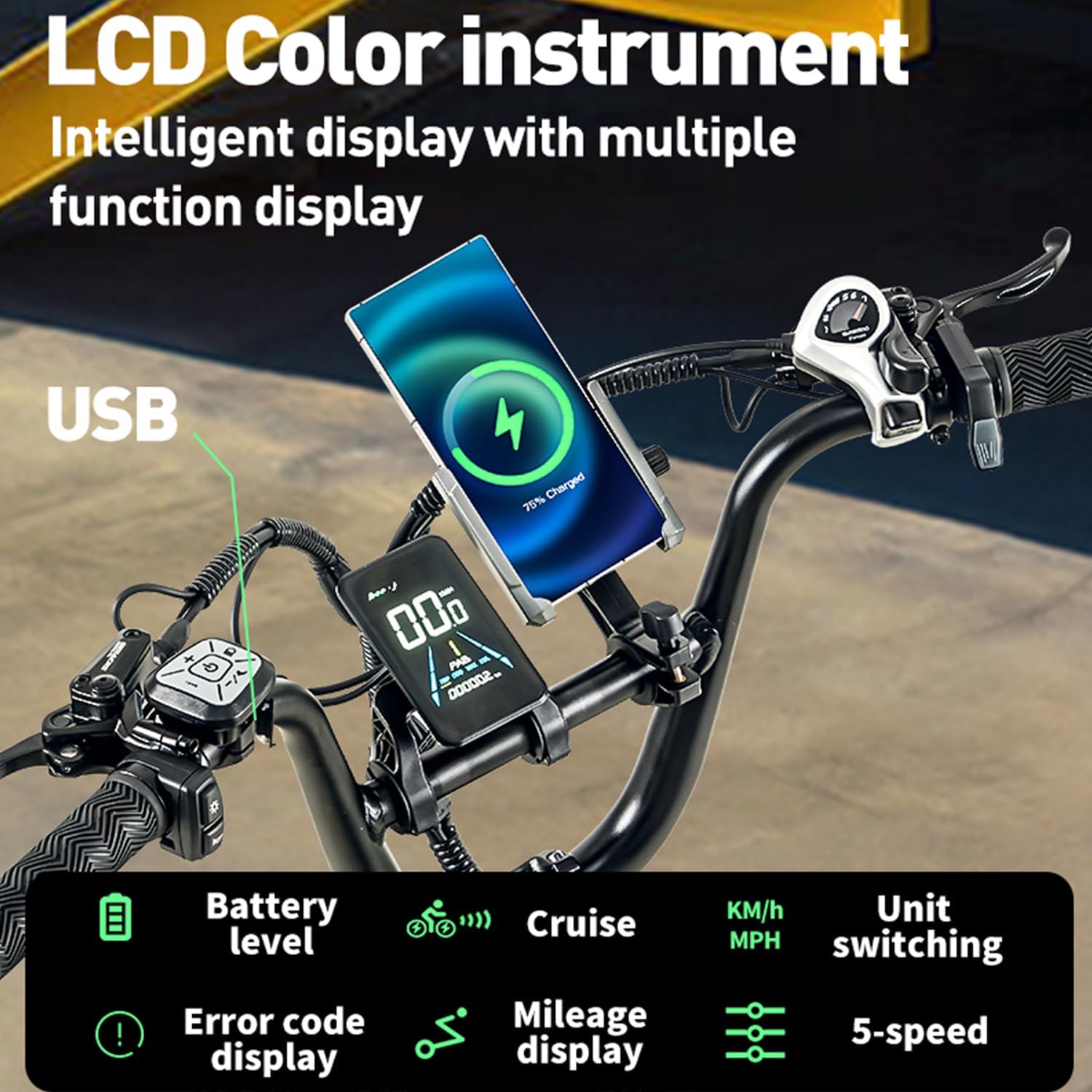
Image: Close-up of the LCD Color Instrument intelligent display, showing battery level, speed, mileage, cruise control, error code display, 5-speed assist levels, and an integrated USB charging port.
5.3 Riding Modes
The BURCHDA AZ20 offers three distinct riding modes:
- Electric Mode: Pure electric power, no pedaling required. Controlled by the throttle.
- Pedal Assist Mode: The motor provides assistance as you pedal. Adjust the assist level (1-5) via the display.
- Manual Mode: Ride as a traditional bicycle without motor assistance.
5.4 Gear Shifting (Shimano 7-Speed)
Use the Shimano 7-speed derailleur to select appropriate gears for different terrains and speeds. Shift gears smoothly to avoid strain on the drivetrain.
5.5 Braking System
The e-bike is equipped with hydraulic disc brakes for reliable stopping power. Both front and rear brakes should be used simultaneously for effective and safe braking. The system includes an automatic taillight that activates upon braking.
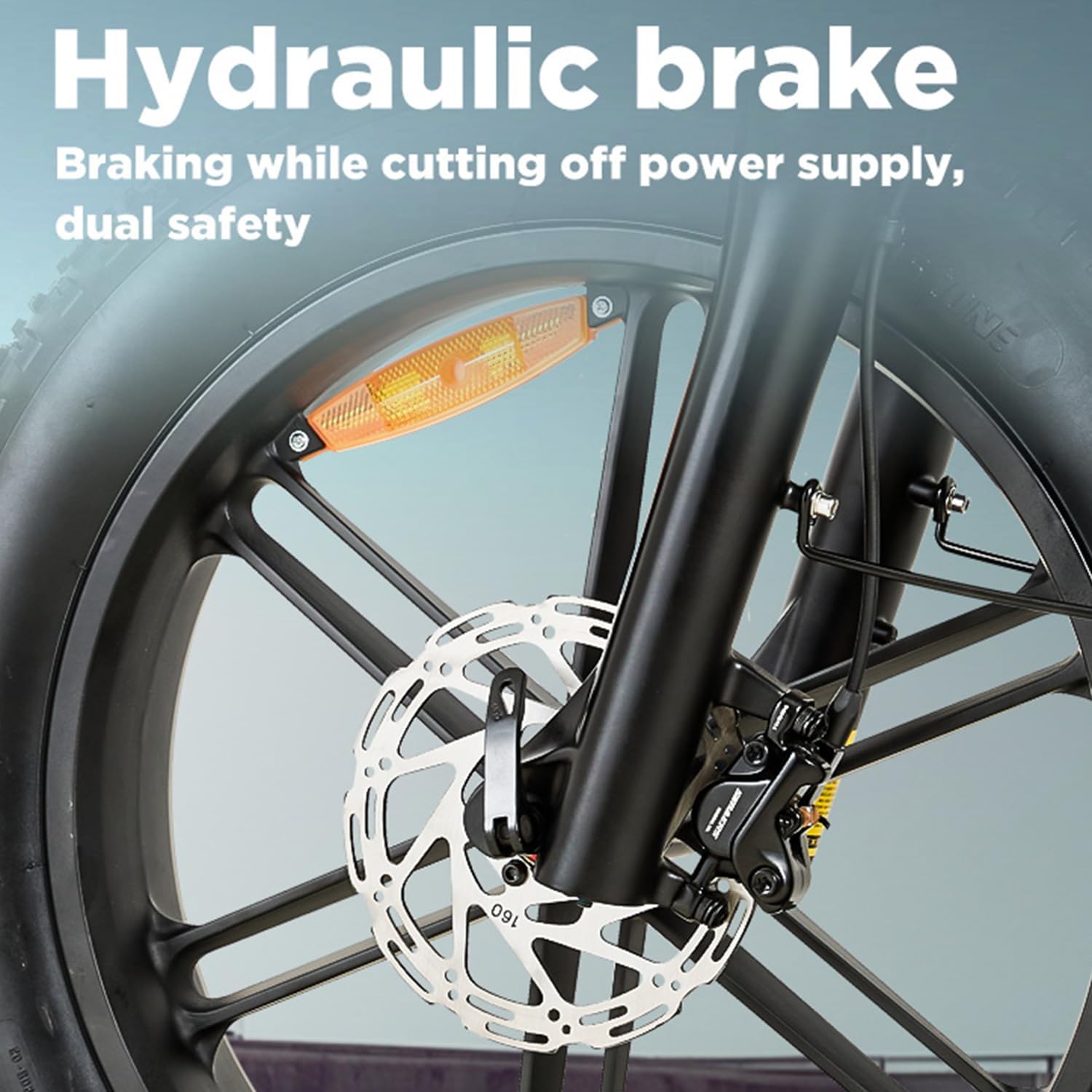
Image: Close-up view of the hydraulic disc brake system, emphasizing its dual safety feature by cutting off power supply during braking.

Image: The automatic warning taillight, designed to enhance visibility and keep vehicles behind at a safe distance.
5.6 Motor Operation
The high-power motor provides strong output and excellent torque, making hill climbing effortless. The adjustable speed is up to 25 km/h, with a climbing capability of up to 30° and 95 N.m torque.

Image: Diagram illustrating the high-power motor, highlighting its ability to provide strong output power and excellent torque for climbing hills, with specifications for adjustable speed, climbing angle, and torque.
6. Maintenance
Regular maintenance ensures the longevity and safe operation of your e-bike.
6.1 Cleaning
Clean your e-bike regularly with a damp cloth. Avoid using high-pressure washers directly on electrical components.
6.2 Tire Pressure
Check tire pressure before each ride. The 20" x 4.0 fat tires require specific pressure for optimal performance and comfort. Refer to the tire sidewall for recommended PSI.
6.3 Brakes
Inspect brake pads for wear and replace them when necessary. Ensure brake levers are firm and responsive. If you notice any issues with the hydraulic system, consult a professional bike mechanic.
6.4 Chain and Drivetrain
Keep the chain clean and lubricated. Regularly check for wear on the chain, cassette, and chainrings. A worn drivetrain can affect shifting performance and motor efficiency.
6.5 Battery Care
Store the battery in a cool, dry place. If storing for extended periods, charge the battery to 50-70% every 2-3 months to maintain its health. Avoid fully discharging the battery frequently.
6.6 Fasteners
Periodically check all bolts and fasteners for tightness, especially on critical components like the handlebars, seat post, and wheels.
7. Troubleshooting
This section addresses common issues you might encounter with your BURCHDA AZ20 e-bike.
| Problem | Possible Cause | Solution |
|---|---|---|
| E-bike does not power on | Battery not charged; Battery not properly seated; Power button not pressed correctly; Loose electrical connection. | Charge battery; Ensure battery is fully inserted; Press and hold power button; Check all visible connections. |
| Motor not assisting | Pedal assist level set to 0; Brake levers engaged; Battery low; Motor error. | Increase assist level on display; Release brake levers; Charge battery; Check display for error codes. |
| Brakes feel weak | Worn brake pads; Air in hydraulic line; Misaligned caliper. | Inspect and replace brake pads; Bleed hydraulic system (professional recommended); Adjust caliper alignment. |
| Unusual noises from drivetrain | Dry or dirty chain; Worn chain/cassette; Misaligned derailleur. | Clean and lubricate chain; Inspect for wear and replace if necessary; Adjust derailleur. |
For issues not listed here or if solutions do not resolve the problem, please contact BURCHDA customer support.
8. Specifications
Detailed technical specifications for the BURCHDA AZ20 Electric Mountain Bike:
| Feature | Specification |
|---|---|
| Model Number | AZ20 |
| Brand | BURCHDA |
| Frame Material | Aviation-grade Aluminum Alloy |
| Motor Type | High Power Electric Motor |
| Battery | 48V 20Ah Removable Li-ion Battery |
| Charging Time | 4-6 hours |
| Estimated Range | 60-70 km (37-43 miles) |
| Max Speed | Adjustable up to 25 km/h (15.5 mph) |
| Gears | Shimano 7-Speed |
| Brakes | Hydraulic Disc Brakes (front and rear) |
| Tires | 20" x 4.0 Fat Tires |
| Suspension | Full Suspension (Double Suspension System with Lockable Suspension Fork) |
| Max Load Capacity | 200 kg (440 lbs) |
| Recommended Rider Height | 160-195 cm (5'3" - 6'5") |
| Product Weight | 35 kg (77 lbs) |
| Special Features | Digital Display, Automatic Taillight, USB Charging Port, Ergonomic 27cm Saddle |
| Certifications | EN 15194 |
9. Warranty and Support
BURCHDA products are manufactured to high quality standards. For warranty information and customer support, please refer to the warranty card included with your purchase or visit the official BURCHDA website. Please have your model number (AZ20) and purchase date ready when contacting support.
Seller: Shengmilo Ebike Official Store
Return Policy: 30 days for refund/replacement (as per Amazon.com.be policy).
Related documentsAZ20


Ask a question about this manual
Ask about setup, troubleshooting, compatibility, parts, safety, or missing instructions. Manuals+ will review the question and use this page’s manual context to help answer it.