
Introduction
This manual provides comprehensive instructions for the assembly, operation, and maintenance of your FEZIBO Electric Standing Desk. Designed to promote a healthier lifestyle, this adjustable height desk supports seamless transitions between sitting and standing, reducing the risks associated with prolonged sitting. The 48" x 24" desktop offers ample space for your workstation needs.
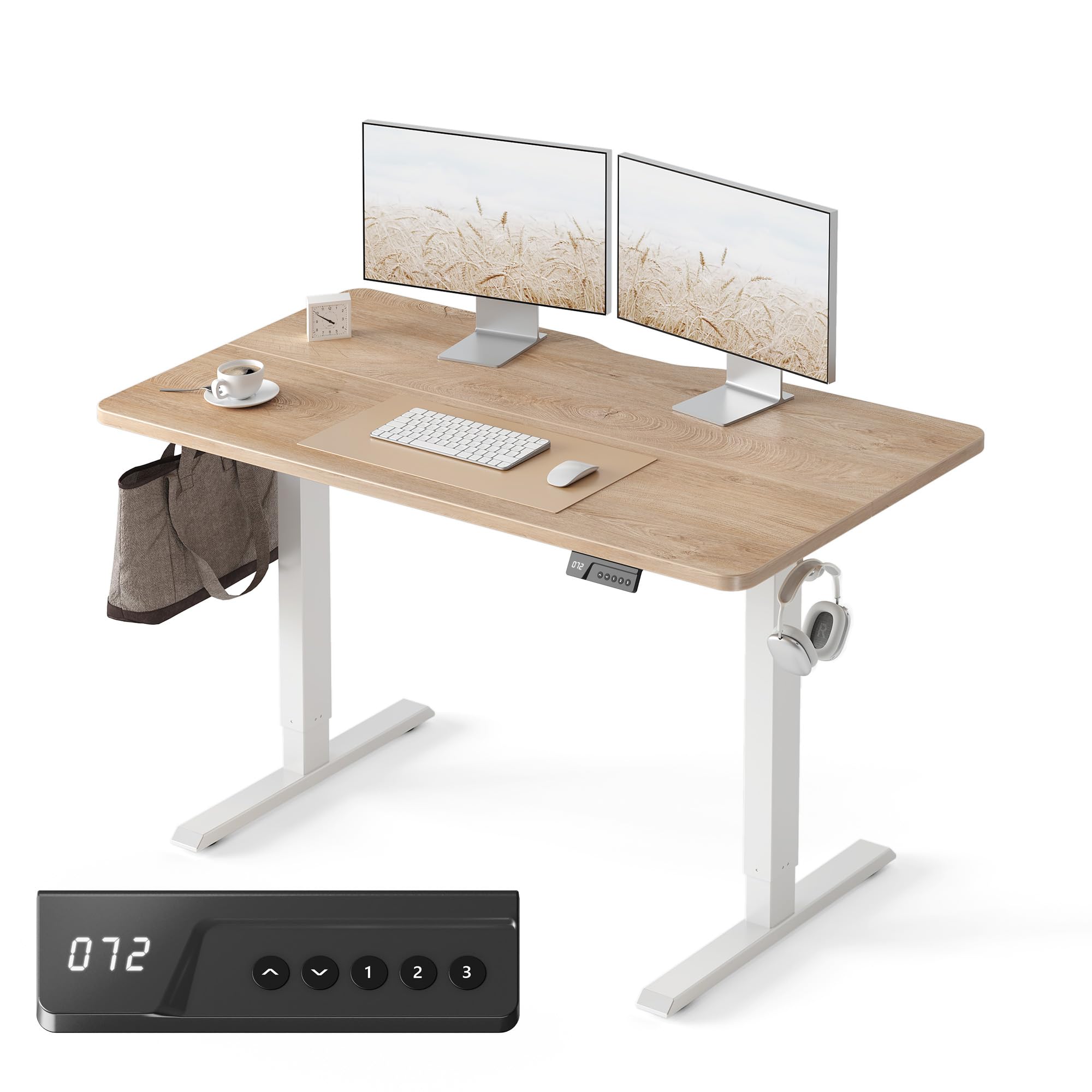
Image: The FEZIBO Electric Standing Desk with a maple desktop, showcasing its clean design and adjustable height capabilities.
Setup and Assembly
The FEZIBO Electric Standing Desk is designed for straightforward assembly. A comprehensive installation video is available to guide you through the process. The package includes all necessary assembly tools and detailed instructions for a seamless setup.
Key Components:
- Desktop (two-piece wood tabletop)
- Steel Frames
- Leg Bases
- Control Panel
- Assembly Tools

Image: All desk components, including the two-piece desktop, steel frames, and leg bases, are laid out for assembly, highlighting the included tools.

Image: A visual breakdown of the desk into its three primary assembly parts: desktop, steel frames, and leg bases, indicating a simple assembly process.
Operating Instructions
The electric lifting system allows for effortless height adjustment from 28.3" to 46.5" at a speed of 1" per second, with noise levels under 50 dB for a silent transition. The control panel features an LED display and memory presets for convenience.
Control Panel Features:
- Up/Down Arrows: Manually adjust the desk height.
- Memory Presets (1, 2, 3): Store and recall your preferred sitting and standing heights with a single press.
- LED Display: Shows the current desk height.

Image: The desk's control panel, featuring an LED display for height, up/down arrows, and three memory preset buttons for quick adjustments.

Image: An illustration demonstrating the desk's versatility, showing a user comfortably working while sitting (28.3"), standing (35.7"), and walking (46.5") with an under-desk treadmill.
Maintenance and Safety Guidelines
To ensure the longevity and safe operation of your FEZIBO Electric Standing Desk, please adhere to the following guidelines:
- Always follow the assembly instructions provided.
- Do not exceed the weight limit of 154 lbs (70 kg) for the desktop.
- Keep the desk away from water and heat sources.
- Always use the desk with caution and follow all safety guidelines.
Troubleshooting
If you encounter any issues with your desk, refer to the following common solutions:
- Desk stops unexpectedly during adjustment: The desk features an anti-collision technology. If it encounters an obstacle when lifting or lowering, it will move approximately 2 centimeters in the opposite direction to prevent damage or injury. Clear any obstructions and try again.
- Control panel unresponsive or needs reset: To reset the power control, press and hold the "Up" and "Down" arrows together on the control panel until the display indicates a reset.
Specifications
| Feature | Detail |
|---|---|
| Brand | FEZIBO |
| Model | B0DWX6YQWT |
| Desktop Dimensions | 48"W x 24"D |
| Adjustable Height Range | 28.3" to 46.5" |
| Color | Maple |
| Material | Alloy Steel, Wood |
| Weight Capacity | 154 lbs (70 kg) |
| Noise Level | Under 50 dB |
| Assembly Required | Yes (tools and instructions included) |

Image: A visual representation of the desk's dimensions, including the 48" width, 24" depth, and adjustable height range from 28" to 46".
Warranty and Support
The FEZIBO Electric Standing Desk comes with a limited warranty. If you encounter any questions or warranty issues during assembly or use, our dedicated support team is ready to assist you promptly. For additional peace of mind, optional protection plans are available for purchase, including 2-Year, 3-Year, and Complete Protect options.
Please refer to your purchase documentation for specific warranty terms and contact information for customer support.


