
Introduction
Thank you for choosing the TECKNET Wireless Doorbell. This manual provides detailed instructions for the setup, operation, and maintenance of your new doorbell system. Please read this manual thoroughly before use to ensure proper functionality and safety. This system includes one transmitter (doorbell button) and two receivers (chimes).
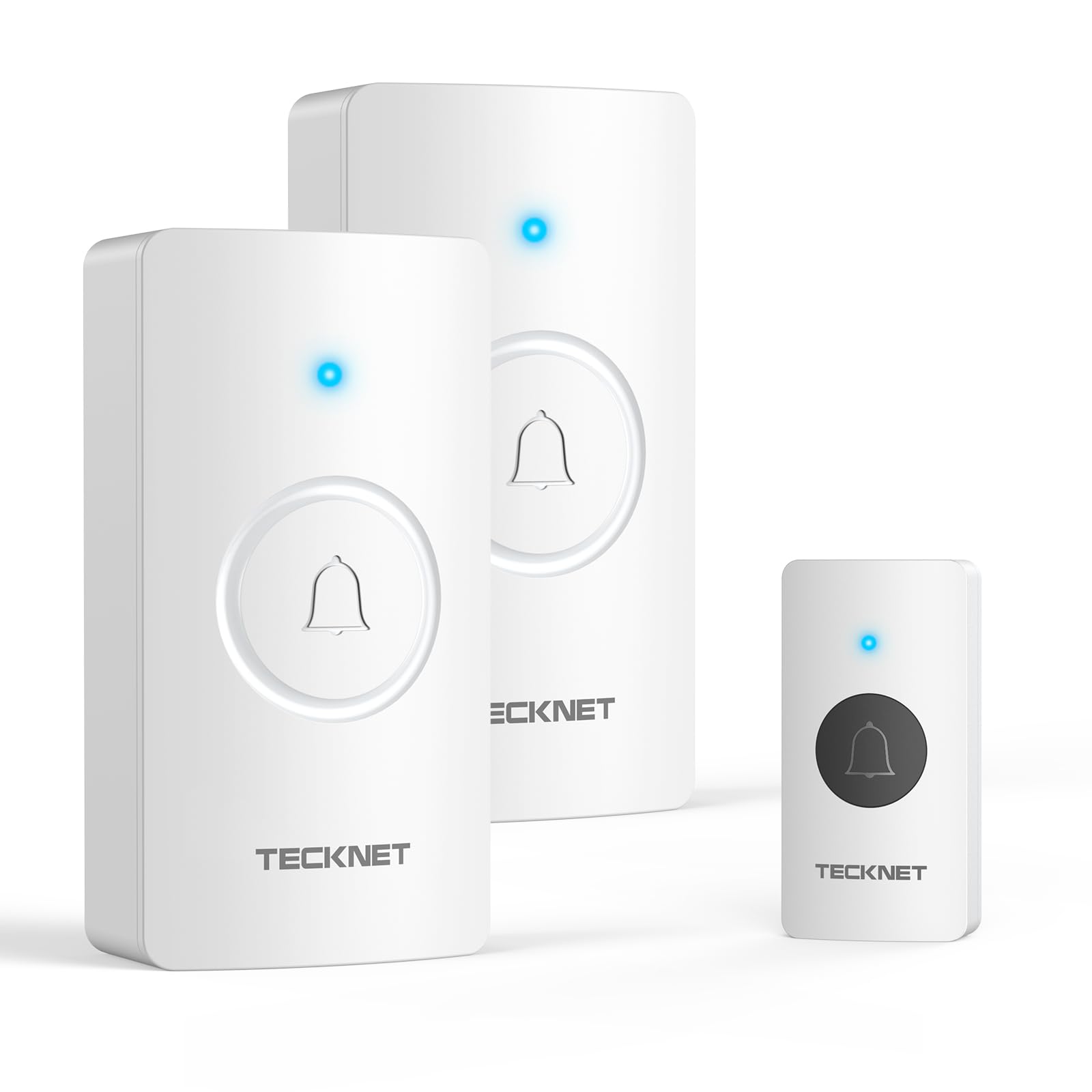
Image: The TECKNET Wireless Doorbell system, showing the transmitter and two receivers in a home environment.
Safety Information
- Do not expose the product to extreme temperatures or direct sunlight for prolonged periods.
- Keep the product away from water and moisture, except for the IP67 rated transmitter.
- Do not attempt to disassemble or repair the unit yourself. Contact customer support for assistance.
- Use only the specified battery type for the receiver.
- Keep batteries out of reach of children.
Package Contents
- 1x Doorbell Button (Transmitter)
- 2x Doorbell Chime (Receiver)
- 1x Double-Sided Tape
- 1x Mounting Screw Kit
- 1x User Manual
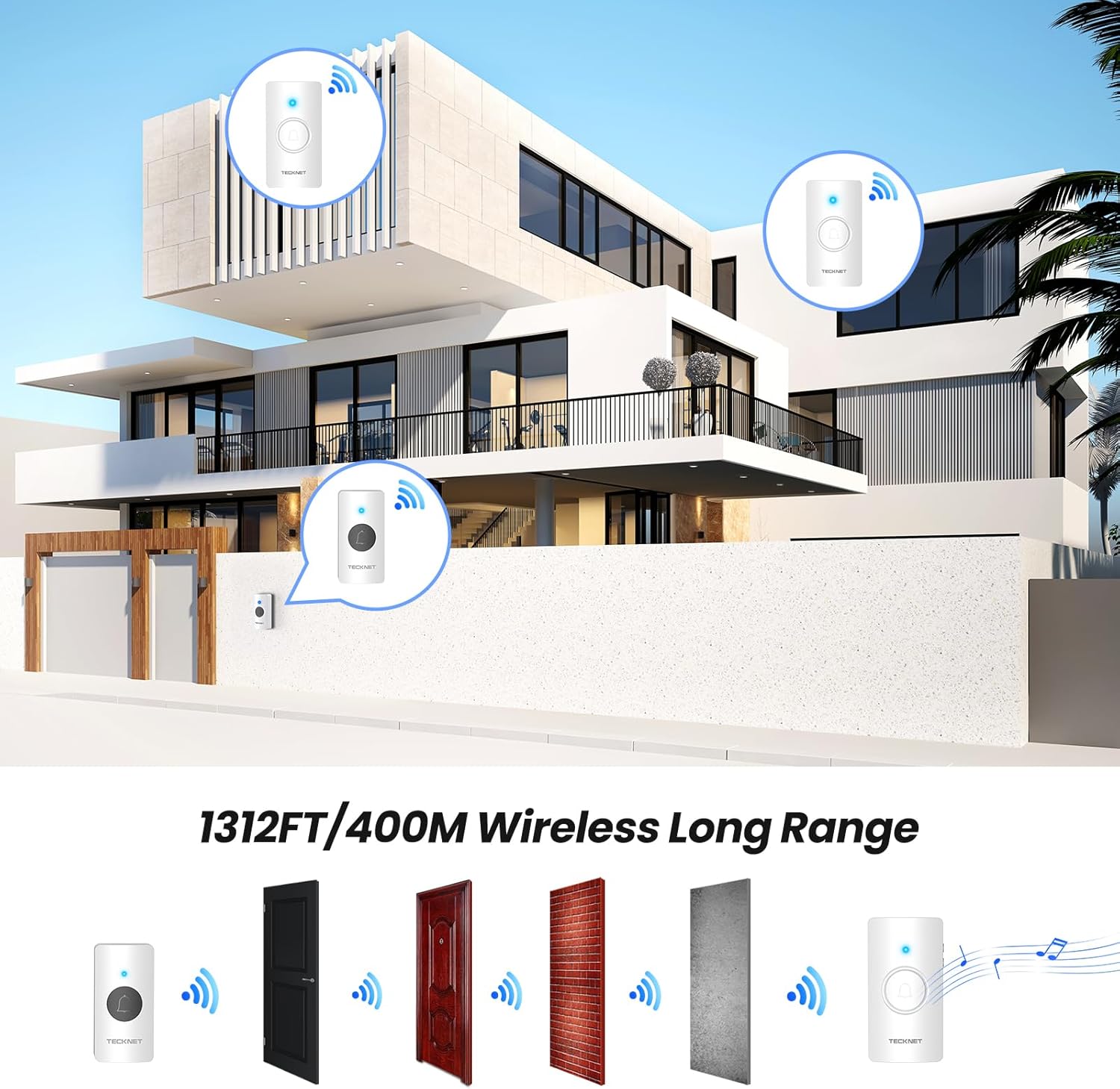
Image: All components included in the TECKNET Wireless Doorbell package.
Product Features
- 1312FT (400m) Wireless Range: Ensures stable connection across large homes, warehouses, or classrooms.
- IP67 Weatherproof Transmitter: Higher protection against dust and powerful water jets, suitable for severe weather conditions.
- Battery-Powered Receivers: Offers ultimate portability and flexible placement without needing power outlets.
- 60 Chimes & 5 Volume Levels (0-110dB): Customizable melodies and adjustable volume, including a silent mode with LED flash.
- 4.5-Year Battery Life (Transmitter): Designed for minimal maintenance under normal usage.
- Smart Memory Function: Remembers your last chosen melody and volume setting automatically.

Image: Visual representation of the doorbell's 1312FT wireless range.
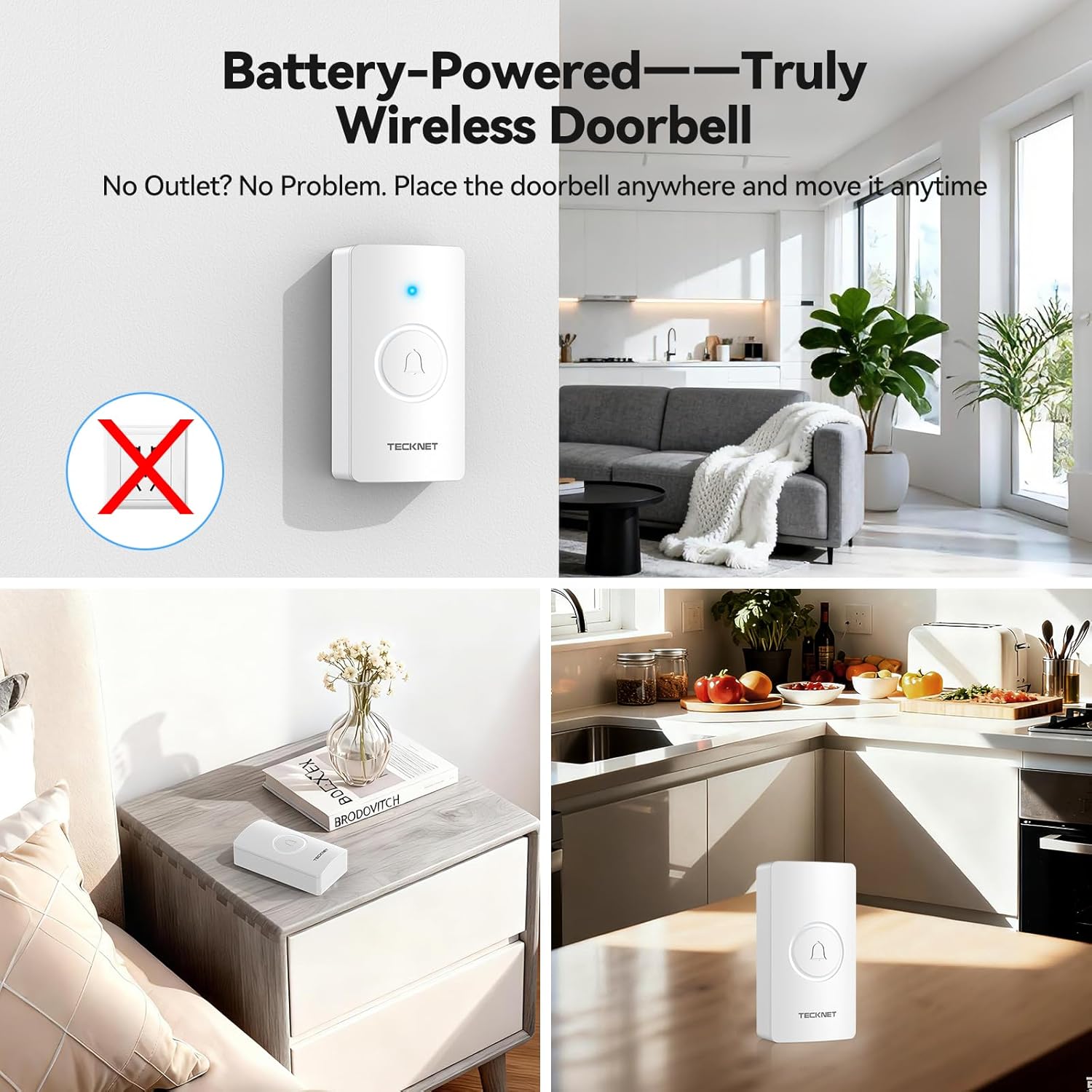
Image: The IP67 weatherproof transmitter shown in various weather conditions.
Setup Instructions
- Install Batteries in Receivers:
Open the battery compartment on the back of each receiver. Insert 3x AA batteries (not included) into each receiver, ensuring correct polarity. Close the battery compartment securely. - Mount the Transmitter:
Choose a suitable location for the doorbell button (transmitter) outside your door. Ensure the surface is clean and dry. You can use the provided double-sided tape or the mounting screw kit for installation. If using tape, peel off the protective film and firmly press the transmitter onto the desired surface. If using screws, mark the drill points, drill pilot holes, and secure the transmitter with the screws. - Placement of Receivers:
Place the receivers in desired locations within your home where you want to hear the chime. Since they are battery-powered, they can be placed on a desk, shelf, or mounted on a wall. - Initial Pairing (Pre-paired):
The doorbell system comes pre-paired from the factory. Simply install the batteries and mount the units, and they should be ready for use. If re-pairing is needed, refer to the 'Re-pairing Transmitter and Receiver' section.
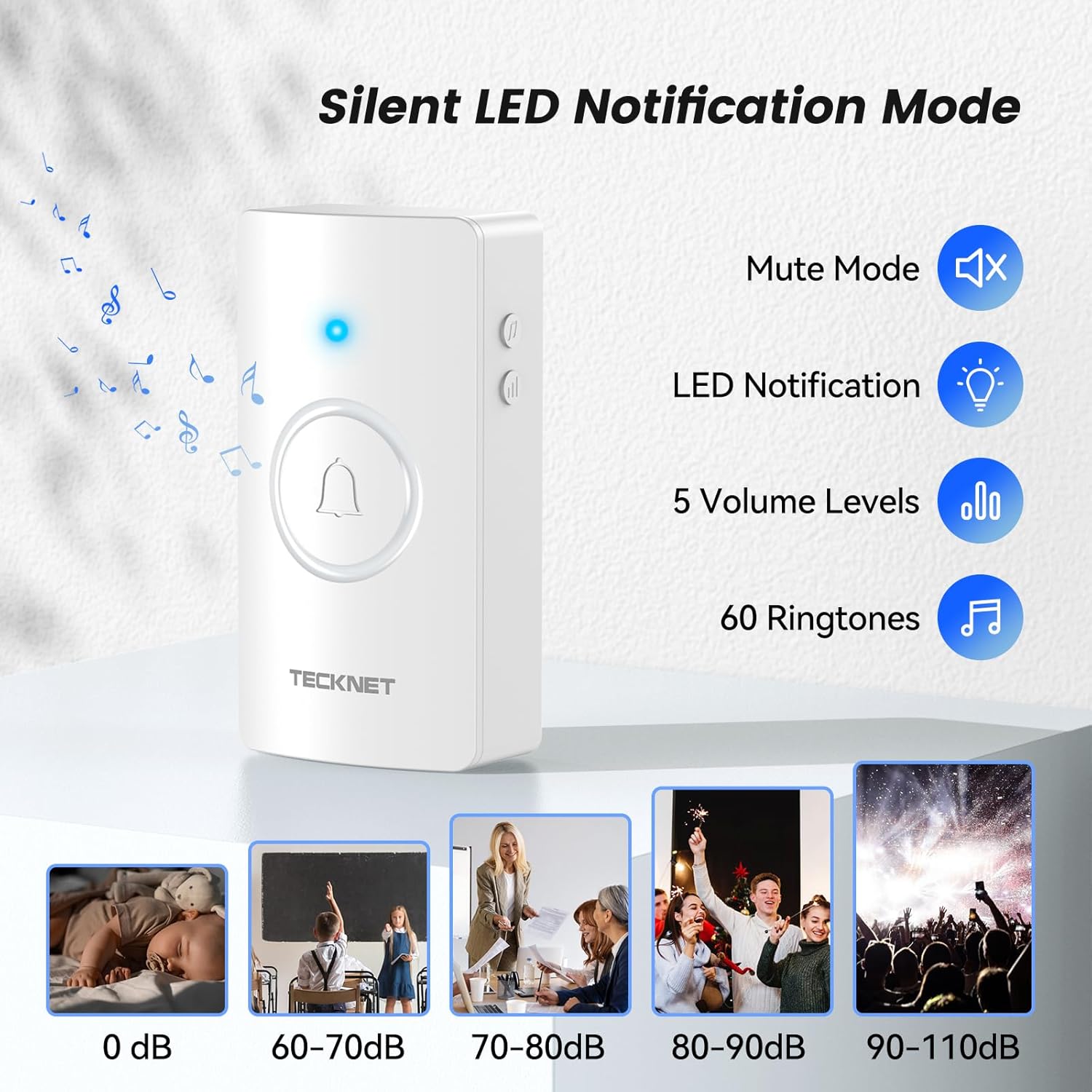
Image: Step-by-step guide for inserting batteries into the receiver.

Image: Examples of receiver placement in different environments.
Video: Detailed instructions on installing batteries and mounting the TECKNET Wireless Doorbell.
Operating Instructions
- Selecting a Chime:
On the side of the receiver, locate the 'Chime Selection Button'. Press it once to cycle to the next melody. Double-click to go to the previous melody. There are 60 unique melodies available. - Adjusting Volume:
On the side of the receiver, locate the 'Volume Button'. Press it to cycle through 5 volume levels, ranging from 0dB (silent) to 110dB (loudest). - Silent Mode with LED Notification:
To activate silent mode, cycle the volume down to 0dB. In this mode, the receiver's LED light will flash when the doorbell button is pressed, providing a visual alert without sound. This is ideal for quiet environments like baby rooms or libraries. - Memory Function:
The doorbell system automatically saves your last selected melody and volume level, even after battery replacement or power loss. No need to reconfigure settings. - Using Multiple Receivers:
If you have multiple receivers, they will all respond to a single transmitter. This allows you to hear the doorbell in different areas of your home or property.

Image: Location of the Chime Selection and Volume buttons on the receiver.

Image: The receiver in silent mode, indicating a visual alert.
Video: Demonstration of the TECKNET Wireless Doorbell system with multiple receivers in a home layout.
Maintenance
To ensure the longevity and optimal performance of your TECKNET Wireless Doorbell, follow these maintenance guidelines:
- Cleaning: Wipe the doorbell button and receivers with a soft, dry cloth. Do not use abrasive cleaners or solvents.
- Battery Replacement: Replace batteries in the receivers when the sound becomes weak or the LED indicator on the receiver no longer flashes. The transmitter battery has a long life (up to 4.5 years) but should be replaced if the doorbell stops working.
- Environmental Protection: Although the transmitter is IP67 rated, avoid submerging it in water or exposing it to extreme physical impact.
Troubleshooting
| Problem | Possible Cause | Solution |
|---|---|---|
| Doorbell does not ring. | Low or dead batteries in receiver/transmitter. | Replace batteries in the receiver(s) and transmitter. |
| Doorbell does not ring. | Receiver is in silent (mute) mode. | Adjust the volume using the volume button on the receiver. |
| Short operating range or intermittent ringing. | Interference from other wireless devices or thick walls. | Relocate the receiver or transmitter to minimize interference. Avoid placing near large metal objects. |
| Transmitter and receiver are not paired. | Pairing lost or new units. | Re-pairing Transmitter and Receiver: 1. Press and hold the volume button on the receiver for 5 seconds until it makes a 'ding' sound and the LED flashes. 2. Immediately press the transmitter button once. The receiver will make a 'ding-dong' sound, indicating successful pairing. |
Specifications
| Feature | Detail |
|---|---|
| Model Number | HWD01991 |
| Wireless Range | Up to 1312FT (400m) in open areas |
| Waterproof Rating (Transmitter) | IP67 |
| Chimes | 60 selectable melodies |
| Volume Levels | 5 levels (0-110dB) |
| Transmitter Battery Life | Up to 4.5 years (under normal usage) |
| Receiver Power | 3x AA Batteries (not included) |
| Operating Temperature | -4°F (-20°C) to 140°F (60°C) |
| Dimensions (Transmitter) | Approximately 2.8 x 1.6 x 0.6 inches |
| Dimensions (Receiver) | Approximately 4.6 x 2.1 x 1.1 inches |
| Weight (Item) | 7 ounces |
Warranty and Support
TECKNET provides a 36-Month Warranty for this product (registration required). Should you encounter any issues or require assistance, please do not hesitate to contact our professional customer support team. For warranty registration and support, please visit the official TECKNET website or refer to the contact information provided in the package.


