
1. Introduction
This manual provides detailed instructions for the JLab Go Pods ANC True Wireless Bluetooth Earbuds. Please read this guide thoroughly to ensure proper use, optimal performance, and longevity of your device. The JLab Go Pods ANC earbuds feature hybrid active noise canceling, Bluetooth Multipoint connectivity, and a compact design for on-the-go use.
2. What's in the Box
- JLab Go Pods ANC Earbuds
- Charging Case with Integrated USB-C Cable
- 3 Sets of Gel Eartips (Small, Medium, Large)
- User Manual
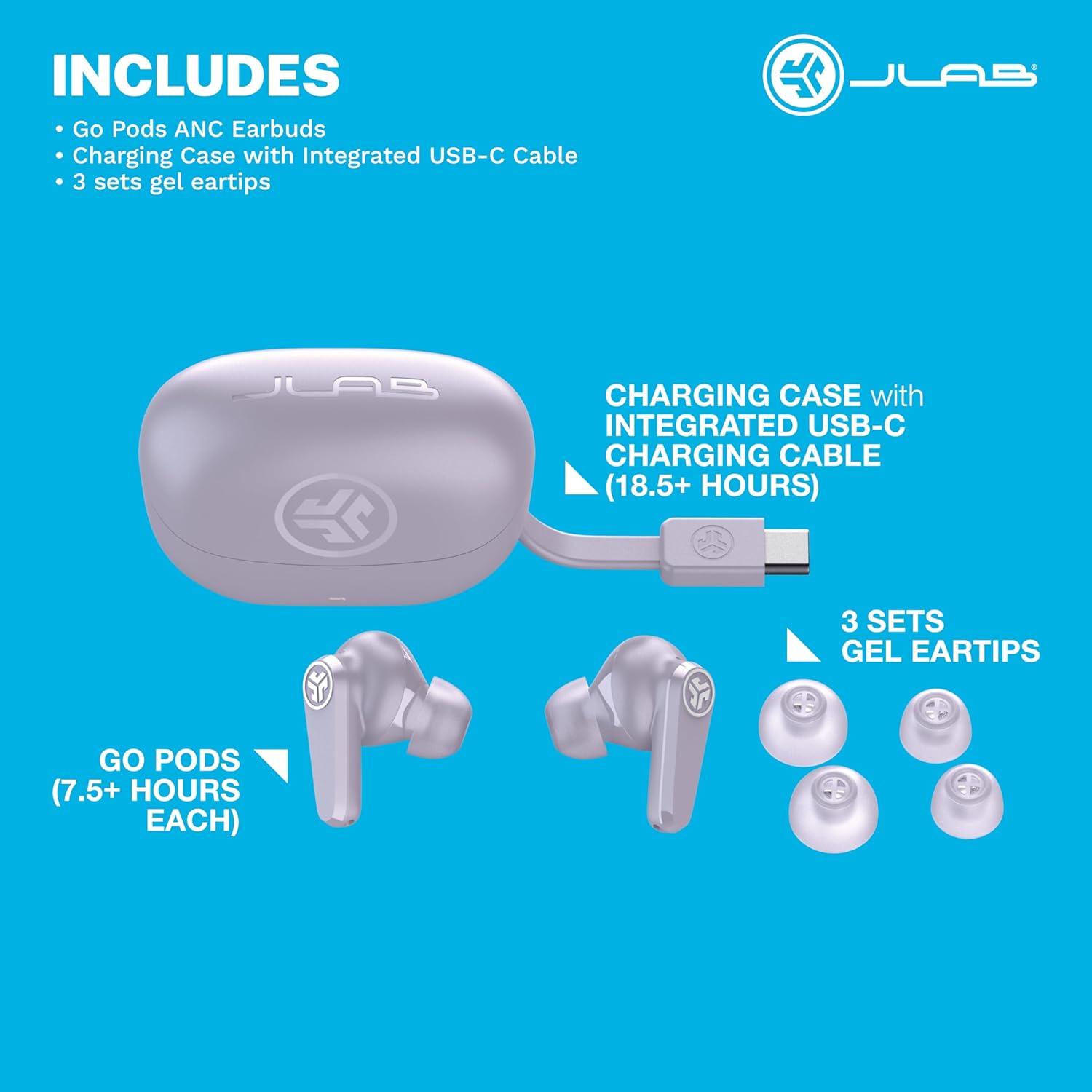
Image: Contents of the JLab Go Pods ANC package, showing the lilac earbuds, charging case with integrated USB-C cable, and three sets of gel eartips.
3. Setup
3.1 Charging the Earbuds and Case
Before first use, fully charge the JLab Go Pods ANC earbuds and charging case. The charging case features an integrated USB-C cable for convenience. Connect the USB-C cable to a compatible power source. The indicator light on the case will show charging status. A 10-minute charge provides approximately 1 hour of playtime.

Image: JLab Go Pods ANC earbuds in their lilac charging case, with a blue indicator light indicating charging or power status.
3.2 Pairing with Your Device
Google Fast Pair (Android Devices): For supported Android devices, simply open the charging case with the earbuds inside. A pop-up notification will appear on your device, prompting you to connect via Bluetooth. Follow the on-screen instructions to complete pairing.
Standard Bluetooth Pairing (All Devices):
- Remove both earbuds from the charging case. They will automatically enter pairing mode.
- On your device (smartphone, tablet, computer), navigate to the Bluetooth settings.
- Select "JLab Go Pods ANC" from the list of available devices.
- Once connected, you will hear an audio prompt confirming successful pairing.
3.3 Fitting the Earbuds
Proper fit is essential for optimal sound quality and noise cancellation. Experiment with the three included sets of gel eartips (Small, Medium, Large) to find the most secure and comfortable fit for your ears. Insert the earbud into your ear canal and gently twist it forward or backward until it feels snug and creates a good seal.

Image: A person wearing a lilac JLab Go Pods ANC earbud, illustrating proper fit for comfort and sound.
4. Operating Instructions
4.1 Touch Controls
The JLab Go Pods ANC earbuds feature intuitive touch controls for managing audio playback, calls, and noise control modes. Specific touch functions can be customized via the JLab App.
Default Touch Controls (Refer to JLab App for customization):
- Single Tap: Play/Pause, Answer/End Call
- Double Tap: Track Forward (Right Earbud), Track Backward (Left Earbud)
- Triple Tap: Activate Voice Assistant
- Press and Hold (1+ sec): Cycle Noise Control Modes (ANC On/Off/Be Aware)
- Volume Control: Customizable via JLab App
4.2 Noise Control Modes
The earbuds offer three noise control modes:
- ANC On (Active Noise Canceling): Reduces ambient noise for an immersive listening experience.
- ANC Off: Disables active noise canceling.
- Be Aware: Allows external sounds to pass through, enhancing situational awareness.
Cycle through these modes by pressing and holding the touch sensor on either earbud, or adjust them within the JLab App.
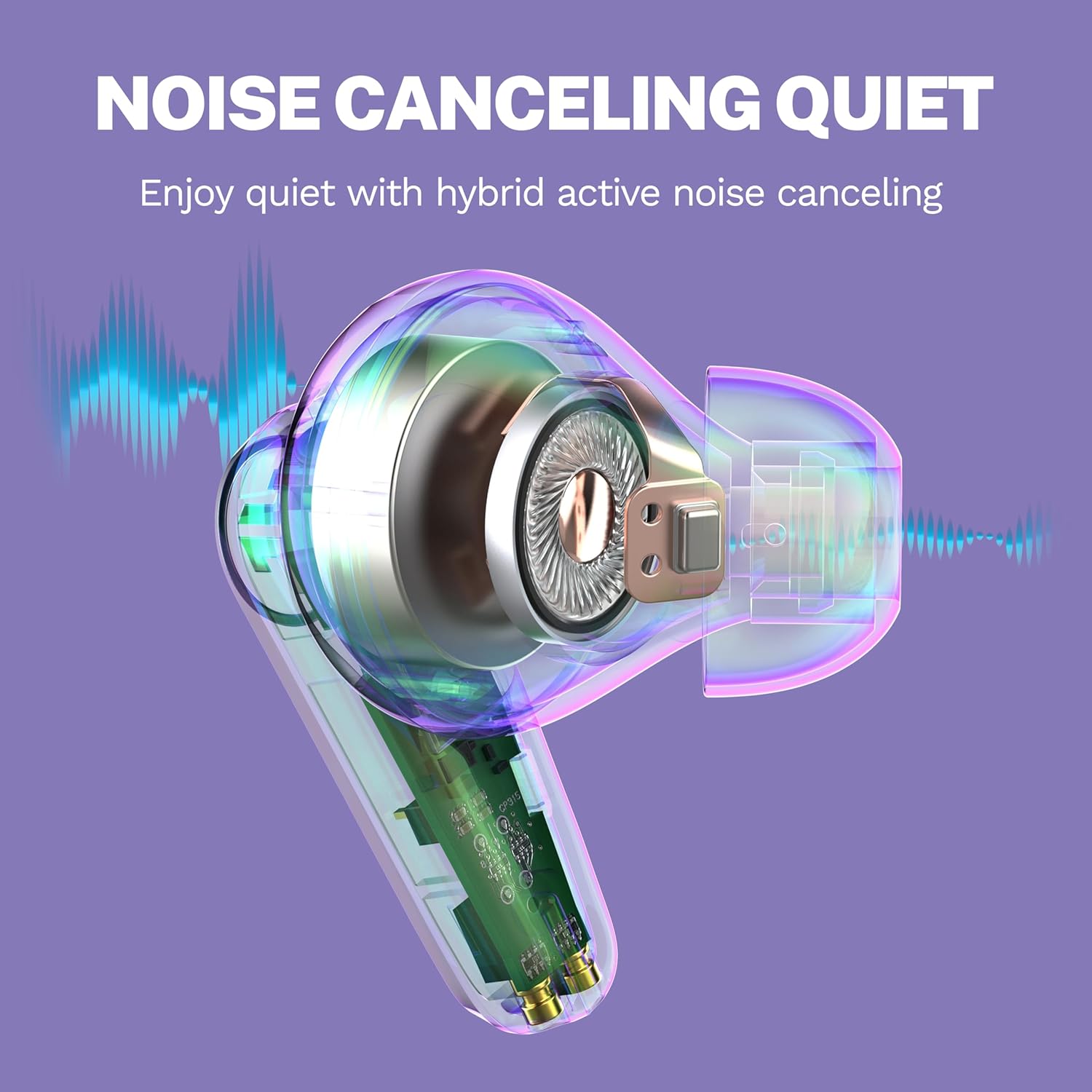
Image: Diagram illustrating the principle of hybrid active noise canceling within an earbud.
4.3 Bluetooth Multipoint
Bluetooth Multipoint allows you to connect the earbuds to two devices simultaneously. This enables seamless switching between audio sources, such as transitioning from a podcast on your laptop to a call on your mobile phone without re-pairing.

Image: A user demonstrating Bluetooth Multipoint by connecting earbuds to both a smartphone and a tablet.
4.4 JLab App Customization
Download the JLab App from the App Store or Google Play Store to unlock full customization options:
- Adjust ANC/Be Aware settings.
- Customize touch controls.
- Select sound presets (JLab Signature, Balance, Bass Boost) or create custom equalizer settings.
- Enable Safe Hearing options with volume limits.
- Receive software updates for your earbuds.
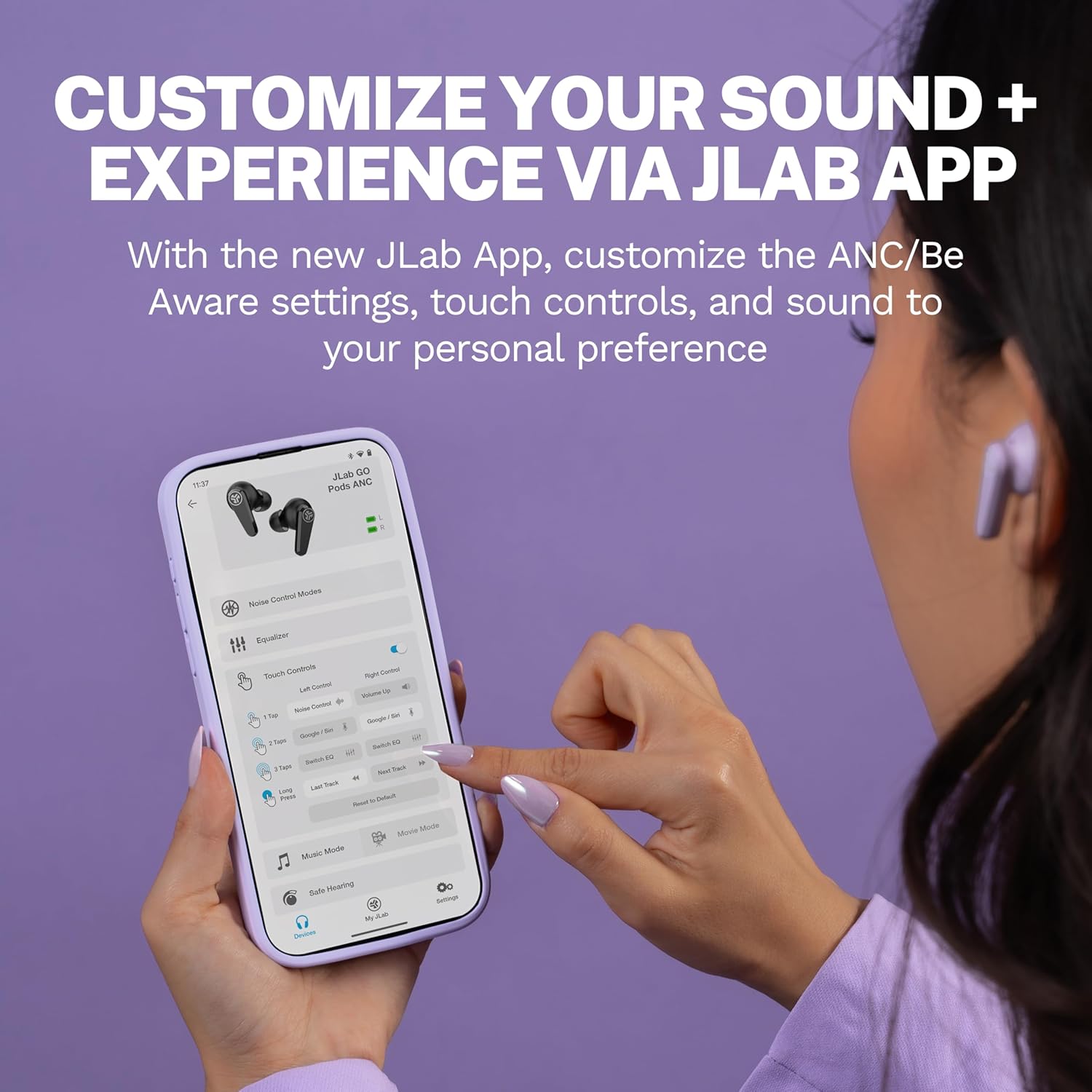
Image: The JLab App interface on a smartphone, demonstrating customization options for the earbuds.
4.5 Clear Calls
Each earbud is equipped with two environmental noise-canceling MEMS microphones. These microphones work to eliminate background noise, ensuring your voice is transmitted clearly during calls, even in noisy environments.

Image: A user making a clear call with JLab Go Pods ANC earbuds.
5. Maintenance
5.1 Cleaning
Regularly clean your earbuds and charging case to maintain optimal performance and hygiene. Use a soft, dry, lint-free cloth to wipe the surfaces. For the eartips, remove them from the earbuds and clean with a mild soap solution, then rinse and dry thoroughly before reattaching.
5.2 Water Resistance
The JLab Go Pods ANC earbuds are rated IP55 for sweat and splash resistance. This means they are protected against dust and low-pressure water jets from any direction. They are suitable for workouts and light rain but should not be submerged in water.

Image: A user demonstrating the IP55 sweat and splashproof rating of the earbuds during an activity.
6. Troubleshooting
If you encounter issues with your JLab Go Pods ANC earbuds, try the following steps:
- No Audio/Connection Issues: Ensure earbuds are charged. Turn off and on your device's Bluetooth. Re-pair the earbuds by forgetting them in your device's Bluetooth settings and repeating the pairing process.
- One Earbud Not Working: Place both earbuds back in the charging case, close the lid, wait a few seconds, then remove them. This often re-syncs them.
- Poor Sound Quality: Check eartip fit. Ensure earbuds are clean. Adjust equalizer settings in the JLab App.
- ANC Not Effective: Ensure ANC mode is active. Check eartip fit for a proper seal.
- App Issues: Ensure the JLab App is updated to the latest version. Restart your smartphone.
For further assistance, refer to the JLab support website.
7. Specifications
| Feature | Detail |
|---|---|
| Model Number | EBGOPODSLLC50WEB |
| UPC | 810119073754 |
| Battery Life (Earbuds) | Up to 7.5+ hours per charge |
| Total Playtime (with Case) | 26+ hours |
| Quick Charge | 10 minutes charge for 1 hour playtime |
| Noise Control | Hybrid Active Noise Canceling, Be Aware Mode |
| Connectivity | Bluetooth Multipoint, Google Fast Pair |
| Microphones | 2 Environmental Noise Canceling MEMS mics per earbud |
| Water Resistance Rating | IP55 (Sweat and Splashproof) |
| Item Weight | 2.46 ounces |
| Material | Plastic |
| Color | Lilac |
| Date First Available | June 1, 2025 |
8. Warranty and Support
8.1 Warranty Information
JLab products typically come with a 2-year limited warranty. Please refer to the official JLab website or your purchase documentation for specific warranty terms and conditions.
8.2 Customer Support
For additional support, FAQs, or to contact customer service, please visit the official JLab website: www.jlab.com/support


