
OLIGHT OCLIPUT-NBL-300000
OLIGHT Oclip Ultra EDC Flashlight
User Manual
Introduction
The OLIGHT Oclip Ultra is a versatile EDC (Everyday Carry) flashlight designed for various tasks, combining a powerful floodlight, a focused spotlight, and a pure UV light. Constructed from durable O-aluminum, it offers exceptional hardness and wear resistance. Its compact design and multiple carrying options make it an ideal tool for daily use, outdoor adventures, and specialized inspections.

Image: OLIGHT Oclip Ultra EDC Flashlight, showcasing its compact size and triple light sources.
Package Contents
- Oclip Ultra x 1
- USB-C Charging Cable x 1
- User Manual x 1
Setup
Initial Charge
Before first use, fully charge your Oclip Ultra using the provided USB-C charging cable. The charging port is located on the side of the device, protected by a patented hinged dust cover. Open the cover and insert the USB-C cable. A battery indicator light will show charging status.

Image: Close-up of the Oclip Ultra showing the USB-C charging port with its protective cover.
Unlocking Moonlight Mode
The Oclip Ultra is set to moonlight mode by default for safety during shipping. To change the light mode for the first time, press and hold the button for 1 second or more.
Operating Instructions
Light Modes and Brightness Adjustment
The Oclip Ultra features three distinct light sources: a floodlight for wide-area illumination, a spotlight for long-range visibility, and a pure 365nm UV light for specialized inspections.
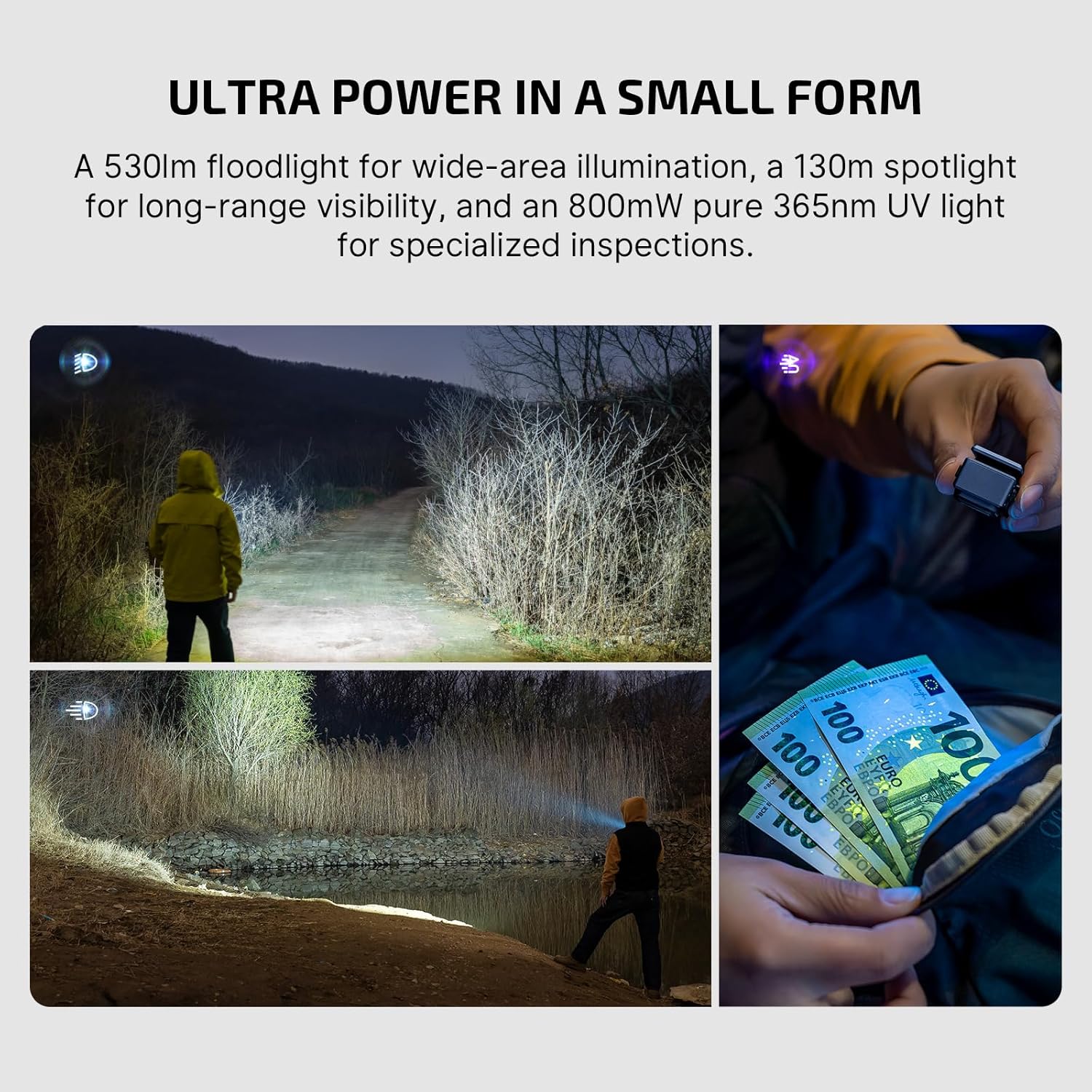
Image: Visual representation of the Oclip Ultra's UV, spotlight, and floodlight outputs with their respective maximums.
To adjust brightness within a mode (Moonlight, Low, Medium, High), press and hold the main button. The light will cycle through these levels. Release the button to select the desired brightness.

Image: Diagram showing how to long-press the button to cycle through brightness levels from Moonlight to Turbo.
Mode Selection (Floodlight, Spotlight, UV)
The Oclip Ultra features a rotary switch on its side to select between Floodlight, Spotlight, and UV modes. Simply rotate the switch to align with the desired mode icon.
Special Modes (Strobe)
To activate the strobe mode, quickly triple-press the main button. Triple-press again to exit strobe mode.
Carrying Options
The Oclip Ultra offers multiple carrying options for convenience:
- Clipping: Use the integrated clip to attach the light to pockets, hat brims, or backpack straps. The clip is tested for 10,000 uses for durability.
- Magnetic: The light features a magnetic base, allowing it to be securely attached to metal surfaces for hands-free operation.
- Hanging: A small hole is provided for attaching to a keychain or lanyard.

Image: The Oclip Ultra demonstrated being clipped to a pocket, collar, hung on a keychain, and magnetically attached to a metal surface.
Specifications
| Feature | Value |
|---|---|
| Brand | OLIGHT |
| Model | OCLIPUT-NBL-300000 |
| White Brightness | 530 Lumens (Floodlight) |
| Spotlight Throw | 130 Meters |
| UV Light Output | 800 mW (365nm) |
| Power Source | Battery Powered (1 Lithium Ion battery included) |
| Material | O-aluminum |
| Water Resistance Level | Waterproof (IPX6) |
| Dimensions | 2.75"D x 2.16"W x 5.12"H |
| Item Weight | 6.4 ounces |

Image: Detailed specifications table for Floodlight, Spotlight, and UV light modes, including lumens, throw, and runtime.
Maintenance
To ensure the longevity and optimal performance of your Oclip Ultra, follow these maintenance guidelines:
- Cleaning: Wipe the flashlight with a soft, damp cloth to remove dirt and debris. Avoid using harsh chemicals or abrasive materials.
- Battery Care: Recharge the device regularly, especially if it will not be used for an extended period. Store in a cool, dry place.
- Dust Cover: Ensure the USB-C port's dust cover is properly closed when not charging to maintain IPX6 water resistance. The cover is designed to withstand 3,000 cycles.
Troubleshooting
If you encounter issues with your Oclip Ultra, consider the following:
- Light not turning on/changing modes: Ensure the device is sufficiently charged. Remember to long-press the button for 1 second or more for initial unlocking if it's the first time using it.
- Charging issues: Verify the USB-C cable is properly connected and the power source is active. Check for any debris in the charging port.
- Reduced brightness/runtime: This may indicate a low battery. Recharge the device fully.
For further assistance, please refer to the official user manual PDF or contact OLIGHT customer support.
Warranty and Support
The OLIGHT Oclip Ultra comes with a Lifetime Warranty, ensuring long-term reliability and support for your product.
For detailed warranty information, technical support, or to download the complete user manual, please visit the official OLIGHT website or refer to the provided PDF document:
Related documentsOCLIPUT-NBL-300000


Ask a question about this manual
Ask about setup, troubleshooting, compatibility, parts, safety, or missing instructions. Manuals+ will review the question and use this page’s manual context to help answer it.