Introduction
The OLIGHT Oclip Ultra is a versatile and durable EDC (Everyday Carry) flashlight designed for a multitude of tasks. It integrates three distinct light sources: a powerful 530 lumens floodlight for wide-area illumination, a 130-meter range spotlight for focused long-distance visibility, and an 800 mW UV light for specialized inspections. Constructed from O-aluminum, an exclusive Olight alloy, it offers superior hardness and wear resistance compared to standard aluminum, ensuring longevity and reliable performance.
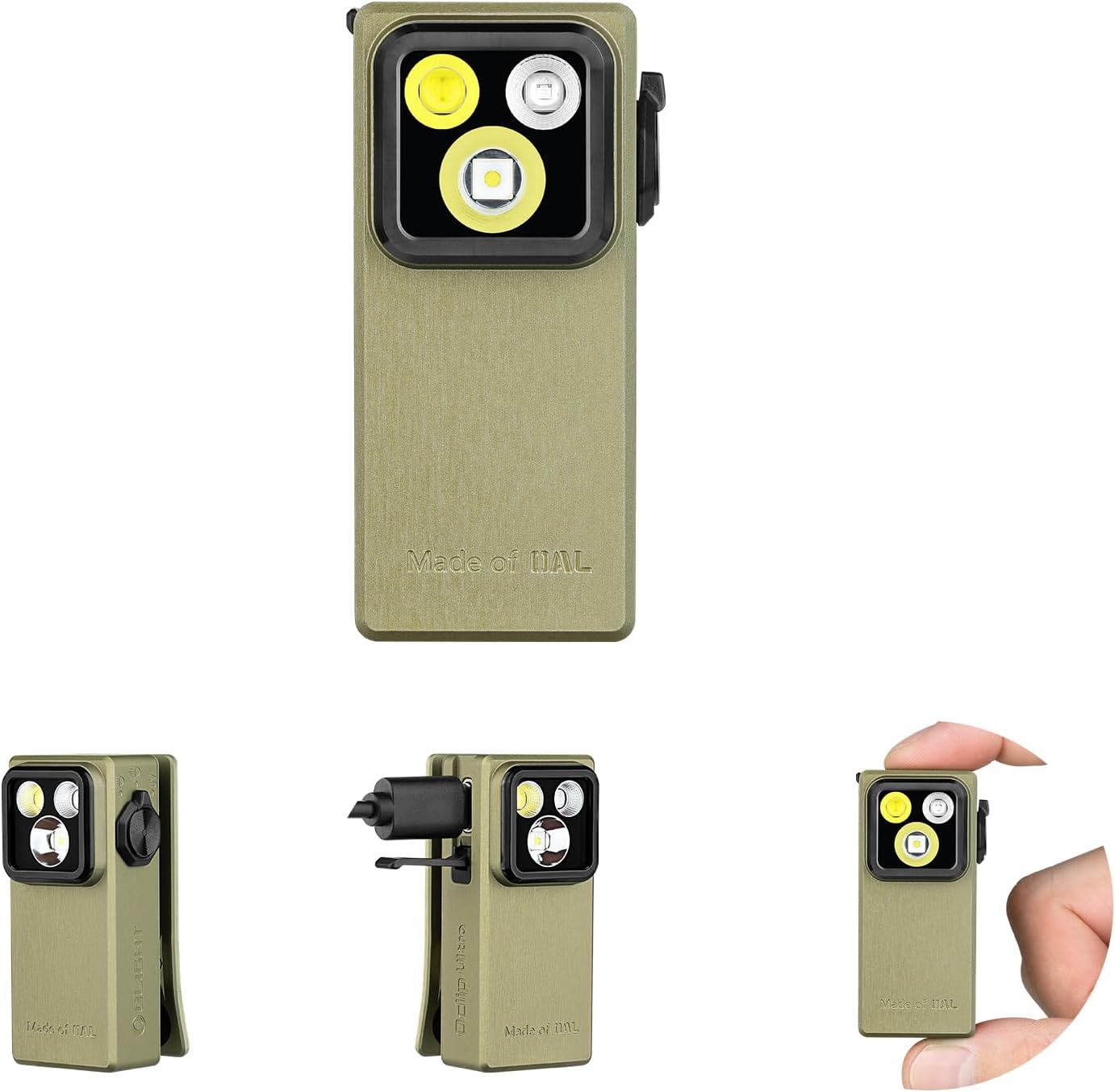
Figure 1: The OLIGHT Oclip Ultra EDC Flashlight in Olive Green, showcasing its compact design and triple light sources.
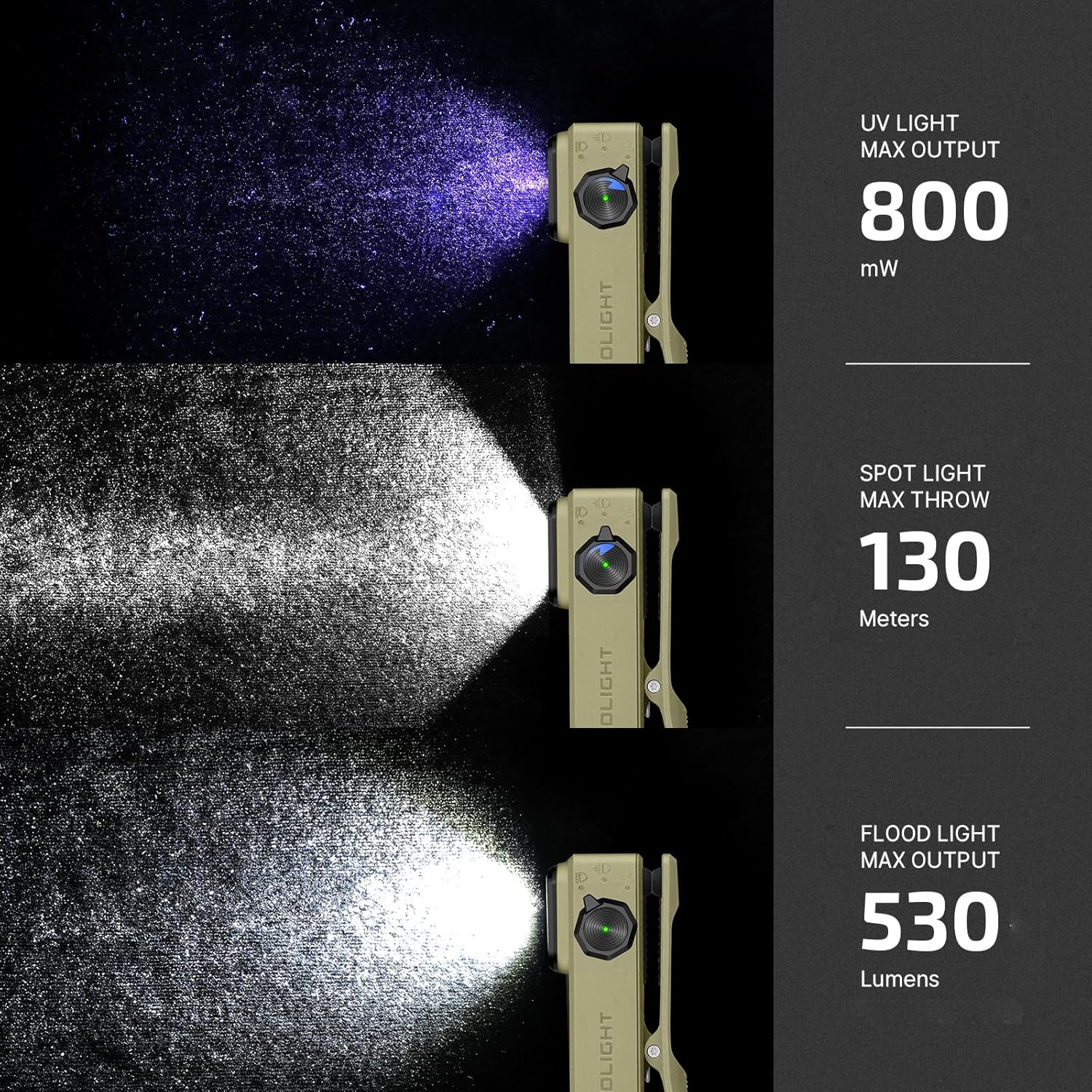
Figure 2: Visual representation of the Oclip Ultra's three light outputs: 800 mW UV light, 130 meters spot light, and 530 lumens flood light.
Setup
Before initial use, ensure your Oclip Ultra is fully charged. The device comes with a USB-C charging cable for convenient power replenishment.
Initial Charging
Locate the USB-C charging port on the side of the Oclip Ultra. Open the protective hinged dust cover. Insert the provided USB-C charging cable into the port and connect the other end to a compatible USB power source (e.g., wall adapter, computer USB port). The battery indicator light will provide charging status. A full charge takes approximately 1 hour.

Figure 3: The OLIGHT Oclip Ultra connected to its USB-C charging cable.
Included Components
- Oclip Ultra x 1
- USB-C Charging Cable x 1
- Manual x 1
Operating
Power On/Off and Mode Selection
The Oclip Ultra features a rotary switch for intuitive control. To turn the light on or off, simply rotate the switch. The original mode setting is moonlight mode. Please press and hold the button for 1 second or more to change the light mode after you first time unlock it.

Figure 4: Instructions for changing brightness levels: Press and hold the button to cycle through Moonlight, Low, Medium, High, and Turbo modes.
The Oclip Ultra offers three distinct light types: floodlight, spotlight, and UV light. Use the rotary switch to select the desired light type. Each type has multiple brightness levels (Moonlight, Low, Medium, High, Turbo) that can be cycled by pressing and holding the main button.
Video 1: A brief demonstration of the OLIGHT Oclip Ultra's features, including its compact size and various light modes.
Carrying Options
The Oclip Ultra is designed for versatile everyday carry. It can be clipped onto pockets, collars, or other gear. Its magnetic base allows it to be attached to metal surfaces for hands-free illumination. A keyring hole also provides an option for hanging.
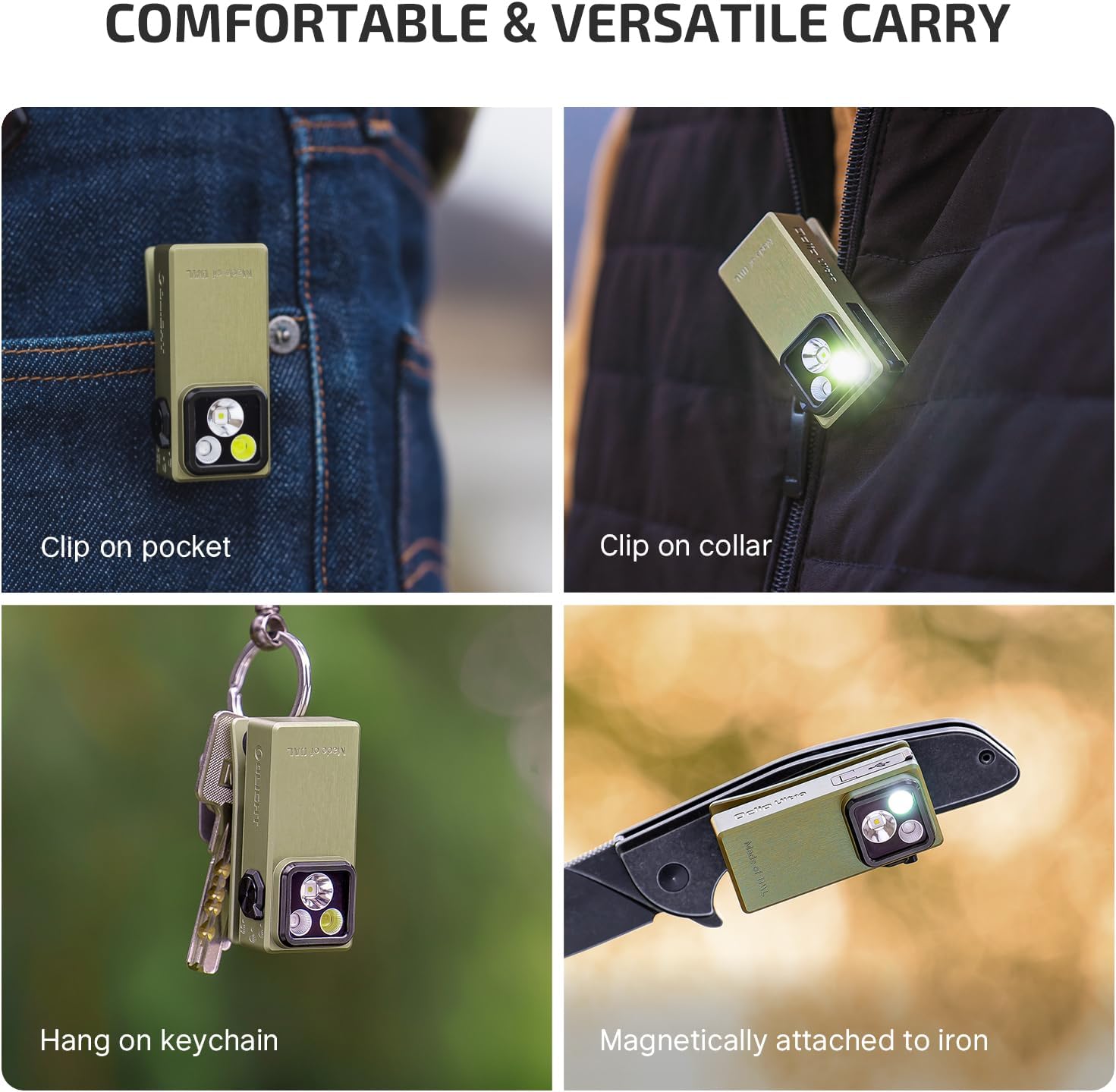
Figure 5: Examples of how the Oclip Ultra can be comfortably and versatilely carried, including clipping, magnetic attachment, and hanging.
Maintenance
Charging
To maintain optimal performance, regularly charge your Oclip Ultra using the provided USB-C cable. The battery life varies depending on the selected mode:
- Moonlight Mode: 1 lumen, up to 144 hours runtime.
- Low Mode (Floodlight): 10 lumens, up to 27 hours runtime.
- Low Mode (Spotlight): 9 lumens, up to 27 hours runtime.
- Turbo Mode (Floodlight): 530 lumens, 1 minute + 50 minutes + 20 minutes (step-downs).
- Turbo Mode (Spotlight): 450 lumens, 1 minute + 50 minutes + 20 minutes (step-downs).
Cleaning and Care
Wipe the flashlight with a soft, damp cloth to remove dirt and debris. Avoid using harsh chemicals or abrasive materials that could damage the O-aluminum finish. The Oclip Ultra is built for durability, with a clip tested for 10,000 uses and IPX6 water resistance, even with the charging port cover open. However, proper care will extend its lifespan.
Troubleshooting
If your Oclip Ultra is not functioning as expected, please consider the following:
- Light not turning on: Ensure the device is fully charged. Check the battery indicator light.
- Reduced brightness or runtime: This may indicate a low battery. Recharge the device fully.
- Physical damage: While durable, extreme impacts can affect performance. Inspect for visible damage.
If issues persist after basic troubleshooting, please refer to the Warranty & Support section for further assistance.
Specifications
| Feature | Value |
|---|---|
| Special Feature | Magnetic, Floodlight, Spotlight and UV light, Keychain, Rechargeable, O-aluminum material |
| Color | Olive Green |
| Power Source | Battery Powered |
| Light Source Type | LED |
| Material | O-aluminum |
| White Brightness | 530 Lumens |
| Product Dimensions | 2.75"D x 2.16"W x 5.12"H |
| Battery Cell Composition | Lithium Ion |
| Number of Batteries | 1 Lithium Ion batteries required. (included) |
| Water Resistance Level | Waterproof (IPX6) |
| Runtime (Moonlight) | 144 hours |
| Item Weight | 6.4 ounces |
| Country of Origin | China |
Warranty & Support
The OLIGHT Oclip Ultra comes with a Lifetime Warranty, ensuring long-term peace of mind for your purchase.
For detailed information, troubleshooting, or to contact customer support, please refer to the official user manual PDF or visit the OLIGHT brand store:


