
1. Introduction
This manual provides essential information for the installation, operation, and maintenance of your ENERMAX Revolution III 1000W Fully Modular PC Power Supply. Please read this manual thoroughly before installation to ensure proper functionality and safety.

Image 1.1: The ENERMAX Revolution III 1000W Power Supply, showcasing its modular design and black finish with gold accents.
2. Product Features
- ATX 3.1 Compliance: Adheres to the latest Intel ATX 3.1 specifications, ensuring compatibility with modern components. Includes a 600W native 12V-2x6 connector for reliable power delivery to high-end graphics cards.
- High Efficiency: 80 PLUS Gold certified, achieving up to 93% efficiency at 50% load. This reduces energy consumption and heat generation.
- Superior Performance: Designed to accommodate up to 200% power excursion, supporting demanding high-end GPUs without stability issues.
- Silent Operation and Durability: Features 100% industrial-grade Japanese capacitors for enhanced performance and longevity. The integrated 120mm Fluid Dynamic Bearing (FDB) fan ensures ultra-quiet operation under various loads.
- Optimized Safety: Incorporates multiple protection circuitries including Over Current Protection (OCP), Over Voltage Protection (OVP), Under Voltage Protection (UVP), Over Power Protection (OPP), Short Circuit Protection (SCP), and Over Temperature Protection (OTP). Certified for use at altitudes up to 5000m.
- Fully Modular Design: Allows for flexible cable management by connecting only the necessary cables, reducing clutter and improving airflow within the PC case.
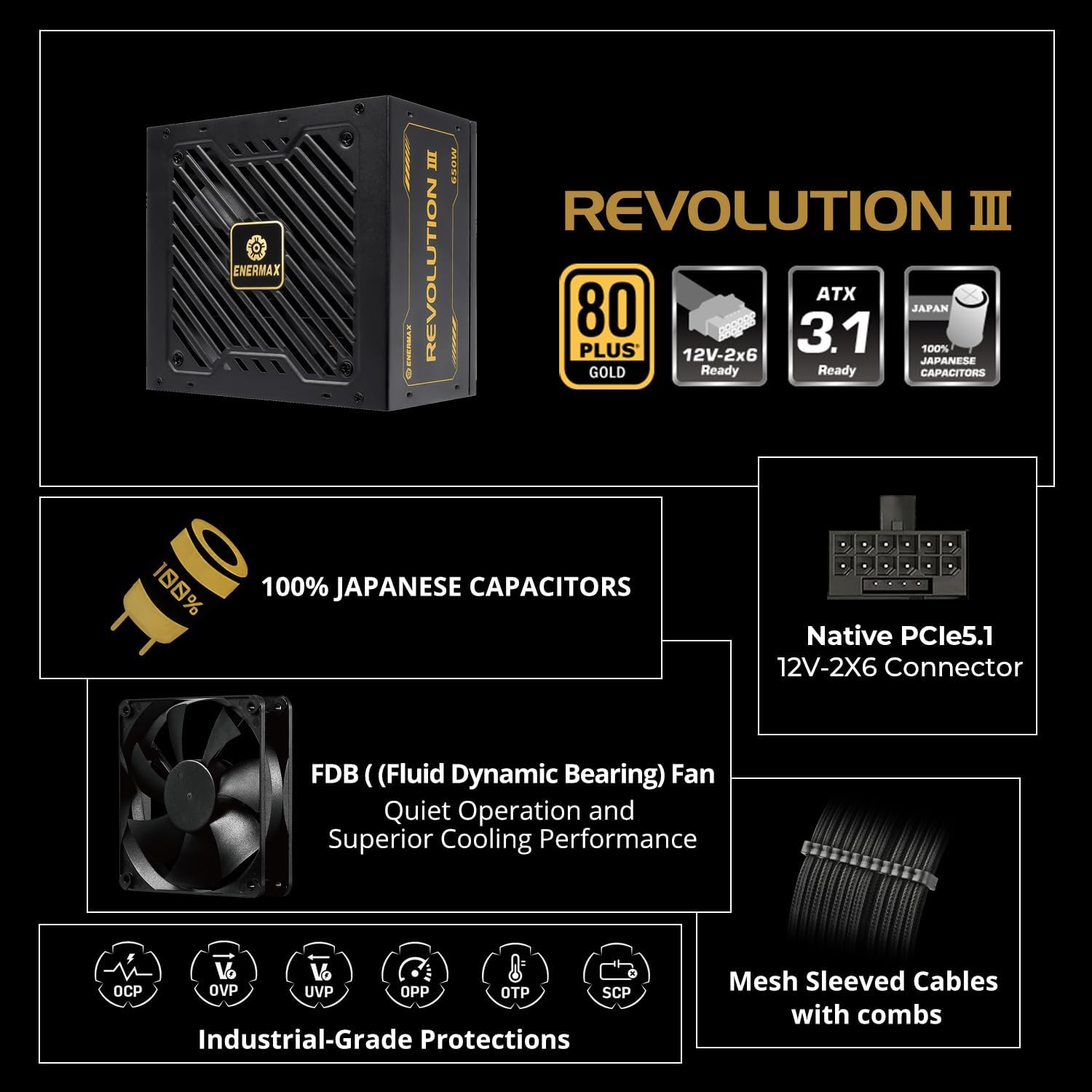
Image 2.1: An overview of the power supply's key features, highlighting 100% Japanese capacitors, Native PCIe5.1 12V-2x6 connector, FDB fan, industrial-grade protections, and mesh sleeved cables.
3. Setup and Installation
3.1 Package Contents
Verify that all components are present:
- ENERMAX Revolution III 1000W Power Supply Unit
- Modular Cable Set (including 12V-2x6, CPU, PCIe, SATA, Molex connectors)
- AC Power Cord
- Mounting Screws
- Cable Combs (21 pieces for 1000W model)
- User Manual
3.2 Installation Steps
- Prepare Your System: Ensure your computer is powered off and unplugged from the wall outlet. Open your PC case.
- Remove Old PSU (if applicable): Disconnect all cables from your old power supply and remove it from the case.
- Mount the New PSU: Insert the ENERMAX Revolution III 1000W PSU into the designated power supply bay in your PC case. Secure it with the provided mounting screws.
- Connect Essential Cables:
- Connect the 24-pin ATX motherboard power cable to the motherboard.
- Connect the 8-pin (4+4) CPU power cable(s) to the motherboard.
- For graphics cards, use the appropriate PCIe power cables. The 12V-2x6 connector is specifically for compatible high-power GPUs.
- Connect Peripheral Cables: Connect SATA power cables to your storage drives (SSDs, HDDs) and Molex cables to any other peripherals requiring them.
- Cable Management: Utilize the fully modular design and included cable combs to route cables neatly behind the motherboard tray or in other designated areas to improve airflow and aesthetics.
- Close Case and Power On: Once all connections are secure, close your PC case, plug in the AC power cord, and power on your system.

Image 3.1: The power supply highlighting its ATX 3.1 readiness and the native PCIe5.1 12V-2x6 connector, crucial for modern high-performance graphics cards.

Image 3.2: Illustration of the premium mesh-sleeved cables and the included cable combs, designed for a clean and organized PC build.
4. Operating Instructions
4.1 Power On/Off
The power supply is controlled by your motherboard. Ensure the main power switch on the PSU is in the 'ON' position (usually 'I') before attempting to power on your computer via the case's power button.
4.2 Efficiency and Load Management
The 80 PLUS Gold certification indicates high energy efficiency. The power supply operates most efficiently around 50% load. While it can handle peak loads, maintaining a balanced system load contributes to optimal performance and longevity.

Image 4.1: A graph illustrating the efficiency curve for 80 PLUS Gold certified power supplies, showing peak efficiency at approximately 50% load.
4.3 Fan Operation
The 120mm Fluid Dynamic Bearing (FDB) fan is designed for quiet operation. It adjusts its speed based on the power supply's temperature and load. Under low loads, the fan may operate at very low RPMs or even remain off for silent operation. Some ENERMAX models feature a 'Dust Free' technology where the fan briefly spins in reverse upon startup to clear dust, then resumes normal operation.
5. Maintenance
5.1 Cleaning
To maintain optimal performance and longevity, periodically clean your power supply and PC case. Ensure the system is powered off and unplugged before cleaning.
- Use compressed air to gently remove dust from the power supply's fan grille and vents.
- Avoid using liquid cleaners directly on the power supply.
- Regularly clean dust filters in your PC case to prevent dust buildup inside the system, including the PSU.
5.2 Component Longevity
The ENERMAX Revolution III 1000W utilizes 100% industrial-grade Japanese capacitors, known for their high quality and extended lifespan, contributing to the overall durability of the unit.

Image 5.1: A close-up view of the internal components, highlighting the 100% Japanese Industrial-Grade Capacitors, which ensure stable and consistent performance.
6. Troubleshooting
If you encounter issues with your power supply, refer to the following common problems and solutions:
- System Does Not Power On:
- Ensure the AC power cord is securely connected to both the PSU and the wall outlet.
- Verify the PSU's main power switch is in the 'ON' position ('I').
- Check all modular cable connections to the PSU and components (motherboard, CPU, GPU).
- Test the wall outlet with another device.
- System Shuts Down Unexpectedly:
- This could indicate an overload or activation of a protection circuitry (e.g., OPP, OTP). Ensure your system's power draw does not exceed the PSU's rated wattage.
- Check for proper ventilation and ensure the PSU fan is not obstructed.
- Unusual Noises:
- A slight fan noise is normal under load. If you hear grinding or clicking, ensure no cables are interfering with the fan blades.
- If the noise persists and is abnormal, contact support.
6.1 Protection Circuitries
The ENERMAX Revolution III 1000W is equipped with multiple safety features:
- OCP (Over Current Protection): Shuts down the PSU if current on a single rail exceeds safe limits.
- OVP (Over Voltage Protection): Protects components from damage due to excessive voltage.
- UVP (Under Voltage Protection): Prevents system instability or damage from insufficient voltage.
- OPP (Over Power Protection): Shuts down the PSU if the total power draw exceeds its maximum capacity.
- SCP (Short Circuit Protection): Protects the PSU and components from damage in case of a short circuit.
- OTP (Over Temperature Protection): Shuts down the PSU if internal temperatures become too high.

Image 6.1: Visual representation of the multiple protection circuitries integrated into the power supply for enhanced safety and component longevity.
7. Specifications
| Feature | Specification |
|---|---|
| Model Name | REVOLUTION III 1000 |
| Item Model Number | EP-RV3-1000G-FR |
| Wattage | 1000 Watts |
| Efficiency Certification | 80 PLUS Gold |
| Form Factor | ATX |
| Power Supply Design | Fully Modular |
| Cooling Method | Air (120mm FDB Fan) |
| Dimensions (L x W x H) | 5.51 x 5.91 x 3.39 inches (140 x 150 x 86 mm) |
| Capacitors | 100% Japanese Industrial-Grade |
| Main Connector | 24-pin ATX |
| CPU Connectors | 8-pin (4+4) |
| PCIe Connectors | Native 12V-2x6 (600W), 8-pin (6+2) |
| Compatible Devices | Desktop PCs |
8. Warranty and Support
8.1 Warranty Information
The ENERMAX Revolution III 1000W Power Supply comes with a 10-Year Warranty from the date of purchase. This warranty covers defects in materials and workmanship under normal use. Please retain your proof of purchase for warranty claims.
8.2 Technical Support
For technical assistance, troubleshooting beyond this manual, or warranty inquiries, please visit the official Enermax website or contact their customer support. Refer to the product packaging or Enermax's official channels for the most current contact information.


