
LIGE TX2
LIGE Smartwatch TX2 User Manual
Model: TX2 | Brand: LIGE
Introduction
Welcome to your new LIGE Smartwatch TX2. This manual provides detailed instructions to help you set up, operate, and maintain your smartwatch, ensuring you get the most out of its advanced features and enjoy a seamless experience.

Image: The LIGE Smartwatch TX2, showcasing its main display, metal and silicone strap options, and an icon indicating its large battery capacity.
Package Contents
- LIGE Smartwatch TX2 x1
- Watch Strap x2 (one pre-installed, one additional)
- Magnetic Charging Cable x1
- User Manual x1
- Metal Strap Adjustment Tool x1 (for metal strap variant)
- Cleaning Cloth x1
Setup
Initial Charging
Before first use, fully charge your smartwatch. Connect the magnetic charging cable to the charging points on the back of the watch and plug the USB end into a 5V/1A power adapter (not included). A full charge takes approximately 2.5 hours.

Image: The LIGE Smartwatch TX2 connected to its magnetic charging cable, emphasizing its 730mAh battery capacity and charging process.
App Download and Pairing
To unlock all features and synchronize data, download the "FitCloudPro" app from your smartphone's app store. The app is compatible with iOS 8.0 and above, and Android 4.4 and above systems.
- Download the "FitCloudPro" App from the App Store (for iOS) or Google Play (for Android).
- Ensure Bluetooth is enabled on your phone.
- Open the FitCloudPro app, navigate to the device section, and click "Add New Device". Search for "TX2" in the list of available devices.
- A pairing request will appear on both your watch and phone. Click "Pair" on both devices to confirm the connection.
- Grant necessary "Push notifications" permissions within the app to receive alerts from your phone.

Image: A visual step-by-step guide demonstrating how to connect the smartwatch to a smartphone via the FitCloudPro app, covering app download, Bluetooth activation, device search, pairing confirmation, and notification permissions.
Operating Instructions
Display and Navigation
The LIGE Smartwatch TX2 features a 1.75-inch HD AMOLED full touch screen with a resolution of 466x466 pixels, providing a superior visual experience with bright colors and a large field of view. Navigate through menus by swiping left, right, up, or down. Press the side buttons for specific functions such as power, back, light, or to access sport modes.

Image: A close-up view of the smartwatch display, highlighting its 1.75-inch AMOLED screen, high resolution, and full touch capabilities.

Image: An illustration of the smartwatch's 2.5D sophisticated multifunction menu, showing various app icons and navigation options.
Bluetooth Calling and Notifications
Once paired with your smartphone, the smartwatch supports Bluetooth calls, allowing you to make and receive calls directly from your wrist using its built-in hi-fi speaker and microphone. You can also receive message alerts from various social media and communication applications (SMS, WhatsApp, Facebook, etc.) directly on your watch screen.

Image: The smartwatch displaying its Bluetooth calling interface, including incoming call screens and a dial pad for making calls.

Image: A composite image highlighting the smartwatch's Bluetooth call function, AI voice assistant capabilities, and various app notification icons.
Sports Modes and Fitness Tracking
The smartwatch offers over 120 sports modes, including walking, running, hiking, cycling, basketball, badminton, and soccer. It accurately records steps, distance, calories burned, and other essential exercise data to help you monitor your progress and achieve your fitness goals.

Image: The smartwatch displaying fitness metrics while showcasing various sports activities like surfing, football, golf, and running.

Image: A visual representation of the smartwatch's extensive sport mode tracking capabilities, showing a user hiking and the watch displaying activity data.
Health Monitoring
The watch provides 24-hour real-time health monitoring, including heart rate tracking, blood oxygen (SpO2) detection, respiratory training, and comprehensive sleep monitoring. This data helps you understand your body's status and improve your overall well-being. Please note that this device is not a medical instrument, and data is for reference only.

Image: An image illustrating the smartwatch's health monitoring features, including heart rate, blood oxygen, sleep tracking, and breath training, with a user exercising.
LED Flashlight
A powerful built-in LED flashlight provides clear illumination, making it ideal for night activities, camping, or during unexpected power outages. It's a practical tool for various situations.
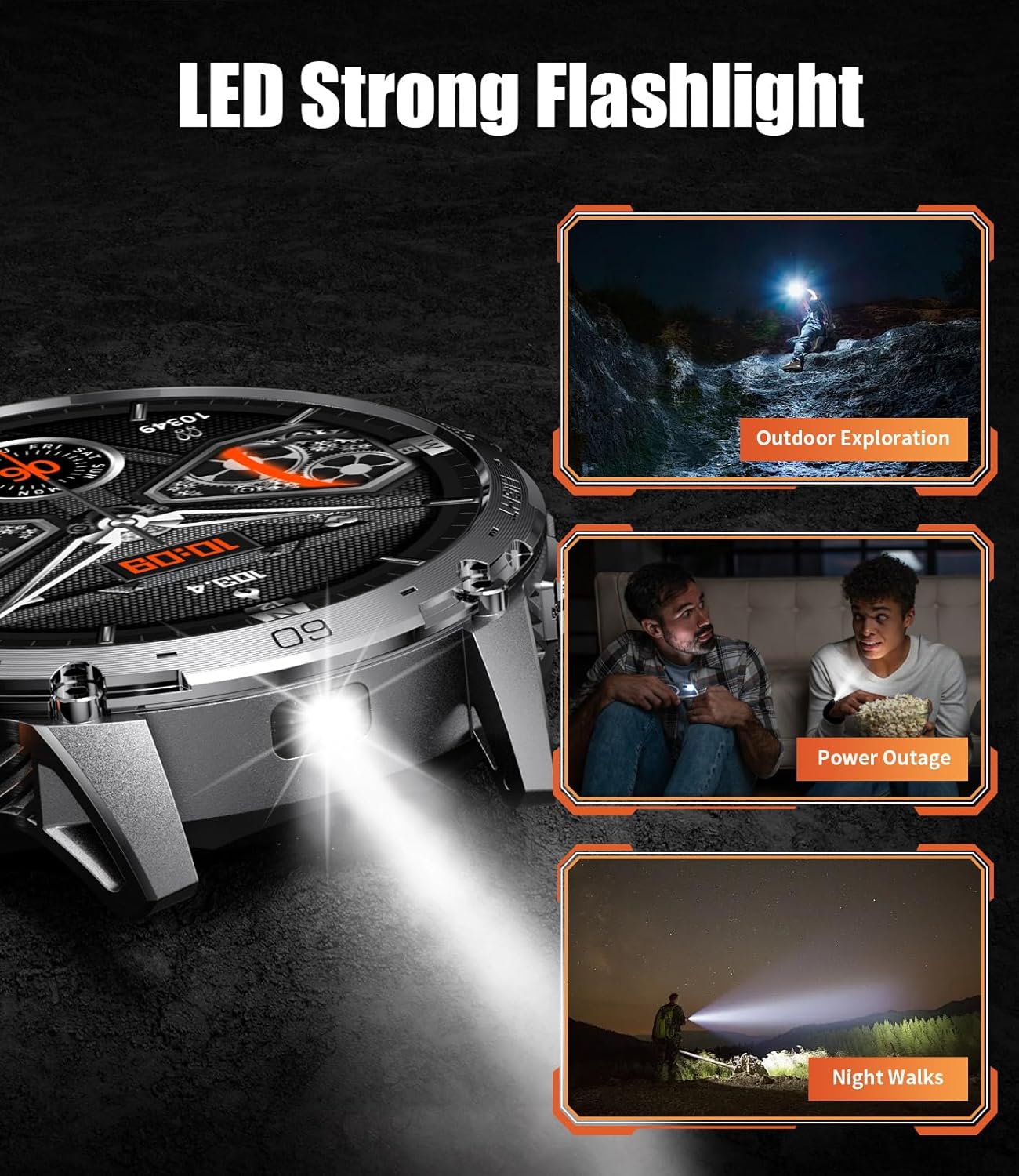
Image: The smartwatch demonstrating its LED flashlight function in various scenarios such as outdoor exploration, during a power outage, and for night walks.

Image: A composite image highlighting the utility of the smartwatch's built-in LED flashlight for outdoor adventures, night camping, SOS mode, finding things, and night sports.
Watch Faces and Customization
Personalize your smartwatch with over 200 multi-style watch faces available in the FitCloudPro app. You can also customize the dial using your own photos, allowing you to display cherished memories directly on your wrist.

Image: The smartwatch displaying a variety of digital and analog watch faces available, along with an example of a customized watch face.

Image: An image showcasing the extensive collection of personalized watch faces available through the FitCloudPro app, including the option to use custom photos.
Other Functions
The LIGE Smartwatch TX2 includes a variety of built-in functions to enhance your daily life, such as weather forecast, music control, camera control, timer, alarm clock, sedentary reminder, water reminder, and a "find phone" function.
Maintenance
Water Resistance
The LIGE Smartwatch TX2 is IP68 waterproof, making it resistant to dust and water splashes. It is suitable for daily use, such as hand washing or exposure to rain. However, it is not recommended for hot water, saunas, or diving, as these conditions may compromise the seal.

Image: An image highlighting the smartwatch's military-grade durability and IP68 waterproof rating, showing it resistant to various environmental factors.
Cleaning
Regularly clean the watch and straps with a soft, dry cloth. If necessary, use a slightly damp cloth and then dry thoroughly. Avoid using harsh chemicals or abrasive materials, as they may damage the watch's finish.
Battery Care
To prolong battery life, avoid exposing the watch to extreme temperatures. Fully charge the watch before long periods of inactivity. Frequent charging with a 5V/1A adapter is recommended for optimal battery health.
Troubleshooting
Watch Not Turning On
- Ensure the watch is fully charged. Connect it to the charger for at least 30 minutes.
- Press and hold the power button for several seconds to initiate startup.
Cannot Pair with Phone
- Ensure Bluetooth is enabled on both your phone and the watch.
- Make sure the FitCloudPro app is open and actively searching for devices.
- Restart both your phone and the watch, then attempt pairing again.
- If previously paired, try forgetting the device in your phone's Bluetooth settings and then re-pairing from scratch.
Notifications Not Received
- Check app permissions in your phone settings to ensure FitCloudPro has access to notifications.
- Ensure the watch is connected via Bluetooth and the FitCloudPro app is running in the background.
- Verify notification settings within the FitCloudPro app to ensure desired apps are enabled.
Inaccurate Health Data
- Ensure the watch is worn snugly on your wrist, not too loose or too tight, for accurate readings.
- Clean the sensor on the back of the watch regularly to remove dirt or debris.
- Remember that smartwatches are not medical devices, and the data provided is for reference only.
Short Battery Life
- Reduce screen brightness to conserve power.
- Limit "Always-on Display" usage if enabled, as it consumes more battery.
- Turn off unnecessary notifications or features that are not actively used.
- Frequent Bluetooth calls or continuous music playback will significantly shorten battery life.
Specifications
| Feature | Detail |
|---|---|
| Model | TX2 |
| Screen Size | 1.75 Inches |
| Display Type | AMOLED |
| Resolution | 466 x 466 pixels |
| Battery Capacity | 730 mAh |
| Charging Time | 2.5 Hours |
| Typical Usage Battery Life | 7-15 Days |
| Standby Battery Life | 60+ Days |
| Connectivity | Bluetooth |
| Water Resistance | IP68 |
| Compatible Systems | iOS 8.0+ / Android 4.4+ |
| Sports Modes | 120+ |
| Item Dimensions | 20.5 x 9.9 x 2.4 cm |
| Item Weight | 200 g |
Warranty and Support
For any questions, technical support, or feedback regarding your LIGE Smartwatch TX2, please contact the seller or manufacturer directly. Refer to your purchase documentation or the product listing for specific warranty details and contact information.
Manufacturer: LIGE
Seller: MingQI SMART
Related documentsTX2


Ask a question about this manual
Ask about setup, troubleshooting, compatibility, parts, safety, or missing instructions. Manuals+ will review the question and use this page’s manual context to help answer it.