1. Introduction
Welcome to the user manual for your Alcatel F685 Trio Cordless Phone. This system includes a base unit with an integrated answering machine and multiple cordless handsets, designed for reliable communication in your home or office. The F685 offers essential features such as caller ID, a simple keypad, and a basic conference call function, all within an elegant black finish.
Key features include a 17-minute recording capacity answering machine and an impressive standby time of up to 240 hours.
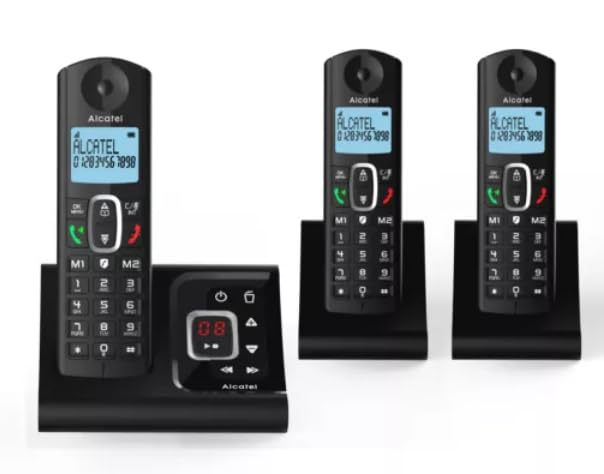
Image: The Alcatel F685 Trio Cordless Phone, showing the handset docked in its base unit.
2. Setup
2.1 Unpacking and Components
Carefully unpack all items from the box. Ensure you have the base unit, three cordless handsets, three charging cradles (one integrated into the base), three power adapters (one for the base, two for cradles), three telephone line cords, and six rechargeable AAA NiMH batteries.
2.2 Battery Installation
For each handset:
- Open the battery compartment cover on the back of the handset.
- Insert the two supplied AAA NiMH rechargeable batteries, ensuring correct polarity (+/-) as indicated inside the compartment.
- Close the battery compartment cover securely.
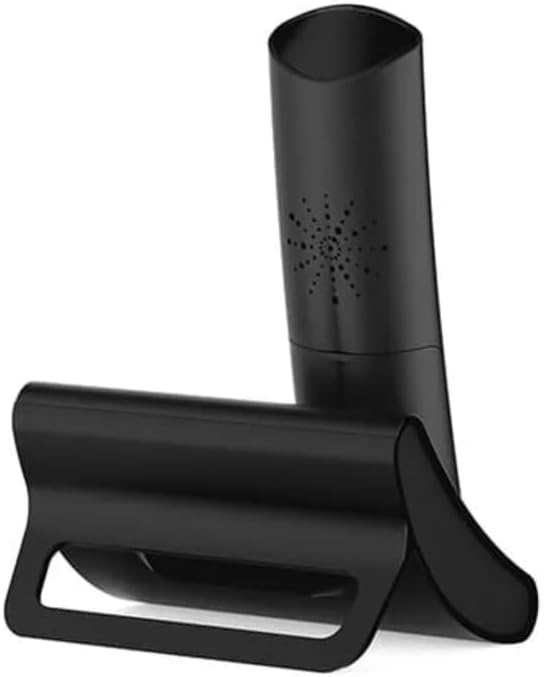
Image: Rear view of an Alcatel F685 handset placed in its charging cradle, illustrating the battery compartment area.
2.3 Charging the Handsets
Place each handset on its respective charging cradle or the base unit. The charging indicator on the handset will illuminate. Allow the handsets to charge for at least 15-20 hours before first use to ensure optimal battery performance and life.
2.4 Connecting the Base Unit
- Connect the power adapter to the 'POWER' socket on the base unit and then plug it into a standard wall electrical outlet.
- Connect one end of the telephone line cord to the 'LINE' socket on the base unit and the other end to your telephone wall socket.
Repeat the power connection for the additional charging cradles for the other two handsets.
2.5 Handset Registration
The handsets are typically pre-registered to the base unit. If a handset displays 'Unregistered' or similar, you may need to manually register it. Refer to the detailed instructions in the full product manual for the specific registration process, which usually involves pressing a button on the base unit and then a key sequence on the handset.
3. Operating Instructions
3.1 Making a Call
- Pick up a handset or press the Green Call button.
- Dial the desired phone number using the keypad.
- Press the Green Call button again to initiate the call.
3.2 Receiving a Call
When the phone rings, press the Green Call button on any handset to answer the call.
3.3 Answering Machine
The integrated answering machine has a 17-minute recording capacity for incoming messages.
- The base unit features a digital message counter, which displays the number of new messages (e.g., '08' in the image below).
- Use the playback controls (Play/Stop, Skip Forward, Skip Backward) on the base unit to listen to and navigate through messages.
- To delete messages, press the Delete button (trash can icon) on the base unit.

Image: Close-up of the Alcatel F685 base unit's answering machine controls, showing the digital message counter and playback buttons.
3.4 Caller ID
The handset display shows the incoming caller's number if the Caller ID service is active and subscribed through your telephone service provider.
3.5 Call Blocking
The phone features an advanced call blocking function to filter unwanted calls.
- Manual Mode: Block unwanted numbers one by one using the dedicated call block button (often represented by a shield icon or similar, located near the M1/M2 buttons on the handset).
- Automatic Mode: Configure the phone to only ring for numbers stored in your phonebook, effectively blocking all other incoming calls.
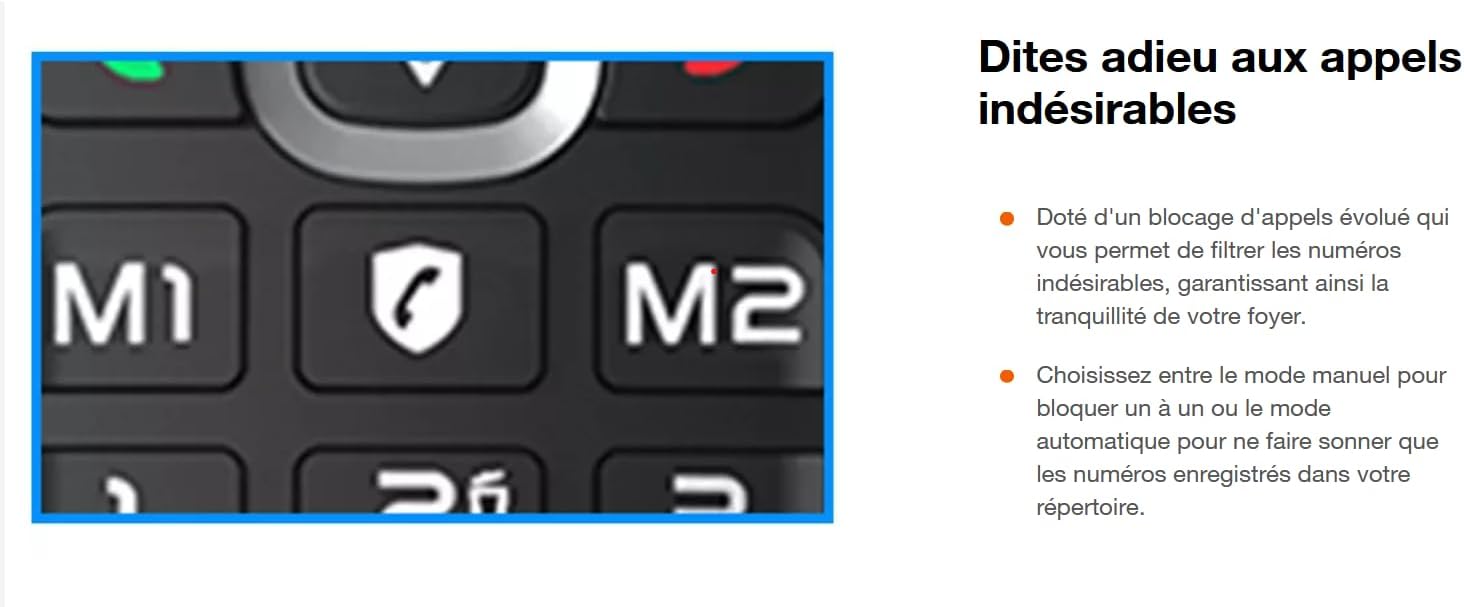
Image: Close-up of the Alcatel F685 handset keypad, highlighting the M1, M2, and call blocking (shield) buttons.
3.6 Conference Call
The system supports basic conference calls. Refer to the full product manual for specific steps on initiating a three-way call between an external caller and two internal handsets.
3.7 Backlit Display
Each handset features a large, backlit display for optimal readability, making it easy to view numbers, names, and messages in various lighting conditions.

Image: Close-up of the Alcatel F685 handset's backlit display showing a phone number.
4. Maintenance
4.1 Cleaning
Use a soft, damp cloth to clean the handset and base unit. Do not use abrasive cleaners, solvents, or strong chemicals, as these can damage the surfaces.
4.2 Battery Care
To prolong battery life, avoid leaving the handset on the charger for extended periods once fully charged. If the phone will not be used for a long time, remove the batteries from the handsets. Replace batteries when their performance significantly degrades.
4.3 Environmental Conditions
Keep the phone away from extreme temperatures, direct sunlight, and moisture. Ensure the base unit and charging cradles are placed on a stable, level surface.
5. Troubleshooting
If you encounter issues with your Alcatel F685 Trio phone, try the following troubleshooting steps:
- No Dial Tone:
- Ensure the power adapter and telephone line cord are securely connected to the base unit and wall outlets.
- Check if the handset batteries are charged.
- Test the telephone line with another phone if available to rule out a line issue.
- Cannot Make/Receive Calls:
- Verify handset registration. If unregistered, follow the registration steps in the full manual.
- Check for any active call blocking settings that might be preventing calls.
- Answering Machine Not Recording:
- Ensure the answering machine function is turned on.
- Check if the memory is full. Delete old messages if necessary.
- Poor Call Quality:
- Move closer to the base unit to improve signal strength.
- Ensure no other electronic devices (e.g., Wi-Fi routers, microwaves) are causing interference near the base unit or handset.
6. Specifications
- Brand: Alcatel
- Model Number: F685 TRIO
- Color: Black
- Phone Type: Cordless (Wireless)
- Material: Plastic or Metal
- Batteries: 2 x AAA NiMH rechargeable batteries (included per handset)
- Answering System: Digital, 17 minutes recording capacity
- Compatible Devices: Wired telephone networks
- Keypad Type: Single keypad
- Conference Call Capacity: Basic
- Standby Time: Up to 240 hours
7. Warranty and Support
For detailed warranty information, please refer to the documentation provided at the time of purchase or contact your retailer directly. Information regarding spare parts availability and software updates for this product is not provided in the available product specifications.
For further assistance or technical support, please contact Alcatel customer service or your product retailer.


