
1. Introduction
This manual provides detailed instructions for the safe and effective use of your DEWALT DWT1902092 True Wireless Earbuds with Charging Case. Please read this manual thoroughly before using the product and retain it for future reference.
2. Product Overview
The DEWALT DWT1902092 True Wireless Earbuds are designed for durability and high-quality audio in demanding environments. Key features include Bluetooth 5.0 connectivity, IPX6 water resistance, and an intelligent in-ear sensor for automatic playback control.
2.1 Package Contents
- DEWALT True Wireless Earbuds (Left and Right)
- Charging Case
- Additional Ear Tips (various sizes)
- USB-C Charging Cable
2.2 Product Diagram
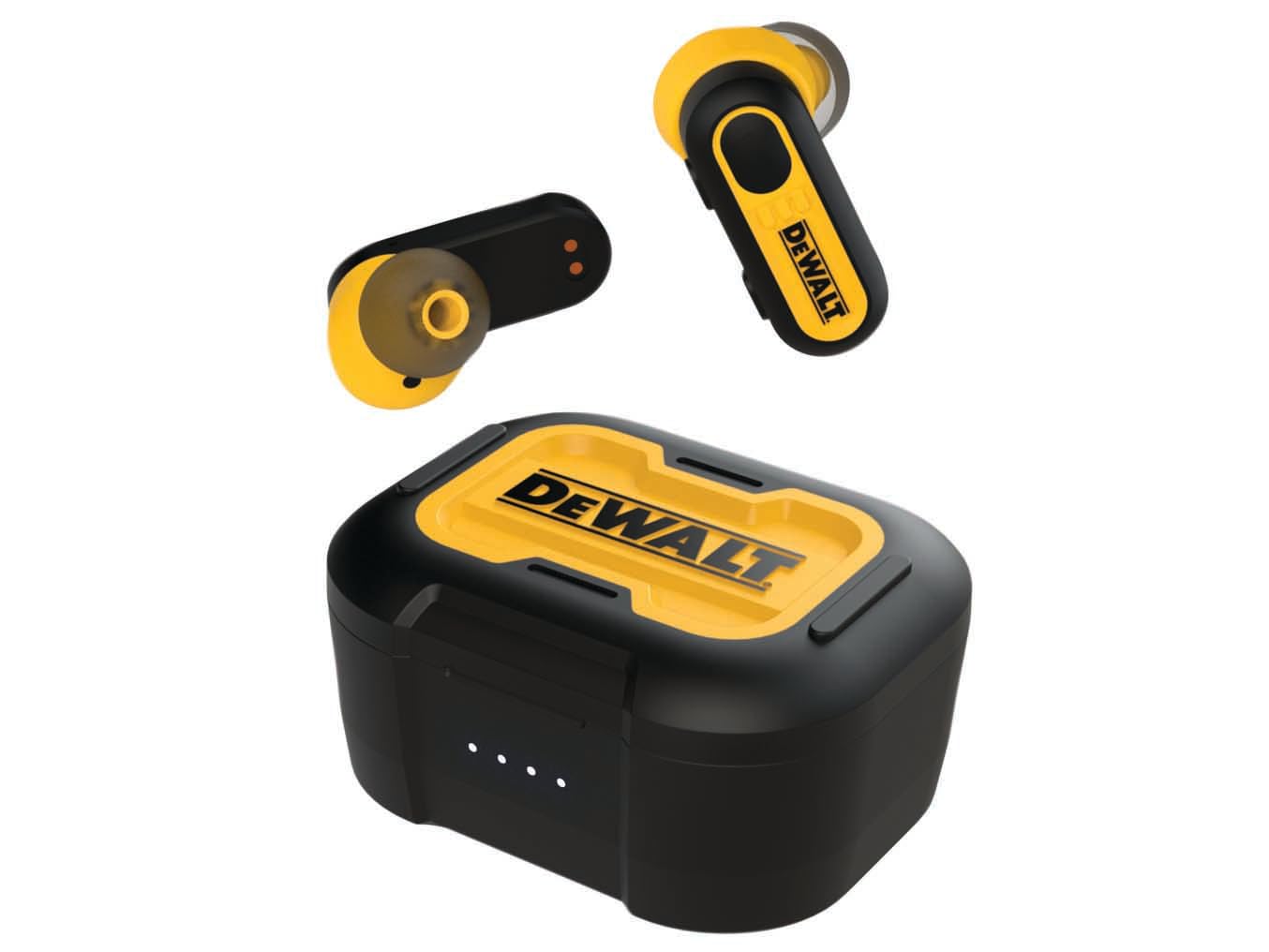
Image: DEWALT True Wireless Earbuds and Charging Case. This image displays the earbuds placed within their charging case, highlighting their compact design and the robust construction of the case.
3. Setup
3.1 Initial Charging
- Open the charging case and place both earbuds inside.
- Connect the supplied USB-C charging cable to the charging port on the case and plug the other end into a USB power source (e.g., wall adapter, computer USB port).
- Allow the case and earbuds to fully charge before first use. The charging indicator lights on the case will provide status.
3.2 Bluetooth Pairing
- Ensure the earbuds are charged and inside the charging case.
- Open the charging case lid. The earbuds will automatically enter pairing mode, indicated by flashing lights (refer to LED indicator section for specifics).
- On your device (smartphone, tablet, etc.), enable Bluetooth and search for available devices.
- Select "DEWALT Earbuds" (or similar name) from the list of found devices.
- Once connected, a confirmation sound or message will be heard, and the earbud indicator lights will change.
3.3 Fitting the Earbuds
- Choose the ear tips that provide the most comfortable and secure fit. A good seal is crucial for optimal sound quality and noise isolation.
- Gently insert each earbud into your ear canal and twist slightly to secure.
4. Operating Instructions
4.1 Power On/Off
- Power On: Open the charging case lid, or remove the earbuds from the case. They will power on automatically.
- Power Off: Place the earbuds back into the charging case and close the lid. They will power off automatically.
4.2 Music Playback
- Play/Pause: Tap either earbud once.
- Next Track: Double-tap the right earbud.
- Previous Track: Double-tap the left earbud.
4.3 Call Management
- Answer/End Call: Tap either earbud once.
- Reject Call: Press and hold either earbud for 2 seconds.
4.4 Smart In-Ear Sensor
The earbuds feature an intelligent sensor that detects when they are worn. Music playback will automatically pause when an earbud is removed from your ear and resume when it is placed back in.
5. Charging
5.1 Charging the Earbuds
Place the earbuds into the charging case. They will automatically begin charging. The case provides multiple charges for the earbuds, extending their usage time.
5.2 Charging the Case
Connect the USB-C cable to the charging case and a power source. The charging case can provide up to 30 hours of total battery life for the earbuds. A full charge of the case typically takes approximately 1.5-2 hours.
5.3 Battery Life
The earbuds offer approximately 5-6 hours of playback on a single charge. With the fully charged case, the total listening time extends to up to 30 hours.
6. Maintenance
6.1 Cleaning
- Regularly clean the earbuds and charging case with a soft, dry, lint-free cloth.
- Remove ear tips and clean them with mild soap and water, then dry thoroughly before reattaching.
- Do not use abrasive cleaners or solvents.
6.2 Water Resistance (IPX6)
The earbuds are rated IPX6, meaning they are protected against high-pressure water jets from any direction. This makes them resistant to sweat and heavy splashes. Do not submerge the earbuds in water.
6.3 Storage
When not in use, store the earbuds in their charging case to protect them and keep them charged. Store in a cool, dry place away from extreme temperatures.
7. Troubleshooting
| Problem | Solution |
|---|---|
| Earbuds not pairing |
|
| No sound from one earbud |
|
| Charging case not charging |
|
8. Specifications
| Feature | Detail |
|---|---|
| Brand | DEWALT |
| Model Number | DWT1902092 |
| Model Name | DEWALT TRUE WIRELESS EARBUDS WITH CHARGING CASE |
| Connectivity Technology | Wireless (Bluetooth) |
| Bluetooth Version | 5.0 |
| Ear Placement | In-Ear |
| Form Factor | In-Ear |
| Noise Control | Passive Noise Reduction |
| Water Resistance Level | IPX6 (Waterproof) |
| Total Battery Life (with charging case) | Up to 30 hours |
| Frequency Range | 20 Hz - 20,000 Hz |
| Control Method | Application (Touch controls on earbuds) |
| Compatible Devices | Smartphones, tablets, laptops, desktops, Bluetooth-enabled devices |
| Item Weight | 130 Grams |
| Color | Black/Yellow |
| Internal Material | Plastic with silicone components |
| UPC | 826341052030 |
9. Warranty and Support
For warranty information and customer support, please refer to the documentation included with your purchase or visit the official DEWALT website. Keep your proof of purchase for warranty claims.


