
1. Introduction
Thank you for purchasing the KOSUMOSU BL-330OR-2 Digital LED Alarm Clock. This manual provides essential information for the proper setup, operation, and maintenance of your device. Please read it thoroughly before use and retain it for future reference.
This digital clock features a clear 6.7-inch LED display, offering time, date, day of the week, and temperature readings. It includes dual alarm functions with snooze, and both automatic and manual brightness adjustment to suit various environments.

Image 1.1: Front view of the KOSUMOSU BL-330OR-2 Digital LED Alarm Clock.
2. Setup
2.1 Package Contents
- KOSUMOSU BL-330OR-2 Digital LED Alarm Clock
- USB Power Cable (1.5 meters)
- User Manual
Note: A 5V/1A AC adapter is required for operation and is not included in the package. Please use a compatible USB power adapter.
2.2 Power Connection
- Connect the provided USB cable to the USB port on the back of the alarm clock.
- Plug the other end of the USB cable into a 5V/1A AC adapter (not included) or a powered USB port.
- The display will illuminate, indicating the clock is powered on.
The clock includes a button battery (CR2025) for time memory during power outages. This battery does not power the display or alarm functions; it only retains settings.
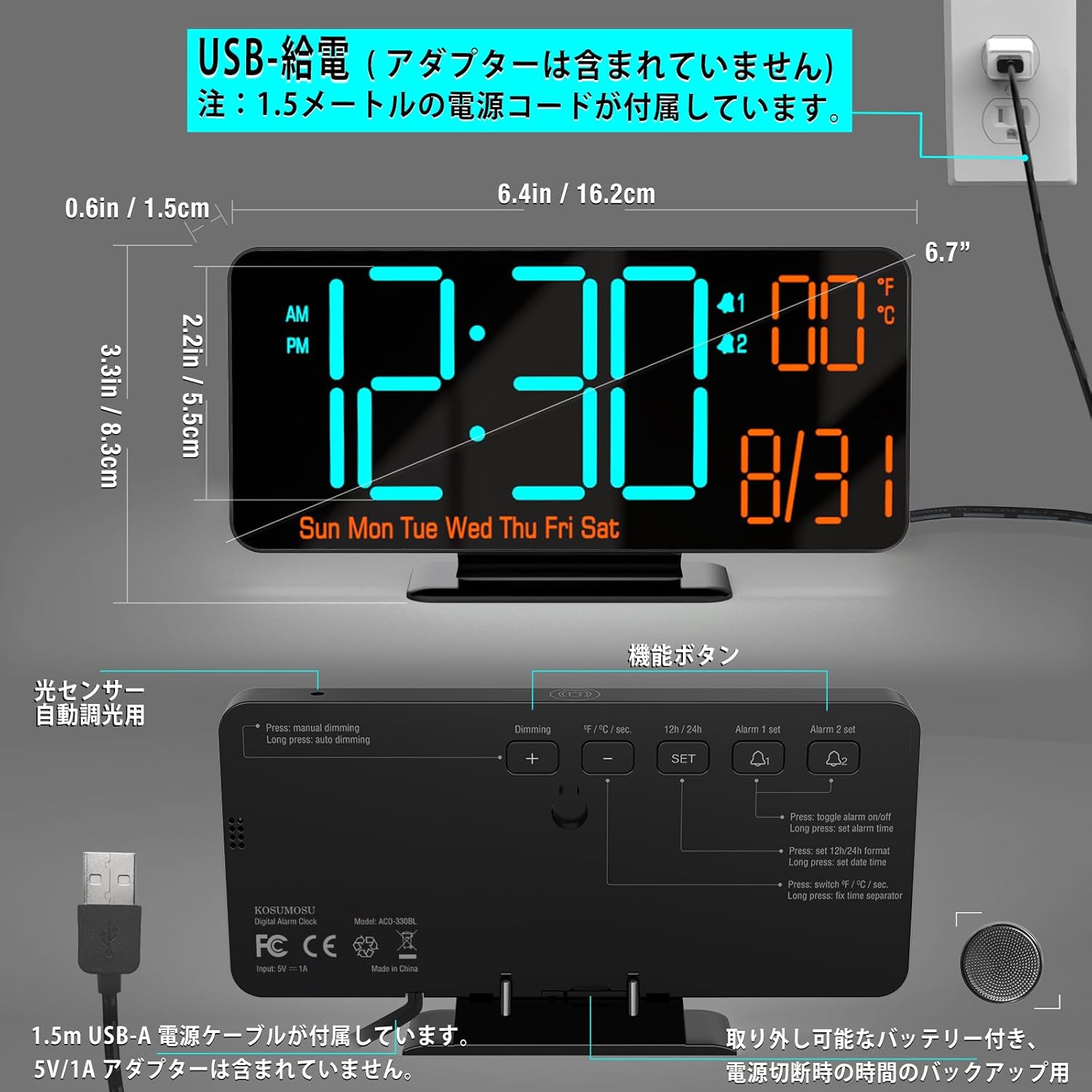
Image 2.1: Dimensions and USB power connection diagram.
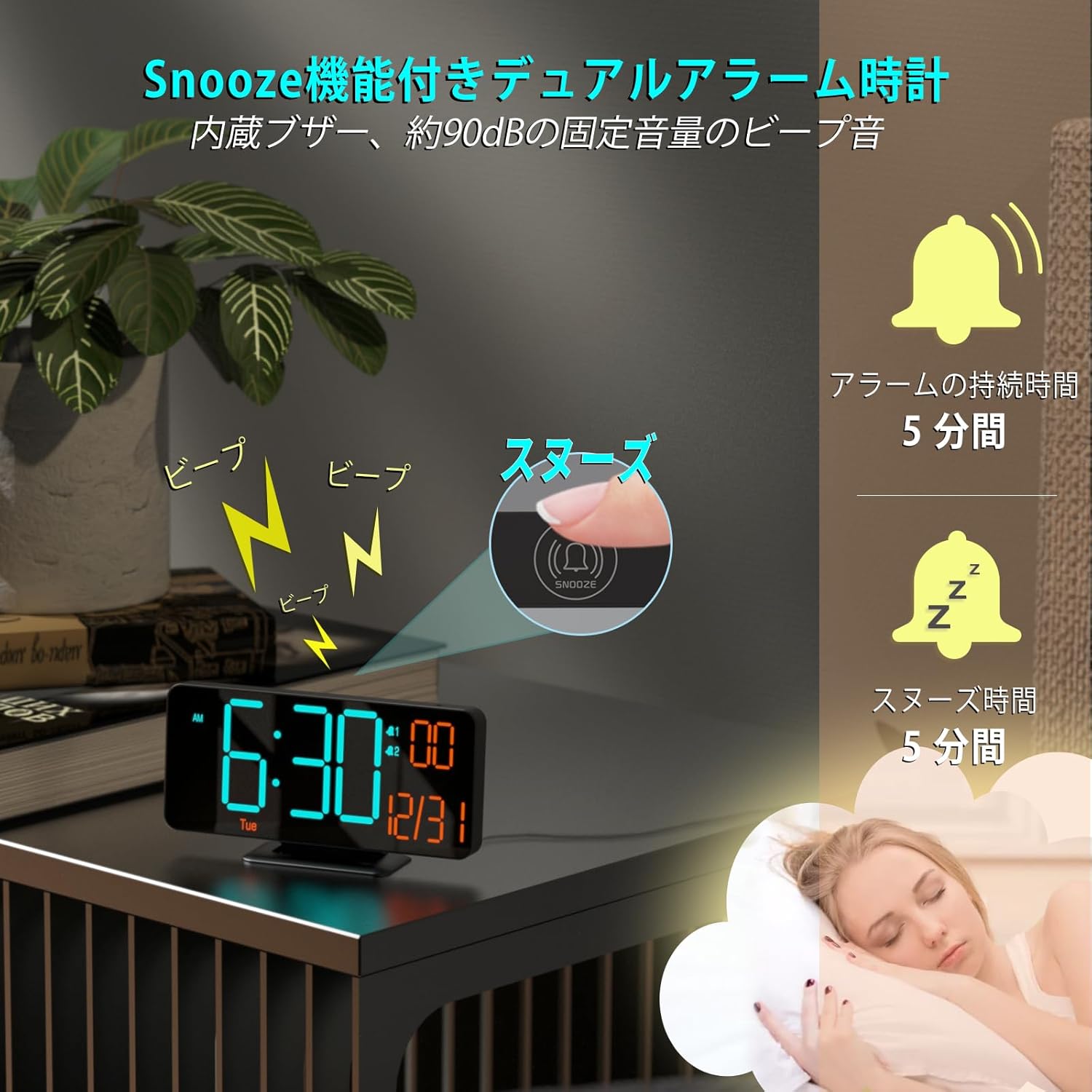
Image 2.2: Rear panel with function buttons and USB port.
2.3 Initial Settings (Time, Date, Temperature Unit)
Refer to the buttons on the back of the clock (SET, +, -, ALARM 1 SET, ALARM 2 SET).
- Set Time: Press and hold the SET button to enter time setting mode. Use the + and - buttons to adjust the hour, then press SET to confirm and move to minutes. Repeat for minutes.
- 12/24 Hour Format: While in time setting mode, press the 12H/24H button to toggle between 12-hour (with AM/PM indicator) and 24-hour formats.
- Set Date: After setting the time, press SET again to enter date setting mode. Adjust year, month, and day using + and -, pressing SET to confirm each. The day of the week will update automatically.
- Temperature Unit: Press the °F/°C button to switch between Celsius and Fahrenheit display for temperature.
3. Operation
3.1 Brightness Adjustment
The clock offers both manual and automatic dimming features.
- Manual Dimming: Press the DIMMING button to cycle through three brightness levels (Low, Medium, High) or turn the LED display off.
- Automatic Dimming: The clock has a built-in light sensor. To activate automatic dimming, ensure manual dimming is not set to 'Off'. The clock will automatically adjust its brightness based on ambient light conditions.
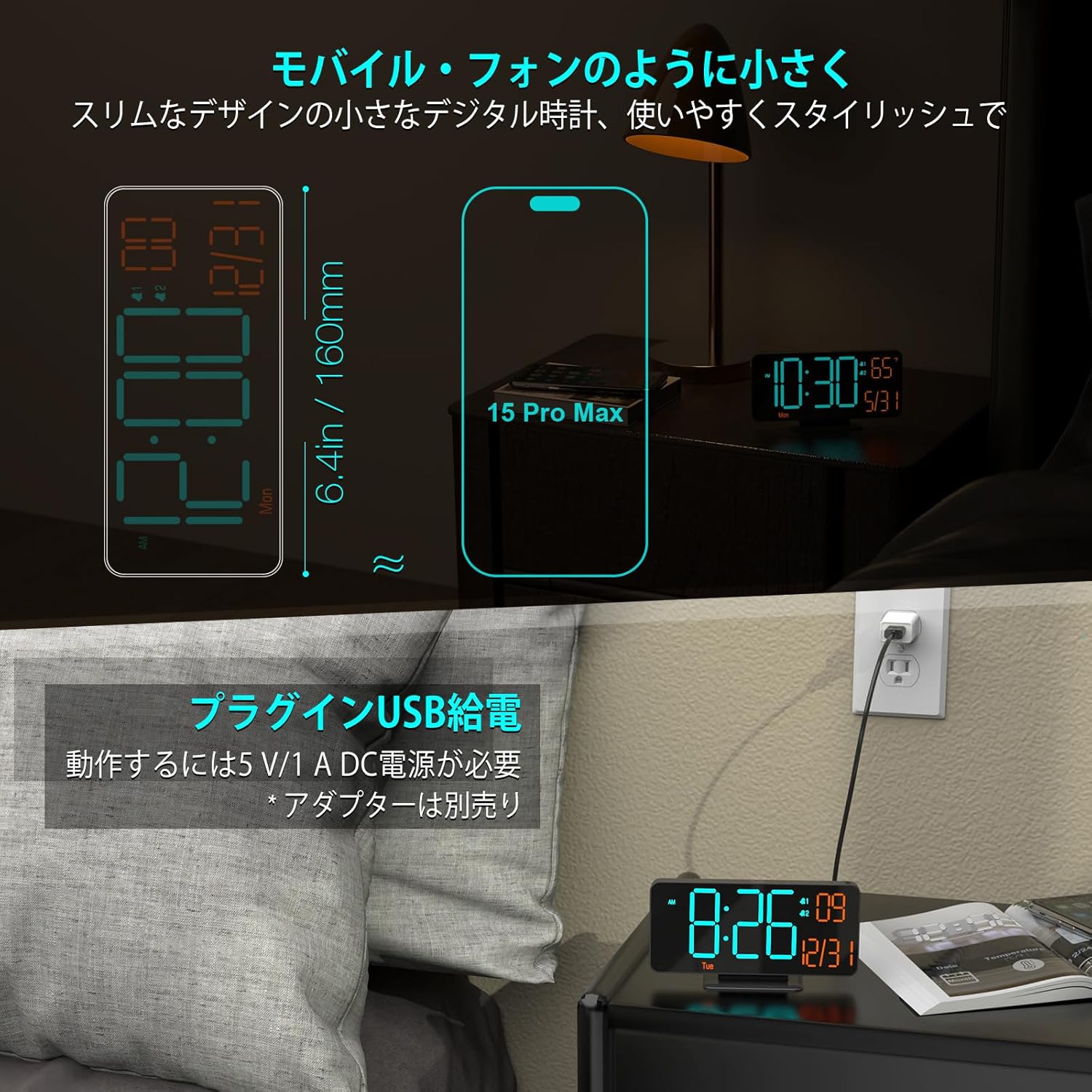
Image 3.1: Display brightness options (manual and automatic).
3.2 Alarm Settings (Dual Alarms)
The clock supports two independent alarms (Alarm 1 and Alarm 2).
- Set Alarm Time: Press and hold ALARM 1 SET or ALARM 2 SET to enter alarm time setting mode. Use + and - to adjust the hour, then press the respective ALARM SET button to confirm and move to minutes. Repeat for minutes.
- Enable/Disable Alarm: Briefly press ALARM 1 SET or ALARM 2 SET to toggle the alarm on or off. An alarm icon will appear on the display when active.
- Alarm Cycle: The clock offers three alarm cycles: Weekdays, Weekends, and Everyday. While setting the alarm, press the ALARM SET button repeatedly after setting minutes to cycle through these options.
3.3 Snooze Function
When an alarm sounds, press the large SNOOZE button on the top of the clock to activate the snooze function. The alarm will pause for 5 minutes and then sound again. To turn off the alarm completely, press any other button on the back of the clock.

Image 3.2: Snooze function activation.
3.4 Display Modes (Seconds/Temperature)
The clock can display seconds or temperature alongside the time and date. Press the SECONDS/TEMPERATURE button to switch between displaying seconds and temperature (°F/°C).

Image 3.3: Various display modes including seconds and temperature.
4. Maintenance
4.1 Cleaning
To clean the clock, gently wipe the display and casing with a soft, dry cloth. Do not use abrasive cleaners, solvents, or spray directly onto the device, as this may damage the surface or internal components.
4.2 Battery Backup
The internal CR2025 button battery maintains time settings during power interruptions. If the clock is unplugged for an extended period, this battery may eventually deplete. To replace it, carefully open the battery compartment on the back of the unit and insert a new CR2025 battery, ensuring correct polarity.
5. Troubleshooting
| Problem | Possible Cause | Solution |
|---|---|---|
| Display is blank | No power; LED display turned off manually. | Ensure USB cable is securely connected to a 5V/1A power source. Press the DIMMING button to check if the display was manually turned off. |
| Alarm does not sound | Alarm is not enabled; alarm volume is too low. | Press ALARM 1 SET or ALARM 2 SET to ensure the alarm icon is displayed. Check alarm settings for correct time and cycle. |
| Time is inaccurate | Initial setting error; prolonged power outage. | Re-set the time following section 2.3. If frequent time drift occurs, ensure a stable power supply. |
| Temperature reading is incorrect | Sensor calibration needed. | The manual does not specify temperature calibration. Ensure the clock is not placed near heat sources or in direct sunlight. |
6. Specifications
- Brand: KOSUMOSU
- Model: BL-330OR-2
- Display Type: LED Digital
- Display Size: 6.7 inches
- Color: Orange LED - Black
- Material: Plastic
- Dimensions: 16.2 cm (Width) x 8.3 cm (Height)
- Power Source: Corded Electric (USB 5V/1A, AC adapter not included)
- Battery Type (Backup): Lithium Metal (CR2025, included)
- Weight: 170 grams
- Features: LED Display, Alarm, Calendar Display, Temperature Display, Automatic Dimming
- Room Type: Office, Kitchen, Bedroom, Living Room, Classroom
7. Warranty & Support
KOSUMOSU Technology provides a 2-year warranty for this product. If you encounter any quality issues or problems with usage, please contact our customer service immediately. We are committed to providing a replacement product or guiding you through setup and usage procedures.
For customer support, please refer to the contact information provided with your purchase or visit the official KOSUMOSU website.


