Introduction
The AIMIBO 2025 Wireless HDMI Receiver is designed to extend HDMI signals wirelessly, providing a flexible solution for multi-display setups. This device operates on a 5GHz frequency, supporting 1080P@60Hz Full HD resolution with minimal latency. It is ideal for various environments, including conference rooms, classrooms, and home entertainment systems, allowing for signal extension up to 165ft (50m) in an open environment.
This manual provides comprehensive instructions for the proper installation, operation, and maintenance of your AIMIBO Wireless HDMI system.
What's in the Box
Please verify that all components are present before proceeding with installation:
- AIMIBO Wireless HDMI Transmitter x1
- AIMIBO Wireless HDMI Receiver x1 (Note: This specific product is an RX Only unit, designed to expand an existing system.)
- HDMI Cable x2
- USB C Cable x2
- Mini / Micro HDMI Adapter x2
- User Manual x1

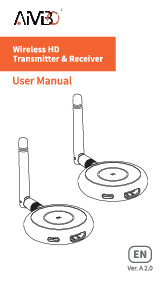
Image: The AIMIBO Wireless HDMI Receiver unit, a compact device with an antenna and ports.
Setup Instructions
The AIMIBO Wireless HDMI system is designed for plug-and-play operation. Follow these steps for initial setup and pairing:
- Connect the Transmitter (TX): Connect the AIMIBO Wireless HDMI Transmitter to your HDMI output device (e.g., laptop, PC, gaming console) using an HDMI cable. Power the TX unit using the provided USB-C cable.
- Connect the Receiver (RX): Connect the AIMIBO Wireless HDMI Receiver to your display device (e.g., HDTV, projector, monitor) using an HDMI cable. Power the RX unit using the provided USB-C cable.
- Initial Pairing (for new receivers):
- Ensure both the TX and RX units are powered on.
- Long-press the button on the RX unit for approximately 3 seconds.
- Immediately long-press the button on the TX unit until its indicator light starts flashing.
- Wait for approximately 10 seconds for the connection to establish. The indicator lights on both units should become solid, indicating a successful pairing.
- Multiple Receivers: If using multiple receivers, pair each new receiver individually with the transmitter following step 3.

Image: A visual guide illustrating the connection process from one transmitter to multiple receivers, showing the pairing steps and final display synchronization.
Operating Instructions
Multi-Screen Operation
The AIMIBO Wireless HDMI system supports connecting one transmitter to up to eight receivers simultaneously. This allows for seamless video and audio streaming to multiple displays without the need for extensive cabling.

Image: An illustration demonstrating a multi-screen monitoring setup, showing a transmitter (TX) connected to a camera and receivers (RX) connected to multiple displays and an iPad app for real-time collaboration.

Image: A diagram illustrating the capability to seamlessly cast content from a laptop to up to eight televisions simultaneously using AIMIBO wireless receivers.
App Functionality
For enhanced functionality, you can turn your iOS or Android phone/tablet into a second screen. Install the user-friendly RScreen app to utilize this feature.

Image: A laptop, tablet, and smartphone displaying the RScreen app interface, demonstrating the ability to use mobile devices as secondary screens.
Maintenance
To ensure the longevity and optimal performance of your AIMIBO Wireless HDMI Receiver, follow these maintenance guidelines:
- Cleaning: Use a soft, dry cloth to clean the exterior of the units. Avoid using liquid cleaners or abrasive materials, as they may damage the surface or internal components.
- Storage: When not in use for extended periods, store the units in a cool, dry place away from direct sunlight and extreme temperatures.
- Cable Management: Ensure all cables are connected securely and are not bent or crimped, which can lead to signal degradation or damage.
- Ventilation: Do not obstruct the ventilation openings on the units, as proper airflow is essential to prevent overheating.
Troubleshooting
If you encounter issues with your AIMIBO Wireless HDMI system, refer to the following common problems and solutions:
- No Signal on Display:
- Ensure both the Transmitter (TX) and Receiver (RX) units are properly powered and their indicator lights are solid.
- Verify that HDMI cables are securely connected to both the source device and the display.
- Confirm that the display is set to the correct HDMI input source.
- Re-attempt the pairing process as described in the Setup section.
- Note: This receiver is only compatible with the wireless HDMI kit featuring a blue screen interface. Ensure your transmitter matches this requirement.
- Intermittent Signal or Poor Quality:
- Reduce the distance between the TX and RX units.
- Minimize obstructions (walls, furniture, other electronic devices) between the units.
- Adjust the position of the antennas on both units for optimal signal reception.
- Ensure there are no strong 5GHz Wi-Fi signals or other wireless devices causing interference nearby. The adjustable wireless channels feature can help mitigate this.
- Pairing Failure:
- Ensure you are following the pairing steps precisely, including the timing of button presses on both TX and RX units.
- Try powering off and on both units before attempting to pair again.
- Ensure the RX unit is compatible with your specific AIMIBO transmitter model.
- Compatibility Issues:
- While widely compatible, some older or specialized HDMI devices may have specific requirements. Ensure your source device's HDMI output is standard compliant.
Specifications
| Brand | AIMIBO |
| Model Number | G70 TRX |
| Transmission Range | Up to 165ft (50m) in an open environment |
| Video Resolution | 1080P@60Hz |
| Wireless Frequency | 5GHz |
| Input/Output | HDMI |
| Max Receiver Quantity | 8 |
| Item Weight | 1.6 ounces |
| Product Dimensions | 3 x 2 x 1 inches |
| Connectivity Technology | USB |
| Controller Type | Button Control |
| Compatible Devices | HDTV, Projector, Monitor, Laptop, PC, Camera, Set-top boxes, Cable Box, Blu-ray/DVD players, Satellite boxes, Gaming consoles |
| Total HDMI Ports | 2 |
| Audio Output Mode | Stereo, Surround |
| Surround Sound Channel Configuration | 5.1 |
| Video Encoding | H.264, H.265/HEVC |
Warranty and Support
AIMIBO is committed to providing high-quality products and customer satisfaction.
- Manufacturer Warranty: Your AIMIBO Wireless HDMI Receiver comes with a 12-month manufacturer replacement warranty from the date of purchase.
- Technical Support: We offer free lifetime technical support for all AIMIBO products. If you encounter any issues or have questions, please contact our support team. We aim to reply to all messages within 24 hours.
- Contact Information: For support inquiries, please refer to the contact details provided on the official AIMIBO website or your purchase documentation.