
Introduction
The Loshall Smart Tracker Card F09-B is a compact, MFi-certified device designed to help you locate your valuable items. Its ultra-thin, card-type design allows it to fit seamlessly into wallets, card cases, or attached to keychains. This tracker is compatible with Apple's Find My network, offering precise location tracking and sound alerts. It features wireless charging and a long-lasting internal battery, providing convenience and reliability.
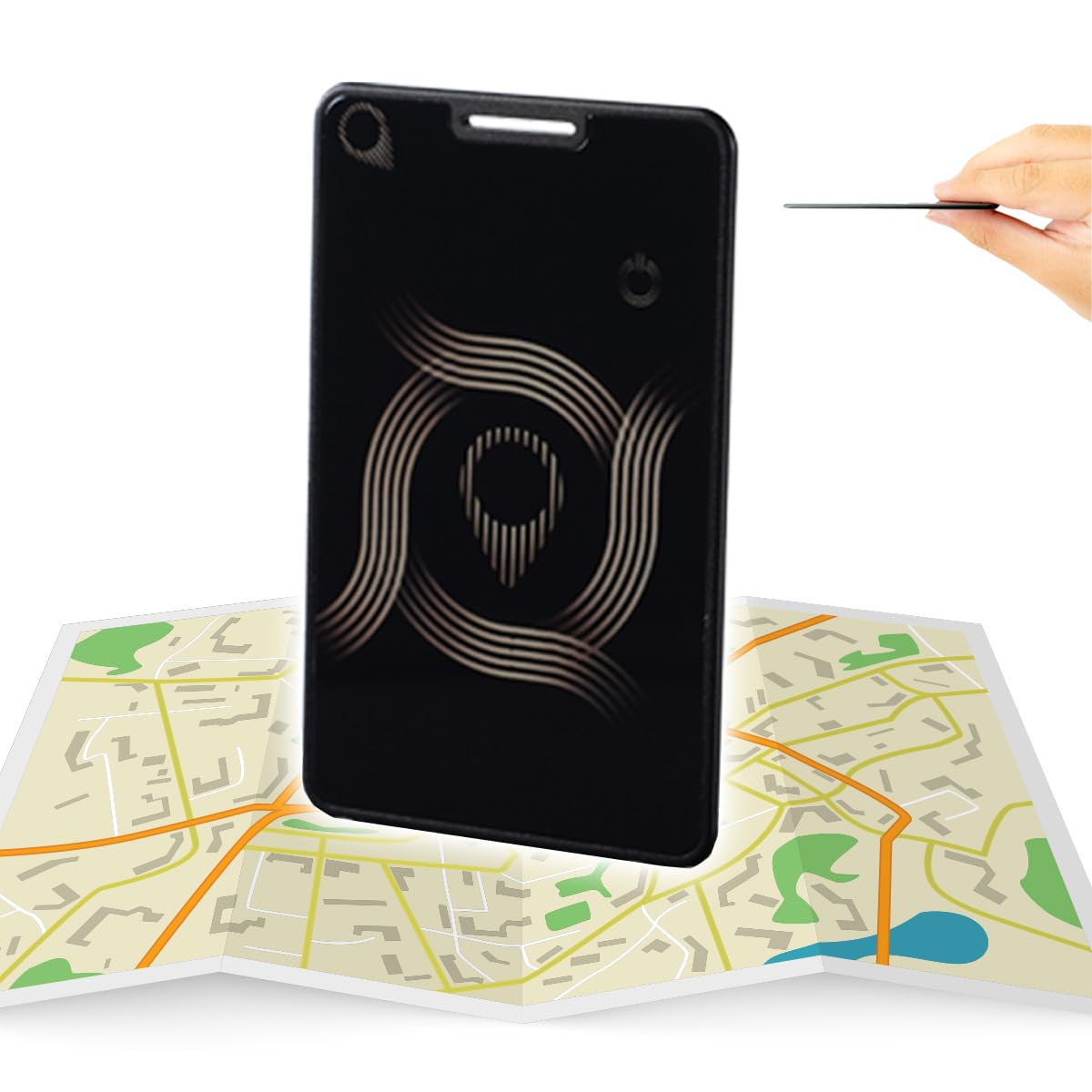
Image: The Loshall Smart Tracker Card F09-B shown in a wallet, next to a smartphone displaying its location on the Apple Find My app. This illustrates the product's primary function and slim design.
Setup
- Initial Charge: Before first use, ensure your Loshall Smart Tracker Card is fully charged. Place the card on a compatible wireless charger. The charging indicator (if present) will confirm charging status.
- Power On: The device typically powers on automatically after charging or when removed from packaging.
- Pairing with Apple Find My:
- Open the 'Find My' app on your iOS device (iPhone, iPad, or Mac).
- Navigate to the 'Items' tab.
- Tap the '+' icon and select 'Add Other Item'.
- Follow the on-screen instructions to connect your Loshall Smart Tracker Card. This usually involves pressing a button on the tracker or bringing it close to your device.
- Once connected, you can name your item and assign an emoji for easy identification.

Image: The Loshall Smart Tracker Card F09-B placed on a wireless charging pad, demonstrating its wireless charging capability.
Operating Instructions
Locating Your Item
- View on Map: Open the 'Find My' app on your iOS device. Select the 'Items' tab and tap on your Loshall Smart Tracker Card. Its current or last known location will be displayed on the map.
- Play Sound: If your item is nearby, tap 'Play Sound' in the 'Find My' app. The tracker will emit an audible alert, helping you pinpoint its exact location. To stop the sound, press the button on the tracker card.
- Lost Mode: If your item is lost, activate 'Lost Mode' in the 'Find My' app. You can enter a contact phone number and a message. If someone finds your item, they can use an NFC-enabled smartphone to read your contact information and return it.

Image: Two individuals viewing a smartphone screen that shows the Apple Find My app, illustrating how to locate items on a map.
Lost Prevention for Children
The Loshall Smart Tracker Card can also be placed in a child's backpack to help track their location using the 'Find My' app, providing an additional layer of safety.

Image: A child with a backpack, accompanied by the 'Works with Apple Find My' logo, demonstrating the tracker's utility for monitoring children's belongings.
Maintenance
- Charging: The device features a long-life battery, lasting approximately 4 to 6 months on a single charge. For optimal performance and to ensure continuous tracking, it is recommended to recharge the device wirelessly every 2-3 months.
- Cleaning: The Loshall Smart Tracker Card has an IP67 waterproof and dustproof rating, meaning it is resistant to splashes and dust. To clean, gently wipe with a soft, damp cloth. Avoid using harsh chemicals or abrasive materials.
- Handling: The tracker features a glass mirror finish for a premium look. Handle with care to prevent scratches or damage. Avoid placing it under heavy pressure or bending it, especially when stored in a wallet or pocket, as excessive force can damage the internal components or the glass surface.
Troubleshooting
| Problem | Possible Cause | Solution |
|---|---|---|
| Cannot connect to Find My app | Device is not charged, out of range, or not in pairing mode. | Ensure the device is charged. Bring it close to your iOS device. Follow pairing steps in the 'Setup' section carefully. |
| Inaccurate location tracking | GPS signals can be affected by environment (indoors, dense urban areas) or network availability. | The Find My network relies on nearby Apple devices. Location accuracy may vary. Use the 'Play Sound' feature when the item is nearby for precise location. |
| Sound alert is not loud enough or doesn't play | Device battery is low or item is too far away. | Charge the device. Ensure the item is within Bluetooth range of your iOS device or a device on the Find My network. |
| Device appears unresponsive | Low battery or temporary software glitch. | Charge the device fully. If unresponsive after charging, try pressing the physical button on the card (if visible) to reset or activate. |
| Physical damage (cracks, bends) | Excessive pressure or impact. | Handle the device with care. Avoid placing it in situations where it might be sat on or subjected to strong impacts. Physical damage is typically not covered under warranty. |
Specifications
- Model Number: F09-B
- Brand: Loshall
- Compatible Devices: Smartphones (iOS devices for Find My functionality)
- Color: Black
- Product Dimensions: 8.5 x 5.4 x 0.2 cm
- Item Weight: 18.2 grams
- Battery: 1 Lithium Polymer battery (included, non-replaceable)
- Charging: Wireless Charging compatible
- Water/Dust Resistance: IP67
- Certification: MFi Certified

Image: A screenshot from the MFi Licensed Accessories Search page, confirming the Loshall Card's MFi certification.
Warranty
The Loshall Smart Tracker Card F09-B comes with a 1-year manufacturer warranty from the date of purchase. This warranty covers defects in materials and workmanship under normal use. It does not cover damage caused by misuse, accidents, unauthorized modifications, or normal wear and tear. For warranty claims, please retain your proof of purchase.
Support
For technical assistance, troubleshooting not covered in this manual, or warranty inquiries, please contact Loshall customer support. Refer to the product packaging or the official Loshall website for the most current contact information.
Online Resources: Visit the official Loshall website for FAQs, updated manuals, and support articles.
Email Support: [Insert Manufacturer Email Here, if available]
Phone Support: [Insert Manufacturer Phone Number Here, if available]


