
1. Introduction and Overview
The BOBLOV KJ23Pro 2K Body Camera is a versatile and robust device designed for high-definition video and photo capture in various environments. Featuring 2K video recording and 38MP photo resolution, it ensures clear and detailed evidence collection. Equipped with a powerful 4000mAh battery, it supports up to 15 hours of continuous recording at 1080P, making it suitable for extended use. Its night vision capability, enhanced by five IR lights, provides superior visibility in low-light conditions. The camera is built with an IP66 waterproof design, offering durability for law enforcement, security personnel, and outdoor enthusiasts.

Image: Police officer demonstrating the BOBLOV KJ23Pro 2K Body Camera's wearability and 2K clarity.
2. What's in the Box
Your BOBLOV KJ23Pro package includes the following items:
- Camera Body
- Battery (integrated 4000mAh)
- USB-C Charging Cable
- Wall Charger Adapter
- Car Charger Adapter
- Curved Adhesive Mount
- Mounting Buckle
- Thumb Screw
- Dual Shoulder Mount
- Body Worn Camera Vest Mount
- User Manual
Ensure all components are present before proceeding with setup.
Video: An unboxing of the KJ23Pro body camera, showcasing all included accessories such as charging cables, wall adapter, car charger, and various mounting clips.
3. Product Features
- Enhanced Visuals: Capture 2K video and 38MP photos for high-definition viewing and detailed evidence.
- Extended Battery Life: Integrated 4000mAh battery provides up to 15 hours of continuous 1080P recording.
- Night Vision: Equipped with five high-intensity IR lights for clear footage in complete darkness.
- Durable Design: IP66 waterproof rating ensures reliability in various weather conditions.
- Universal Compatibility: Dual shoulder mount and body worn camera vest mount are compatible with most body camera brands.
- Flexible Mounting: Includes various clips and mounts for versatile attachment to clothing, vests, or vehicles.
- Loop Recording: Supports long video fragments with default and customizable lengths.
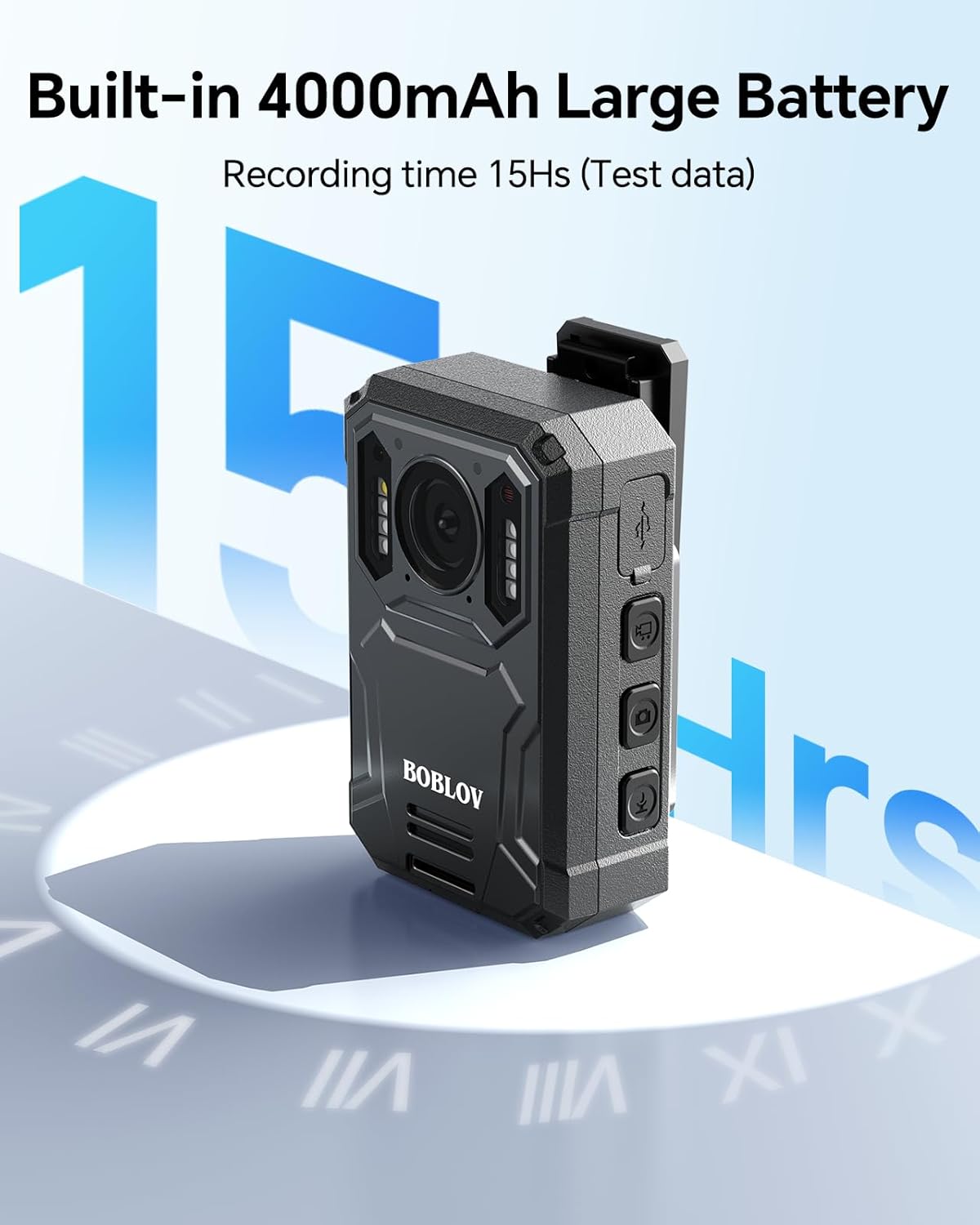
Image: The BOBLOV KJ23Pro camera showcasing its built-in 4000mAh battery, providing up to 15 hours of continuous recording.

Image: The BOBLOV KJ23Pro camera highlighting its night vision capability, ensuring clear footage in low-light conditions.
4. Setup
4.1 Initial Charging
Before first use, fully charge the BOBLOV KJ23Pro body camera. Connect the USB-C charging cable to the camera and the other end to the provided wall charger adapter or car charger. A full charge typically takes approximately 4 hours.
4.2 Power On/Off
- To Power On: Long press the Power On/Off button (usually located at the bottom side of the camera) for a few seconds until the screen illuminates.
- To Power Off: Long press the Power On/Off button again until the screen shuts down.
4.3 Memory
The KJ23Pro comes with internal memory (e.g., 256GB as per product title). If your model supports external memory, ensure a compatible A1 Micro SD card (up to 128GB) is inserted correctly before use. You can format the SD card via the camera's menu settings.
5. Operating Instructions
5.1 Button Functions
Familiarize yourself with the camera's buttons for optimal operation:
- Power On/Off Button: Long press to power on/off. Short press acts as a return key in the menu.
- Return Button: Short press to return to the previous menu/screen.
- Light Button: Short press to turn on/off the white illuminator/red laser. Long press to turn on/off IR lights.
- Video Button: Short press to start/stop video recording.
- Audio Button: Short press to start/stop audio recording. Long press to lock the camera.
- Photo Button: Short press to take a photo. Long press to activate red-blue warning lights.
- Menu Button: Accesses settings and playback options.
- Left/Right Buttons: Navigate through menu options and playback files.
- OK Button: Confirms selection in the menu or starts playback.
5.2 Recording Video and Audio
With the camera powered on, press the Video Button to start recording. The screen will display recording time. Press the Video Button again to stop. For audio-only recording, press the Audio Button.
5.3 Taking Photos
While the camera is on, press the Photo Button to capture a still image.
5.4 Playback and File Management
To review recorded files, press the Menu Button to enter the playback mode. Use the Left/Right Buttons to navigate through videos, photos, or audio files. Press OK Button to play/view a selected file. You can also delete files from this menu.
Video: Demonstration of the camera's menu navigation, settings, and file playback, including options for video, photo, and audio files.
6. Mounting Options
The BOBLOV KJ23Pro offers versatile mounting solutions for various scenarios:
- Small Clip: Ideal for attaching to shirt pockets or thin clothing.
- Larger Clip: Suitable for thicker garments or shoulder straps, commonly used by law enforcement.
- Car Mount (Suction Cup): Allows secure attachment to vehicle windshields or dashboards for use as a dash cam. Features swivel points for adjustable angles.
- Dual Shoulder Mount: Provides a stable, hands-free recording experience, perfect for patrolling, walking, or cycling.
- Body Worn Camera Vest Mount: Designed for secure attachment to tactical vests, ensuring the camera remains in place during active duty.

Image: A police officer wearing the BOBLOV KJ23Pro camera with an adjustable chest mount for hands-free recording.

Image: Various uses of the wearable dual shoulder mount, including for patrolling, walking pets, evidence collection, and cycling.
Video: A demonstration of the BOBLOV Body Camera Vest Mount, showing how it securely attaches to a tactical vest for hands-free operation.
7. Specifications
| Feature | Detail |
|---|---|
| Brand | BOBLOV |
| Model Name | KJ23Pro |
| Video Capture Resolution | 2K |
| Photo Sensor Technology | CMOS |
| Special Feature | Night Vision |
| Connectivity Technology | USB |
| Video Capture Format | MP4 |
| Battery Capacity | 4000mAh |
| Continuous Recording Time | Up to 15 hours (1080P) |
| Waterproof Rating | IP66 |
| Internal Memory | 256GB (as per product title, optional 32GB/128GB models may exist) |
8. Maintenance
- Cleaning: Use a soft, dry cloth to clean the camera lens and body. Avoid abrasive cleaners or solvents.
- Battery Care: To prolong battery life, avoid fully discharging the battery frequently. Charge the camera regularly, especially if it will be stored for an extended period.
- Storage: Store the camera in a cool, dry place away from direct sunlight and extreme temperatures.
- Firmware Updates: Check the BOBLOV official website periodically for any available firmware updates to ensure optimal performance and new features.
9. Troubleshooting
- Camera Not Turning On: Ensure the battery is charged. Connect to a power source and try again. If the issue persists, perform a factory reset via the menu if accessible.
- Recording Issues: Check if the internal memory is full. If so, transfer files to a computer and delete them from the camera, or format the memory card. Ensure the memory card is properly inserted.
- Poor Video/Photo Quality: Verify that the resolution and quality settings are set to your desired levels (e.g., 2K for video, 38MP for photos). Ensure the lens is clean.
- Night Vision Not Working: Check if the IR lights are enabled in the settings. Ensure there are no obstructions blocking the IR lights.
10. Warranty and Support
For warranty information, technical support, or service inquiries, please refer to the documentation included with your product or visit the official BOBLOV website. Keep your purchase receipt as proof of purchase for warranty claims.


