
1. Introduction
This manual provides detailed instructions for the assembly, operation, maintenance, and troubleshooting of your TOPUTURE TP1 Exercise Bike. Please read this manual thoroughly before using the product to ensure safe and effective operation. This exercise bike is designed for home use, offering a quiet and efficient workout experience with magnetic resistance and app connectivity.
2. Important Safety Information
Please adhere to the following safety guidelines to prevent injury and ensure proper use of the exercise bike:
- This machine is intended for home use only.
- Children should not use this machine without adult supervision.
- To avoid injury, do not place hands or any objects into the belt or flywheel area when the machine is in operation.
- Individuals with heart disease or lung conditions should consult a medical professional before using this exercise bike.
- Ensure all bolts and nuts are securely tightened before each use.
- Place the exercise bike on a flat, stable surface.
- Wear appropriate exercise attire and footwear.

Image: Warning label indicating safety precautions for the exercise bike.
3. Product Overview and Components
The TOPUTURE TP1 Exercise Bike is designed for effective indoor cycling, featuring a robust build and user-friendly functions.

Image: Full view of the TOPUTURE Exercise Bike, highlighting its design and app connectivity.
Key Features:
- 100% Magnetic Resistance: Provides smooth, quiet, and consistent resistance for varied workout intensities.
- Ultra-Quiet Belt Drive: Ensures a silent operation, ideal for home environments without disturbing others.
- LCD Monitor: Tracks essential workout data including time, speed, distance, calories, odometer, and pulse.
- App Connectivity: Compatible with popular fitness apps like Z-Sport, Zwift, and Kinomap for interactive training.
- High Weight Capacity: Supports users up to 330 lbs (150 kg).
- Adjustable Components: Seat and handlebars are adjustable for various user heights and preferences.
Main Components:
- Adjustable Handlebar: Offers multiple grip positions for comfort during different cycling postures.
- Adjustable Seat: Can be adjusted horizontally and vertically to fit various body types.
- Magnetic Brake System: Provides smooth and precise resistance control.
- Water Bottle Holder: Conveniently located for hydration during workouts.
- Anti-Slip Footrests (Pedals): Designed for secure foot placement during intense cycling.
- Transport Wheels: Located at the front base for easy relocation of the bike.

Image: Visual breakdown of key components including adjustable handlebar, seat, magnetic brake, bottle holder, anti-slip footrests, and transport wheel.

Image: Illustration of the ultra-quiet belt drive system, emphasizing low noise operation.

Image: Detailed view of the magnetic resistance adjustment knob, showing various resistance levels.

Image: Exercise bike highlighting its heavy-duty steel construction and 330 lbs (150 kg) weight capacity.

Image: User engaged in a cycling session, simulating an outdoor experience with virtual scenery.
4. Setup and Assembly
The TOPUTURE TP1 Exercise Bike is designed for straightforward assembly. All necessary tools are included in the package.
Assembly Steps:
- Unpack all components from the box and verify against the parts list (refer to the included assembly guide for a complete list).
- Attach the front and rear stabilizers to the main frame using the provided bolts and wrenches.
- Install the pedals, ensuring they are tightened securely. Note that pedals are often marked 'L' for left and 'R' for right, and may have different threading directions.
- Mount the seat post and seat, adjusting to your preferred height and position.
- Attach the handlebar post and handlebars, securing them firmly.
- Connect the LCD monitor cables and mount the monitor onto the handlebar assembly.
- Perform a final check to ensure all connections are secure and the bike is stable.

Image: Side profile of the fully assembled exercise bike, showcasing its compact design.
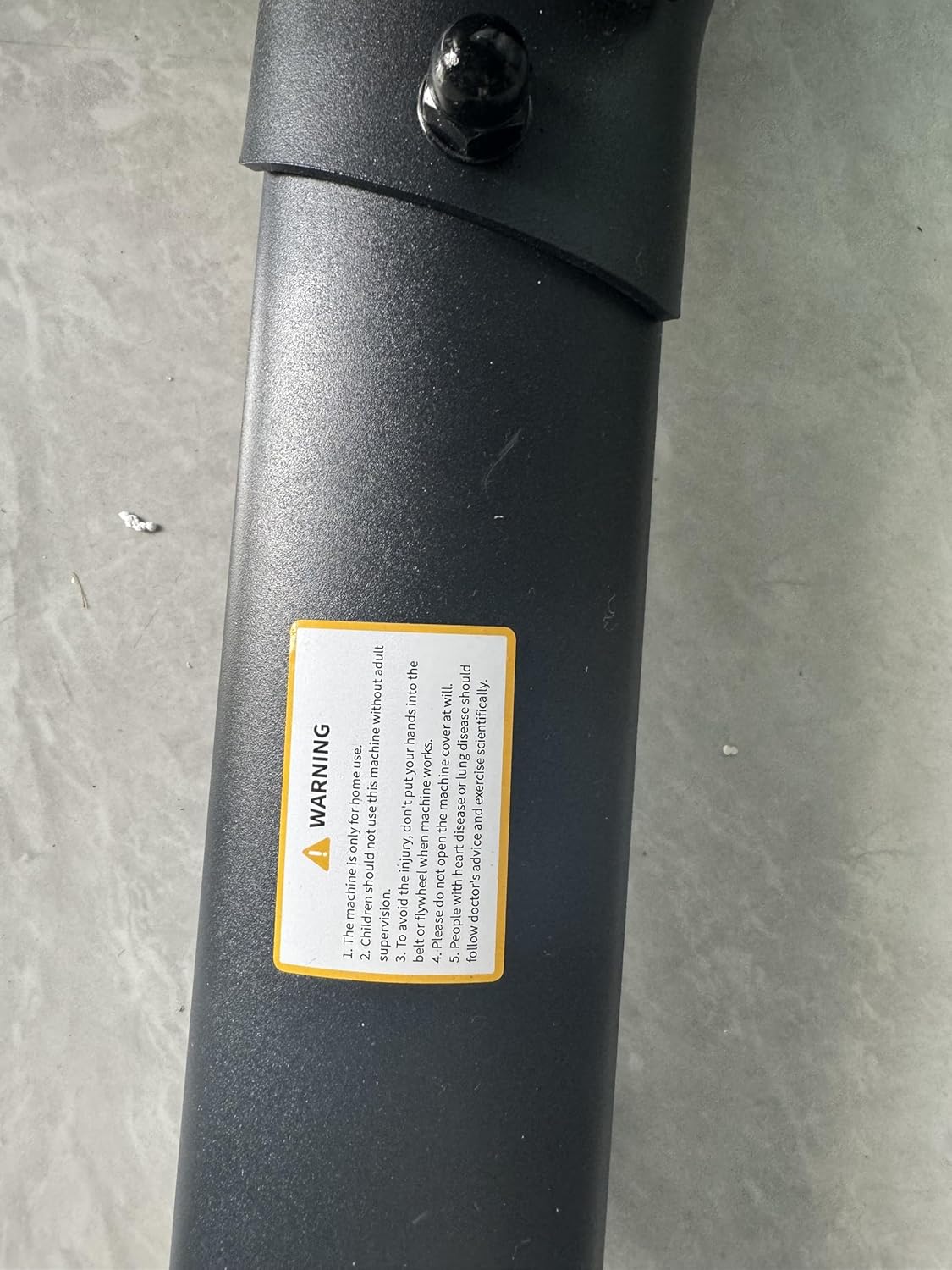
Image: Opposite side profile of the assembled exercise bike, providing another angle of its structure.
5. Operating Instructions
Adjusting the Bike:
- Seat Adjustment: Loosen the adjustment knob under the seat to move it forward or backward. Loosen the knob on the seat post to adjust the height. Tighten securely after adjustment.
- Handlebar Adjustment: Loosen the adjustment knob on the handlebar post to adjust the height. Tighten securely.
- Resistance Adjustment: Turn the red knob located on the frame clockwise to increase magnetic resistance and counter-clockwise to decrease it.
- Emergency Stop: Press down firmly on the red resistance knob to engage the emergency brake and stop the flywheel immediately.

Image: Diagram illustrating the adjustable ranges for the seat and handlebars, along with recommended user height.
Using the LCD Monitor:
The integrated LCD monitor displays your workout metrics. It typically operates on AAA batteries.
- Functions: The monitor cycles through SCAN, TIME, SPD (Speed), DST (Distance), CAL (Calories), ODO (Odometer), and PULSE (Heart Rate).
- MODE Button: Press to select a specific display mode or hold to reset values.
- Heart Rate Tracking: Place your hands on the heart rate sensors on the handlebars to display your pulse.
- Device Holder: A convenient holder is provided for your smartphone, tablet, or iPad, allowing you to watch videos or use fitness apps during your workout.

Image: View of the LCD monitor and the integrated holder for electronic devices, with icons representing various metrics.
App Connectivity:
Connect your exercise bike to compatible fitness applications via Bluetooth for an enhanced training experience.
- Download the Z-Sport, Zwift, or Kinomap app from your device's app store.
- Enable Bluetooth on your device and within the app.
- Follow the in-app instructions to pair your TOPUTURE TP1 Exercise Bike.
- Enjoy virtual rides, track detailed progress, and engage with online communities.
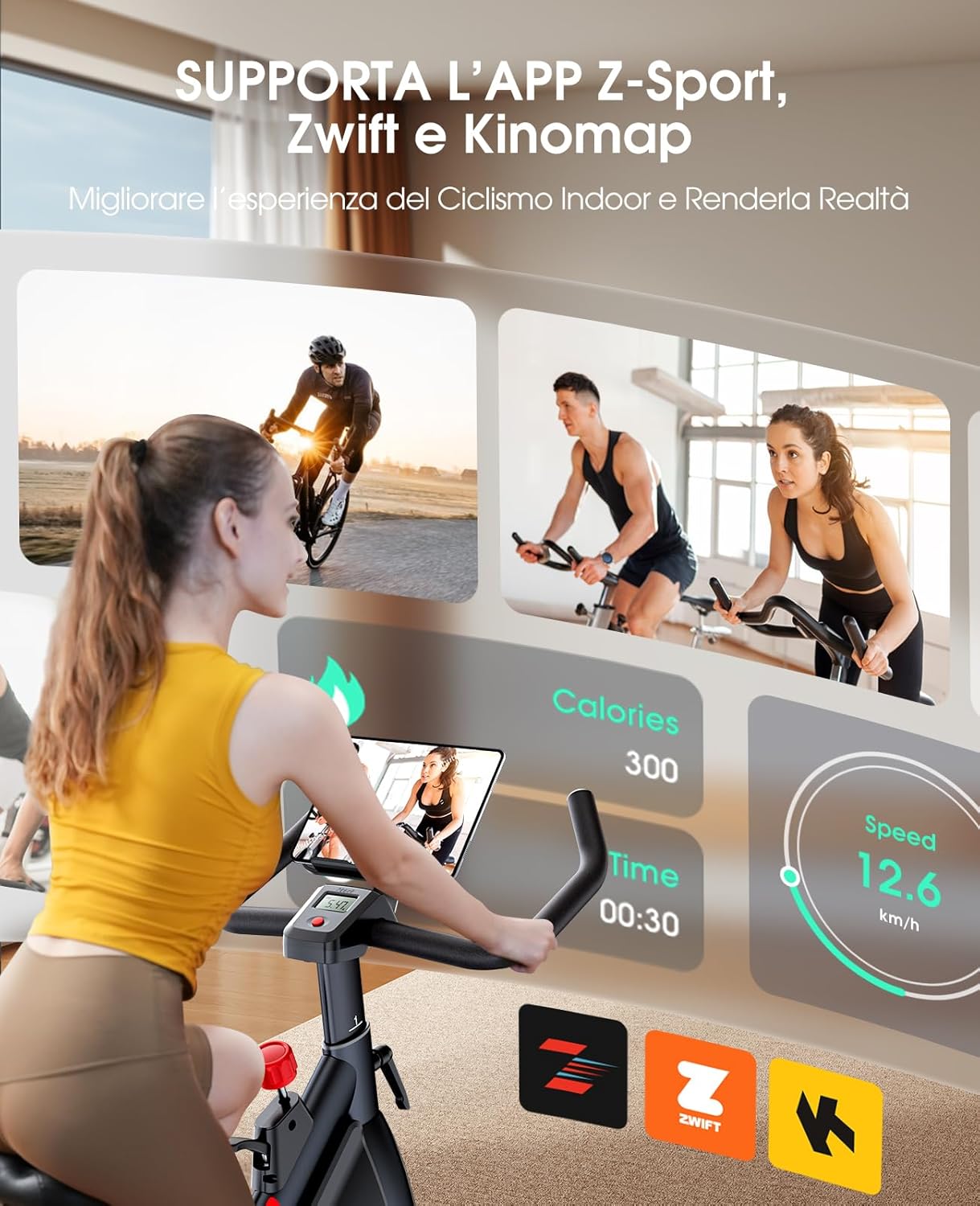
Image: A user on the exercise bike, with a screen displaying app integration for Z-Sport, Zwift, and Kinomap.
6. Maintenance
Regular maintenance ensures the longevity and optimal performance of your exercise bike.
- Cleaning: Wipe down the bike with a damp cloth after each use to remove sweat and dust. Avoid abrasive cleaners.
- Lubrication: Periodically check for any squeaking noises. Apply a small amount of silicone-based lubricant to moving parts, such as the handlebar and seat posts, if needed.
- Bolt Check: Regularly inspect and tighten all bolts and nuts to ensure the bike remains stable and safe.
- Belt Inspection: While the belt drive is low maintenance, occasionally check for any signs of wear or damage.
7. Troubleshooting
Here are solutions to common issues you might encounter:
| Problem | Possible Cause | Solution |
|---|---|---|
| LCD Monitor Not Working | Dead batteries; Loose connection. | Replace AAA batteries. Check that all monitor cables are securely connected. |
| Squeaking Noise During Use | Loose bolts; Lack of lubrication on moving parts. | Tighten all visible bolts and nuts. Apply silicone-based lubricant to the seat post, handlebar post, and pedal axles if the noise persists. |
| Unstable Bike | Uneven floor; Loose stabilizers. | Ensure the bike is on a flat surface. Adjust the leveling feet on the stabilizers. Tighten all stabilizer bolts. |
| Resistance Not Changing | Magnetic brake system issue. | Ensure the resistance knob is properly engaged. If the issue persists, contact customer support. |
8. Specifications
| Feature | Detail |
|---|---|
| Brand | TOPUTURE |
| Model Number | TP1 |
| Item Weight | 30 Kilograms |
| Material | Iron |
| Maximum Weight Recommendation | 330 lbs (150 kg) |
| Item Dimensions (LxWxH) | 42.91 x 23.23 x 46.46 inches |
| Minimum User Height | 150 Centimeters |
| Maximum User Height | 185 Centimeters |
| Resistance Type | Magnetic |
| Drive System | Belt Drive |
9. Warranty and Support
For warranty information or technical assistance, please contact TOPUTURE customer support. Details for contacting support are typically found on the product packaging or the official TOPUTURE website.
If you encounter any issues not covered in this manual, or require replacement parts, please reach out to our dedicated support team for prompt assistance.


