
BLUETTI BLUETTI Handsfree2
BLUETTI Solar Generator Handsfree 2 Backpack Instruction Manual
Model: BLUETTI Handsfree2
Product Overview
The BLUETTI Solar Generator Handsfree 2 Backpack is an integrated portable power solution designed for outdoor enthusiasts, photographers, and travelers. It combines a powerful solar generator with a spacious backpack, offering convenient power on the go.
- All-in-One Backpack Solar Generator: Integrated with a 512Wh solar generator and a 60L outdoor backpack, this system handsfreely juices your phone, camera, and camping gear.
- Ideal Drone Backpack for Photographers: Features a 700W AC outlet, 2 USB-C, and 2 USB-A ports to charge up to 5 devices simultaneously. A dedicated compartment stores photography gear neatly.
- Efficient Solar Recharge: Fully charges in 2 hours with 350W solar input. The power station intelligently stops and resumes charging in varying sunlight conditions for maximum efficiency.
- Rugged Outdoor Backpack: Built for outdoor adventures with IPX4 water resistance, 180° opening, 66 lbs load capacity, MOLLE system, and ErgoBLUE support system for comfort and durability.

Figure 1: BLUETTI Handsfree 2 Backpack with the integrated power station visible.
Setup
Before first use, ensure all components are present and the power station is fully charged.
- Unpack Components: Carefully remove the BLUETTI solar generator Handsfree 2, 60L Bluepack 2, AC charging cable, solar charging cable, grounding screw, and user manual from their packaging.
- Assemble Backpack: The 60L Bluepack 2 is shipped separately. Integrate the power station into its dedicated compartment within the backpack. Ensure it is securely placed.
- Initial Charge (AC): Connect the AC charging cable to the power station and a wall outlet. The display will show charging progress. A full charge takes approximately 1.5 hours.
- Solar Panel Connection (Optional): If using a solar panel (sold separately), connect the solar charging cable to the power station's DC/PV input port. Ensure the solar panel is placed in direct sunlight for optimal charging.
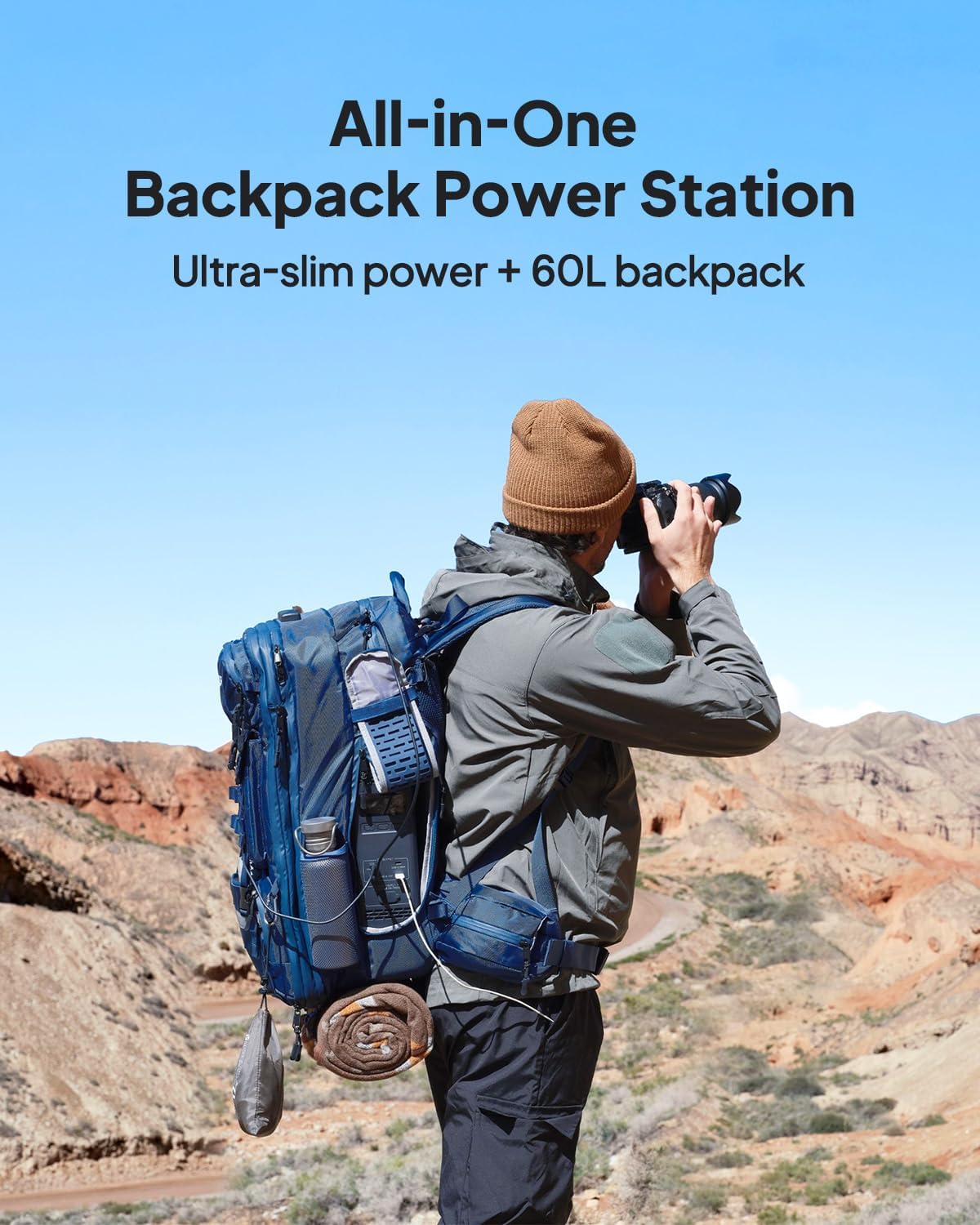
Figure 2: The Handsfree 2 Backpack with the power station inserted, ready for use.
Operating Instructions
The Handsfree 2 Power Station offers multiple output ports for various devices.
- Powering On/Off: Press and hold the power button on the power station's display panel to turn it on or off.
- DC Output: The power station features 2 USB-C (100W each) and 2 USB-A (15W each) ports. Press the 'DC' button on the display to activate these ports.
- AC Output: The power station has 1 AC outlet (700W). Press the 'AC' button on the display to activate the AC output.
- Charging Devices: Connect your devices to the appropriate USB or AC ports. The display will show the output wattage.
- Charging On-the-Go: The power station is designed for easy access while wearing the backpack. Utilize the side openings to connect devices without removing the pack.

Figure 3: The power station can charge up to 5 devices simultaneously, including drones, cameras, smartphones, and laptops.
Official Product Video: Handsfree Parameters and Functions Overview
Video 1: This official video from BLUETTI provides a detailed overview of the Handsfree 2's parameters and functions, demonstrating its various ports and capabilities.
Maintenance
Proper maintenance ensures the longevity and optimal performance of your BLUETTI Handsfree 2.
- Cleaning: Use a soft, dry cloth to clean the exterior of the power station and backpack. Avoid using harsh chemicals or abrasive materials.
- Storage: Store the unit in a cool, dry place away from direct sunlight and extreme temperatures. Ensure the battery is charged to at least 50% before long-term storage.
- Battery Health: For optimal battery life, avoid fully discharging the unit frequently. Recharge it regularly, even if not in use.
- Ventilation: Ensure the ventilation grilles on the power station are clear of obstructions to prevent overheating.
Troubleshooting
Common issues and their solutions.
| Problem | Possible Cause | Solution |
|---|---|---|
| Power station not turning on. | Low battery; Power button not pressed long enough. | Charge the power station; Press and hold the power button for 3-5 seconds. |
| Devices not charging. | Output ports not activated; Cable issue; Device not compatible. | Press DC/AC button to activate ports; Try a different cable; Check device power requirements. |
| Overheating warning on display. | Blocked ventilation; Excessive load. | Ensure vents are clear; Reduce connected load; Allow unit to cool down. |
| Solar charging is slow or not working. | Insufficient sunlight; Incorrect panel angle; Dirty panel; Cable issue. | Move to direct sunlight; Adjust panel angle; Clean panel surface; Check cable connections. |
Specifications
- Brand: BLUETTI
- Model Name: BLUETTI Handsfree2
- Wattage: 512 Watt-hours
- Power Source: Solar Powered
- Item Weight: 16.5 Pounds (Power Station)
- Product Dimensions: 15.2"L x 4.1"W x 12"H (Power Station)
- Material: Nylon (Backpack)
- Backpack Capacity: 60L
- Special Feature: Portable
- Included Components: BLUETTI Handsfree 2 power station, 60L Bluepack 2, AC charging cable, solar charging cable, grounding screw, user manual.
Warranty & Support
BLUETTI products typically come with a manufacturer's warranty. Please refer to the included user manual for specific warranty terms and conditions.
- Protection Plans: Optional 3-Year and 4-Year Protection Plans are available for extended coverage.
- Return Policy: A 30-day refund/replacement return policy is typically offered.
- Manufacturer Support: For further assistance or inquiries, please visit the official BLUETTI Store or contact their customer service.
Related documentsBLUETTI Handsfree2


Ask a question about this manual
Ask about setup, troubleshooting, compatibility, parts, safety, or missing instructions. Manuals+ will review the question and use this page’s manual context to help answer it.