
Introduction
The CYCPLUS H2Pro Heart Rate Monitor Chest Strap is designed to provide accurate, real-time heart rate data for optimizing your training and performance. Utilizing advanced ECG algorithms, it ensures precise monitoring across various fitness activities. This manual provides essential information for setting up, operating, maintaining, and troubleshooting your device.
Product Overview
Key Features
- Precise Heart Rate Tracking: ECG algorithm with proprietary motion-interference cancellation technology for stable, accurate real-time heart rate data.
- Comfortable Wear: Lightweight (21g, 34g with strap) with soft, breathable materials and an adjustable strap for a secure fit.
- Seamless Connection: Syncs via Bluetooth 5.0 or ANT+ with popular fitness apps (Strava, Zwift, Cycplus Fit), smartwatches (Apple Watch, Garmin), and cycling computers (Wahoo).
- Extended Battery Life: Powered by a user-replaceable CR2032 coin-cell battery, offering up to 500 hours of operation.
- HRV-Driven Performance Analytics: Accurately identifies R-wave peaks for millisecond-level heartbeat changes, enabling HRV-based training load adjustments.
- IPX7 Weatherproof Shield: Designed to withstand rain, sweat, and submersion up to 1m for 30 minutes.
Setup
1. Attaching the Sensor to the Chest Strap
Align the two snap fasteners on the back of the heart rate monitor sensor with the corresponding fasteners on the chest strap. Press firmly until they click into place.

Image: The black CYCPLUS H2Pro sensor module is shown snapped onto the black elastic chest strap, highlighting the connection points.
2. Wearing the Chest Strap
- Moisten Electrodes: Lightly moisten the electrode areas on the back of the chest strap with water or electrode gel. This ensures optimal conductivity and accurate readings, especially in dry conditions.
- Positioning: Place the chest strap directly against your skin, just below your chest muscles. The sensor module should be centered on your chest.
- Adjust Fit: Adjust the strap length to ensure a snug, comfortable fit that does not restrict breathing or movement. The strap should be secure enough to prevent slipping during activity.
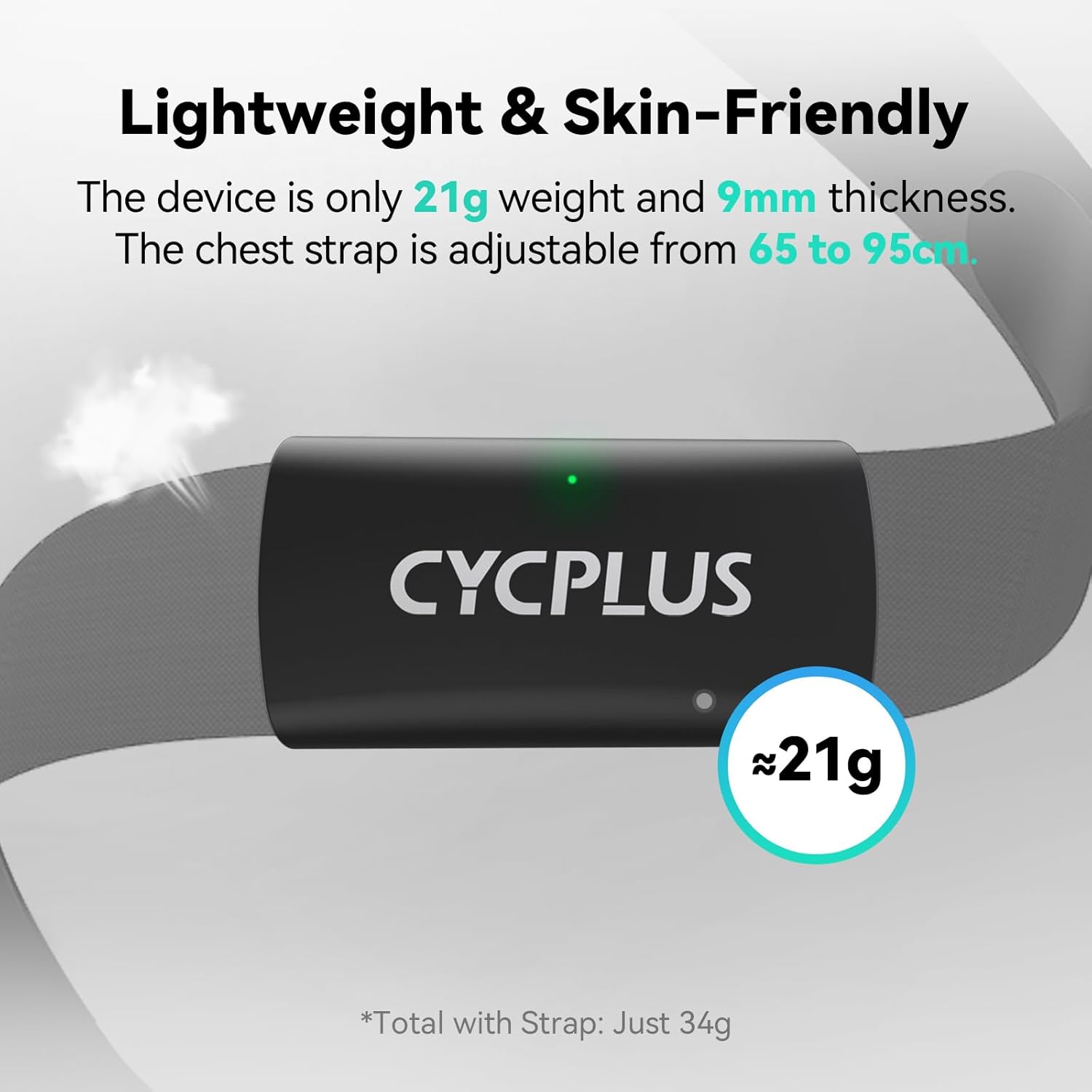
Image: A person is shown adjusting the black elastic chest strap with the CYCPLUS sensor module around their chest, ensuring a snug fit.
3. Initial Power On
The H2Pro heart rate monitor automatically powers on when worn correctly and detects a heart rate signal. No manual power button is required for activation.

Image: A person wearing the CYCPLUS H2Pro chest strap, with a glowing green light on the sensor indicating it is active and detecting heart rate.
Operating Instructions
1. Connecting to Devices and Apps
The H2Pro supports both Bluetooth 5.0 and ANT+ connectivity, allowing it to pair with a wide range of fitness devices and applications simultaneously.
- Smartphones & Fitness Apps: Activate Bluetooth on your smartphone. Open your preferred fitness app (e.g., Strava, Zwift, Cycplus Fit, Polar Beat, Wahoo Fitness). Navigate to the sensor or device pairing section within the app and select the H2Pro from the list of available devices.
- Smartwatches: On your compatible smartwatch (e.g., Apple Watch, Garmin Watches), go to the sensor settings and initiate a search for new heart rate sensors. Select the H2Pro when it appears.
- Bike Computers & Fitness Equipment: For devices supporting ANT+ (e.g., Wahoo Bike Computers, treadmills, ellipticals), enable ANT+ sensor search and pair with the H2Pro.

Image: A collage of popular fitness app logos, demonstrating the wide compatibility of the heart rate monitor.
2. Real-time Heart Rate Monitoring
Once connected, your heart rate data will be displayed in real-time on your paired device or app. The H2Pro's ECG-grade accuracy ensures reliable readings for effective training.

Image: A graph illustrating the precise heart rate tracking of the CYCPLUS H2Pro, comparing its data with another leading heart rate monitor.
3. Heart Rate Variability (HRV)
The H2Pro can capture Heart Rate Variability (HRV) data, which is crucial for advanced training analysis. This feature helps quantify fatigue, optimize recovery, and prevent overtraining by identifying R-wave peaks and instantaneous heartbeat changes.

Image: An athlete performing weightlifting exercises while wearing the CYCPLUS H2Pro, with a mobile app interface showing detailed Heart Rate Variability (HRV) insights.
4. Auto Sleep Mode
To conserve battery life, the H2Pro automatically enters a low-power sleep mode when detached from the body. No manual shutdown is required.

Image: A person is shown removing the CYCPLUS H2Pro chest strap, illustrating the device's automatic transition to sleep mode when not in use.
Maintenance
1. Cleaning the Chest Strap
After each use, detach the sensor module from the chest strap. Rinse the chest strap under running water and hang it to dry. Avoid using strong detergents or harsh chemicals, as these can damage the electrodes and fabric. The strap is designed to be washable.
2. Battery Replacement
The H2Pro is powered by a user-replaceable CR2032 coin-cell battery. With typical usage (3 times weekly, 1 hour per session), the battery can last up to 500 hours (approximately 3 years). When the battery is low, replace it with a new CR2032 battery. Refer to the device's indicator or connected app for battery status.
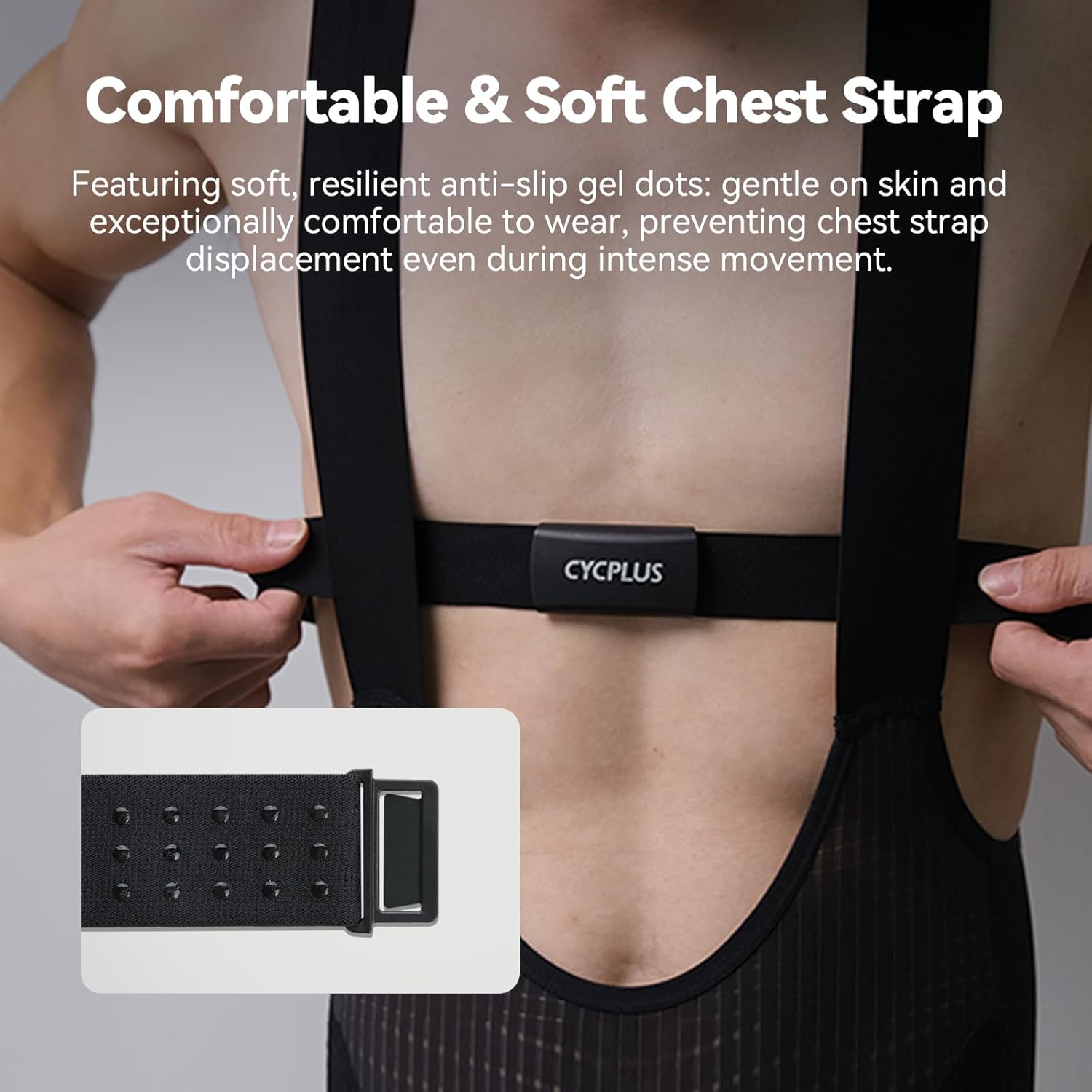
Image: An exploded view diagram illustrating the CR2032 coin-cell battery and its compartment within the CYCPLUS H2Pro sensor, along with battery level indicators.
3. Storage
Store the heart rate monitor in a cool, dry place when not in use. Detach the sensor from the strap to ensure the device enters auto-sleep mode and prolong battery life.
Troubleshooting
- No Heart Rate Data / Connectivity Issues:
- Ensure the electrode areas on the chest strap are sufficiently moistened. Dry air can hinder signal transmission.
- Verify that the sensor module is securely snapped onto the chest strap.
- Check that Bluetooth/ANT+ is enabled on your receiving device (smartphone, smartwatch, bike computer).
- Confirm that the H2Pro is selected as the heart rate sensor in your app or device settings.
- Replace the CR2032 battery if it is low or depleted.
- Ensure no other devices are interfering with the signal. Try moving away from other electronic devices.
- Inaccurate Readings:
- Ensure the chest strap is worn snugly against the skin and is not slipping during activity.
- Re-moisten the electrodes if they dry out during prolonged exercise.
- Avoid wearing the strap over clothing, as this can impede signal detection.
Specifications
| Feature | Detail |
|---|---|
| Model Number | H2Pro |
| Sensor Type | ECG |
| Connectivity | Bluetooth 5.0, ANT+ |
| Battery Type | CR2032 Coin-Cell (included) |
| Battery Life | Up to 500 hours |
| Waterproof Rating | IPX7 (submersible up to 1m for 30 minutes) |
| Weight (Sensor) | 21g |
| Weight (with Strap) | 34g |
| Material | Plastic (sensor), Soft, breathable fabric (strap) |
| Color | Black |
| Compatible Devices | Apple Watch, Garmin Watches, Wahoo Bike Computers, Treadmills, Ellipticals, Strava, Zwift, Cycplus Fit App |
Warranty and Support
Warranty Information
For detailed warranty information, please refer to the official CYCPLUS website or the warranty card included with your product. Keep your proof of purchase for any warranty claims.
Customer Support
If you encounter any issues or have questions regarding your CYCPLUS H2Pro Heart Rate Monitor, please contact CYCPLUS customer support through their official website or the contact information provided in your product packaging.


