
Introduction
Thank you for choosing the AWEI T28 Wireless Earbuds. These Bluetooth headphones are designed to provide a high-fidelity audio experience with powerful bass, clear calls, and a comfortable, lightweight in-ear fit. Featuring Bluetooth 5.3 technology, smart touch controls, and IPX6 waterproofing, the T28 earbuds are suitable for various activities, from daily commutes to workouts.
What's in the Box
- Wireless Earbuds (Left and Right)
- Charging Case
- USB Charging Cable
- User Manual
- Eartips (various sizes)
Product Overview
The AWEI T28 earbuds come with a compact charging case. The earbuds are designed for a secure and comfortable fit, while the case provides convenient charging and storage.

Image: AWEI T28 Wireless Earbuds shown inside their open charging case.

Image: AWEI T28 Earbuds and charging case, highlighting the automatic linking feature upon startup for both monaural and binaural modes.
Setup
1. Charging the Earbuds and Case
Before first use, fully charge the earbuds and the charging case. Connect the provided USB Type-C cable to the charging port on the case and a power source. The charging case takes approximately 1.5 hours to fully charge. The earbuds will charge automatically when placed inside the case.
2. Initial Pairing
- Open the charging case. The earbuds will automatically power on and enter pairing mode.
- On your device (smartphone, tablet, laptop), enable Bluetooth.
- Search for "AWEI T28" in the list of available Bluetooth devices and select it to connect.
- Once connected, you will hear a confirmation prompt, and the earbuds will be ready for use.
The earbuds feature Bluetooth 5.3 technology for a faster and more stable signal transmission with low latency, offering a range of up to 10 meters.

Image: AWEI T28 Earbuds on a turntable, illustrating the immersive audio experience and low latency provided by Bluetooth 5.3, ideal for games, music, and movies.
Operating Instructions
Wearing the Earbuds
Gently insert the earbuds into your ears, ensuring a snug and comfortable fit. The ergonomic design and soft silicone ear caps are designed for extended wear comfort.
Smart Touch Controls
The AWEI T28 earbuds feature intuitive touch controls on both earbuds for easy management of audio playback and calls:
- Play/Pause: Single tap on either earbud.
- Next Song: Double tap on the right earbud.
- Previous Song: Double tap on the left earbud.
- Volume Up: Triple tap on the right earbud.
- Volume Down: Triple tap on the left earbud.
- Answer/End Call: Single tap on either earbud during an incoming call.
- Reject Call: Press and hold on either earbud during an incoming call.
- Activate Voice Assistant: Press and hold for 2 seconds on either earbud (when not on a call).
Monaural and Binaural Modes
The earbuds support both single-ear (monaural) and dual-ear (binaural) modes. You can use either earbud independently or both together. When using a single earbud, the other can remain in the charging case.

Image: A man wearing AWEI T28 Earbuds, demonstrating the flexibility to switch between monaural (single earbud) and binaural (both earbuds) modes for music and calls.
Battery Life
The AWEI T28 earbuds provide approximately 7 hours of continuous use on a single charge. The 300mAh charging case extends the total playtime to 35 hours in dual-ear mode. By alternating between left and right earbuds in single-ear mode, you can achieve up to 70 hours of music time.

Image: AWEI T28 Earbuds and charging case, emphasizing the powerful battery life with 300 hours of standby time.
Official Product Video
Video: An official product video showcasing the AWEI T28 Wireless Bluetooth Headset, including its design, features, and usage.
Maintenance
Cleaning
Regularly clean the earbuds and charging case with a soft, dry, lint-free cloth. Avoid using abrasive materials or harsh chemicals. Ensure charging contacts on both earbuds and case are clean to maintain proper charging.
Water Resistance (IPX6)
The AWEI T28 earbuds are rated IPX6 waterproof, meaning they are protected against powerful water jets. This makes them suitable for use during workouts or in light rain, effectively preventing erosion from rain and sweat. However, they are not designed for submersion in water.
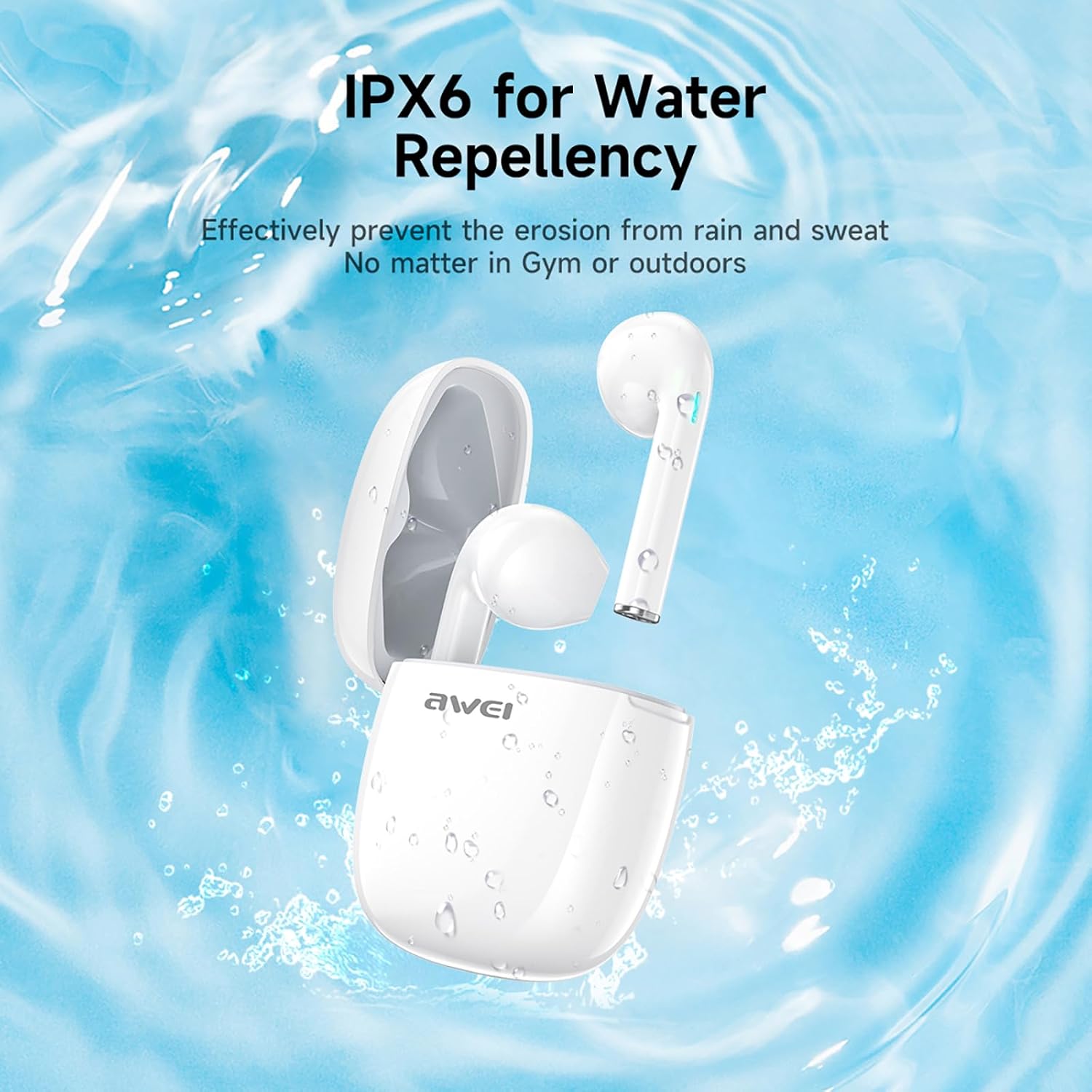
Image: AWEI T28 Earbuds shown with water splashes, illustrating their IPX6 water repellency, suitable for gym or outdoor use.
Troubleshooting
| Problem | Solution |
|---|---|
| Earbuds not pairing | Ensure earbuds are charged. Place them back in the case, close, then open again to re-enter pairing mode. Turn off and on Bluetooth on your device. Forget "AWEI T28" from your device's Bluetooth list and re-pair. |
| Only one earbud working | Ensure both earbuds are charged. Place both earbuds back in the charging case, close the lid for 5 seconds, then open. They should automatically reconnect to each other. If not, try resetting the earbuds (refer to manual for specific reset instructions if available, otherwise try forgetting device and re-pairing). |
| Low volume or poor sound quality | Adjust volume on both your device and the earbuds. Ensure earbuds are clean and free of debris. Try different sized eartips for a better seal. |
| Charging issues | Check the charging cable and adapter. Ensure charging contacts on earbuds and case are clean and dry. |
| Bluetooth connection drops frequently | Ensure your device is within the 10-meter Bluetooth range. Avoid obstacles between the earbuds and your device. Reduce interference from other wireless devices. |
Specifications
| Feature | Detail |
|---|---|
| Model Name | T28 |
| Connectivity Technology | Wireless |
| Wireless Communication Technology | Bluetooth |
| Bluetooth Version | 5.3 |
| Bluetooth Range | 33 Feet (approx. 10 meters) |
| Ear Placement | In Ear |
| Form Factor | In Ear |
| Control Type | Touch Control |
| Water Resistance Level | IPX6 (Waterproof) |
| Battery Life (Earbuds) | 7 Hours (continuous use) |
| Total Playtime with Charging Case | 35 Hours (dual-ear mode), 70 Hours (single-ear alternating) |
| Charging Time (Case) | 1.5 Hours (via Type-C) |
| Noise Control | Sound Isolation |
| Audio Driver Type | Dynamic Driver |
| Impedance | 32 Ohm |
| Included Components | Cable, User Manual, Charging Case, Wireless Earbuds, Eartip |
| Compatible Devices | Laptops, Tablets, Mobile Phones |
Warranty and Support
For warranty information and technical support, please refer to the official AWEI website or contact their customer service. Keep your purchase receipt as proof of purchase for any warranty claims.


