
AWEI TZ12
AWEI Wireless Over Ear Earbuds User Manual
Model: TZ12
Brand: AWEI
Introduction
Thank you for choosing the AWEI TZ12 Wireless Over Ear Earbuds. These sport earphones are designed to provide a comfortable and secure fit for active lifestyles, delivering high-quality audio with extended battery life and the latest Bluetooth 5.4 technology. This manual will guide you through the setup, operation, and maintenance of your new earbuds.

Image: AWEI TZ12 TWS Sports Earphones, showcasing the earbuds and their charging case, highlighting their open wearable stereo design.
What's in the Box
Please check the package contents to ensure all items are present:
- Wireless Earbuds (AWEI TZ12)
- Earbuds Charging Case
- Type-C Cable
- User Manual

Image: The retail packaging for the AWEI TZ12 Wireless Headset, showing the product and key features on the box.
Product Features
- Extended Battery Life: Up to 8 hours of music playback per charge for the earbuds. The 300mAh charging case provides an additional 40 hours, totaling 48 hours in dual-ear mode. Single-ear mode with alternating use can extend total playback to 96 hours.
- Superior Audio Quality: Equipped with 14mm large speakers for clear, deep bass and a wide surround sound experience. Built-in microphones ensure clear voice during calls.
- Automatic Pairing: Earbuds automatically connect to the last paired device upon removal from the charging case.
- Secure & Comfortable Fit: Ergonomically designed with earhooks to ensure stability during physical activities. IPX4 waterproof rating makes them suitable for sports and workouts.
- Bluetooth 5.4 Technology: Ensures a fast, stable connection with low latency, compatible with a wide range of Bluetooth-enabled devices.
- Touch Control: Intuitive touch controls for easy operation.

Image: Illustration of the AWEI TZ12 earbuds' battery performance, showing 7 hours play time, 30 hours standby, and 1.5 hours charging time.

Image: Close-up of the 14mm dynamic driver inside the AWEI TZ12 earbuds, emphasizing natural and pure sound output.

Image: AWEI TZ12 earbuds showcasing their skin-friendly silicone ear hooks, designed for a secure and comfortable fit.
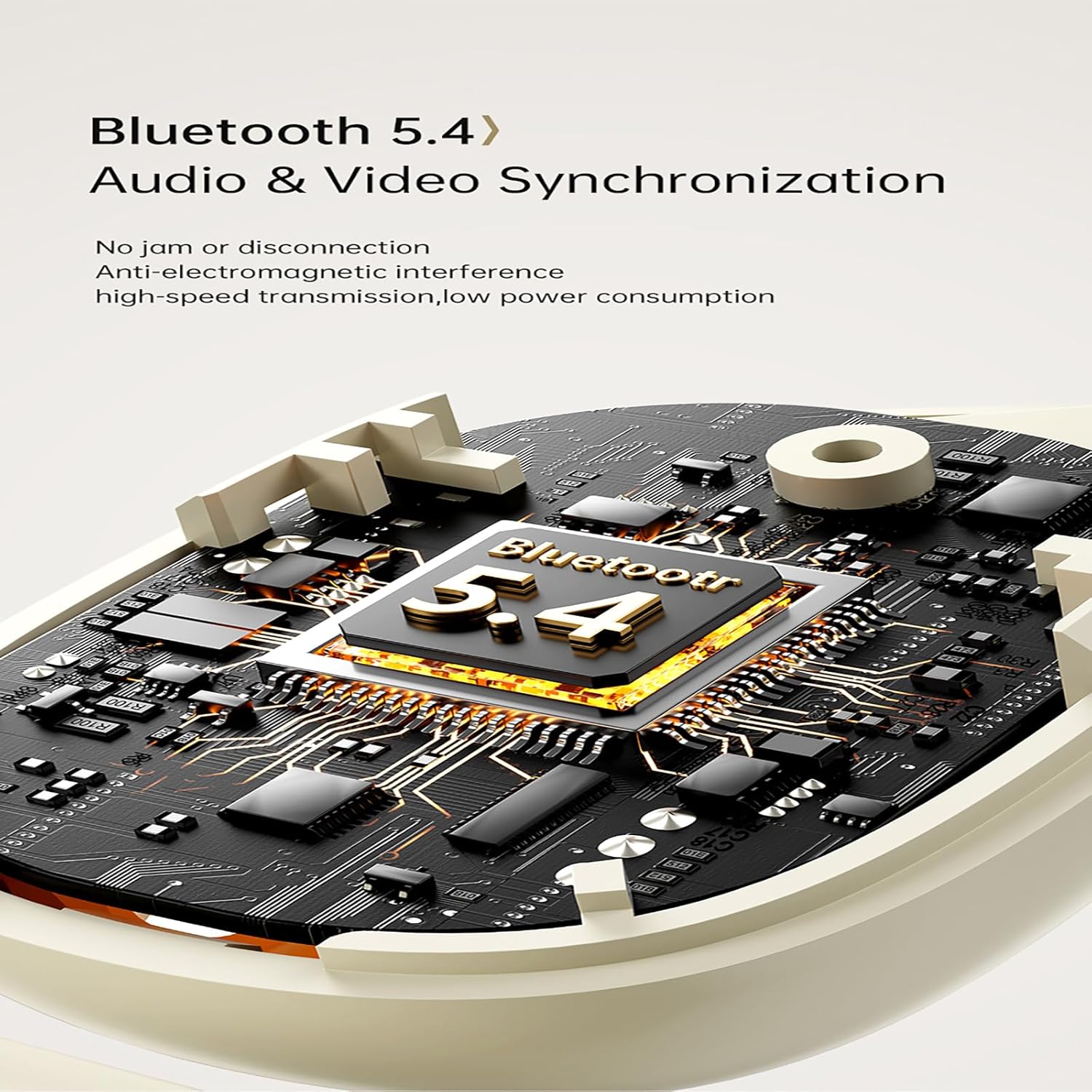
Image: Diagram illustrating the Bluetooth 5.4 chip within the AWEI TZ12 earbuds, highlighting audio and video synchronization capabilities.
Setup
1. Charging the Earbuds and Case
Before first use, fully charge the earbuds and the charging case. Connect the provided Type-C cable to the charging port on the case and a USB power source (e.g., computer, wall adapter). The indicator light on the case will show charging status.
- Charging Time: Approximately 1.5 hours for a full charge of the case.
- Earbud Charging: Place earbuds into the charging case. They will automatically begin charging.
2. Pairing with Your Device
- Ensure the earbuds are charged.
- Open the charging case. The earbuds will automatically power on and enter pairing mode (indicated by flashing lights on the earbuds).
- On your device (smartphone, tablet, computer), enable Bluetooth.
- Search for available Bluetooth devices and select "AWEI TZ12" from the list.
- Once connected, the earbud indicator lights will turn off or show a steady light, and you will hear a confirmation tone.
The earbuds will automatically reconnect to the last paired device when taken out of the case, provided Bluetooth is enabled on the device and it is within range (up to 33ft/10m).
Operating Instructions
Touch Controls
The AWEI TZ12 earbuds feature intuitive touch controls on each earbud. The specific functions may vary slightly depending on the device and application.
| Action | Function |
|---|---|
| Single Tap (L/R) | Play/Pause Music, Answer/End Call |
| Double Tap (Right Earbud) | Next Track |
| Double Tap (Left Earbud) | Previous Track |
| Triple Tap (L/R) | Activate Voice Assistant |
| Long Press (L/R, 2 seconds) | Reject Call |
| Long Press (L/R, 3 seconds) | Power On/Off (when not in case) |
Single Earbud Mode
You can use either the left or right earbud independently. Simply take one earbud out of the charging case, and it will automatically connect to your device. The other earbud can remain in the case or be used later.
Wearing the Earbuds
The AWEI TZ12 earbuds are designed with over-ear hooks for a secure fit. Gently place the earbud into your ear canal and adjust the ear hook over the top of your ear until it feels comfortable and stable.

Image: A person wearing the AWEI TZ12 earbuds, demonstrating the secure fit provided by the over-ear design, allowing for awareness of surroundings.
Maintenance
- Cleaning: Regularly clean the earbuds and charging case with a soft, dry, lint-free cloth. Do not use harsh chemicals or abrasive materials.
- Water Resistance: The earbuds are IPX4 waterproof, meaning they are resistant to splashes and sweat. Do not submerge them in water or expose them to heavy rain. Dry them thoroughly if they get wet.
- Storage: When not in use, store the earbuds in their charging case to protect them and keep them charged. Store in a cool, dry place away from extreme temperatures.
- Battery Care: To prolong battery life, avoid fully discharging the earbuds and case frequently. Charge them regularly, even if not in constant use.
Troubleshooting
| Problem | Possible Solution |
|---|---|
| Earbuds not pairing/connecting |
|
| Only one earbud working |
|
| Low volume or poor sound quality |
|
| Charging case not charging |
|
Specifications
| Feature | Detail |
|---|---|
| Model Name | TZ12 |
| Brand | AWEI |
| Connectivity Technology | Wireless |
| Wireless Communication Technology | Bluetooth |
| Bluetooth Version | 5.4 |
| Bluetooth Range | 10 Meters (33 feet) |
| Ear Placement | Over Ear |
| Form Factor | Over Ear |
| Water Resistance Level | IPX4 (Waterproof/Sweatproof) |
| Control Type | Touch Control |
| Frequency Response | 20 KHz |
| Impedance | 32 Ohm |
| Charging Case Battery Capacity | 300mAh |
| Play Time (Earbuds) | Up to 8 hours |
| Total Play Time with Case | Up to 48 hours (dual-ear), 96 hours (single-ear alternating) |
| Included Components | Wireless Earbuds, Earbuds Charging Case, Type-C Cable, User Manual |
| Compatible Devices | Smartphones, TVs, computers, laptops, etc. |
Warranty and Support
AWEI products are designed with quality and reliability in mind. For specific warranty information, please refer to the warranty card included with your product or visit the official AWEI website.
For technical support, troubleshooting assistance, or general inquiries, please contact AWEI customer service through their official channels. You can often find support contact information on the product packaging or the official brand website.
Official AWEI Website: www.awei.hk
Related documentsTZ12


Ask a question about this manual
Ask about setup, troubleshooting, compatibility, parts, safety, or missing instructions. Manuals+ will review the question and use this page’s manual context to help answer it.