
1. Introduction
The Klarstein DryFy Connect 40L dehumidifier is designed to maintain optimal humidity levels in your home or other indoor spaces. This electric dehumidifier efficiently removes moisture from the air, contributing to a fresh and healthy environment in areas such as kitchens, bathrooms, bedrooms, basements, or during construction and renovation drying processes.
With a dehumidification capacity of up to 40 liters per day and an airflow of 360 m³ per hour, this unit is suitable for rooms ranging from 35 to 45 m². Its large 7-liter water tank reduces the frequency of emptying, and an alarm with automatic shut-off activates when the tank is full. The unit also features a Wi-Fi interface for convenient control via the Klarstein app and a flexible 24-hour timer function.
2. Safety Instructions
Please read and understand all safety instructions before operating the appliance to prevent injury or damage. Keep this manual for future reference.
- Always place the dehumidifier on a stable, level surface to prevent tipping.
- Ensure the power supply matches the voltage specified on the rating label.
- Do not operate the appliance with a damaged power cord or plug. Contact qualified service personnel for repairs.
- Keep air inlets and outlets clear of obstructions to ensure proper airflow and prevent overheating.
- Do not insert fingers or foreign objects into the air inlets or outlets.
- Unplug the appliance from the power outlet before cleaning, maintenance, or when not in use.
- Do not use the appliance near water or in excessively wet environments where water might splash onto it.
- This appliance is not intended for use by persons (including children) with reduced physical, sensory, or mental capabilities, or lack of experience and knowledge, unless they have been given supervision or instruction concerning use of the appliance by a person responsible for their safety.
- Children should be supervised to ensure that they do not play with the appliance.
- Do not attempt to repair or modify the appliance yourself. All repairs should be performed by authorized service personnel.
3. Product Overview
Key Features:
- High Dehumidification Capacity: Extracts up to 40 liters of moisture per day.
- Large Water Tank: Features a 7-liter tank with an alarm and automatic shut-off when full.
- Convenient Control: Wi-Fi interface for control via the Klarstein app and a flexible 24-hour timer.
- Versatile Operating Modes: Includes automatic dehumidification, drying mode, and oscillation mode.
- Portability: Equipped with a carrying handle and wheels for easy movement.
- Continuous Drainage Option: Allows for permanent water evacuation.
- Internal Drying Mode: Helps prevent mold formation within the unit.
Components:
The Klarstein DryFy Connect 40L dehumidifier typically consists of the main unit, a removable water tank, a control panel, air inlets, and air outlets. It also includes a power cord and may have a hose for continuous drainage.
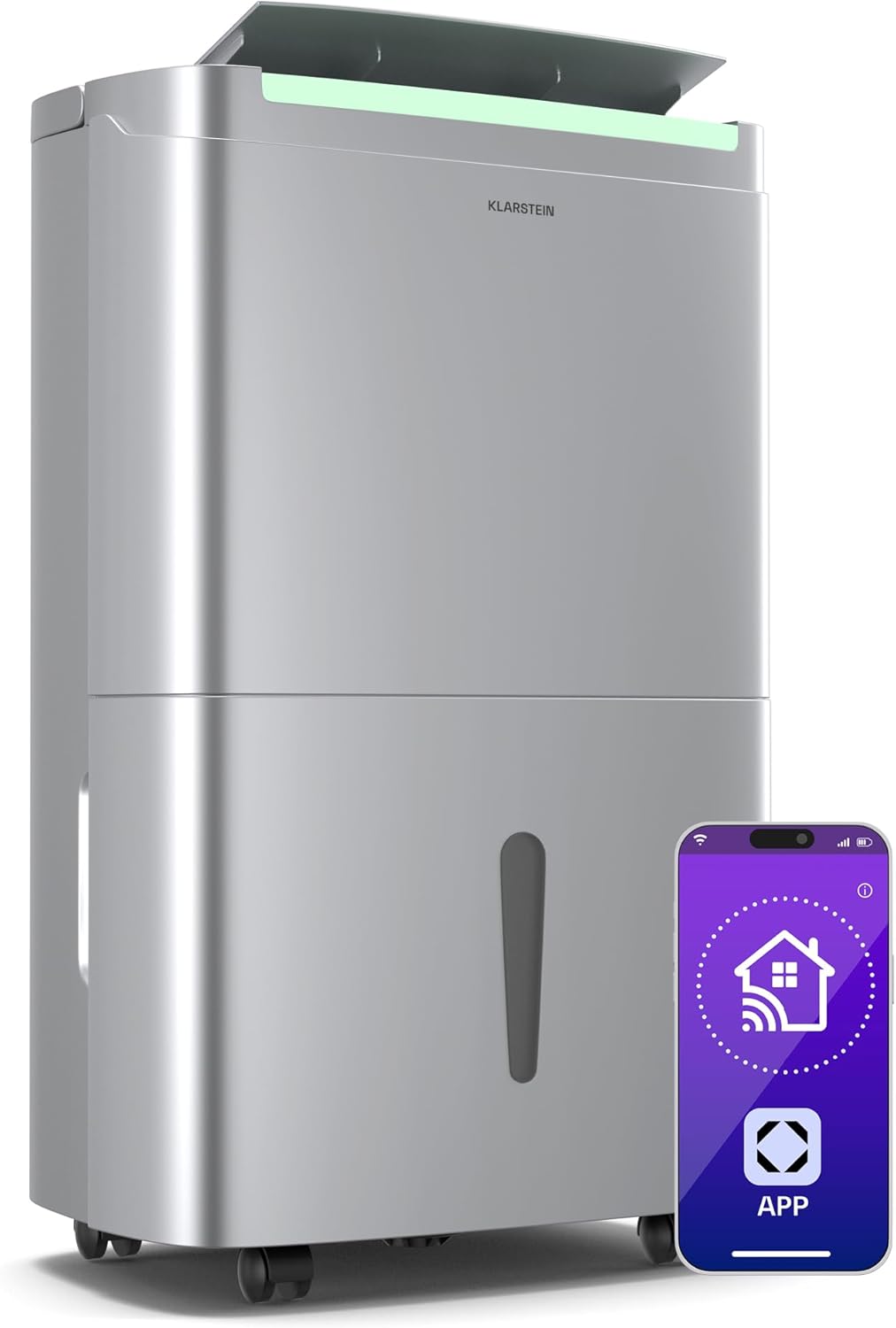
Image 3.1: The Klarstein DryFy Connect 40L Dehumidifier, showcasing its sleek design and Wi-Fi app control feature.

Image 3.2: The dehumidifier emphasizing its practical, space-saving, and decorative design, along with 360° wheels and a handle for easy movement.

Image 3.3: The dehumidifier positioned in a living space, illustrating its powerful 40 liters per day dehumidification capacity.
4. Setup
- Unpacking: Carefully remove the dehumidifier from its packaging. Retain all packaging materials for future transport or storage.
- Placement: Place the unit on a firm, level surface in the desired room. Ensure there is at least 20 cm (8 inches) of clear space around the air inlets and outlets for optimal performance. Do not place it against a wall or furniture that could block airflow.
- Power Connection: Plug the power cord into a grounded electrical outlet. Ensure the outlet meets the power requirements of the unit.
- Water Tank: Ensure the water tank is correctly inserted into the unit. The unit will not operate if the tank is not properly seated or is full.
- Continuous Drainage (Optional): If you wish to use the continuous drainage feature, connect a suitable hose (not always included) to the drainage port on the back of the unit and direct it to a floor drain or a larger container. Ensure the hose is sloped downwards to allow gravity drainage.

Image 4.1: The dehumidifier illustrating its operational capabilities, including 360 m³/h airflow, suitability for 35 to 45 m² rooms, and timer function. It also highlights its ability to dry rooms after water damage and regulate humidity in kitchens and bathrooms.
5. Operation
Control Panel:
The control panel is located on the top of the unit and features an on/off switch, display, and various buttons for mode selection, timer settings, and humidity adjustment.

Image 5.1: A close-up view of the control panel, showing various settings and the digital display. This image also highlights the rapid laundry drying feature thanks to the practical oscillation function.
Operating Modes:
- Automatic Dehumidification: The unit automatically adjusts its operation to maintain a preset humidity level.
- Drying Mode: Designed for faster drying, such as for laundry or after water damage. This mode may operate at maximum fan speed and continuous dehumidification.
- Oscillation Mode: Activates the internal louvers to swing, distributing dehumidified air more evenly across the room.
Humidity Adjustment:
You can set your desired target humidity level in 5% increments using the control panel or the Klarstein app.
Timer Function:
The integrated 24-hour timer allows you to program the unit to turn on or off at specific times, enhancing energy efficiency and convenience.
Wi-Fi Connectivity:
Download the Klarstein app to your smartphone or tablet. Follow the in-app instructions to connect your dehumidifier to your home Wi-Fi network. This enables remote control and monitoring of the unit.
6. Maintenance
Emptying the Water Tank:
When the water tank is full, an indicator light will illuminate, and the unit will automatically shut off. Carefully remove the tank, empty the collected water, and reinsert it securely. The unit will resume operation.
Cleaning the Air Filter:
The air filter should be cleaned regularly (e.g., every two weeks or as needed) to ensure efficient operation. Refer to the unit's specific instructions for filter removal and cleaning. Typically, filters can be rinsed with warm water and allowed to air dry completely before reinstallation.
Cleaning the Unit Exterior:
Wipe the exterior of the dehumidifier with a soft, damp cloth. Do not use harsh chemicals, abrasive cleaners, or solvents, as these can damage the surface.
Internal Drying Mode:
To prevent mold and mildew growth inside the unit, especially before long periods of storage, activate the internal drying mode. This feature runs the fan to dry out internal components.
7. Troubleshooting
If you encounter issues with your dehumidifier, please consult the following table before contacting customer support.
| Problem | Possible Cause | Solution |
|---|---|---|
| Unit does not turn on | No power supply; Power cord not plugged in; Water tank full or incorrectly inserted. | Check power connection; Ensure tank is empty and correctly seated. |
| Unit not dehumidifying effectively | Humidity setting too high; Air filter clogged; Room size too large; Ambient temperature too low. | Lower target humidity; Clean air filter; Ensure unit is suitable for room size; Dehumidifiers are less effective in cold temperatures. |
| Water tank full indicator is on, but tank is not full | Tank sensor malfunction; Tank not properly seated. | Remove and reinsert tank firmly; Contact support if issue persists. |
| Unusual noise or vibration | Unit not on a level surface; Obstruction in fan; Loose parts. | Place on a level surface; Check for and remove obstructions; Contact support if noise persists. |
8. Specifications
| Specification | Value |
|---|---|
| Brand | Klarstein |
| Model Name | DryFy Connect 40L |
| Model Number | DXJ2-Kl-DF-40Ss |
| Color | Stainless Steel |
| Product Dimensions (L x W x H) | 26 x 37 x 61.5 cm |
| Item Weight | 18.5 Kilograms |
| Water Tank Capacity | 7 Liters |
| Dehumidification Capacity | Up to 40 Liters/day |
| Airflow | 360 m³/h |
| Recommended Floor Area | 35 - 45 m² |
| Material | Stainless Steel, Plastic |
| Special Features | Convenient Control, 24h Timer, Wi-Fi Interface |

Image 8.1: The dehumidifier with its key dimensions: 26 cm (width), 37 cm (depth), and 61.5 cm (height).
9. Warranty and Support
For warranty information, please refer to the documentation provided with your purchase or contact your retailer. Information regarding spare parts availability is not explicitly provided in the product details.
If you require technical assistance, troubleshooting beyond this manual, or have questions about your Klarstein DryFy Connect 40L dehumidifier, please contact Klarstein customer support through their official website or the contact details provided in your purchase documentation.


