
1. Introduction
Thank you for choosing the Donner MT-1 Portable PA System. This powerful and versatile sound amplifier is designed for both indoor and outdoor use, offering exceptional audio quality and portability. With its robust features, including multiple input options, long battery life, and app control, the MT-1 is ideal for musicians, presenters, and anyone needing a reliable portable sound solution. Please read this manual thoroughly to understand the product's functions and ensure safe and optimal operation.
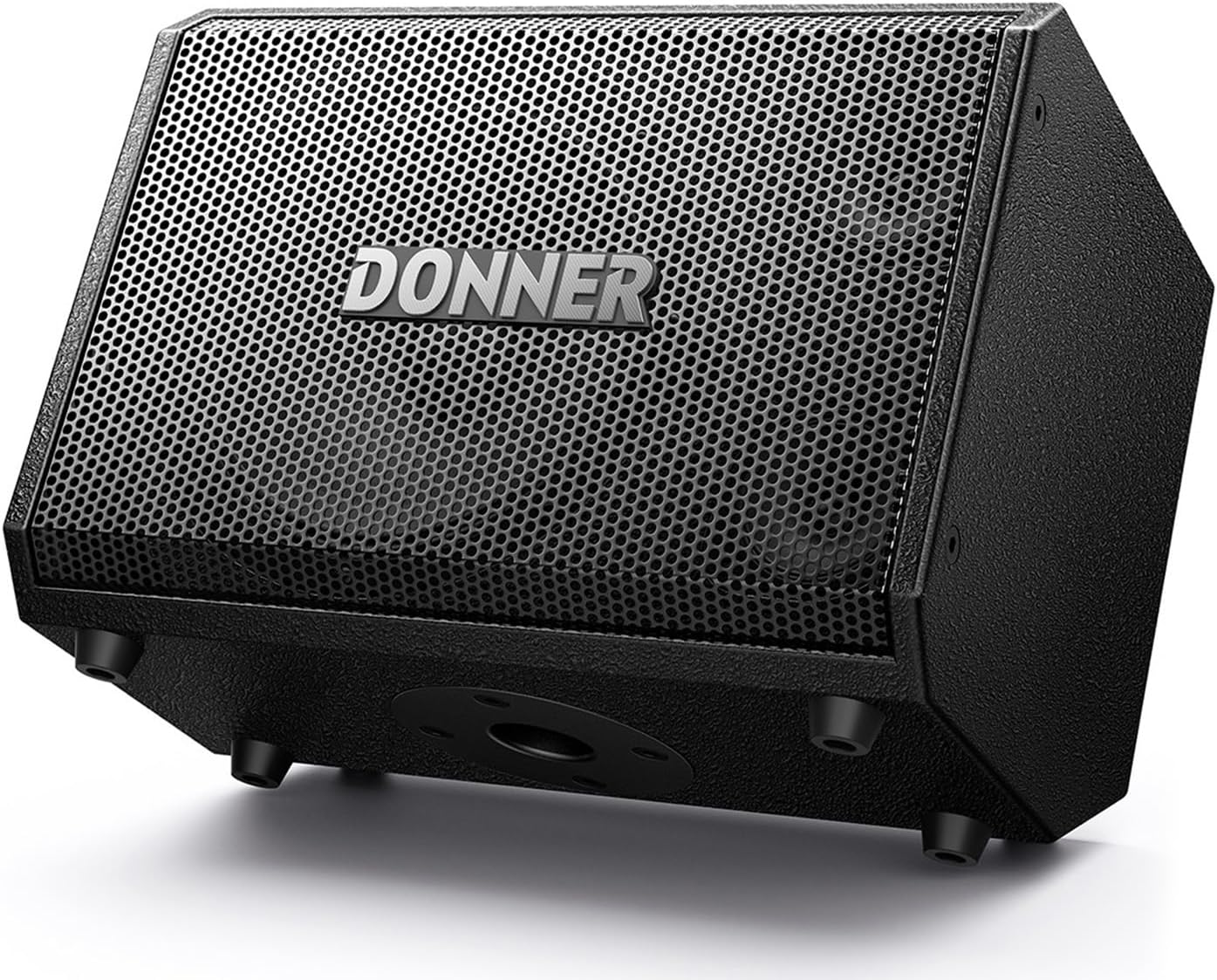
Figure 1: Donner MT-1 Portable PA System
2. Key Features
- High-Power Output: Provides 300W peak power and 80W RMS, ensuring loud and clear sound output for various environments.
- Premium Speaker Configuration: Equipped with two 2.5-inch trebles and an 8-inch woofer for balanced and rich audio reproduction.
- Portable Design: Weighs only 8.5kg (18.04 lbs) and features an ergonomically designed concave handle for easy transport.
- Versatile Connectivity: Supports Bluetooth 5.0 for stable wireless connections up to 30ft/10M, along with TRS 6.35mm, USB, 2 Mic-in, AUX, and Type-C OTG inputs for broad compatibility with smartphones, tablets, laptops, PCs, and microphones.
- Dual Power Options: Can be powered by DC or its built-in rechargeable battery, offering 4-6 hours of playing time on a full charge, suitable for both indoor and outdoor use.
- Flexible Positioning: Features three positioning modes (mounted on stand, horizontally, or vertically) with Auto EQ to optimize sound performance in any orientation.
- App Remote Control: Control various settings including volume, EQ, Reverb, and Echo directly through the dedicated Donner MT-1 APP.

Figure 2: Speaker Components - Two 2.5" Treble Speakers and an 8" Woofer

Figure 3: Control Panel with Multiple Input Options
3. Setup Guide
3.1 Unboxing and Initial Inspection
Carefully remove all components from the packaging. Ensure the following items are present:
- Donner MT-1 PA System
- AC Adapter
- Cable (likely power cable)
Inspect the unit for any signs of damage during transit. If any damage is found, contact customer support immediately.
3.2 Powering On and Charging
- AC Power: Connect the supplied AC adapter to the "CHARGE INPUT" port on the MT-1 and then to a standard power outlet.
- Battery Power: The MT-1 comes with a built-in rechargeable battery. For first use, it is recommended to fully charge the battery. The "RED CHARGE GREEN FULL" indicator light will show charging status.
- Press the POWER button to turn the unit on.

Figure 4: MT-1 in use, highlighting 4-6 hours battery life
3.3 Connecting Audio Sources
The MT-1 offers a variety of input options:
- Microphone/Guitar Inputs (MIC 1 / MIC 2 GUITAR): Use TRS 6.35mm or XLR cables to connect microphones or instruments. MIC 2 also supports High-Z input for guitars and +48V phantom power for condenser microphones.
- AUX Input: Connect external audio devices (e.g., smartphones, MP3 players) using a 3.5mm AUX cable.
- USB Input: Insert a USB drive with audio files for direct playback.
- Type-C OTG / LIVE: For live streaming and recording directly from compatible devices.
- Bluetooth (BT): For wireless audio streaming from Bluetooth-enabled devices.
4. Operating Instructions
4.1 Control Panel Overview
Familiarize yourself with the control panel (refer to Figure 3). Key controls include:
- Volume Knobs: Independent volume control for MIC 1, MIC 2/Guitar, and Master Volume.
- EQ Controls: Bass, Mid, and Treble knobs for each input channel to shape your sound.
- Effect Knobs: Individual effect level control for each channel.
- Reverb + Echo: Master controls for built-in reverb and echo effects.
- Music Volume Controls: Playback controls for Bluetooth/USB audio (play/pause, skip tracks).
- Feedback Suppression: Button to activate feedback reduction.
- BT Reset / Mute / System Reset: Utility buttons for various functions.
4.2 Bluetooth Pairing
- Ensure the MT-1 is powered on.
- Activate Bluetooth on your device (smartphone, tablet, etc.).
- On your device, search for "Donner MT-1" in the Bluetooth settings and select it to pair.
- A confirmation sound will indicate successful pairing.
4.3 Using the Donner MT-1 APP
Download the official Donner MT-1 APP from your device's app store. The app allows for comprehensive remote control of the PA system, including:
- Adjusting individual channel volumes.
- Fine-tuning EQ settings.
- Controlling Reverb and Echo effects.
- Accessing additional features and settings.

Figure 5: Remote Control via Donner MT-1 App
4.4 Positioning Options
The MT-1 is designed for flexible placement with Auto EQ to ensure optimal sound:
- On a Stand: Utilize the integrated pole mount for elevated sound projection.
- Vertically on a Table: Place upright for a focused sound field.
- Monitor Mode (Tilted Back): Lay the unit on its side, tilted back, for use as a stage monitor.

Figure 6: Three Positioning Options for the MT-1
5. Maintenance
- Cleaning: Use a soft, dry cloth to clean the exterior of the unit. Do not use abrasive cleaners or solvents.
- Storage: When not in use for extended periods, store the MT-1 in a cool, dry place away from direct sunlight and extreme temperatures.
- Battery Care: To prolong battery life, avoid fully discharging the battery frequently. Recharge the unit regularly, even if not in constant use.
- Ventilation: Ensure proper ventilation around the unit during operation to prevent overheating.
6. Troubleshooting
| Problem | Possible Cause | Solution |
|---|---|---|
| No sound output. | Volume too low; incorrect input selected; cable issue; device not connected. | Increase Master Volume and individual channel volumes. Check input connections and ensure the source device is playing. Verify Bluetooth connection. |
| Bluetooth not connecting. | Device too far; interference; pairing mode not active. | Ensure device is within 10M (30ft) range. Press the "BT RESET" button on the MT-1. Turn Bluetooth off/on on your device and try pairing again. |
| Battery not charging. | AC adapter not properly connected; faulty adapter/cable. | Check all power connections. Ensure the power outlet is functional. Try a different power outlet. If issues persist, contact support. |
| Sound distortion/feedback. | Volume too high; microphone too close to speaker; improper EQ settings. | Reduce volume. Reposition microphone. Activate "FEEDBACK SUPPRESSION". Adjust EQ settings. |
7. Specifications
| Feature | Detail |
|---|---|
| Model | MT-1 |
| Output Power | 300W Peak / 80W RMS |
| Woofer | 8 inches |
| Treble Speakers | Two 2.5 inches |
| Frequency Response | 30Hz - 20kHz |
| Connectivity | Bluetooth 5.0, TRS 6.35mm, USB, AUX, Type-C OTG |
| Bluetooth Range | Up to 10 meters (30 feet) |
| Battery Type | 12V 5500mAh Rechargeable Battery (included) |
| Battery Life | 4-6 hours (approx.) |
| Power Input | 18V DC 2A |
| Item Weight | 8.2 kg (18.04 lbs) |
| Product Dimensions (L x W x H) | 34.5 x 23.3 x 26 cm (13.58 x 9.17 x 10.24 inches) |
| Material | Wood |
| Color | Black |
| Mounting Type | Tabletop (also supports pole mount) |
8. Warranty and Support
Donner provides a warranty for this product against defects in materials and workmanship under normal use. For detailed warranty information, product registration, or technical support, please visit the official Donner website or contact their customer service. Keep your purchase receipt as proof of purchase for warranty claims.
For further assistance, you may visit the Donner Store on Amazon.

