
1. Product Overview
The BOYA BY-V30 is a compact and lightweight wireless lavalier microphone system designed for high-quality audio recording with USB-C compatible devices, including iPhone 15/16 series, Android phones, PCs, and laptops. It features advanced 2.4GHz wireless technology, dual-mode noise cancellation, and an extended battery life, making it ideal for content creation, live streaming, vlogging, and interviews.

Image: The BOYA V30 wireless microphone system, showing two transmitters, a charging case, and a USB-C receiver.
2. What's in the Box
- BY-V30 Transmitter x 2
- BY-V30 RXU Receiver x 1
- Charging Case x 1
- Foam Windscreen x 2
- USB-A to USB-C Charging Cable x 1
3. Key Features
3.1 Compact and Lightweight Design
The Boya BY-V30 wireless microphone delivers high-quality recording in a compact design. Weighing only 10.5g per transmitter, this mini microphone ensures exceptional comfort and portability, making it ideal for various recording scenarios.

Image: A hand holding the lightweight BOYA V30 transmitter, highlighting its portability.
3.2 Dual-mode Noise Cancellation
Engineered for clarity, this clip-on microphone provides one-click noise cancellation and a dense windproof foam cover, effectively reducing wind and background interference. With high-resolution 48kHz/16bit audio, an 80dB signal-to-noise ratio, and a 120dB maximum sound pressure level, it delivers precise, clear audio—even in high-noise settings. Ideal for capturing professional-grade sound anywhere.

Image: Illustration of the one-click noise reduction feature on the BOYA V30 transmitter.
3.3 Upgraded 328FT Wireless Transmission
This portable microphone uses advanced 2.4GHz wireless technology, providing reliable, cable-free audio transmission up to 328 feet (100 meters). This allows for convenient, hands-free recording in various settings.

Image: A smartphone with the BOYA V30 receiver attached, demonstrating stable wireless transmission up to 100 meters.
3.4 Extended 36-Hour Battery Life
The wireless lavalier microphone transmitter is equipped with a 95mAh rechargeable battery and energy-efficient chip, delivering up to 9 hours of use on a single charge. With the included charging case, the mobile version provides an impressive 36-hour total battery life—perfect for long shoots and extended recording sessions. Additionally, the receiver features a USB-C charging port to keep your device powered and your recording uninterrupted.

Image: The BOYA V30 charging case illustrating the 36-hour total battery life provided by the case and transmitters.
3.5 Plug and Play, Truly Wireless
This wireless microphone system features a direct plug-in receiver for a hassle-free, fully wireless experience. No adapters, Bluetooth, or apps required—simply plug the receiver (Type-C port) into your device, clip on the microphone, and start recording instantly. The USB-C version is compatible with Android phones, iPhone 15/16 series, and laptops, delivering clear, crisp sound across multiple devices.

Image: A step-by-step diagram demonstrating the plug-and-play setup process for the BOYA V30.
3.6 Playback without Unplugging
With exclusive audio technology, this lapel microphone lets you enjoy seamless playback directly from your phone’s built-in speaker—no need to unplug the receiver. This allows for convenient review of your recordings.

Image: A user listening to audio directly from their phone's speaker without unplugging the BOYA V30 receiver.
3.7 360° Rotating Clip
The microphone features a 360° rotatable clip, allowing for flexible and secure attachment to clothing or other surfaces. This ensures optimal sound pickup and a stable fit in any position.
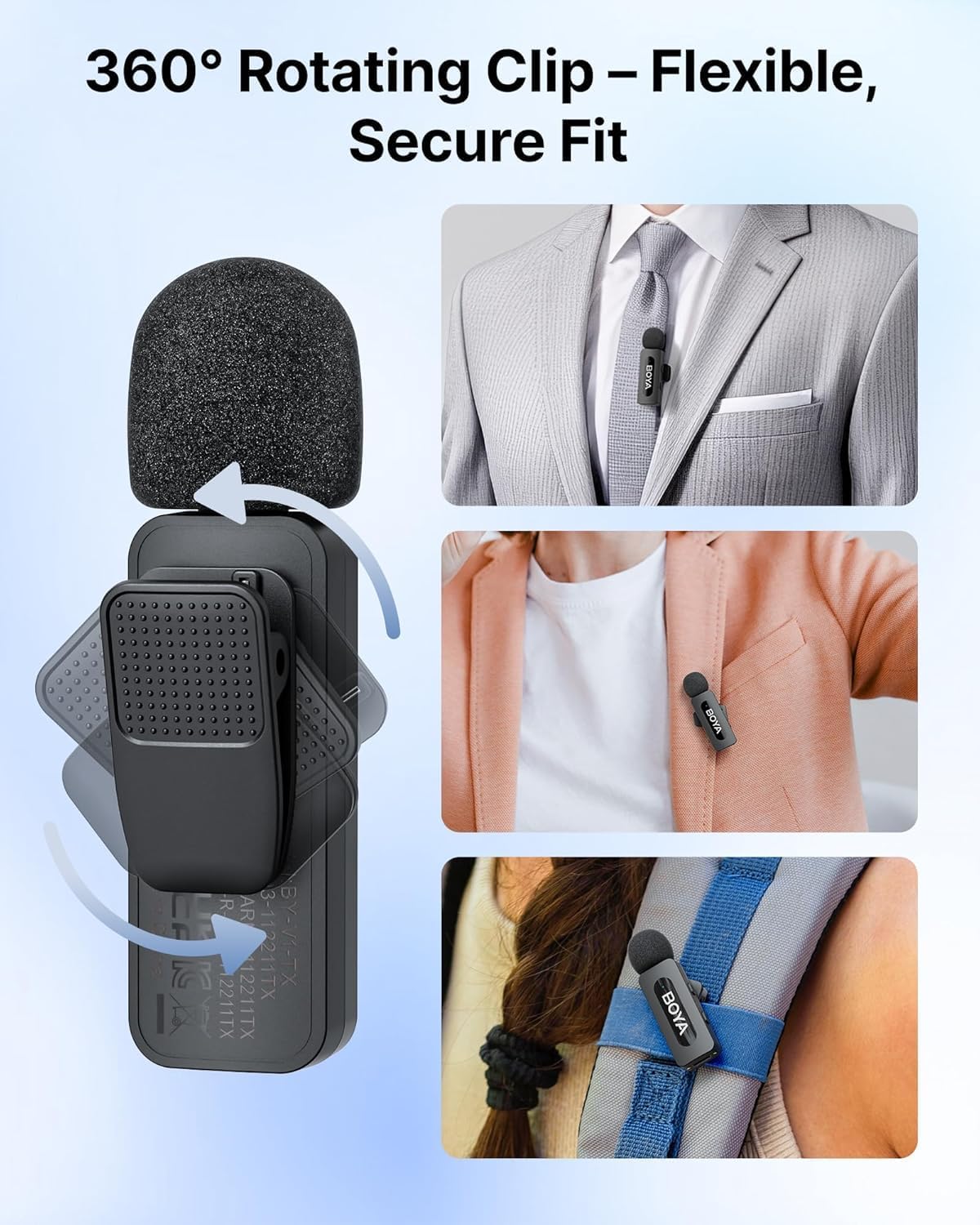
Image: Detailed view of the BOYA V30's 360° rotating clip, showing its versatility for attachment.
3.8 Universal Compatibility
The USB-C version of the BOYA V30 is widely compatible, supporting 99% of Type-C smartphone devices, including Android phones, iPhone 15/16 series, iPads, and laptops, delivering clear, crisp sound across multiple devices.

Image: An illustration showcasing the wide compatibility of the BOYA V30 with various USB-C devices.
4. Setup Guide
- Charge the System: Before first use, ensure both transmitters and the charging case are fully charged using the provided USB-A to USB-C charging cable. The charging case has indicator lights to show its battery level.
- Insert the Receiver: Plug the BY-V30 RXU receiver directly into the USB-C port of your recording device (smartphone, tablet, or laptop).
- Power On Transmitters: Take the BY-V30 transmitters out of the charging case. They will automatically power on and attempt to pair with the receiver.
- Pairing Confirmation: Once successfully paired, the indicator lights on both the receiver (RX) and transmitters (TX) will turn solid blue.
- Attach Microphones: Clip the transmitters onto your clothing, ensuring the microphone head is facing towards your mouth for optimal sound capture. Utilize the 360° rotating clip to adjust the angle as needed.
- Start Recording: Open your preferred audio or video recording application on your device and begin recording. Note: Some phones may default to the built-in mic; please switch to the BY-V external mic in your device's settings if necessary.
5. Operating Instructions
- Power On/Off: The transmitters automatically power on when removed from the charging case and power off when placed back inside.
- Noise Cancellation: Each transmitter features a dedicated button for one-click noise cancellation. Press the 'NR' button to toggle noise reduction on or off, indicated by a change in the LED light.
- Monitoring Connection: The indicator lights on both the receiver and transmitters provide visual confirmation of their connection status. A solid blue light indicates a successful connection.
- Audio Playback: The system supports direct audio playback through your device's built-in speaker without needing to unplug the receiver. This allows for convenient review of your recordings.
6. Maintenance
- Cleaning: Use a soft, dry cloth to clean the microphone transmitters, receiver, and charging case. Avoid using harsh chemicals or abrasive materials.
- Storage: When not in use, store the microphones and receiver in their charging case to protect them and keep them charged. Store in a cool, dry place away from direct sunlight and extreme temperatures.
- Battery Care: For optimal battery longevity, avoid fully discharging the devices frequently. Recharge them regularly, especially if they will be stored for extended periods.
7. Troubleshooting
- No Sound/Poor Sound Quality:
- Ensure both transmitters and receiver are fully charged and powered on.
- Verify that the receiver is securely plugged into your device's USB-C port.
- Check your device's audio input settings to ensure the external microphone is selected.
- Confirm that the transmitters are properly clipped and angled towards the sound source.
- If noise cancellation is active, try disabling it to see if sound quality improves in quiet environments.
- Microphone Not Connecting:
- Ensure all components are charged.
- Remove and re-insert the receiver into your device.
- Power cycle the transmitters by placing them back in the charging case and then taking them out again.
- Ensure no other 2.4GHz wireless devices are causing interference nearby.
- Short Battery Life:
- Ensure the charging case itself is fully charged to provide multiple recharges to the transmitters.
- Avoid operating the microphones in extremely cold or hot conditions, which can affect battery performance.
8. Specifications
| Feature | Detail |
|---|---|
| Model Name | BOYA V30 |
| Microphone Form Factor | Lavalier |
| Connectivity Technology | Wireless 2.4GHz |
| Connector Type | USB Type-C |
| Polar Pattern | Omnidirectional |
| Frequency Range | 20Hz-16kHz |
| Signal-to-Noise Ratio | 80 dB |
| Maximum Sound Pressure Level (SPL) | 120 dB |
| Item Weight (Single Transmitter) | 10.5 Grams |
| Charging Case Weight | 86.5 Grams |
| Transmitter Battery Life | Up to 9 hours (single charge) |
| Total Battery Life (with case) | Up to 36 hours |
| Wireless Transmission Distance | Up to 328 feet (100 meters) |
| Compatible Devices | Laptop, Personal Computer, Smartphone, Tablet (USB-C) |
9. Warranty and Support
BOYA products typically come with a manufacturer's warranty. Please refer to the warranty information provided with your product packaging for specific terms and conditions. For technical support, product inquiries, or warranty claims, please visit the official BOYA website or contact their customer service directly.
You can also visit the BOYA Store on Amazon for more information and support.
This product is eligible for a 30-day refund/replacement return policy from the date of purchase.


