
1. Introduction
The BOYA V3 Combo Wireless Microphone system is designed to provide high-quality audio recording for various devices, including iPhones, Android phones, PCs, and laptops. This compact and lightweight system features dual-mode noise cancellation, extended battery life, and a stable wireless transmission range, making it suitable for content creation, interviews, and live streaming.
2. Package Contents
Verify that all items listed below are included in your package:
- BY-V3 Combo RXU/RXD Receiver x1
- BY-V3 Combo Transmitter x 2
- Charging Case x 1
- Foam Windscreen x 2
- USB-A to USB-C Charging Cable x 1

3. Product Overview
3.1. Transmitter (TX)
The transmitter is a compact, clip-on microphone unit. It features an omnidirectional microphone, a power indicator, and a noise reduction button. Each transmitter weighs approximately 10.5g.

3.2. Receiver (RX)
The receiver connects directly to your recording device (smartphone, PC, laptop). The BY-V3 Combo includes both USB-C (RXU) and Lightning (RXD) receivers for broad compatibility. It features a charging port to power your device during use.

3.3. Charging Case
The charging case stores and recharges the transmitters, providing up to 36 hours of total battery life. It also protects the components during transport.

4. Setup
4.1. Initial Charging
Before first use, fully charge the transmitters and the charging case. Place the transmitters into the charging case. Connect the charging case to a power source using the provided USB-A to USB-C charging cable. The charging case indicators will show charging status. Each transmitter provides up to 9 hours of use on a single charge, with the charging case extending total usage to 36 hours.

4.2. Connecting to Your Device
- Insert the Receiver (RX): Plug the appropriate receiver (USB-C or Lightning) directly into your smartphone, tablet, PC, or laptop's charging port.
- Turn on the Transmitter (TX): Remove the transmitter(s) from the charging case. They will automatically power on.
- Automatic Pairing: The receiver and transmitter(s) will automatically pair. The blue indicator lights on both units will remain solid when successfully paired.
- Start Recording: Open your preferred audio or video recording application on your device and begin recording.
Note: Some devices may default to their built-in microphone. If you experience this, navigate to your device's audio settings and select the BY-V external microphone as the input source.

5. Operating Instructions
5.1. Power On/Off
- Power On: Remove the transmitter(s) from the charging case. They will automatically power on.
- Power Off: Place the transmitter(s) back into the charging case. They will automatically power off and begin charging.
5.2. Noise Cancellation
The transmitter features a one-click noise cancellation function. Press the "NR" button on the transmitter to toggle noise reduction on or off. This feature helps to minimize background interference for clearer audio, especially in noisy environments.

5.3. Microphone Placement
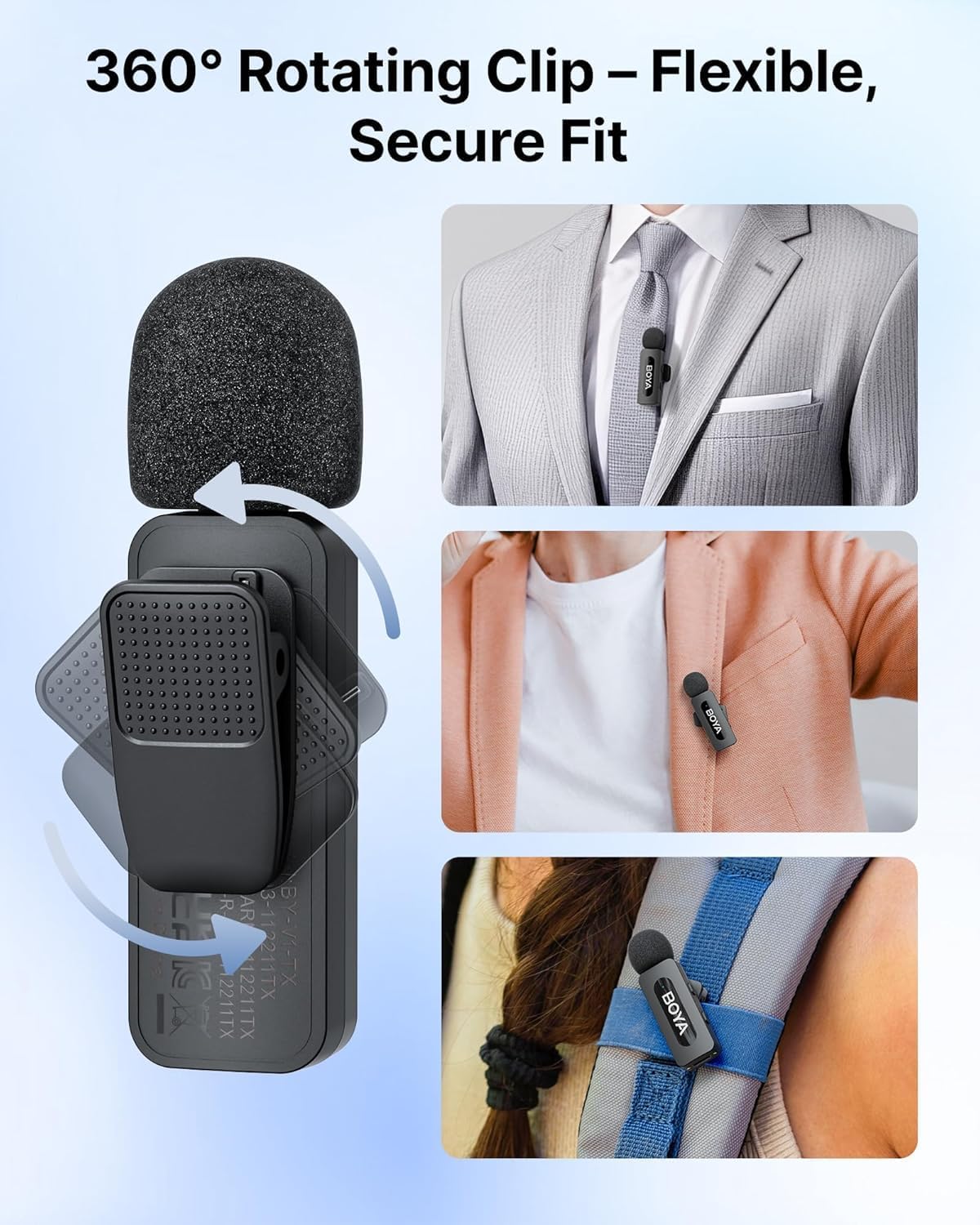
The transmitter features a 360° rotatable clip, allowing for flexible and secure attachment to clothing or other surfaces. Position the microphone approximately 6-8 inches from the sound source for optimal audio capture.
5.4. Charging While Recording
The receiver includes a USB-C charging port, allowing you to charge your recording device (e.g., smartphone) simultaneously while using the microphone system. This ensures uninterrupted recording sessions.

5.5. Playback Without Unplugging
The system allows for direct audio playback through your device's built-in speaker without needing to unplug the receiver. This provides convenience for reviewing recordings immediately.

6. Maintenance
- Cleaning: Use a soft, dry cloth to clean the microphone units, receiver, and charging case. Avoid using liquids or abrasive cleaners.
- Storage: When not in use, store the transmitters in the charging case to protect them and ensure they remain charged. Keep the system in a cool, dry place away from direct sunlight and extreme temperatures.
- Battery Care: For optimal battery longevity, avoid fully discharging the batteries frequently. Recharge the system regularly, even if not in constant use.
7. Troubleshooting
| Problem | Possible Cause | Solution |
|---|---|---|
| No sound recorded or low volume. |
|
|
| Intermittent audio or signal dropouts. |
|
|
| Noise cancellation not effective. |
|
|
8. Specifications
| Microphone Form Factor | Lavalier |
| Dimensions (L x W x H) | 1.97 x 1.57 x 3.94 inches |
| Item Weight | 4.2 ounces (120 Grams) |
| Power Source | Battery Powered |
| Battery Type | Lithium Metal (3 required) |
| Signal-to-Noise Ratio (SNR) | 80 dB |
| Number of Channels | 2 |
| Frequency Response | 16 KHz |
| Model Number | BY-V3 COMBO |
| Connectivity Technology | Wireless 2.4GHz |
| Connector Type | USB Type-C/Lightning |
| Special Features | 1-Touch Recording, 328FT Wireless Transmission, 36H Battery Life, Battery Indicator Light, Clip |
| Compatible Devices | Laptop, Personal Computer, Smartphone, Tablet |
| Polar Pattern | Omnidirectional |
| Material | Acrylonitrile Butadiene Styrene |
9. Warranty and Support
For information regarding warranty coverage, technical support, or service inquiries, please refer to the official BOYA website or contact their customer service department. Keep your purchase receipt as proof of purchase for warranty claims.
Official BOYA Store: BOYA Official Store on Amazon


