
Monster Open Touch Pro100
Monster Open Touch Pro 100 User Manual
Open Ear Headphones with Touch Screen Earbuds
1. Important Safety Information
Please read all safety instructions carefully before using this product. Failure to follow these instructions may result in electric shock, fire, or other hazards.
- Do not expose the earbuds or charging case to extreme temperatures, humidity, or liquids.
- Avoid dropping or subjecting the device to strong impacts.
- Do not attempt to disassemble, repair, or modify the product. Contact authorized service personnel for any repairs.
- Keep out of reach of children and pets.
- Use only the provided or certified charging cables and adapters.
- Prolonged listening at high volume levels may cause hearing damage. Adjust volume to a safe level.
2. Package Contents
Verify that all items are present in your product package:
- Monster Open Touch Pro 100 Open Ear Headphones (Left and Right)
- Charging Case with Touch Screen
- USB Charging Cable
- User Manual
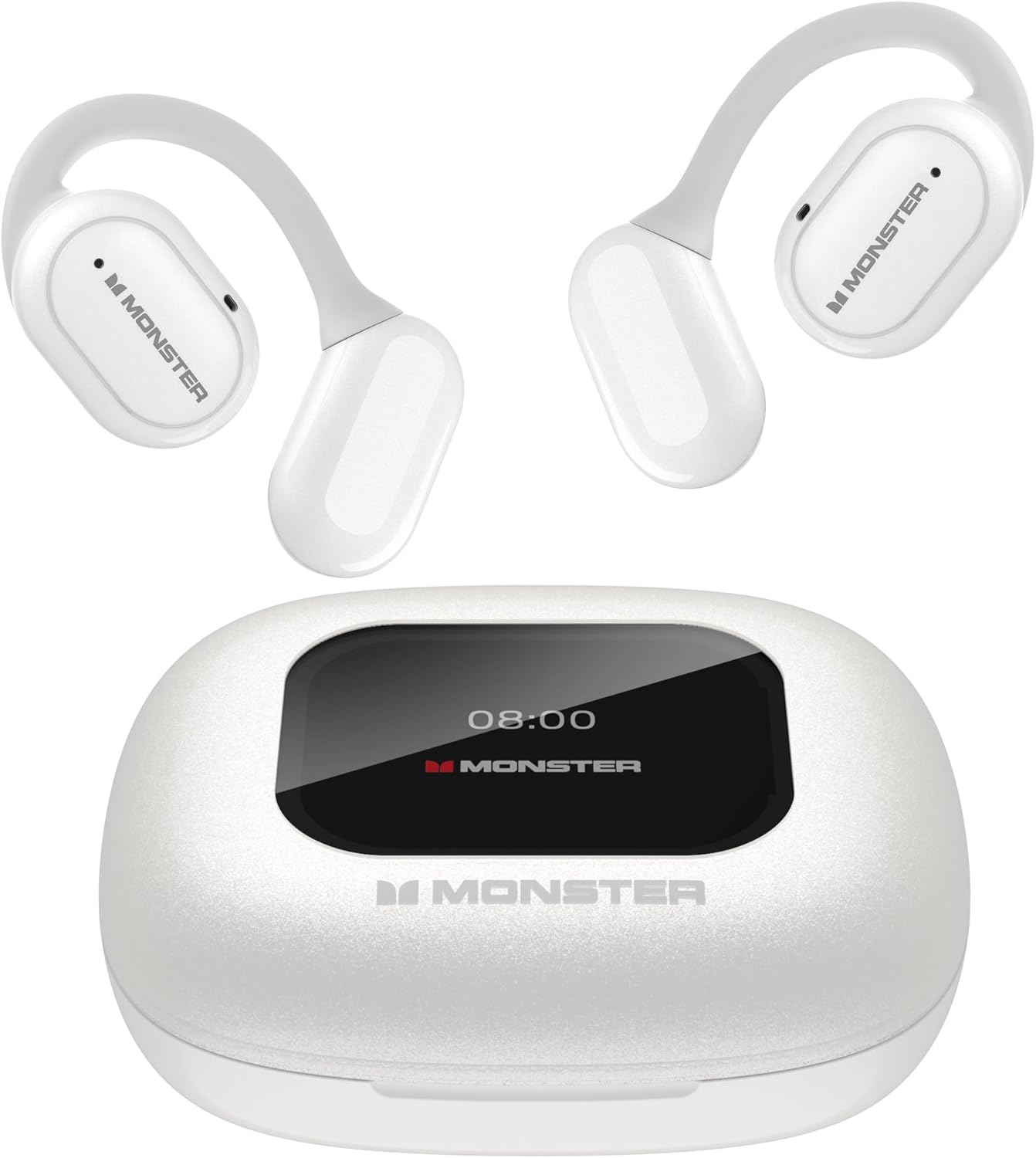
Image: The Monster Open Touch Pro 100 earbuds and their charging case, showcasing the complete product package.
3. Product Overview
The Monster Open Touch Pro 100 features an innovative open-ear design for comfort and situational awareness, coupled with a smart touch-screen charging case for enhanced control.
3.1 Key Features
- Open-Ear Design: Allows ambient sound awareness for safety and comfort.
- 16.2mm Large Drivers: Delivers clear and detailed audio.
- ENC Noise Cancellation: Ensures crystal-clear call quality.
- LED Full-Color Smart Screen: Provides intuitive control over various functions.
- Independent MP3 Mode: Supports TF card playback without a phone.
- Bluetooth 5.4: Offers stable and low-latency wireless connectivity.
- IPX5 Waterproof: Protects earbuds from sweat and light rain (charging case is not waterproof).

Image: An exploded view diagram illustrating the internal components of the earbud, highlighting the 16.2mm large driver for full-range sound quality.
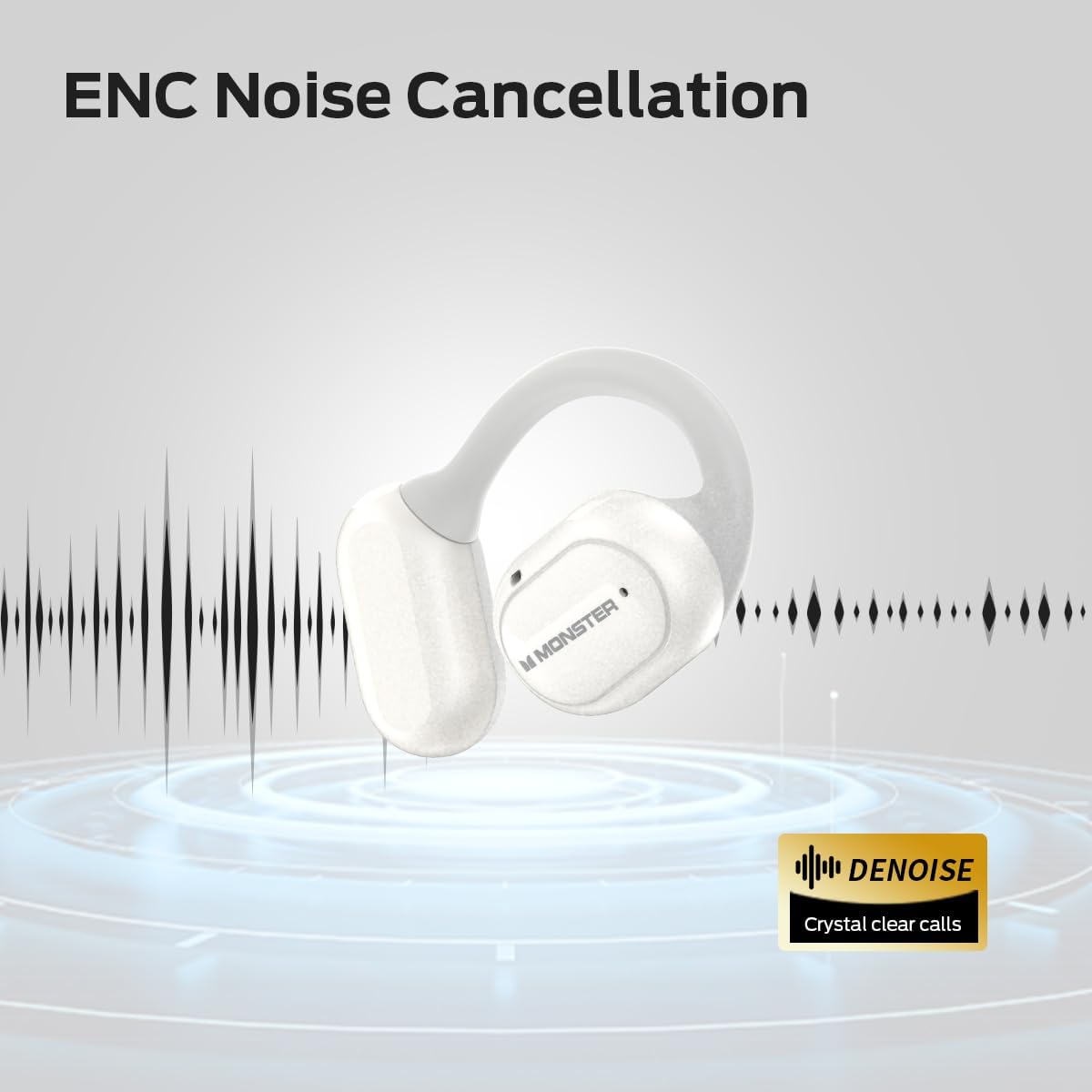
Image: A graphic representation of an earbud with sound waves, indicating the ENC (Environmental Noise Cancellation) feature for clear calls.
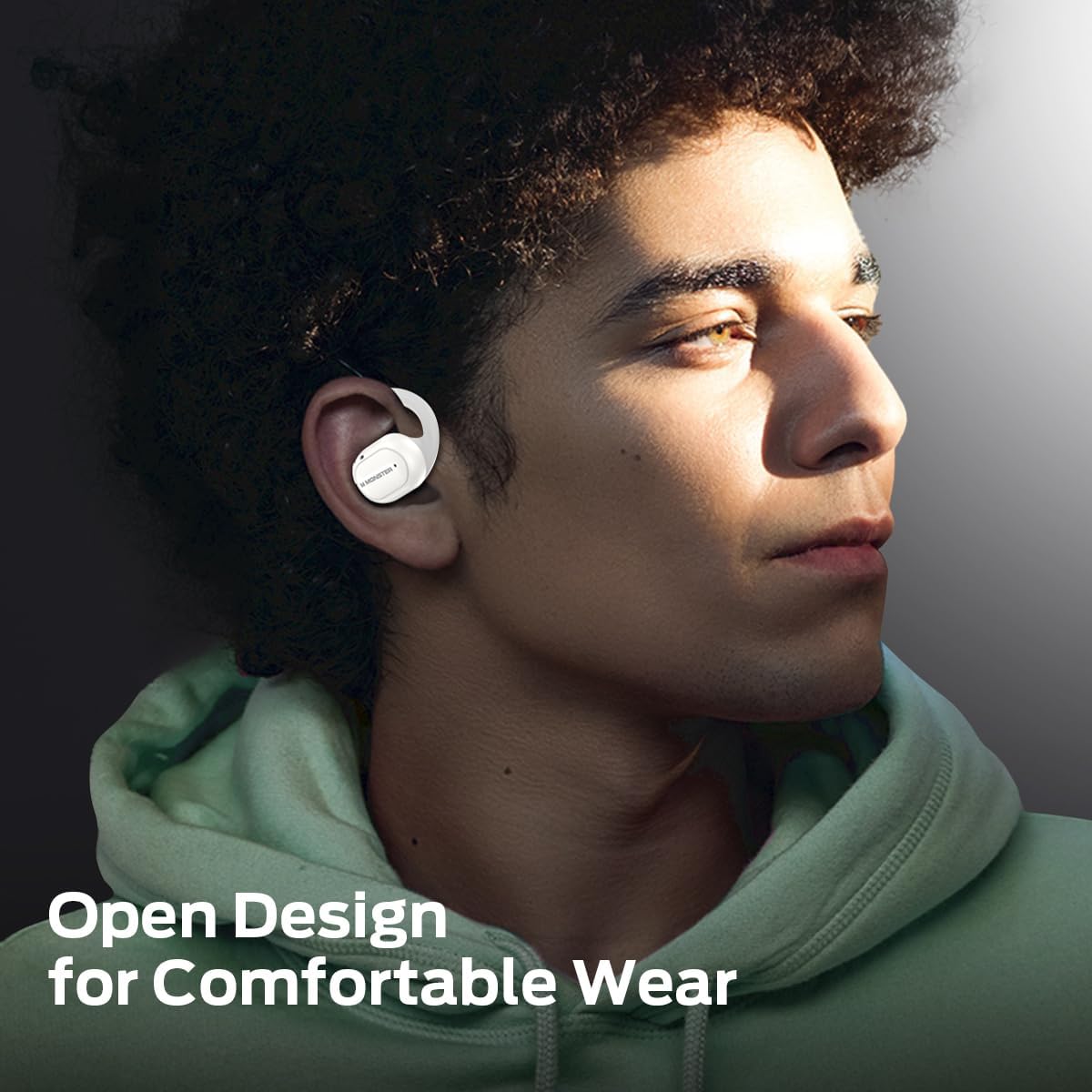
Image: A person wearing the Monster Open Touch Pro 100 earbuds, demonstrating the comfortable and secure open-ear design.
4. Setup
4.1 Charging the Device
Before first use, fully charge the earbuds and the charging case.
- Place the earbuds into the charging case, ensuring they are correctly seated.
- Connect the USB charging cable to the charging port on the case and the other end to a compatible USB power source (e.g., computer USB port, wall adapter).
- The LED screen on the charging case will indicate the charging status. A full charge for the case takes approximately 24 hours, and the earbuds provide up to 8 hours of playback on a single charge, extending to 30 hours with the charging case.

Image: A visual representation of the battery life, indicating 8 hours of playback on a single charge for the earbuds and up to 30 hours total with the charging case.
4.2 Bluetooth Pairing
To connect your earbuds to a Bluetooth-enabled device:
- Open the charging case. The earbuds will automatically enter pairing mode.
- On your device (smartphone, tablet, laptop), enable Bluetooth and search for available devices.
- Select "Monster Open Touch Pro 100" from the list of found devices.
- Once connected, the earbuds will indicate successful pairing, and the device will show them as connected.
4.3 TF Card Installation (for MP3 Mode)
The charging case has a built-in TF card slot for independent music playback.
- Locate the TF card slot on the charging case.
- Gently insert a TF card (not included) into the slot until it clicks into place. Ensure the card is oriented correctly.
- The device will recognize the TF card, allowing you to access music files directly from the case's screen.

Image: The charging case with a TF card being inserted into its dedicated slot, enabling independent MP3 playback.
5. Operating Instructions
5.1 Touch Screen Controls (Charging Case)
The full-color touch screen on the charging case provides comprehensive control over the earbuds' functions.

Image: A visual guide to the various functions available on the LED full-color touch screen of the charging case, including music control, EQ modes, and settings.
5.2 Earbud Touch Controls
The earbuds themselves feature touch-sensitive areas for quick control of audio and calls.
| Action | Function |
|---|---|
| Click x1 (L/R) | Play/Pause |
| Click x2 (L/R) | Answer Call |
| Click x2 (R) | Next Song |
| Click x3 (L/R) | Previous Song |
| Hold 2s (L/R) | Activate Voice Assistant |
| Hold 3s (L/R) | Hang Up Call |

Image: A detailed diagram illustrating the touch control functions on the earbuds for music playback, call management, and voice assistant activation.
5.3 EQ Modes
The charging case screen allows you to select from multiple Equalizer (EQ) modes to customize your listening experience.
- Navigate to the EQ settings on the touch screen.
- Choose from presets such as Rock, Pop, Normal, Jazz, and Classic.

Image: The touch screen displaying various EQ modes like Rock, Pop, Normal, Jazz, and Classic, allowing users to tailor their audio experience.
5.4 Language Switch
You can change the system language of the charging case interface.
- Access the settings menu on the touch screen.
- Select the 'Language Switch' option.
- Choose your preferred language (e.g., English, Chinese).

Image: The charging case screen showing the language selection interface, demonstrating the ability to switch between different languages.
5.5 Camera Control
The charging case can act as a remote shutter for your smartphone camera.
- Ensure your earbuds are connected to your smartphone via Bluetooth.
- Open the camera application on your smartphone.
- Navigate to the camera control function on the charging case's touch screen.
- Tap the shutter icon on the case screen to remotely take a photo.

Image: A smartphone displaying a camera interface, with the Monster Open Touch Pro 100 charging case being used as a remote shutter control.
6. Maintenance
Proper maintenance ensures the longevity and optimal performance of your Monster Open Touch Pro 100 earbuds.
6.1 Cleaning
- Use a soft, dry, lint-free cloth to clean the earbuds and charging case.
- Do not use abrasive cleaners, alcohol, or chemical solvents.
- Gently wipe the charging contacts on both the earbuds and the case to ensure good connection.
6.2 Storage
- Always store the earbuds in their charging case when not in use to protect them and keep them charged.
- Store the device in a cool, dry place, away from direct sunlight and extreme temperatures.
6.3 Water Resistance (IPX5)
The earbuds are IPX5 waterproof, meaning they are resistant to sweat and light splashes of water. The charging case is not waterproof.

Image: A person engaged in exercise, illustrating the IPX5 waterproof performance of the earbuds, which are resistant to sweat and light rain.
7. Troubleshooting
If you encounter issues with your Monster Open Touch Pro 100, refer to the following common solutions:
- No Power/Won't Turn On: Ensure the earbuds and charging case are fully charged.
- Cannot Pair: Make sure Bluetooth is enabled on your device and the earbuds are in pairing mode. Try turning Bluetooth off and on again on your device. If issues persist, try resetting the earbuds (refer to manufacturer's website for specific reset instructions if not in manual).
- No Sound: Check the volume level on both your device and the earbuds. Ensure the earbuds are properly connected to your device.
- Poor Sound Quality: Ensure there are no obstructions between your device and the earbuds. Move closer to your device. Check for interference from other wireless devices.
- TF Card Not Recognized: Ensure the TF card is inserted correctly and is formatted to a compatible file system (e.g., FAT32). Try a different TF card.
- Touch Screen Unresponsive: Ensure the screen is clean and dry. If unresponsive, try restarting the charging case by closing and reopening it, or by fully discharging and recharging it.
For more complex issues, please refer to the official Monster support resources.
8. Specifications
| Feature | Detail |
|---|---|
| Model Name | Open Touch Pro100 |
| Connectivity Technology | Wireless (Bluetooth) |
| Bluetooth Version | 5.4 |
| Audio Driver Size | 16.2 Millimeters |
| Ear Placement | Open Ear |
| Control Type | Touch Control |
| Earbud Battery Life | Up to 8 Hours (single charge) |
| Total Playback Time | Up to 30 Hours (with charging case) |
| Charging Case Battery Charging Time | Approx. 24 Hours |
| Water Resistance Rating | IPX5 (Earbuds only) |
| Material | Silicone (ear hooks), Plastic (case) |
| Item Weight | 0.19 Kilograms (approx. 6.7 ounces) |
| Compatible Devices | Laptops, Desktops, Tablets, Telephones, Smart Speakers, Televisions, Car Audio Systems, Cellphones |

Image: A detailed diagram showcasing the Bluetooth 5.4 chip, highlighting the advanced wireless communication technology integrated into the device.
9. Warranty and Support
9.1 Warranty Information
Monster products are designed and manufactured to the highest quality standards. This product is covered by a limited warranty from the date of original purchase. Please refer to the warranty card included in your package or visit the official Monster website for detailed warranty terms and conditions specific to your region.
9.2 Customer Support
For technical assistance, troubleshooting, or product inquiries, please contact Monster customer support. Contact information can typically be found on the official Monster website or on the product packaging.
Online Support: Visit the official Monster website for FAQs, support articles, and contact options.
Email Support: Refer to the website for the appropriate email address.
Phone Support: Refer to the website for regional phone numbers.
Related documentsOpen Touch Pro100


Ask a question about this manual
Ask about setup, troubleshooting, compatibility, parts, safety, or missing instructions. Manuals+ will review the question and use this page’s manual context to help answer it.