
1. Introduction
This manual provides detailed instructions for the proper use and maintenance of your BOBLOV F2 Body Camera. The F2 is a versatile recording device designed for various applications, including security, law enforcement, and personal documentation. It features dual screens, 2K video recording, 40MP photo capabilities, and integrated GPS functionality.
2. Package Contents
Verify that all items listed below are included in your package. If any items are missing or damaged, please contact customer support.
- BOBLOV F2 Body Camera
- Long Clip
- Short Clip
- Car Suction Mount
- Dual-Shoulder Chest Vest
- Car Charger
- USB-C Cable
- User Manual (this document)
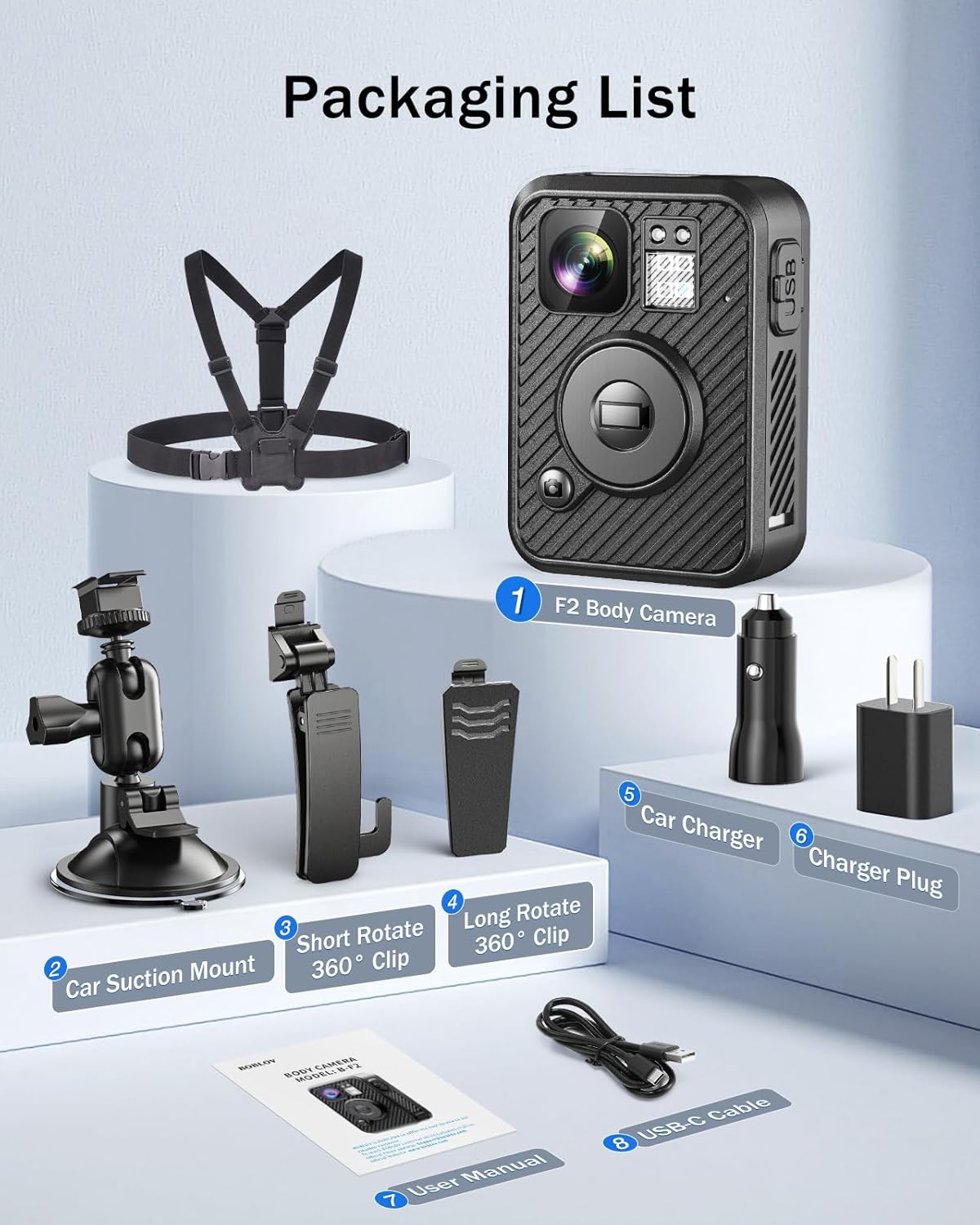
Image: Contents of the BOBLOV F2 Body Camera package.
3. Product Overview
The BOBLOV F2 Body Camera is equipped with several features for effective recording and monitoring.
3.1 Key Features
- Dual Screens: A 0.66-inch top screen displays real-time status (battery, storage, GPS, recording) and a 2.0-inch main screen for live view and playback.
- High-Resolution Recording: Captures video in 2K/1440P and photos at 40MP.
- GPS Functionality: Built-in GPS for tracking routes and location data.
- Intuitive Controls: Large, distinct buttons for easy operation of recording, snapshot, and audio functions.
- Long Battery Life: Integrated 3000mAh battery provides 8-10 hours of continuous recording.
- Versatile Mounting: Includes a double-shoulder chest vest, long clip, short clip, and car suction mount for various applications.
- Dash Cam Mode: Can be used as a dash camera with the included car mount.

Image: BOBLOV F2 Dual-Screen Innovation.
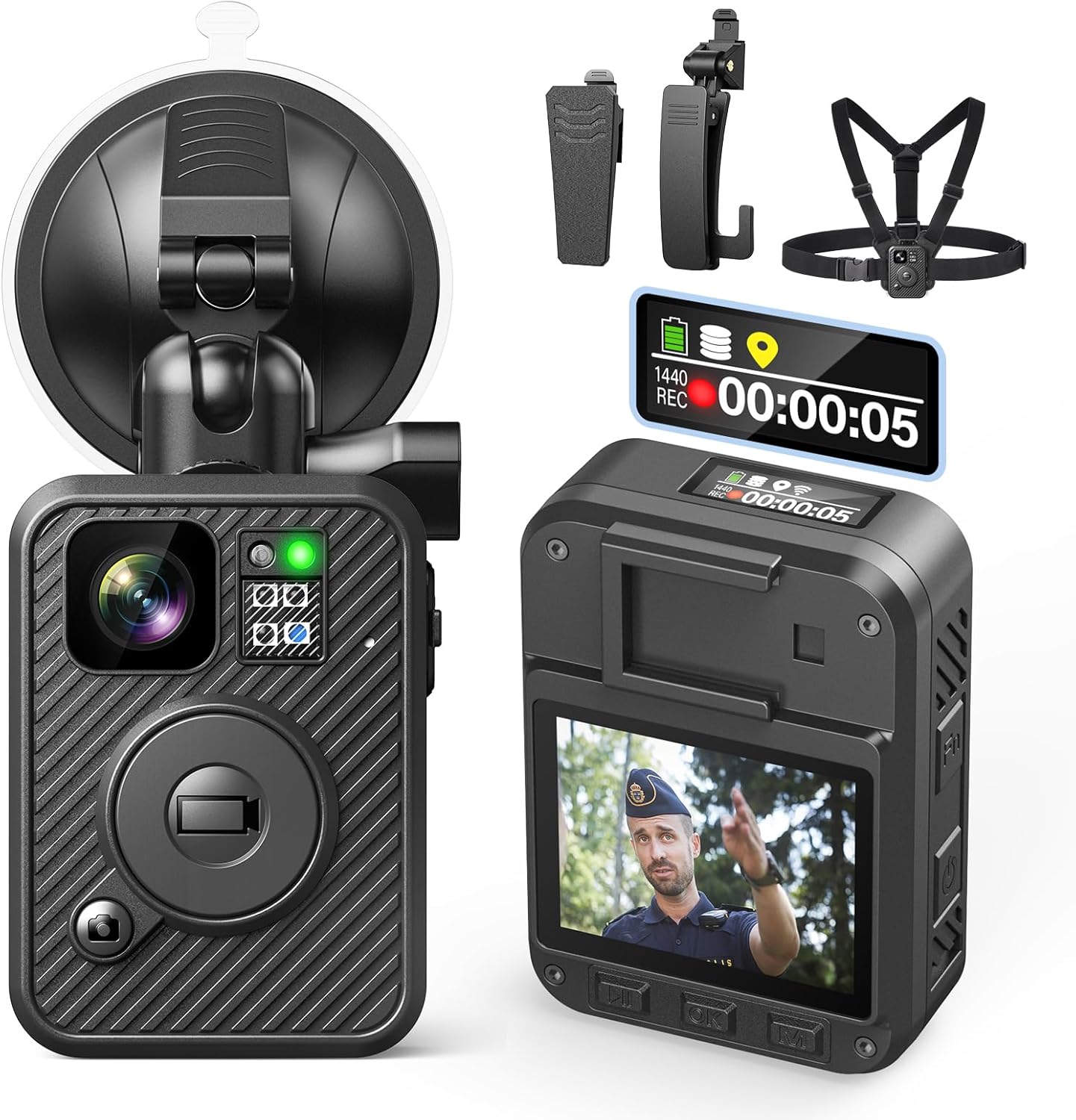
Image: BOBLOV F2 Body Camera with accessories.
4. Setup
4.1 Charging the Battery
- Connect the USB-C cable to the camera's charging port.
- Connect the other end of the USB-C cable to the car charger or a standard USB power adapter (not included).
- The camera's indicator light will be blue while charging.
- Once fully charged (approximately 4-6 hours), the indicator light will turn white.

Image: Charging the BOBLOV F2 Body Camera.
4.2 Attaching the Camera
The F2 camera offers multiple attachment options for various scenarios.
- Using Clips: Attach the long or short clip to the back of the camera. These clips can rotate 360 degrees for flexible positioning on clothing, belts, or bags.
- Using Chest Vest: For maximum stability, secure the camera to the included double-shoulder chest vest. This is ideal for active use and ensures a hands-free setup.
- Using Car Suction Mount: For dash cam functionality, attach the camera to the car suction mount and secure it to your vehicle's windshield.
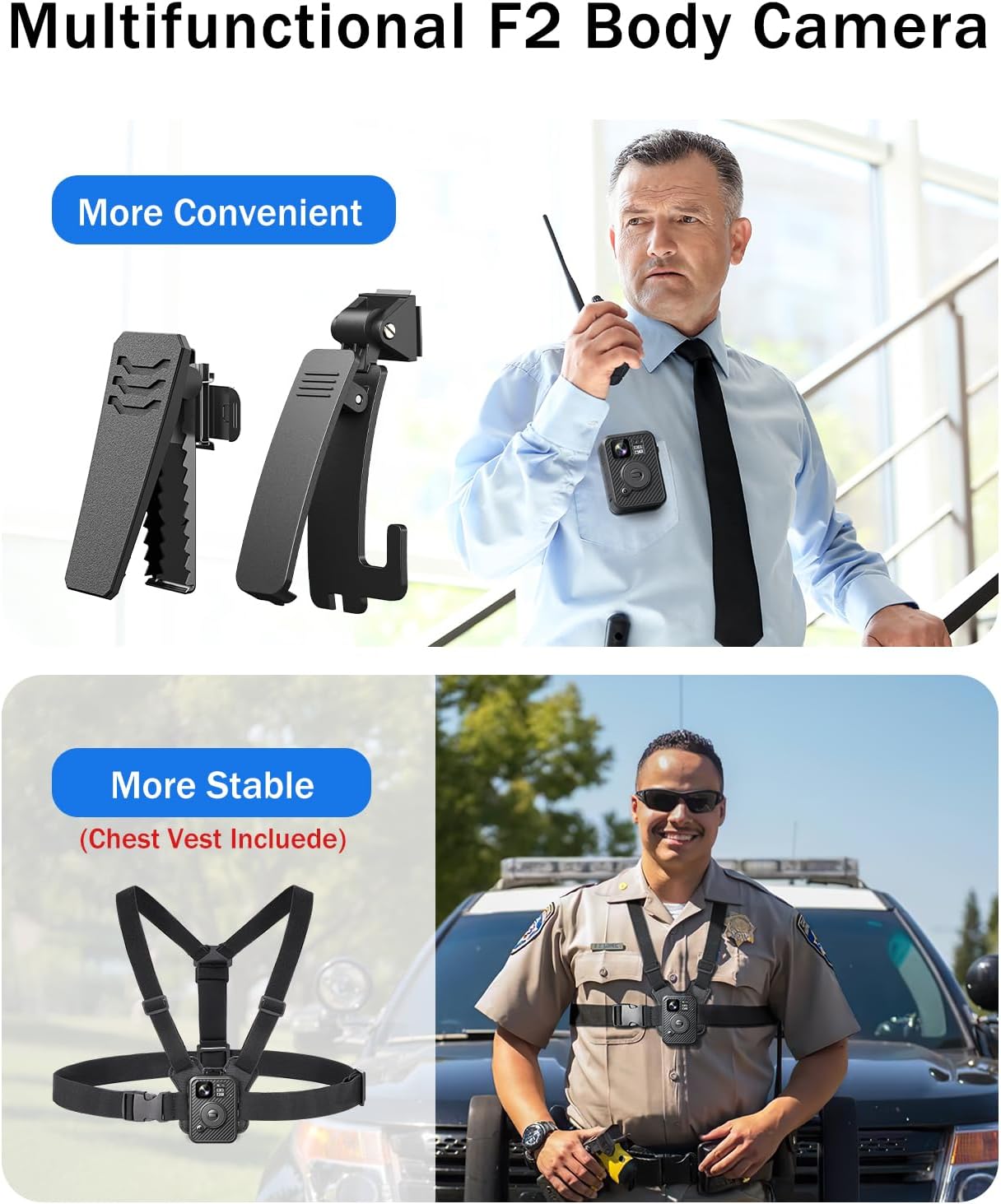
Image: BOBLOV F2 Body Camera with clips and chest vest.
4.3 Initial Power On and Basic Settings
- Press and hold the Power button to turn on the camera.
- Navigate the menu using the control buttons (Up, Down, OK, Menu) to set the correct date, time, and desired language.
- Ensure GPS is enabled in the settings for location tracking.
5. Operation
5.1 Video Recording
To start recording video:
- Ensure the camera is powered on.
- Press the large Record button on the front of the camera. The top screen will indicate "REC" and the recording duration.
- To stop recording, press the Record button again.
- The camera supports 2K/1440P video resolution.

Image: BOBLOV F2 capturing 2K video and 40MP photos.
5.2 Taking Photos
To capture a still image:
- While in standby or recording mode, press the Snapshot button (usually marked with a camera icon).
- The camera will capture a 40MP photo.
5.3 Audio Recording
To record audio only:
- Press the Audio button (usually marked with an 'Fn' or microphone icon).
- Press it again to stop audio recording.

Image: F2 applications and button functions.
5.4 GPS Functionality
The built-in GPS module records location data with your video files. This data can be reviewed on the camera or a computer.
- Ensure GPS is enabled in the camera settings.
- When connected to a computer, use compatible software to view recorded routes and location information.

Image: GPS function in action, showing route tracking on a computer.
5.5 Connecting to a Computer
To transfer files or review GPS data:
- Connect the camera to your computer using the provided USB-C cable.
- The camera will appear as a removable disk drive.
- You can access video, photo, and audio files directly.
- For GPS data review, use compatible playback software on Windows or Mac.
6. Maintenance
6.1 Cleaning
- Wipe the camera body with a soft, damp cloth.
- For the lens, use a specialized lens cleaning cloth and solution to avoid scratches.
- Do not use harsh chemicals or abrasive materials.
6.2 Storage
- Store the camera in a cool, dry place away from direct sunlight and extreme temperatures.
- Ensure the battery is partially charged (around 50%) before long-term storage to prolong its lifespan.
6.3 Battery Care
- Avoid fully discharging the battery frequently.
- Charge the camera regularly, even if not in use, to maintain battery health.
7. Troubleshooting
| Problem | Possible Cause | Solution |
|---|---|---|
| Camera does not power on. | Low battery. | Charge the camera for at least 30 minutes. |
| Cannot record video/take photos. | Insufficient storage space. | Delete old files or transfer them to a computer to free up space. |
| GPS data not recording. | GPS function disabled or poor signal. | Enable GPS in settings. Ensure camera has a clear view of the sky. |
| Computer does not recognize camera. | Faulty USB cable or port. | Try a different USB-C cable or a different USB port on your computer. |
| Video footage is shaky. | Lack of image stabilization. | Ensure the camera is securely mounted and minimize sudden movements during recording. |
8. Specifications
| Feature | Detail |
|---|---|
| Model Name | F2 |
| Video Capture Resolution | 2K/1440P |
| Photo Resolution | 40MP |
| Lens Angle | 120° Wide-Angle |
| Battery Capacity | 3000mAh Lithium Polymer |
| Recording Time | 8-10 hours (continuous) |
| Charging Time | 4-6 hours |
| Connectivity | USB-C |
| Special Features | GPS, Night Vision, Dual-Screen |
| Dimensions (L x W x H) | 2.36 x 3.15 x 3.94 inches (approx.) |
| Item Weight | 1.81 pounds (approx.) |
| Water Resistance Level | Waterproof (general usage, not for submersion) |
9. Warranty & Support
9.1 Product Warranty
BOBLOV provides a 24-month product coverage for its customers. This warranty covers manufacturing defects and issues arising from normal use. Please retain your proof of purchase for warranty claims.
9.2 Customer Support
For technical assistance, troubleshooting, or warranty inquiries, please contact BOBLOV customer support. We aim to provide quick responses within 24 hours and offer lifetime technical support.
You can visit the official BOBLOV store for more information and contact details: BOBLOV Store on Amazon


