
AWEI T78
AWEI T78 Mini Wireless Earbuds User Manual
Model: T78
Introduction
Thank you for choosing the AWEI T78 Mini Wireless Earbuds. These earbuds are designed to provide an immersive audio experience with advanced Bluetooth 5.4 technology, clear call performance, and a lightweight, ergonomic design. This manual will guide you through the setup, operation, and maintenance of your new earbuds to ensure optimal performance and longevity.

Image: AWEI T78 earbuds and charging case, highlighting immersive stereo sound.
What's in the Box
- AWEI T78 Wireless Earbuds
- Charging Case
- USB Charging Cable (Type-C)
- User Manual
- Eartips
Product Overview
The AWEI T78 earbuds consist of two lightweight earbuds and a portable charging case. The earbuds feature touch-sensitive controls for easy operation, while the charging case provides extended battery life on the go.
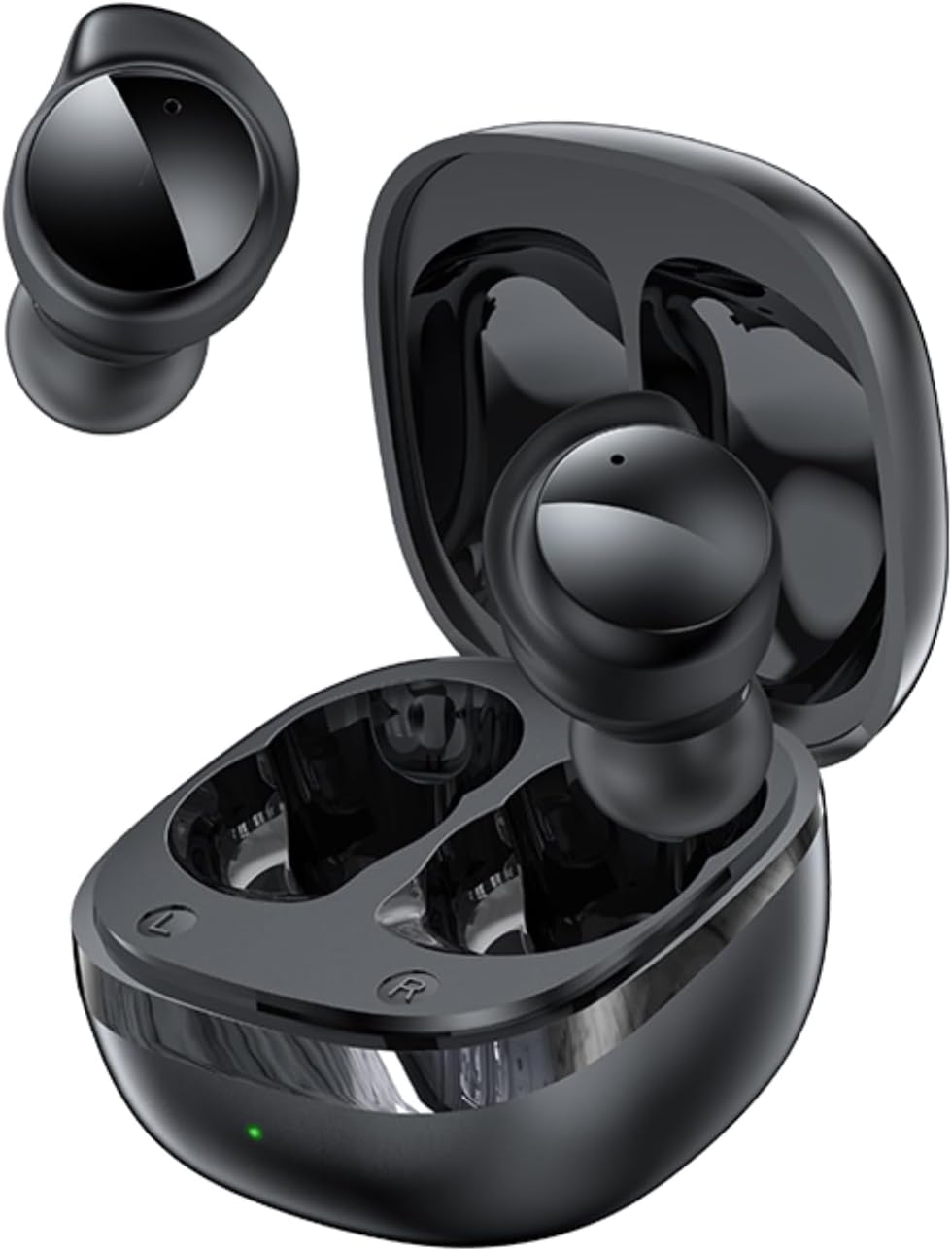
Image: AWEI T78 Mini Wireless Earbuds and Charging Case.

Image: Internal components of an AWEI T78 earbud, showcasing the 13mm speaker.
Setup
1. Charging the Earbuds and Case
Before first use, fully charge the charging case and earbuds. Connect the provided Type-C USB cable to the charging port on the case and a power source. The charging indicator light will show the charging status.
- Charging Case Battery: 200mAh
- Charging Time (Case): Approximately 1 hour
- Earbud Play Time: Up to 4 hours per charge
- Earbud Talk Time: Up to 3 hours per charge
- Total Playback with Charging Case: Up to 30 hours (dual-ear mode), up to 52 hours (single-ear alternating mode)

Image: Battery life details for AWEI T78 earbuds.
2. Pairing with Your Device
- Ensure the earbuds are charged.
- Open the charging case. The earbuds will automatically power on and enter pairing mode.
- On your device (smartphone, tablet, laptop), enable Bluetooth.
- Search for available Bluetooth devices and select "AWEI T78" from the list.
- Once connected, you will hear a confirmation sound, and the earbuds will be ready for use.
The earbuds feature Bluetooth 5.4 for a fast, stable, and low-latency connection up to 10 meters (33 feet). They will automatically reconnect to the last paired device when taken out of the case.

Image: AWEI T78 earbuds demonstrating Bluetooth 5.4 connectivity.
Operating
Power On/Off
- Power On: Open the charging case, and the earbuds will automatically power on.
- Power Off: Place the earbuds back into the charging case and close the lid. They will automatically power off and begin charging.
Touch Controls
The AWEI T78 earbuds feature intuitive touch controls on each earbud. The functions are as follows:
- Play/Pause: Tap once on either L/R earbud.
- Next Song: Tap twice on either L/R earbud.
- Previous Song: Tap thrice on either L/R earbud.
- Answer/Hang Up Call: Tap once on either L/R earbud.
- Reject Call: Touch for 1 second on either L/R earbud.
- Activate Voice Assistant: Long touch for 2 seconds on either L/R earbud.

Image: Detailed diagram of AWEI T78 earbud touch controls.
Single Earbud Mode
You can use either the left or right earbud independently. Simply take one earbud out of the case, and it will automatically connect to your device. The other earbud can remain in the case or be used later.

Image: AWEI T78 earbud worn, emphasizing its lightweight design.
Maintenance
Cleaning
Regularly clean your earbuds and charging case to maintain optimal performance and hygiene.
- Use a soft, dry, lint-free cloth to wipe the earbuds and charging case.
- Gently remove any earwax or debris from the earbud mesh and charging contacts using a clean, dry cotton swab or a small, soft brush.
- Do not use abrasive cleaners, alcohol, or chemical solvents.
Water Resistance (IPX5)
The AWEI T78 earbuds are IPX5 waterproof, meaning they are protected against low-pressure water jets from any direction. This makes them suitable for workouts and light rain. However, they are not designed for submersion in water or for use during swimming or showering.
Storage
When not in use, store the earbuds in their charging case to protect them from dust and damage, and to keep them charged.
Troubleshooting
- Earbuds not pairing with device:
- Ensure Bluetooth is enabled on your device.
- Make sure the earbuds are charged and out of the charging case.
- Try forgetting "AWEI T78" from your device's Bluetooth list and re-pairing.
- Restart your device and try again. - Only one earbud working:
- Place both earbuds back into the charging case, close the lid, and then take them out again.
- Ensure both earbuds are charged.
- If the issue persists, try resetting the earbuds (refer to manufacturer's website for specific reset instructions if needed). - No sound:
- Check the volume level on both your device and the earbuds.
- Ensure the earbuds are properly connected to your device.
- Try playing audio from a different application or source. - Charging case not charging:
- Ensure the charging cable is securely connected to both the case and the power source.
- Try a different charging cable or power adapter.
- Check if the charging port on the case is clean and free of debris.
Specifications
| Model Name | T78 |
| Brand | AWEI |
| Connectivity Technology | Wireless (Bluetooth 5.4) |
| Bluetooth Range | Up to 10 meters (33 feet) |
| Water Resistance Level | IPX5 |
| Ear Placement | In Ear |
| Control Type | Touch Control |
| Charging Port | Type-C |
| Charging Case Battery | 200mAh |
| Speaker Size | 13mm |
| Impedance | 32 Ohm |
| Noise Control | Active Noise Cancellation |
Warranty and Support
For warranty information and technical support, please refer to the warranty card included with your product or visit the official AWEI website. If you encounter any issues not covered in this manual, please contact AWEI customer service for assistance.
Related documentsT78


Ask a question about this manual
Ask about setup, troubleshooting, compatibility, parts, safety, or missing instructions. Manuals+ will review the question and use this page’s manual context to help answer it.