
1. Introduction
Welcome to the Blackview BV9300Pro Rugged Smartphone user manual. This guide provides essential information for setting up, operating, and maintaining your device. The BV9300Pro is designed for durability and performance, featuring a robust build, a large battery, and a unique secondary display.
1.1. Package Contents
Please check the box for the following items:
- Blackview BV9300Pro Smartphone
- Power Adapter
- USB-C Cable
- SIM Ejector Tool
- User Manual
Video: Unboxing and overview of a Blackview rugged phone, demonstrating typical package contents and initial setup.
2. Device Overview
Familiarize yourself with the physical components of your Blackview BV9300Pro.

Image: Front and rear view of the Blackview BV9300Pro smartphone, highlighting its rugged design and secondary display.
2.1. Physical Buttons and Ports
- Power Button: Located on the side, used to power on/off the device or wake/sleep the screen.
- Volume Buttons: Located on the side, used to adjust media and call volume.
- Customizable Shortcut Button: A programmable button for quick access to specific functions or apps.
- USB-C Port: Located at the bottom, used for charging and data transfer.
- SIM/SD Card Slot: Located on the side, for inserting SIM cards and a microSD card.
- Fingerprint Sensor: Integrated for secure unlocking.
- 100 Lumen Flashlight: Integrated at the top for illumination.
3. Setup
3.1. SIM and SD Card Installation
- Locate the SIM/SD card slot on the side of the phone.
- Insert the SIM ejector tool into the small hole next to the slot and press firmly until the tray pops out.
- Place your Nano-SIM card(s) and/or microSD card into the tray according to the diagram on the tray.
- Carefully reinsert the tray into the phone until it clicks into place.
3.2. Initial Power On
- Press and hold the Power button until the Blackview logo appears.
- Follow the on-screen instructions to complete the initial setup, including language selection, Wi-Fi connection, and Google account login.
4. Key Features
4.1. 1.32" Customizable Secondary Display
The BV9300Pro features a secondary screen on the rear, offering quick access to various functions without activating the main display.
- Information Display: View time, date, battery level, and notifications.
- Quick Tools: Access compass, music controls, weather updates.
- Selfie Assistant: Use the secondary screen as a viewfinder for rear camera selfies.
- Call Management: Answer or reject calls directly from the secondary screen.

Image: Illustration of the 1.32-inch customizable secondary screen on the Blackview BV9300Pro, showing various functions like compass, music player, battery level, and notifications.
Video: Demonstrates the dual main screens of a rugged smartphone, showcasing the functionality of the secondary display for quick access to information and controls.
4.2. 6.7" FHD+ 120Hz Main Display
The main display offers a 6.7-inch Full HD+ experience with a 120Hz refresh rate for smooth visuals and responsive interaction. It features 1080 x 2388 resolution, 391 PPI, 500 nits brightness, and Corning Gorilla Glass 5 for enhanced durability.

Image: Visual representation of the Blackview BV9300Pro's 6.7-inch FHD+ 120Hz display, highlighting its resolution, brightness, and Gorilla Glass protection.
4.3. Performance and Storage
Powered by the MediaTek Helio G99 6nm octa-core processor, the BV9300Pro delivers efficient performance. It comes with 12GB of RAM, expandable with an additional 12GB virtual RAM, totaling 24GB. Internal storage is 256GB, expandable up to 1TB via microSD card.

Image: Diagram illustrating the Helio G99 processor, 24GB RAM (12GB physical + 12GB virtual), 256GB ROM, and 1TB expandable storage of the Blackview BV9300Pro.
4.4. Long-Lasting Battery and Fast Charging
The device is equipped with a 15080mAh ultra-large battery, providing extended usage times. It supports 33W fast charging, allowing for quick recharges. OTG (On-The-Go) functionality is also supported, enabling the phone to charge other devices.

Image: Visual of the Blackview BV9300Pro's 15080mAh battery capacity and 33W fast charging capability, with estimated usage times for standby, calling, music, and video playback.
Video: Showcases the large battery capacity and fast charging of a Blackview rugged phone, emphasizing extended power for various activities.
4.5. Camera System
The BV9300Pro features a versatile camera setup:
- Rear Cameras: 64MP main camera and an 8MP panoramic camera for detailed and wide-angle shots.
- Front Camera: 32MP for high-quality selfies and video calls.
- Video Recording: Up to 2K video recording with Beauty Mode.

Image: Details the Blackview BV9300Pro's 32MP front camera and 64MP main camera, along with OIS anti-shake technology and 2K video recording capabilities.
4.6. 100 Lumen Flashlight
A powerful built-in 100 Lumen flashlight with a beam distance of up to 10m provides reliable illumination in various situations, including emergencies, night photography, and outdoor activities.

Image: Demonstrates the powerful 100 Lumen flashlight of the Blackview BV9300Pro, showing its use in various low-light scenarios.
4.7. Durability and Protection
The BV9300Pro is built to withstand harsh environments, adhering to MIL-STD-810H, IP68, and IP69K standards. This ensures resistance to 1.5-meter drops, 360° dust ingress, and water immersion up to 1.5 meters for 30 minutes. The screen is protected by rugged Corning Gorilla Glass 5.

Image: Illustrates the Blackview BV9300Pro's compliance with MIL-STD-810H, IP68, and IP69K standards, showcasing its dustproof, waterproof, and shockproof capabilities.
4.8. Connectivity and Operating System
The phone supports dual 4G SIM cards (compatible with T-Mobile, BTC, MetroPCS, H2O, Movistar, Telcel, etc., but not ATT or Verizon). It features 5G Wi-Fi and Bluetooth 5.2. The device runs on the Android 13 operating system, offering an enhanced user experience.

Image: Displays the Blackview BV9300Pro running Android 13, alongside icons representing features like Glove Mode, NFC, Fingerprint Unlock, and GPS.
5. Operating Instructions
5.1. Basic Operations
- Touch and Swipe: Navigate the interface by tapping icons, swiping across screens, and pinching to zoom.
- Notifications: Swipe down from the top of the screen to access the notification panel and quick settings.
- App Management: Swipe up from the bottom to access the app drawer. Long-press an app icon for options like uninstalling or viewing app info.
5.2. Secondary Screen Functions
To interact with the secondary screen, gently swipe across its surface to cycle through different widgets and functions. Customization options are available in the phone's settings.
5.3. Camera Usage
Open the Camera app to access various modes:
- Photo Mode: Tap the shutter button to take a picture.
- Video Mode: Tap to record video.
- Panoramic Mode: Follow on-screen prompts to capture wide-angle scenes.
- Front Camera: Switch to the front camera for selfies. Use the secondary screen as a viewfinder for convenience.
5.4. Flashlight Activation
The 100 Lumen flashlight can be activated via the quick settings panel (swipe down from the top) or by assigning it to the customizable shortcut button.
5.5. Security Features
- Fingerprint ID: Register your fingerprint(s) in Settings > Security > Fingerprint for quick and secure unlocking.
5.6. NFC and Glove Mode
- NFC: Enable NFC in Settings > Connected devices > NFC for contactless payments and data transfer.
- Glove Mode: Activate Glove Mode in Settings > Smart assistance > Glove mode to enhance touch sensitivity for use with gloves.
5.7. GPS Navigation
The BV9300Pro supports GPS, Beidou, Glonass, and Galileo for accurate positioning and navigation. Use pre-installed or downloaded navigation apps for route guidance.
6. Maintenance
6.1. General Care
- Avoid exposing the phone to extreme temperatures or direct sunlight for prolonged periods.
- Do not attempt to disassemble the device, as this will void the warranty and may cause damage.
- Keep the device away from strong magnetic fields.
6.2. Cleaning
- Use a soft, lint-free cloth to clean the screen and body of the phone.
- For stubborn dirt, slightly dampen the cloth with water or a screen cleaner.
- Ensure all port covers are securely closed before cleaning with liquids or exposing to water.
6.3. Battery Care
- Use only the original charger and cable provided with the device.
- Avoid fully discharging the battery frequently.
- Store the device in a cool, dry place if not used for an extended period.
7. Troubleshooting
7.1. Device Lagging or Freezing
If your device experiences lagging or freezing, try the following steps:
- Close Background Apps: Many apps running in the background can consume resources. Close unnecessary apps.
- Uninstall Unused Apps: Remove applications you no longer use to free up storage and RAM.
- Restart the Device: A simple restart can often resolve temporary performance issues. Press and hold the Power button, then select 'Restart'.
- Clear Cache: Regularly clear the cache of apps that consume a lot of resources.
Video: A short video demonstrating steps to address device lagging or freezing, including closing background apps, uninstalling apps, and restarting the phone.
7.2. Connectivity Issues
- Wi-Fi: Ensure Wi-Fi is enabled and you are connected to the correct network. Try forgetting the network and reconnecting.
- Mobile Data: Check if mobile data is enabled and your SIM card is properly inserted and activated.
- Bluetooth: Ensure Bluetooth is on and the device you are trying to connect to is in pairing mode.
7.3. Charging Issues
- Verify that the charging cable and adapter are securely connected to both the phone and the power outlet.
- Try using a different compatible charger and cable to rule out faulty accessories.
- Ensure the USB-C port is clean and free of debris.
8. Specifications
| Feature | Specification |
|---|---|
| Model Name | BV9300Pro Rugged Smartphone |
| Operating System | Android 13.0 |
| CPU Model | MediaTek Kompanio 828 (Helio G99) |
| CPU Speed | 2.2 GHz |
| RAM Memory Installed Size | 24 GB (12GB physical + 12GB virtual) |
| Memory Storage Capacity | 256 GB (Expandable up to 1TB) |
| Screen Size | 6.7 Inches |
| Resolution | 1080 x 2388 |
| Refresh Rate | 120 Hz |
| Secondary Screen | 1.32 inches, Customizable |
| Battery Capacity | 15080 Milliamp Hours |
| Fast Charging | 33W |
| Rear Camera | 64MP Main + 8MP Panoramic |
| Front Camera | 32MP |
| Flashlight | 100 Lumens |
| Durability Ratings | IP68, IP69K, MIL-STD-810H |
| Connectivity | Dual 4G SIM, 5G WiFi, Bluetooth 5.2 |
| Navigation | GPS+Beidou+Glonass+Galileo |
| Security | Fingerprint ID |
| Product Dimensions | 6.38 x 3.19 x 0.53 inches |
| Item Weight | 1.2 pounds |
9. Warranty and Support
Blackview products undergo strict examination from design to production. All Blackview products are subject to rigorous quality testing processes.
- Warranty: Smartphones come with a 24-month free repair warranty.
- Technical Support: Lifetime technician support is available through the Blackview Official Flagship Store.
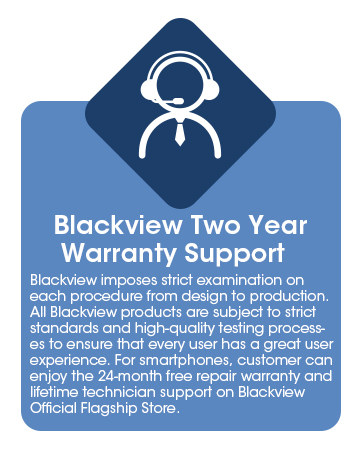
Image: Information regarding Blackview's two-year warranty and lifetime technical support.


