
Blackview TB2024-Color 8-128-Purple-CLXUS-NEW
Blackview Color 8 Unlocked Phone User Manual
Model: TB2024-Color 8-128-Purple-CLXUS-NEW
1. Product Overview
The Blackview Color 8 is a versatile unlocked Android smartphone designed for a seamless user experience. It features a powerful Octa-core processor, ample storage, a high-resolution camera, and a long-lasting battery, making it suitable for various daily tasks and entertainment.

Figure 1.1: Front and back view of the Blackview Color 8, highlighting its memory configuration.
2. Getting Started: Setup
2.1 Package Contents
Before beginning, ensure all items are present in the package:
- Blackview Color 8 Smartphone
- Charging Adapter
- USB Type-C Cable
- SIM Ejector Tool
- User Manual (this document)
- Protective Case (may be included)
2.2 SIM Card and Micro SD Card Installation
The Blackview Color 8 supports up to two Nano SIM cards and one Micro SD/TF card simultaneously.
- Locate the SIM card tray on the side of the phone.
- Insert the SIM ejector tool into the small hole next to the tray and gently push until the tray pops out.
- Place your Nano SIM card(s) and Micro SD card (if applicable) into the designated slots on the tray. Ensure the gold contacts face downwards.
- Carefully reinsert the tray into the phone until it is flush with the device body.

Figure 2.1: Illustration of the three-card slot design for SIM and Micro SD cards.

Figure 2.2: Detailed view of the triple card slot for expanded connectivity and storage.
2.3 Initial Power On and Setup
Press and hold the Power button until the Blackview logo appears. Follow the on-screen prompts to complete the initial setup, including language selection, Wi-Fi connection, and Google account sign-in.
2.4 Data Migration with EasyShare App
The EasyShare App, integrated with Doke OS 4.0, allows for fast and convenient data transfer from your old device. This method is significantly faster than traditional wireless Bluetooth transfers.

Figure 2.3: EasyShare App for quick and easy data transfer between devices.
3. Operating Your Blackview Color 8
3.1 Performance and Storage
The Blackview Color 8 is powered by an Octa-core processor, ensuring smooth operation and efficient multitasking. It comes with 8GB of physical RAM, expandable to 16GB with virtual memory, and 128GB of internal storage, which can be expanded up to 2TB using a Micro SD card.

Figure 3.1: Visual representation of the Octa-core processor and memory configuration.

Figure 3.2: Details on the Unisoc T616 chip and storage capabilities.

Figure 3.3: Technical specifications of the Octa-core Unisoc T616 processor.

Figure 3.4: Explanation of RAM expansion for enhanced multitasking.

Figure 3.5: Illustrates the extensive storage capacity for media and files.
Video 3.1: This video demonstrates the Blackview Color 8's performance through AnTuTu and Master Lu benchmark tests, showcasing its processing capabilities and fluidity.
3.2 Camera Features
The Blackview Color 8 is equipped with a 50MP main camera and an 8MP front camera. It supports Smart ISO for optimal color reproduction and enhanced low-light performance. Various photo modes are available to enhance your photography:
- 360° Panorama Capture: For wide, immersive landscape shots.
- 1080P Video Recording with Beauty Mode: For high-definition video with real-time enhancements.
- Night Mode: Improves clarity and detail in low-light conditions.
- HDR (High Dynamic Range): Balances exposure for better detail in both bright and dark areas.
- Beauty Mode: Enhances facial features for selfies and portraits.
- Portrait Mode: Creates a depth-of-field effect, blurring the background.

Figure 3.6: Overview of the 50MP camera and available shooting modes.

Figure 3.7: Examples of image quality from the main and front cameras.

Figure 3.8: Visual examples of different shooting modes in action.
3.3 Battery and Charging
The Blackview Color 8 is equipped with a 6000mAh mega battery, providing extended usage times. It supports 18W fast charging for quick power replenishment. The device also features USB OTG (On-The-Go) functionality, allowing it to act as a power bank to charge other devices.

Figure 3.9: Internal view highlighting the 6000mAh battery and charging features.

Figure 3.10: Estimated usage times on a full charge.
3.4 Display and Audio
The device features a large 6.75-inch HD+ display with a 90Hz refresh rate for smooth visuals. It offers a bright display of up to 450 nits and 10-point touch technology. Audio is enhanced by Smart-K box speaker technology.

Figure 3.11: Key features of the 6.75-inch HD+ display.

Figure 3.12: Comprehensive display specifications.
3.5 Operating System: Android 13 & Doke OS 4.0
The Blackview Color 8 runs on Android 13, enhanced with Blackview's Doke OS 4.0. This combination offers improved privacy protection, a refined user interface, and various additional functionalities:
- Per-app Language Preferences: Customize language settings for individual applications.
- Improved UI Experience: Enhanced visual and interactive elements.
- Call Recording: Record phone calls directly from the device.
- Exercise Index Tracking: Monitor your physical activity.
- Real-time Subtitles: Provides live captions for videos.
- Atomized Memory 2.0: Optimizes RAM usage for smoother performance.
- EROFS App Load Speeds: Accelerates application startup times.
- Dynamic Live View: Provides instant updates on ongoing activities like calls and low battery alerts.

Figure 3.13: Overview of Android 13 and Doke OS 4.0 interface and features.

Figure 3.14: Seamless operations and privacy features of Doke OS 4.0.

Figure 3.15: Enhancements for system fluidity and app performance in Doke OS 4.0.

Figure 3.16: Dynamic Live View and auxiliary functions for enhanced user interaction.
3.6 Connectivity and Navigation
The Blackview Color 8 supports 4G network connectivity and Wi-Fi. For navigation, it integrates multiple global positioning systems:
- GPS
- Beidou
- GLONASS
- Galileo
This multi-system support ensures reliable and precise location services.

Figure 3.17: Multi-system navigation for accurate positioning.
3.7 Security Features
The Blackview Color 8 offers convenient and secure unlocking methods:
- Fingerprint ID: Integrated into the power button for quick and secure access.
- Face ID Unlock: Uses facial recognition for unlocking the device.
Figure 3.18: Face ID and Fingerprint ID for secure device access.

Figure 3.19: The 2-in-1 Power Button and Fingerprint Sensor for instant access.
4. Maintenance
4.1 Battery Care
To maximize battery lifespan and performance:
- Avoid extreme temperatures.
- Use the provided charger and cable.
- An improved smart battery system maximizes energy efficiency and reduces battery loss by 15%.
- Consider enabling battery optimization features in settings to prolong daily usage.
4.2 Software Updates
Regularly check for and install system updates to ensure optimal performance, security, and access to the latest features. Updates can be found in the phone's settings menu under "System" or "About phone."
4.3 Speaker Cleaning
If you experience muffled sound from the speaker, it may require cleaning. Doke OS 4.0 includes a "Speaker Cleaning" function in its auxiliary settings to help clear dust and debris.
5. Troubleshooting
This section addresses common issues you might encounter with your Blackview Color 8.
5.1 Network Connectivity Issues
If you are experiencing issues with calls, messages, or mobile data:
- Ensure your SIM card is correctly inserted.
- Verify that your cellular plan is active and has sufficient balance/data.
- Check network settings: Go to Settings > Network & internet > Mobile network and ensure mobile data is enabled.
- Restart your phone.
- Confirm carrier compatibility: The Blackview Color 8 supports 4G GSM carriers such as T-Mobile, Speedtalk, Mint Mobile, BTC, MetroPCS, H2O, Movistar, Telcel, Tigo, Claro, Ultra Mobile, Tello, Bell Wireless, Rogers Wireless, Chatr, Telus, Fido, and FIZZ. It is not compatible with CDMA carriers like AT&T, Cricket Wireless, Verizon, Straight Talk, or U.S. Cellular.
5.2 Performance and Responsiveness
If the phone feels slow, freezes, or apps crash:
- Close unused background applications.
- Clear cache for problematic apps: Go to Settings > Apps > [App Name] > Storage & cache > Clear cache.
- Ensure sufficient storage space is available. Delete unnecessary files or move them to the Micro SD card.
- Perform a system restart.
- Check for and install any pending system updates.
5.3 Camera Issues
If the camera is not functioning correctly or photos are not saving:
- Ensure the camera lens is clean and free from smudges.
- Restart the camera application or the phone.
- Clear the camera app's cache and data: Settings > Apps > Camera > Storage & cache > Clear cache / Clear data.
- Verify that the phone has enough storage space to save photos and videos.
6. Product Specifications
| Feature | Specification |
|---|---|
| Brand | Blackview |
| Model Name | TB2024-Color 8-128-Purple-CLXUS-NEW |
| Operating System | Android 13 (with Doke OS 4.0) |
| RAM Memory Installed Size | 8 GB (expandable to 16 GB) |
| Memory Storage Capacity | 128 GB (expandable up to 2 TB via Micro SD) |
| Screen Size | 6.75 Inches (HD+) |
| Resolution | 2340 x 1080 |
| Refresh Rate | 90 Hz |
| Battery Capacity | 6000 Milliamp Hours (mAh) |
| Charging | 18W Fast Charging |
| Main Camera | 50 MP |
| Front Camera | 8 MP |
| Cellular Technology | 4G |
| Wireless Carrier Compatibility | GSM carriers (e.g., T-Mobile, Mint Mobile). Not compatible with CDMA carriers (e.g., Verizon, AT&T). |
| Connectivity Technologies | Wi-Fi, Bluetooth, USB Type-C, 3.5 mm Audio Jack |
| Navigation | GPS, Beidou, GLONASS, Galileo |
| Security | Fingerprint ID, Face ID Unlock |
| Item Weight | 1.06 pounds (approx. 481g) |
| Package Dimensions | 7.09 x 3.5 x 2.28 inches |
| Color | Purple (other colors may be available) |
| Date First Available | September 18, 2024 |
7. Warranty and Support
Blackview offers comprehensive support for its products.
7.1 Warranty Information
All Blackview cellphones come with a 2-year guarantee service. This includes a 24-month free repair warranty for smartphones. For any issues, please contact Blackview customer support.
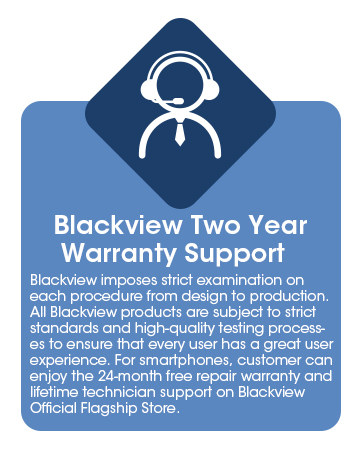
Figure 7.1: Blackview's 2-year warranty support details.
7.2 Customer Support
For technical assistance, warranty claims, or general inquiries, please reach out to the Blackview Official Flagship Store or their authorized support channels. Lifetime technician support is available.
You can find more information and contact details on the official Blackview website or through the store where you purchased the device.
Related documentsTB2024-Color 8-128-Purple-CLXUS-NEW


Ask a question about this manual
Ask about setup, troubleshooting, compatibility, parts, safety, or missing instructions. Manuals+ will review the question and use this page’s manual context to help answer it.